Agent frameworks#Coding agent#Agent memory
claude-mem: persistent memory for Claude Code
claude-mem adds cross-session memory to Claude Code. It logs tool use, compresses it into summaries and loads them into new sessions. Apache-2.0; npx install.
Project facts
GitHub Ecosystem- License
- Apache-2.0
- Language
- TypeScript
- Stars
- 101,998
- Data checked
- 2026-10-21
Snapshot figures reflect the check date and may change over time.
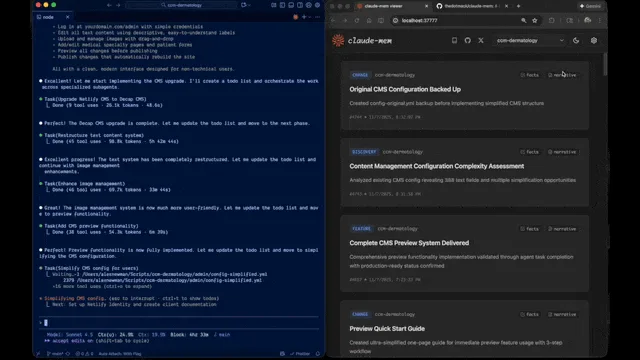
A new Claude Code session starts blank, so the cause you traced yesterday and the files you said to leave alone are gone unless you repeat them. claude-mem is a persistent memory system for Claude Code. It uses lifecycle hooks to record each tool call as an observation, has a model compress those observations into summaries, and loads the relevant ones at the start of later sessions. The latest release is v15.0.1, published October 20, 2026 (UTC).

The 21-second clip is the README’s demo. Claude Code runs on the left, and the local viewer on the right lists observation cards with type tags and project names.
Core features
claude-mem’s features fall into three groups: recording, retrieval and privacy controls.
- Automatic recording: Six lifecycle hooks (SessionStart, UserPromptSubmit, PreToolUse, PostToolUse, Stop and SessionEnd) capture activity with no manual step. A model then compresses the observations into semantic summaries.
- Context at session start: Earlier context appears at the top of a new session, and by default only observations from the current host are included. Set
CLAUDE_MEM_SESSION_START_INCLUDE_ALL_SOURCESto"true"in~/.claude-mem/settings.jsonto add Codex observations too (default"false"). - An index first, full text on request:
searchreturns a compact index with IDs,timelineshows what surrounds a result, andget_observationsfetches full text for the IDs you choose. The README calls this “~10x token savings” and does not say how it measured that. - Chinese-language observations: Setting
CLAUDE_MEM_MODEtocode--zhwrites observations in Simplified Chinese. The README says the mode is built in. - Privacy tags and redaction: Text inside
<private>tags stays out of storage. Automatic redaction of recognized secret patterns is controlled byCLAUDE_MEM_REDACT_ENABLED, which defaults tofalse. - Local components: A worker managed by Bun serves a local HTTP API and a web viewer. Data goes into SQLite, and Chroma handles vector search that mixes semantic and keyword matching.
These retrieval estimates come from the v15.0.1 README, and we did not measure them.
| Step | What it returns | README estimate |
|---|---|---|
search | A compact index with IDs | About 50–100 tokens per result |
timeline | Chronological context around a result | Not given |
get_observations | Full detail for the chosen IDs | About 500–1,000 tokens per result |
Typical use cases
claude-mem helps most when the same codebase gets reopened again and again.
- A solo developer who returns to one repository every week: A build fix left half done last week does not need explaining again. The new session opens with that context, and
searchcovers the details. - Someone who uses Claude Code and Codex side by side: With the all-sources setting on, both tools’ observations reach each session’s start.
- Anyone asking why a decision was made:
searchfilters by type, date and project (the README example usestype="bugfix"), andtimelineshows what happened around a match.
Quick start
Installing claude-mem takes one command in a terminal:
npx claude-mem install
The installer sets up, then asks you to sign in with an email magic link. To skip sign-in, pass --provider or set CLAUDE_MEM_ONLINE_OPTIN=false. Inside Claude Code, you can instead run /plugin marketplace add thedotmack/claude-mem and then /plugin install claude-mem. The README warns that the npm package alone installs only the SDK, without the hooks or the worker.
On the plugin route, the README asks you to restart Claude Code. After that, new sessions open with context from earlier ones.
Summary
claude-mem suits a solo developer who works in Claude Code every day on the same projects and accepts that a model service compresses the records. It does not suit a team that needs code and prompts to stay on local machines. The code is TypeScript and needs Node.js 20 or later; Windows users should check the README’s PATH notes. The license is Apache-2.0, but it covers the open-source core only: docs/ip-boundary.md places the Magic Recall hosted cloud and team memory sync outside the public repository.
Data lives in ~/.claude-mem/ by default, and CLAUDE_MEM_DATA_DIR changes that. Compression still calls a model: claude-mem’s observer, your own OpenRouter or Gemini key, or your Anthropic plan. The docs do not list the fields each request sends. Once cloud sync is active, observation narratives and full prompt text go to your cmem.ai account, and the docs do not say how they are encrypted. Each tool call is observed and compressed, so the cost keeps running. The README says the 30-day trial runs off-plan and that memory then falls back to your Anthropic plan unless you subscribe, but it gives no average cost per session. The README’s closing section promotes CMEM, a token it says a third party issued and the author endorses. That is unrelated to the software, and we did not assess it.
For neighbors, see context-mode, which covers how tool output reaches the context window, and Graphiti, which builds a time-aware knowledge graph. claude-mem’s README lists SQLite and Chroma as its storage components and mentions no graph structure.
We checked the README, the official docs, the LICENSE file and the GitHub API, but did not install or run claude-mem. The README says “4 MCP tools” but lists three, so this entry describes those three.