Audio#Open source#Text to speech#AI video#Short video#Local-first#Agent Skill#Explainer video#HTML to video
html-explainer: turn any topic into a narrated explainer video
html-explainer is an open-source Agent Skill for Claude Code, Codex and other coding agents: give it a topic and it runs research, narration, voiceover, subtitles, frame-by-frame rendering and covers end to end, producing a hard-subtitled MP4. Scenes are written in HTML/CSS/GSAP and rendered with a deterministic seek renderer, so audio and animation stay locked in sync. The default edge-tts voiceover is free and everything runs locally.
Project facts
GitHub Ecosystem- License
- MIT
- Language
- Python
- Stars
- 79
- Data checked
- 2026-09-28
Snapshot figures reflect the check date and may change over time.
The script is the easy part of a knowledge short video. Once the text settles you still have to record the voiceover, sync subtitles line by line, lay out every scene and design covers — half a day for one minute of output. html-explainer, an open-source Agent Skill for coding agents like Claude Code and Codex (recently featured by GitHubDaily), collapses that into one sentence: “make a one-minute explainer video about why the sky is blue.” The agent walks the whole pipeline — research, narration, voiceover, subtitles, scenes, render, covers — and hands you a real MP4. The clever bit is how it renders: instead of screen-recording a running animation, it seeks the GSAP timeline to each frame and takes a screenshot, so picture and audio stay in sync by construction rather than by luck.
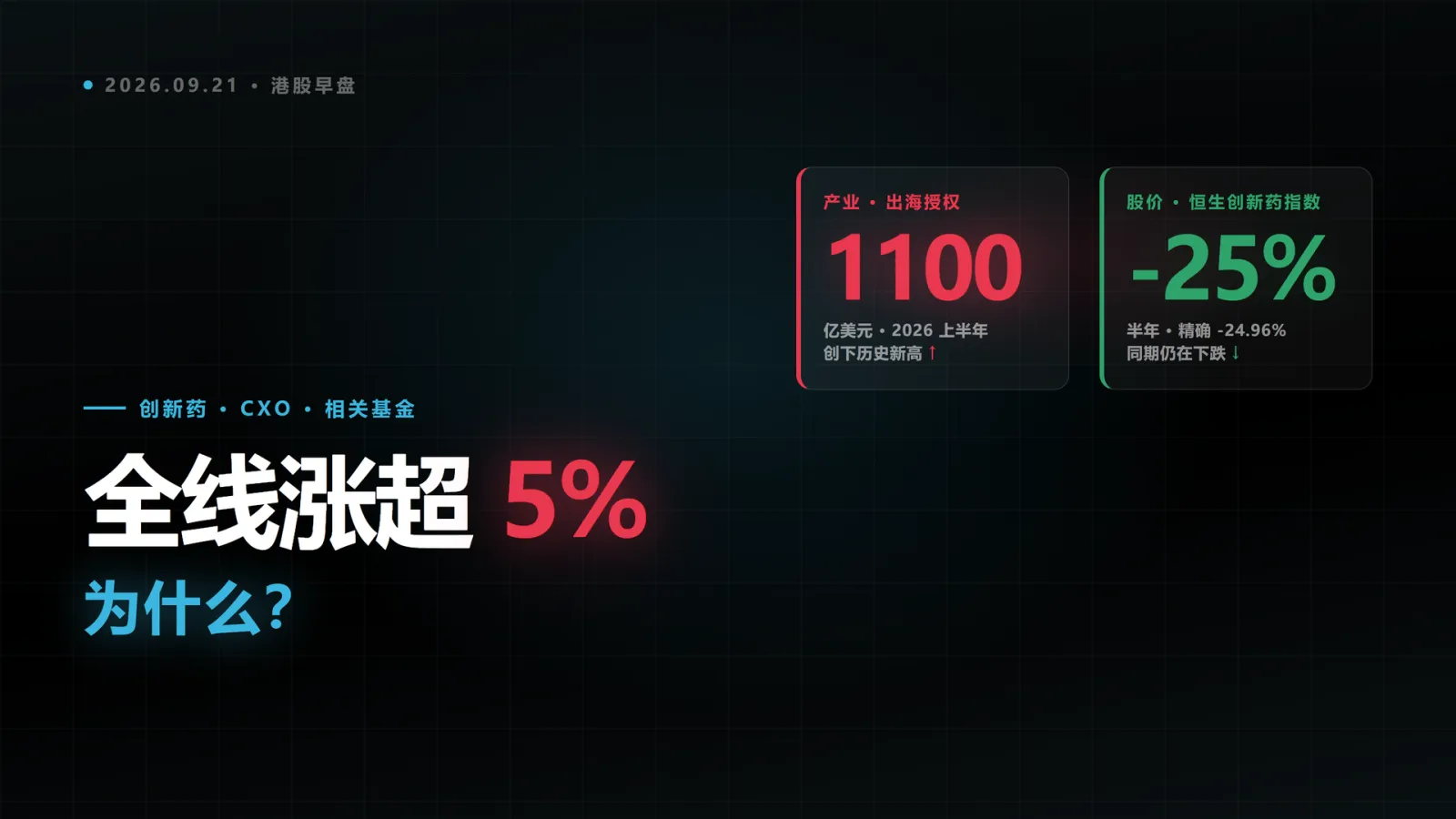
The author has shipped two videos with this pipeline — a Hong Kong pharma market read and a short history of quant trading — and the covers below came out of the same pipeline:
Core features
- Deterministic seek rendering: the renderer pauses the GSAP timeline at the target moment, syncs all CSS animations via
document.getAnimations(), waits two animation frames, then screenshots. Frame 1204 is pixel-identical across renders, single scenes can be re-rendered on their own, and QC can spot-check any frame. The cost: every animation must be seekable — wall-clock tricks like CSS transition entrances get rejected outright by lint_frames.py. - B() beat anchoring: scene animations anchor to
B('subtitle text'), the moment those words start being spoken. Change one narration line, rerun three commands, and every scene re-times itself. A missing beat fails the build — the fallbackB('x') || 3.2is explicitly banned. - Word-boundary subtitles: timing comes from the TTS engine’s per-character timestamps, not interpolation by character count — in Chinese, two phrases with the same character count can differ by 3× in duration.
- Two voiceover engines: edge-tts by default — free, no keys, works out of the box. For more natural voices switch to Volcano Engine TTS 2.0 (Doubao voices, per-character billing) with
--provider; both engines emit the same manifest, so nothing downstream changes. The Volcano API key lives only in tts.env, read by exactly one interface package — never in the conversation, the repo or the logs. - 23 scene styles across 8 categories, each documenting canvas, type scale, timeline structure and color discipline — from NYT-style data charts to Swiss grid and glitch art. The author suggests rotating 2–4 styles per project.
- Multi-aspect covers: every video ships a 16:9 (1920×1080) cover plus a 3:4 (1440×1080) that is re-laid-out rather than cropped — center-cropping 16:9 to 3:4 throws away 57.8% of the frame width. Add a 9:16 (1080×1920) for vertical channels. check_cover.mjs measures margins, hook font size and orphan lines on the final render.

Typical use cases
- Finance and science explainer channels: turn a daily market read or topic into a one-minute video with 16:9 for feeds, 3:4 for profile grids and 9:16 for vertical platforms, each cover laid out separately.
- Technical writers: convert docs and posts into narrated video without learning motion software — the scenes are just HTML and CSS.
- Teams that care about cost and data: everything runs locally, the core pipeline needs zero API keys and has no per-video billing, and source material never leaves the machine.
Quick start
You need Python 3.9+, Node 18+, Chrome or Edge, and ffmpeg; setup_env.sh reports what is missing and installs it with --install. The easiest route is to paste this into your agent:
Install this Skill into my local environment: https://github.com/OneMoh/html-explainer.git
Put it in your skills directory and check/install the required runtime
(Python 3.9+ / Node 18+ / Chrome or Edge / ffmpeg)
Manual install means cloning it into the skills directory (Claude Code only reads ~/.claude/skills/):
git clone https://github.com/OneMoh/html-explainer.git ~/.claude/skills/html-explainer
bash ~/.claude/skills/html-explainer/setup_env.sh --install
Open a fresh session and say “make a one-minute explainer video about why the sky is blue.” The agent asks which TTS engine and voice you want, then runs to completion — the MP4, SRT/VTT subtitles, QC report and two covers land in out/.
Summary
For people already using coding agents who want to produce explainer videos at some volume. Not for live-action editing or talking-head video, and not for anyone who wants a drag-and-drop editor — scenes are code, by design. MIT-licensed, Python plus Node render scripts, created 2026-09-21 and iterated to v1.4.1 within a week. Caveats worth knowing: every animation must be seekable, so existing React component animations won’t carry over (that is the reference project anything2explainer’s territory); each video takes about 2 GB of disk for frame PNGs, cleaned up after muxing; Doubao voices require your own Volcano Engine key, billed per character. The README credits its two intellectual sources item by item (anything2explainer’s sync methodology, nexu-io/html-video’s style catalog), and references/lessons.md — 56 numbered post-mortems of videos that looked fine but were quietly wrong — is worth reading on its own.