Mailflare: self-hosted email for your domain, running in your Cloudflare account
Mailflare is open-source webmail that runs in your Cloudflare account: mail in D1, attachments in R2. Receiving is free, sending needs the $5/mo Workers plan.
Project facts
GitHub Ecosystem- License
- AGPL-3.0
- Language
- TypeScript
- Stars
- 3,828
- Data checked
- 2026-10-01
Snapshot figures reflect the check date and may change over time.
Email at your own domain usually means paying Google Workspace per head, or running a mail server and wrestling with DKIM, SPF records and spam folders. Mailflare takes a third path: an open-source (AGPL-3.0) webmail app that deploys entirely into your own Cloudflare account — inbound mail arrives through Email Routing, messages live in your own D1 database, attachments in your own R2 bucket, all behind a Gmail-style interface. As of October 1, 2026 the repo sits at roughly 3.8k stars; it was created in late May 2026 and is still actively updated. The site’s tagline, “Your domain. Your inbox.”, is an accurate summary.
Core features
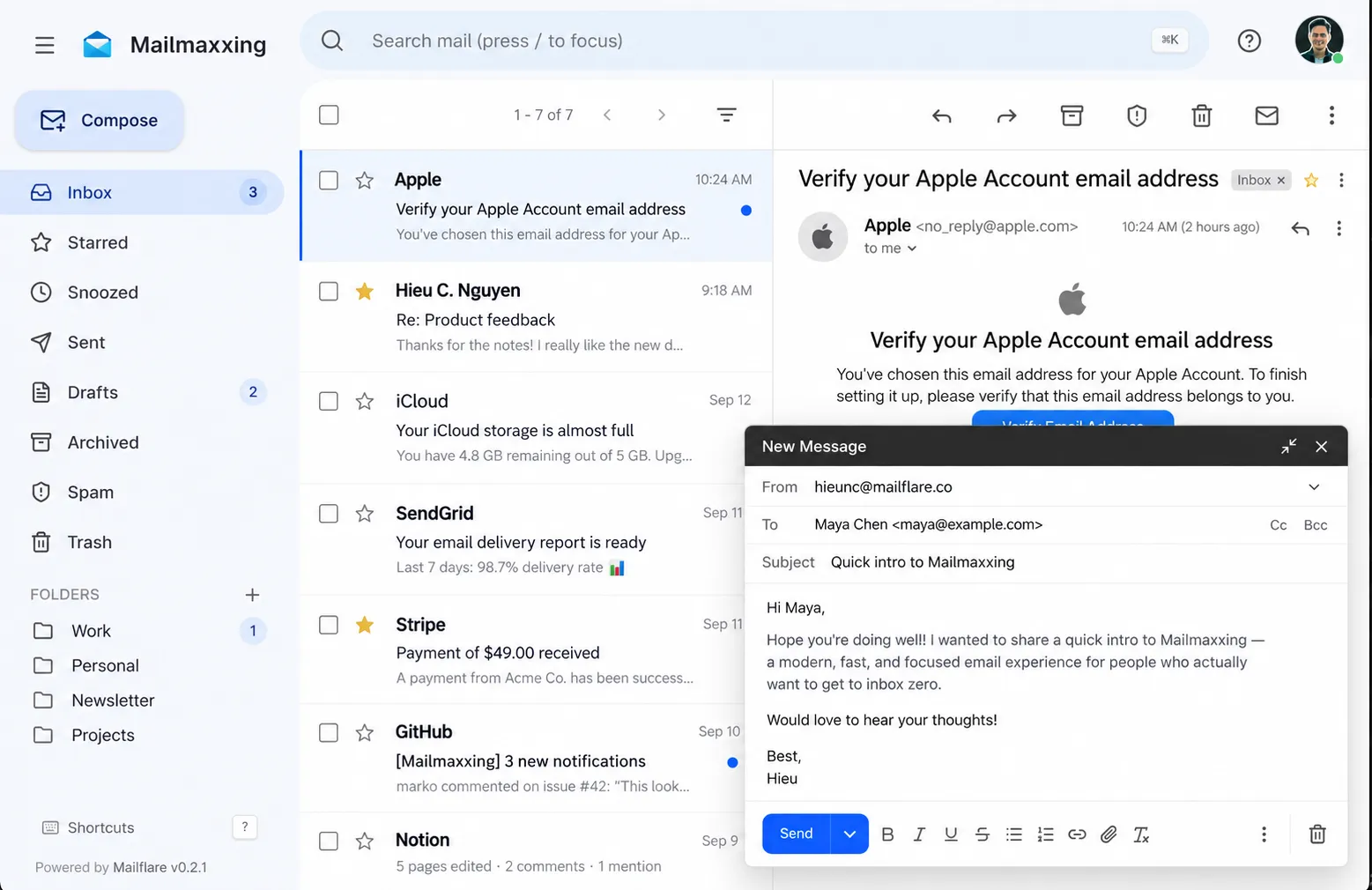
- A full inbox, not just forwarding: Cloudflare’s built-in Email Routing only forwards mail to an existing mailbox. Mailflare adds the inbox itself — sending and receiving, attachments, rich formatting, signatures, auto-replies, plus search, custom folders, stars, snoozing, archive and spam.
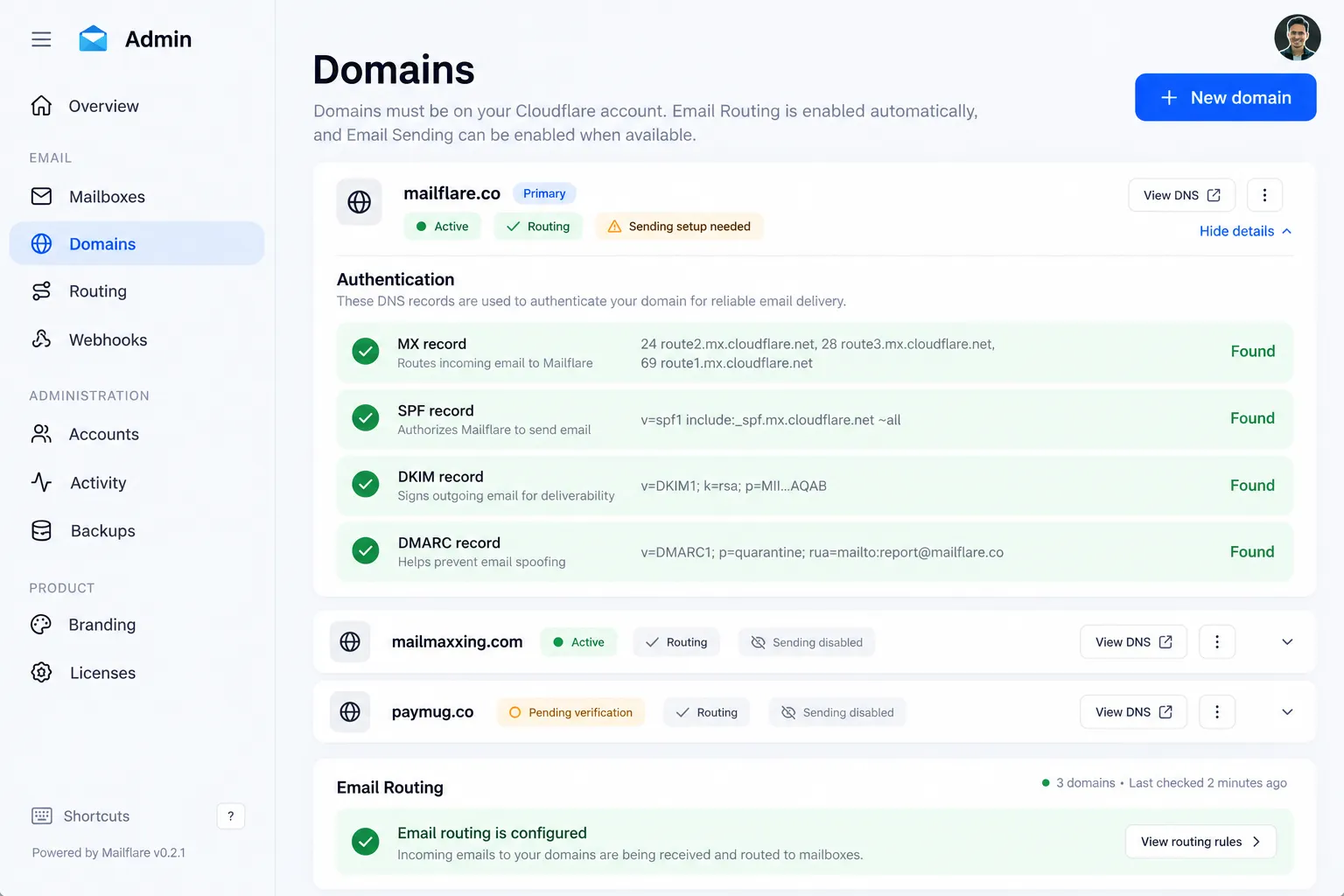
- DNS configured for you: connect a domain and Mailflare writes the MX, SPF, DKIM and DMARC records and checks each one in the dashboard (below); the official site advertises unlimited domains, aliases and mailboxes.
- Personal and shared mailboxes: team addresses like hello@ or support@ take delegated access per person, so nobody has to share a password.
- Routing rules and admin: incoming mail can be stored, forwarded, rejected or categorized by rule; accounts, permissions, API keys, webhooks, audit logs and database backups live in one admin panel.
- AI assistant and MCP: a built-in assistant searches mail, works with threads and prepares drafts; external AI clients connect over MCP, with each key scoped to chosen mailboxes or admin permissions.
Typical use cases
- Moving a personal domain off per-seat Workspace subscriptions — the same keep-costs-down logic as our low-cost indie stack roundup, with the data staying in your own account.
- Small teams sharing support@ or hello@ with per-person delegated access and audit logs instead of a shared password.
- Anyone juggling several domains: give each a few addresses and manage them from one dashboard rather than configuring forwarding per domain.
Quick start
The official path is three steps: hit the Deploy to Cloudflare button in the README (keep the Worker name mailflare — the app misbehaves under any other name), open /setup to run the installation check and create your admin account, then connect a domain on the same Cloudflare account. Routing configures itself and you create your first mailbox. Deployment requires a least-privilege CF_TOKEN covering DNS, Email Routing and Email Sending permissions — the README links the exact list. Receiving is free; sending requires the paid Workers plan ($5/month).
If you’d rather not tie it to Cloudflare, a single Docker container runs on any server, with SQLite and local files in place of D1 and R2 and a built-in SMTP listener for inbound mail:
cp .env.docker.example .env.docker
docker compose up -d --build
Summary
Mailflare fits people who already manage their DNS on Cloudflare and want email at their own domain without running a mail server — individuals and small teams alike. Larger setups that treat mail as critical infrastructure should price out the D1 and R2 platform limits first. It’s AGPL-3.0 licensed and written in TypeScript. Pricing: the Community edition is free; Professional (custom branding) and Team (team accounts, shared-mailbox roles) are one-time licenses listed at $19 / $249 on the official site (checked October 1, 2026), and Cloudflare bills your usage separately. Two things worth knowing before you start: the Worker must be named mailflare, and the CF_TOKEN permission list is long — most failed deployments trip on one of these. Deliverability from a self-hosted domain depends on your domain reputation and Cloudflare’s sending channel, so send a few test messages to mailboxes you actually use before migrating. If you’d rather start on free tiers, the free-for-dev list has a dedicated email section.