Publii: a desktop CMS that writes static sites, offline and one-click publish
GetPublii's desktop CMS gives a WordPress-like UI for static sites on Win/Mac/Linux — offline-first, publishing to S3, GitHub Pages and Netlify. GPL-3.0.
Project facts
GitHub Ecosystem- License
- GPL-3.0
- Language
- HTML
- Stars
- 7,390
- Data checked
- 2026-11-05
Snapshot figures reflect the check date and may change over time.
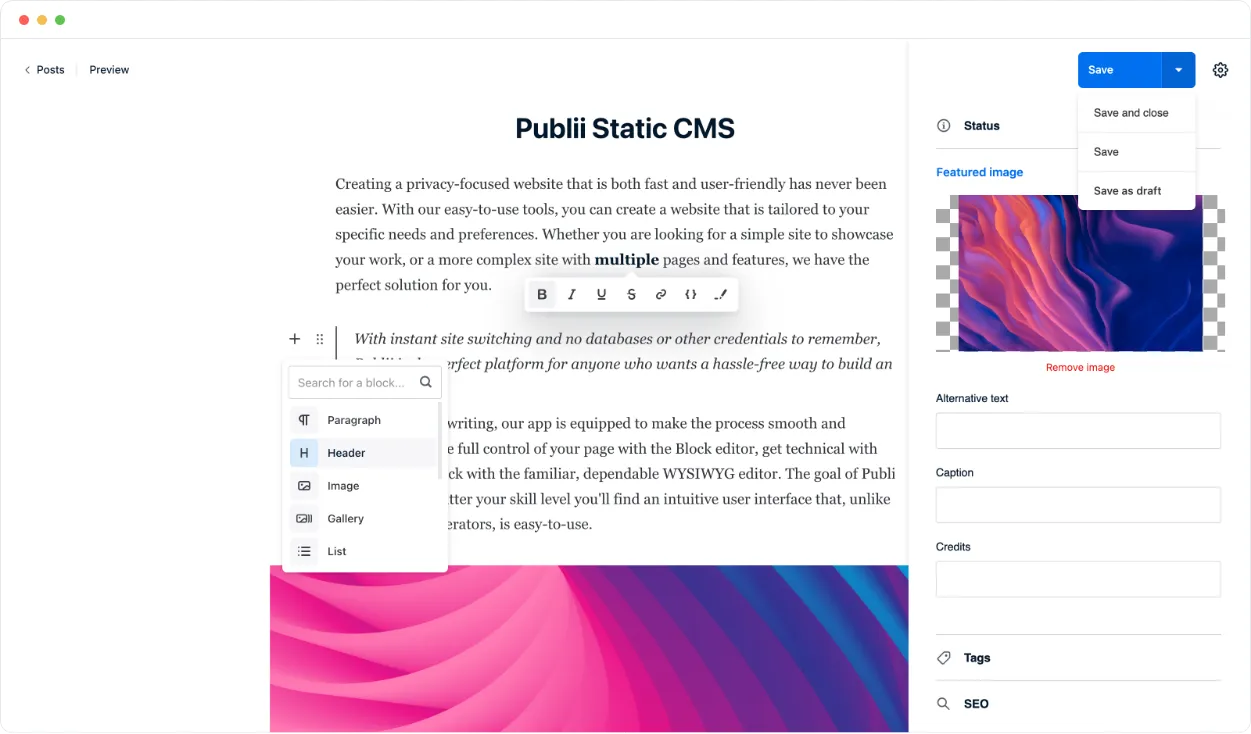
Static-site generators have never been friendly to non-technical users — command lines, template languages and build config each stop someone. Publii, recommended by a Chinese write-up (“不想折腾服务器?试试 Publii”), fills that gap: a desktop CMS for Windows, Mac and Linux with a WordPress-like interface that outputs fast, secure static sites. GPL-3.0, 7,390 stars as of November 5, 2026, maintained since 2018 at version 0.48.2. The twist is that it works entirely offline — you create, write and revise locally, then sync changes to your server with one click.
Core features
- Desktop CMS experience: a WYSIWYG editor with built-in themes and options; a site is minutes from install, no command line involved.
- Offline-first: a local application rather than a server-side one — create, update and modify with no internet, then sync when connected.
- Multiple publish targets: beyond plain HTTP/HTTPS, FTP/SFTP, Amazon S3, GitHub Pages, Netlify and more are supported — one site can keep several destinations in sync from the same panel.
- SEO and privacy oriented: static output is naturally fast and safe, and the site design targets SEO-optimized, privacy-focused publishing.
- Theme ecosystem: multiple built-in themes with style options, so the look adjusts without code, and community themes extend the shelf further.
Typical use cases
- Personal blogs and portfolios: WordPress feel, static-site speed, for writers who don’t want Git and build chains.
- Small business sites: privacy-first, no server attack surface, hosting cost near zero.
- Intranet knowledge sites: offline writing works in restricted networks too.
Quick start
Download the installer for your platform from getpublii.com (Windows/Mac/Linux), create a site, pick a theme, write, then choose a sync target in the publish panel. Site configuration, themes and content all live as a project in a local directory — moving machines means copying the folder. Documentation lives on the site.
Summary
Publii fits individuals and small teams who want static-site speed and safety without maintaining a build chain; sites needing dynamic features (comment backends, logins, e-commerce) still bolt on third-party services. Facts and limits: GPL-3.0 — note it is a desktop-app license, and its copyleft terms differ from MIT-style projects; HTML/JS stack; maintained continuously since 2018. It represents the third generation of static publishing — Hugo and Jekyll target engineers, Publii targets everyone who can click. Like floci from this site, which pulled cloud capabilities back onto the local machine, Publii pulls the CMS off the browser and back onto the desktop: local-first tools are uninstalling SaaS one product at a time.