Treg: OpenRouter for agent tools
Treg is OpenRouter for agent tools: one token reaches external endpoints, some metered per call. Its Apache 2.0 license adds terms, so it is not OSI-approved.
Project facts
GitHub Ecosystem- License
- tools-registry License
- Language
- Python
- Stars
- 5,915
- Data checked
- 2026-10-21
Snapshot figures reflect the check date and may change over time.
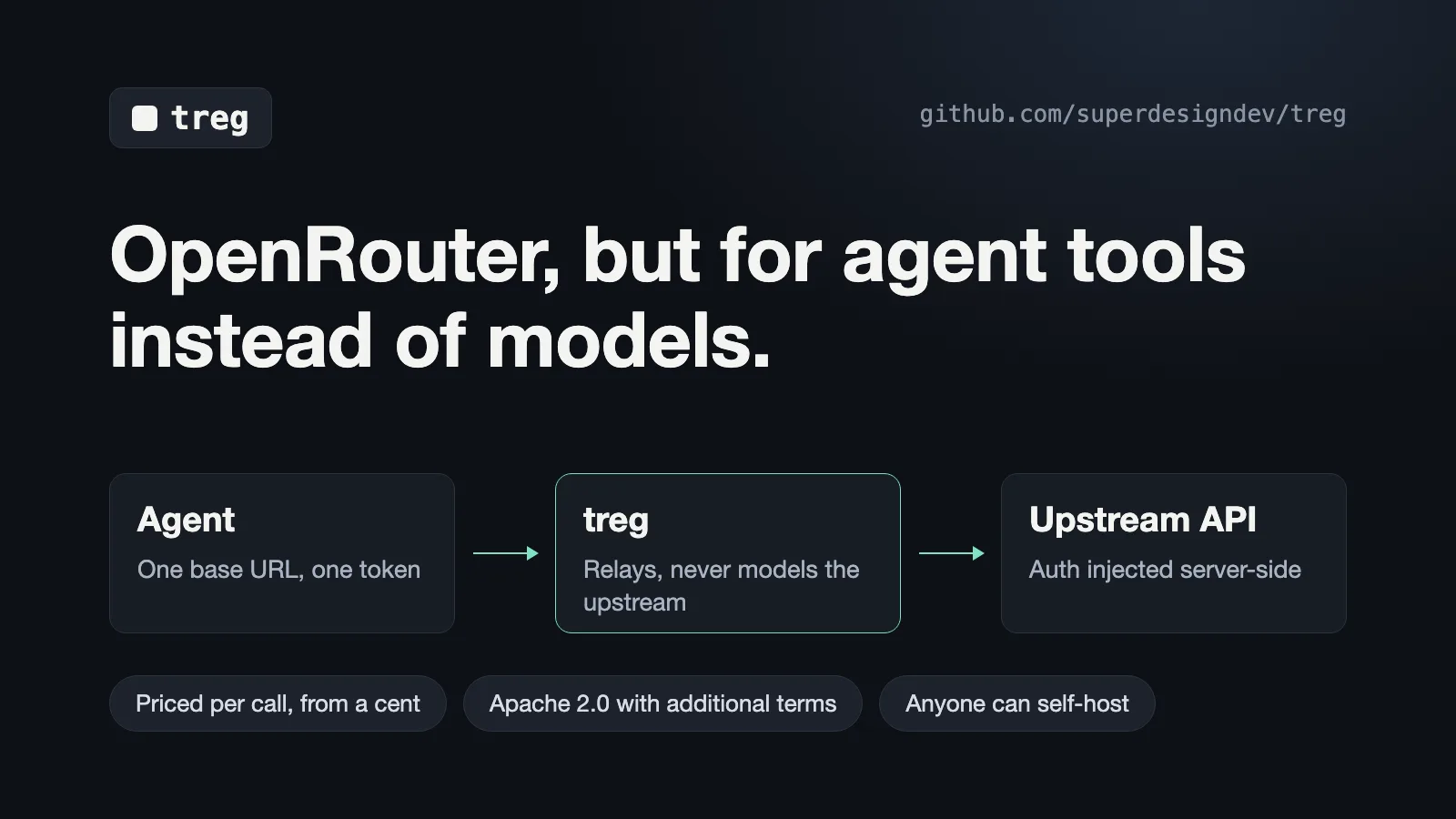
When an agent needs several outside services, such as a backlink lookup, a social-media pull and a company-contact search, you end up with several signups, several billing pages and a .env file full of keys. Treg calls itself OpenRouter for agent tools: a gateway for external APIs rather than models. The agent holds one base URL and one token, and the server attaches each vendor’s credential on every call. The repository was created on July 15, 2026.
Core features
- Find tools by task, check prices first:
treg catalog searchmatches tools to what they do, andtreg catalog get <id>lists parameters, price and an example response. When several vendors offer the same capability, their prices appear side by side and you choose. - One base URL, faithful relay: calls go to
https://treg.to/call/followed by the full upstream URL, with anX-Treg-Tokenheader. The README says the proxy changes only transport headers, treg’s own control headers and the injected credential. - Credentials stay on the server: for HTTP calls the agent never sees the vendor key. The CLI’s
--servermode keeps the key on the registry server as well. - Your own keys come first: a key your team registered beats treg’s own key, and calls made with it are not billed to treg’s balance.
Typical use cases
- An SEO lead checking backlinks: the agent searches for a backlink endpoint, compares vendor prices and calls the one it picks, without opening an account with each vendor first.
- A team that already pays for APIs: each service is registered once, and every member’s agent calls it with the same token. This applies to HTTP calls only.
Quick start
These are the install and first-call steps from the README:
# 1. install the CLI — also points it at the registry
curl -fsSL https://treg.to/install.sh | sh

# 2. sign in (GitHub default · --email for a one-time code · --token for agents/CI)
treg login

# 3. do something useful immediately — no key, nothing registered
treg catalog search "backlinks for a domain"     # find a tool by what it DOES
treg call tikhub.tiktok.user.profile --query uniqueId=tiktok
treg balance                                     # exactly what that cost

# (or `treg onboard` for the guided walkthrough)
treg balance shows what that first call cost. The install.sh script is piped straight into sh, so if you would rather not run a remote script unread, download it and read it first.
Pricing and hosting
Each catalog endpoint takes the first route on this list that applies:
| Route | Key used | Billed to treg balance |
|---|---|---|
| Your team registered the vendor’s tool | Your team’s key | No |
| Your team stored a secret for the vendor | Your team’s key, injected through a virtual tool | No |
| The endpoint has a verified public route | No vendor key | Free |
| Any other endpoint with a published price | treg’s own key | Yes, from prepaid balance |
| An endpoint with no published price | None | Refused; you are told to connect your own key |
A new team gets $1.00 of free credit. The README and the CLI reference describe who gets it differently, and we did not verify which is right. When the balance runs out, the API returns HTTP 402 with insufficient_balance and fields such as topup_url.
Neither document gives a per-endpoint price list, treg’s markup on its own keys, or the amount of the daily spending ceiling on those keys. The README does not say which endpoints have a public route, and we found no uptime or SLA promise in the README or in treg.to/llms.txt. treg catalog get lists each provider’s measured reliability, but the docs do not say how it is measured. If treg’s own account for a vendor runs dry, calls return HTTP 503 with provider_capacity_unavailable, are not charged, and treg does not switch vendors for you.
Self-hosting and security
Self-hosting needs pip install "tools-registry[server]", since the base package ships only the CLI. The easy mistake is TREG_SECRET_KEY: left empty, the server generates a temporary Fernet key, and saved secrets are lost on restart. The README says to back up that key and the database. It does not say whether a self-hosted registry can use the keys treg holds for its hosted catalog.
treg run defaults to --local, which runs the CLI on your own machine, so the credential reaches that machine. The tool’s owner has to enable local runs for each tool. On Linux, sudo treg setup-local-run runs the CLI under a separate system user. On macOS the isolation is best-effort. Use --server to keep the key on the registry.
treg shell start --proxy and treg serve add credentials to a local program’s calls to registered hosts, using a certificate authority valid for two years. Watch Node 24: before it, the built-in fetch() ignores proxy settings and sends the request with no credential.
The CLI reference also describes an answer archive that may keep answers from metered calls. A team can leave it with treg org archive off. The README does not mention the archive, and it does not say whether treg staff can read a team’s stored secrets.
License terms
The LICENSE file calls itself the tools-registry License. Its text is Apache 2.0 plus additional terms, and the additional terms win in a conflict. It is not OSI-approved open source. The OSI definition’s sixth criterion bars restricting use in a specific field, and this license forbids one use: offering the software as a hosted service to third parties. In practice it is source-available with a usage limit. This is our reading of the text, not legal advice.
You may use it inside your own organization, including commercially, and modify and redistribute it under the Apache terms. Running a registry for your own team is expressly permitted.
Without written permission from the licensor, you may not use the software, original or modified, to provide a hosted, managed or embedded service to third parties. The examples in the text include a SaaS product, a managed registry and a component of a product that is sold. The README’s summary mentions only a “competing hosted or managed registry service”, which is narrower, so follow the LICENSE text. The README also says calling the hosted treg.to API from your own product needs no permission. That sentence does not appear in the LICENSE. Contributors license their contributions on the same terms, and the licensor may use them commercially in its own hosted offerings.
Summary
Treg suits teams that already pay for several APIs and want one entry point for every member’s agent, and teams that will self-host and guard their own keys. It is a weaker fit if you need an SLA, a fixed published price list, or a way to put it inside a service you sell to others. If your agent calls one or two services, the vendor’s own API is simpler. For a model-side proxy, see free-claude-code.
The license is Apache 2.0 plus additional terms and is not OSI-approved. GitHub lists Python as the primary language. As of 2026-10-21 the repository had 5,915 stars, 502 forks and 187 open issues and pull requests combined. The README says the catalog holds “thousands of endpoints”, its hero image says “2000+ tools”, and the example line in treg.to/llms.txt says “4,000+ tools across 113 providers”. We did not count the catalog, so all three are the project’s own claims. We read the README, LICENSE, USAGE.md and the treg.to llms.txt page, but did not install the CLI or call any endpoint.