Compute#Benchmark#AI chips#Model inference
NV UEFI Unlocker frees capped Tensor Cores on RTX 20/30/40 from a USB stick, measuring 65–75% gains on synthetic AI benchmarks
nv-uefi-unlocker boots from a stick and unlocks capped RTX Tensor Cores before the driver loads — a 4060 Laptop gains 65% FP16, no VBIOS flash, no persistence.
NV UEFI Unlocker — the repository is nv-uefi-unlocker — is an open-source tool published on October 26 by GitHub user physicsdolphin: a Rust UEFI application you boot from a USB stick that rewrites speed-selector registers in the card’s firmware before the NVIDIA driver loads, releasing the capped Tensor Core throughput of RTX 20, 30 and 40 series cards. The headline number in the README is the author’s own RTX 4060 Laptop, which went from 29.89 to 49.33 TFLOPS on FP16 GEMM, about +65%. No VBIOS gets flashed, no driver gets patched, and a power cut returns the card to stock. As of November 2 the repository counts 1,004 stars and 94 forks, with v2.1.9 released on November 1.
Key points
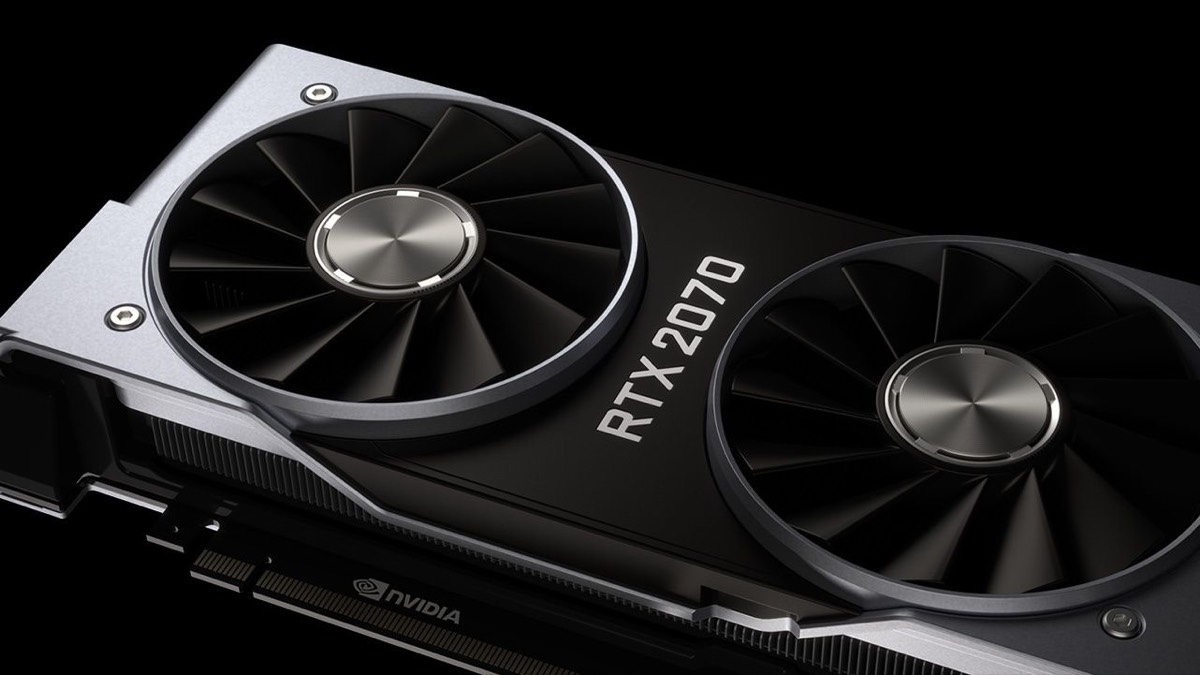
- Synthetic peaks are the big numbers: an RTX 2070 went from 36 to roughly 60–63 TFLOPS on FP32 GEMM (+67–75%), a 4060 Laptop gained 65% on FP16, a 4080 hit 1.91× on BF16 — per the repo’s compatibility matrix and per-card issues.
- Real workloads gain far less: the README itself reports at most +19% on LLM prefill and +5% on decode, and one user measured only +28.8% running ComfyUI SDXL on a 3080 LHR; two outlets flag that gap explicitly.
- The cost is procedure, not money: UEFI boot with Secure Boot off (or a self-signed EFI you trust), GSP firmware enabled first on Turing, and a replay at every cold boot. No gaming benefit has ever been shown.
How it relates to prior unlocks
The project stands on work that surfaced mid-October. GPU Unlock, a Linux kernel module by Zagitta, covered only RTX 30 Ampere cards — a 3090 Ti measured +80% on BF16 — and demanded a Linux install. NV UEFI Unlocker credits gpu-unlock as the “transaction-chain porting parent” in its README but changes the delivery vehicle: a single Rust-built BOOTX64.EFI on a plain FAT32 stick, chainloaded from any UEFI machine’s one-shot boot menu, which hands control back to the original bootloader when it finishes. That makes Windows, Linux and even Hackintosh first-class targets, and widens coverage from one generation to three — Turing, Ampere and Ada. The repository was created on October 26 and shipped 20 releases in six days: the RTX 20 (Turing) unlock track landed on October 27 with v0.2.0, and RTX 30 support was promoted to stable on October 28 after a verified RTX 3060 Ti LHR run (issue #11).
The facts
What it unlocks is the artificial gap between consumer and professional cards: the same silicon, but GeForce halves the number of FP16/BF16/TF32 (FP32-accumulate) tensor instructions issued per cycle. The tool’s write path runs SEC2 scrubber → FWSEC/WPR2 → NVIDIA’s signed Booter → a V67 four-write payload, verified by read-back at every step — in effect borrowing NVIDIA’s own signed boot firmware to flip the registers, which is why neither VBIOS nor driver needs touching. Published numbers so far, all self-reported by the repo and its community with no third-party lab retest:
| Card | Precision | Before | After | Source |
|---|---|---|---|---|
| RTX 4060 Laptop | FP16 | 29.89 TFLOPS | 49.33 TFLOPS | repo README |
| RTX 2070 | FP32 | 36 TFLOPS | 60–63 TFLOPS | compatibility matrix |
| RTX 4080 | BF16 | — | 1.91× | via Tom’s Hardware |
| RTX 2080 Super | FP16 | 46 TFLOPS | 68 TFLOPS | issue #14 |
| RTX 2080 Ti (stock 11GB) | FP16 | 60.31 TFLOPS | 89.57 TFLOPS | issue #103 |
The README’s own summary: up to ~2.6× on FP16/BF16/TF32 tensor throughput, ~1.9× on FP8, +14–75% on image and video generation, and up to +94% on DirectML inference operators. Coverage, per the compatibility matrix: RTX 20/30/40 series in full (each with a list of individually verified models), GTX 16 theoretical and awaiting hands-on confirmation, everything pre-Pascal plus GA100 and RTX 50 unsupported. The v2.1.9 release on November 1 added preloaded chainloading and a quiet console.
What others say
VideoCardz (October 31, WhyCry) laid out the verifiable numbers, then poured cold water: the unlock is not persistent, the risk is real, and “is it worth gambling a good card for it” is the article’s running question — though the author argues NVIDIA should simply lift the cap for everyone. Tom’s Hardware (November 1, Shane Downing) filled in practical traps nobody else covered: with Secure Boot off, some anti-cheat games refuse to start; laptops need dGPU-only mode; Linux runtime power management (RTD3) can silently wipe the unlock; and the 4090 only manages 1.45× because it hits its power wall. WindowsForum (November 1) stressed that every figure is project- or community-reported with no standardized testing, and framed the tool as a consolidation of earlier community work rather than a new discovery. On the Chinese side, Mydrivers (November 1, Hei Bai) was the first mainstream outlet to cover it, citing the 2070’s 36→60–63 TFLOPS and warning that theoretical gains don’t transfer to real applications on an experimental tool. The Show HN thread sits at 2 points and zero comments — the actual community heat lives in the GitHub issue tracker — the compatibility matrix cites roughly 40 numbered issues with hands-on reports, including the first real before/after LLM comparison on a dual-card TRX40 rig: prefill +16–19%, decode +5.5%.
How to try it
The README splits the flow into three steps. Run make-usbroot.ps1 from an admin PowerShell (or make-usbroot.sh on Linux) to build the stick — the script detects your GPU generation and downloads matching firmware; pick the stick from the firmware’s one-shot boot menu and press space at the version screen; the tool chains back into your regular bootloader when done, and the bundled ssdiag utility confirms the state from inside the OS. Don’t skip the preconditions: UEFI boot with Secure Boot disabled or a self-signed EFI enrolled and trusted; Turing cards (GTX 16 / RTX 20) need enable-turing-unlock.ps1 run once in an admin PowerShell to enable GSP firmware, then a reboot; Linux users should check their RTD3 power management. The unlock is not persistent — you replay it at every cold boot. The project calls itself experimental; if something hangs, don’t retry in the same session — cut power completely, pull the stick and boot the original OS.
Our take
Who should care: anyone holding a 20/30/40-series card who also runs local image generation or LLM prefill. This unlock targets inference throughput, not everything — decode stays put because it’s memory-bandwidth bound, INT8 workflows barely move, and gaming gains are unsupported. Against the previous generation of Linux-only kernel modules, the barrier has genuinely dropped: no Linux install, just a USB stick and one reboot, and Windows users can touch this class of unlock for the first time. Three caveats stay on the table. First, the 65–75% figures are synthetic GEMM peaks — your actual task will more likely land between +5% and +30%, so check your card’s evidence tier in the compatibility matrix before touching anything. Second, disabling Secure Boot is a real security cost that a mixed work-and-gaming machine may not accept. Third, this is a six-day-old student hobby project, built with AI coding assistants, that writes to your GPU’s firmware registers — the README itself insists that “AI output gets no default trust” and verifies every write by read-back, which is commendable discipline, but third-party lab data and any long-term reliability record are still blank. If you want to try it, try it on a spare machine first. Keep the daily driver out of it.