OpenXR adds Spatial Containers, letting XR apps multitask like desktop windows
On October 19, OpenXR added spatial containers for XR developers: system-managed windows that switch between bounded and immersive modes. No ship date yet.
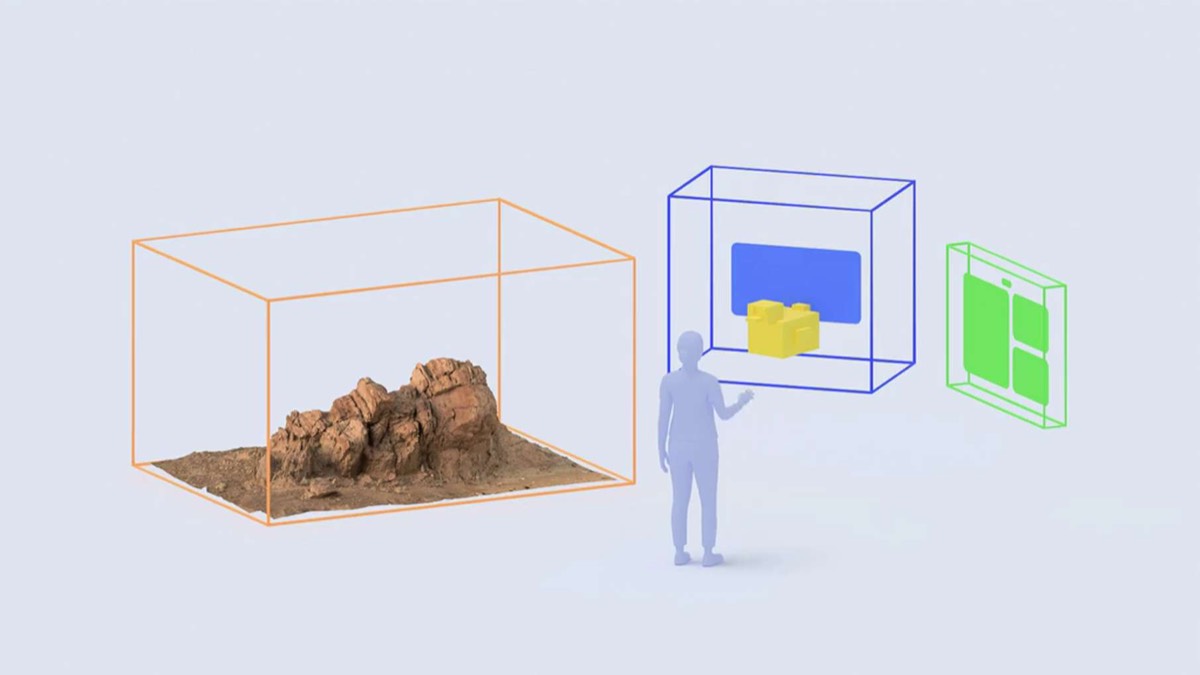
The OpenXR Working Group said on October 19 that OpenXR now has two newly ratified extensions: XR_EXT_spatial_container (registered extension number 811) and XR_EXT_spatial_container_self_rendering (814). OpenXR is the cross-platform API for VR and AR apps, and under OpenXR 1.x one app has exclusive control of everything the user sees. Spatial containers change that. They are system-managed display regions that behave somewhat like desktop windows, so several apps can share the space around the user.
Key points
- Both extensions are marked Ratified at revision 1. The specification page gives August 6, 2026 as its last modified date.
- A session with spatial containers enabled moves only between
XR_SESSION_STATE_IDLEandXR_SESSION_STATE_LOSS_PENDING. Visibility, interactivity and closing arrive as per-container events. - New containers start hidden and
BOUNDED. An app that wants full screen must requestIMMERSIVEfirst. The count is capped bymaxSpatialContainerCount, and going past the cap returnsXR_ERROR_LIMIT_REACHED.
Background
Under OpenXR 1.x, the app owns the view and the runtime makes only small changes for safety. The specification says this model “does not extend to multiple simultaneous experiences.”
Road to VR compares the gap with visionOS. Apple Vision Pro has had Shared Space since its 2024 launch, which lets several 3D apps sit side by side and move around. On Meta Quest, only one spatial app can run at a time, though the dashboard, browser and 2D windows can run alongside it. Road to VR also notes that Apple uses its own APIs for Vision Pro and is not among the platforms that support OpenXR.
“Container” is easy to confuse with Linux containers. Microsoft’s WSL 3.0 brought native Linux containers to Windows (the WSL 3.0 entry). A spatial container is a region of the display that an app draws into, and the two words only overlap.
The facts
The specification splits the feature across two extensions. The core extension, 811, creates, shows and closes containers. The self-rendering extension, 814, defines how an app hands its pixels to the runtime. The table lists values you can check directly in the spec.
| Item | What the spec says |
|---|---|
| Extension numbers and status | 811 and 814, both instance extensions at revision 1, status Ratified |
| Dependencies | 811 requires OpenXR 1.0; 814 requires 811 |
| Default state of a new container | Not visible, not interactable, in XR_SPATIAL_CONTAINER_BOUNDS_MODE_BOUNDED_EXT |
| Size hints | suggestedBounds, in meters; {0, 0, 0} means no preference, and the runtime may ignore it |
| Container limit | maxSpatialContainerCount; exceeding it returns XR_ERROR_LIMIT_REACHED |
| Capability flags | supportsBounded and supportsImmersive; runtimes must deny requests for unsupported modes |
Session behavior changes as well. With containers enabled, xrBeginSession and xrEndSession return XR_ERROR_SPATIAL_CONTAINERS_ENABLED_EXT. Their replacements in extension 814, xrBeginSpatialContainerRenderingEXT and xrEndSpatialContainerRenderingEXT, decide which containers take part in rendering. The spec says they are not per-frame calls.
Show and hide requests go through xrRequestSpatialContainerVisibleEXT, and the outcome arrives as an event. A runtime can refuse. The spec’s example is a container the user hid with a system minimize button: some runtimes will deny a later request to show it and send XrEventDataSpatialContainerVisibleRequestDeniedEXT. Some implementations need to talk to system services, so a request can wait until the user answers a system dialog.
A click on the close button, or a session entering XR_SESSION_STATE_LOSS_PENDING, produces XrEventDataSpatialContainerClosedEXT. The app should then stop using the container, tear down its state and destroy it. Placement belongs to the system too. Khronos says the runtime controls each container’s position, and the spec lets it change a container’s position and orientation when the mode switches between bounded and immersive.
How to try it
The OpenXR SDK 1.1.65 release, published on GitHub on October 16 (UTC), adds a spatial containers mode to the hello_xr sample. The code is in openxr_program_spatial_containers.cpp, 1,409 lines, and reading it is a quicker way to follow the lifecycle than reading the spec alone. The sample calls xrGetSystemProperties, reads supportsBounded and supportsImmersive, and creates up to three containers without exceeding maxSpatialContainerCount. A code comment says bounds mode must be set before a container is shown, and only then does the sample call xrRequestSpatialContainerVisibleEXT. At runtime, an input action calls xrRequestSpatialContainerBoundsModeEXT to switch the last container between bounded and immersive.
The sample adds no capabilities to your hardware. You need a runtime that implements both extensions. Khronos says implementations should start rolling out during 2026, and we did not find a headset that has announced support.
What others say
Khronos says the extensions are the result of 18 months of work among many OpenXR runtime and engine vendors. The specification’s contributor list includes Google, Meta, Unity, Varjo, ByteDance, Qualcomm, Valve, Microsoft, Collabora, Godot, LÖVR and NVIDIA.
The blog carries seven named statements. Jared Finder, XR platform and SDK lead at Google, says Google is excited to bring spatial container support to Android XR. The Godot XR team says Godot will support spatial containers in its next release. Meta, PICO, Unity, Varjo and Collabora express support for the direction without giving delivery dates. Valve and Microsoft appear only in the contributor list and made no public statement.
Road to VR’s Scott Hayden draws the comparison with visionOS, with a forecasting tone. He writes that it is a good bet existing OpenXR headsets will begin implementing the extensions soon, and says ratification does not mean current headsets support them right away. The OpenXR platforms the article lists are Meta Quest, SteamVR-compatible PC headsets and Steam Frame, Android XR headsets, Varjo, Magic Leap and XREAL. That list shows reach across OpenXR, not a list of spatial container commitments.
IT Home’s Chinese-language report largely restates Khronos and Road to VR, and says OpenXR platforms are expected to roll out implementations from this year. A Hacker News search for “OpenXR spatial containers” returned no discussion.
Our take
For teams building XR apps, this is an architectural change. One app used to mean one session and one render loop. Now the app manages containers through their whole lifecycle: create, set the bounds mode, request visibility, wait for the visible event, render, and destroy the container after a close event. With containers enabled, xrBeginSession and xrEndSession return errors, so older render loops need rewriting rather than small patches.
The main caveat is control. The system decides placement, the size is a suggestion the runtime can ignore, and visibility requests can be refused or delayed. Developers can declare the mode and size they want and handle the answers. For apps that depend on precise UI placement, that is a real constraint.
The timeline is still open. Khronos expects implementations during 2026 but names no dates. Google and Godot make the most specific statements. Our sources give no Quest date, and Apple is outside OpenXR. Khronos is also working on a system-provided renderer extension, which has not been published.
Two details are easy to misread. The extensions are older than this announcement: SDK 1.1.63’s release notes listed them as newly ratified multi-vendor extensions by early September, and October’s post made the specification, a sample and vendor statements public together. Multitasking windows are not new to XR either. Road to VR notes that visionOS has had Shared Space since 2024. What is new is a shared, cross-platform way to build the same kind of app on OpenXR.