Commentary#MCP#Coding agent#Runtime
Anthropic's Claude Quickstarts: which official scaffold should you copy?
claude-quickstarts ships runnable Claude API projects for support, computer use, browser automation, coding and Managed Agents.
The first hard part of building on the Claude API is rarely the API call. It is everything around it: where conversation state lives, how tools get declared, how an agent resumes after it dies mid-task, and how prompt caching and batched tool calls land in actual code. Anthropic’s claude-quickstarts exists for that ring: about fifteen complete, runnable projects, each with its own README and setup notes. The repository is MIT-licensed, had 18,602 stars on October 18, 2026, and is primarily TypeScript.
Key points
- This is not a tutorial collection. It is roughly fifteen independently runnable projects across six areas: customer support, financial analysis, computer use, browser automation, autonomous coding and Managed Agents.
- Start with Customer Support Agent or Financial Data Analyst. They have the fewest external dependencies, so you can see the session, tool and streaming skeleton quickly.
- The computer-use and browser demos really operate a desktop or a browser; Anthropic tells you to run them in a VM. The Managed Agents projects require Managed Agents access in the first place.
- The value is seeing how Anthropic itself writes prompts, declares tools and handles long sessions. These are not production templates: auth, multi-tenancy, rate limits and cost controls are mostly left to you.
What is actually in the repo
The root README lists projects by scenario. The most basic pair is Customer Support Agent, a support bot with a knowledge base, and Financial Data Analyst, which turns uploaded financial data into interactive charts from natural-language questions. Both wire a session, tool calls and a UI together, which makes them the shortest path to understanding the skeleton of a Claude app.
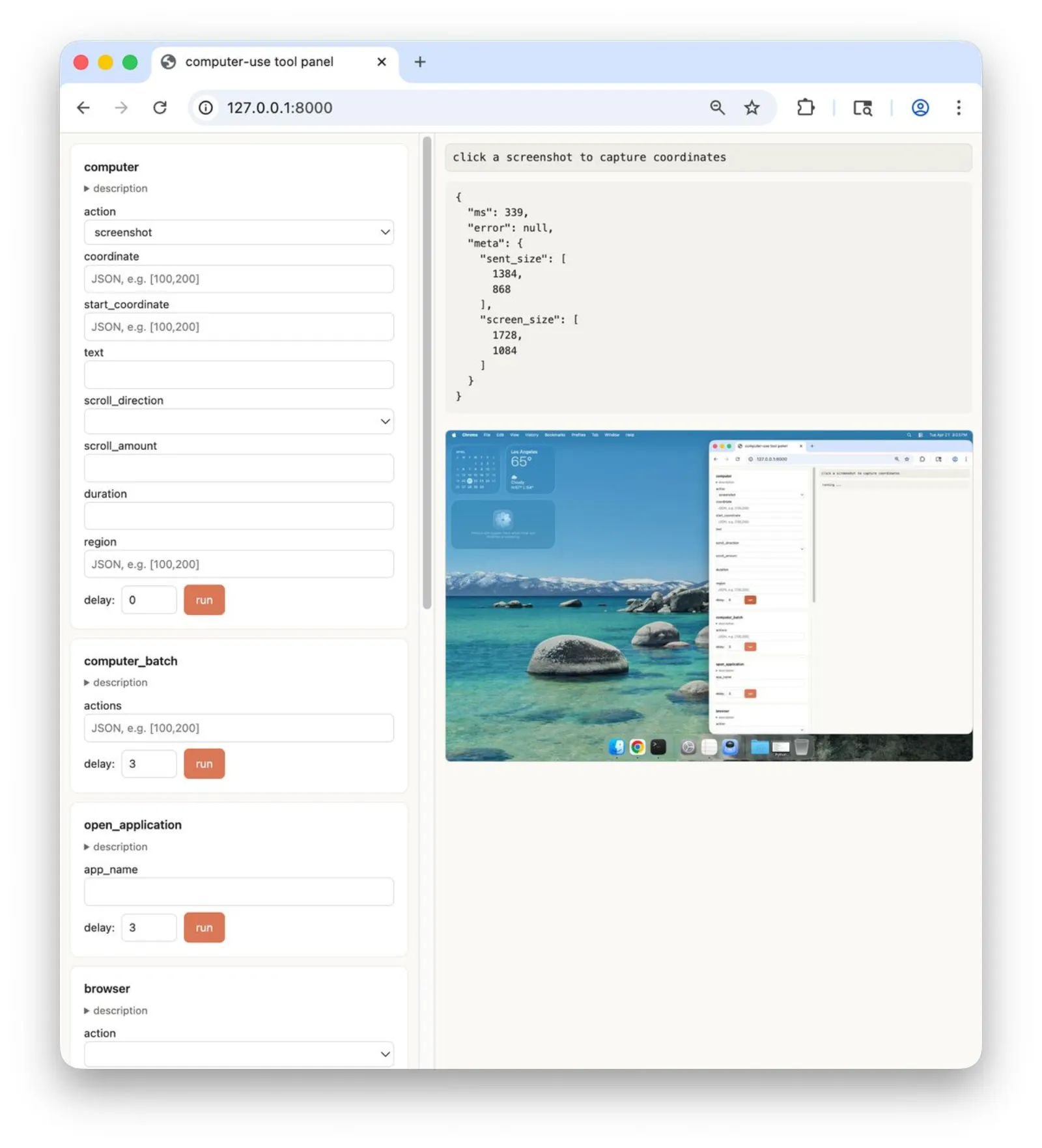
Next comes computer use. Computer Use Demo runs a container where Claude controls a desktop; Computer Use Best Practices is a native macOS reference implementation, and the README recommends running it in a VM. The second one puts prompt caching, server-side compaction, batched tool calls, a sandboxed shell and trajectory recording into working code, which is easier to follow than the same ideas in prose.
Then browser automation. Browser Use Demo is built on Playwright and shows Claude navigating, reading the DOM, clicking and filling forms. Two smaller siblings, Browser Toolset and Computer Toolset, isolate tool declaration so you can test it without a full app.
Autonomous Coding Agent follows: a two-agent pattern on the Claude Agent SDK, one agent for initialization and one for coding, with progress persisted in git and a feature list. That persistence is what lets it continue building an app across sessions, and it is the official ancestor of workflows like the ai-job-search setup we covered.
The largest group is Managed Agents: a Slack bot, a Linear integration, a daily brief, a knowledge wiki, Sentry triage, a road-trip planner, and an MCP server that exposes the Managed Agents Sessions API as nine tools over stdio or Streamable HTTP. Their shared shape is that no process stays resident — a webhook or a schedule starts a session, and it ends when the work is done.
Prerequisites per entry point
| Project | Best for | What you need first |
|---|---|---|
| Customer Support Agent | Teams building support or knowledge-base Q&A | Claude API key, a vector store or retrieval service |
| Financial Data Analyst | Products that answer questions over data | Claude API key, a working frontend environment |
| Computer Use Demo | Validating a desktop agent | A container, and only the permissions it needs |
| Computer Use Best Practices | Studying tool-design details | macOS, preferably inside a VM |
| Browser Use Demo | Teams automating web workflows | Playwright and browser dependencies |
| Autonomous Coding Agent | Long-running coding agents | Claude Agent SDK, a writable code repository |
| Managed Agents projects | Teams that already have Managed Agents access | Anthropic access plus the target platform’s credentials (Slack, Linear, etc.) |
| MCP Server example | Connecting your own agent to Claude desktop clients | A running Managed Agents workspace |
How to read the code
What is worth copying lives in a few implementation details; the directory layout matters less. Tool declarations first: every example keeps parameters, boundaries and return shapes tight, which shows a preference for few, explicit tools. Long-session handling second: Autonomous Coding Agent writes progress into git and a feature list, while Managed Agents projects keep state in session metadata; both avoid stuffing the whole context into one request. Failure semantics third: the daily-brief project explicitly records an unreadable source as unreadable rather than reporting a quiet day, which is the kind of distinction documentation usually skips.
Be equally clear about what these projects are not. Most aim to demonstrate one complete path. Authentication, tenant isolation, rate limiting, auditing and cost ceilings are yours to add. Computer Use and Browser Use really operate a user’s environment, and Anthropic itself recommends a VM. Managed Agents projects depend on Anthropic’s hosted capability, so swapping providers or self-hosting the session service means rewriting that layer. The MIT license permits commercial use, but third-party dependencies and model calls keep their own terms.
Quick start
The shortest route is to run one project, not clone the repo and try everything:
git clone https://github.com/anthropics/claude-quickstarts.git
cd claude-quickstarts/customer-support-agent
# install dependencies per that directory's README
export ANTHROPIC_API_KEY=your_key
Each subdirectory owns its own README, and its install commands and required services take precedence. To study the mechanics without deploying anything, read computer-use-best-practices and autonomous-coding; they are the most complete on tool declaration, context management and recovery.
How it relates to other routes
If you want a ready-made engineering setup, a configuration collection such as Everything Claude Code is more direct. If you want a business-shaped example that runs, claude-quickstarts has a better cost-to-value ratio because Anthropic maintains it alongside the API. The two compose: get one business path running from the quickstarts, then bring in engineering conventions.
Is it worth copying?
Yes, with judgement. It solves the from-zero-to-running segment and is maintained by Anthropic, so API changes usually reach it first. The price is that the demos simplify production complexity on purpose. A practical sequence: run the example closest to your product, then use computer-use-best-practices and autonomous-coding to fill in tool design, context and failure handling, and only then decide which parts to replace with your own implementation. The repository had 18,602 stars as of October 18, 2026; the last push was October 8, 2026.