Audio#Speech to text#Translation
AudioScript: live bilingual subtitles from system audio, fully offline
AudioScript listens to system audio or your mic, transcribes and translates locally with sherpa-onnx and opus-mt, and overlays English-Chinese subtitles.
Project facts
GitHub Ecosystem- License
- MIT
- Language
- Rust
- Stars
- 172
- Data checked
- 2026-10-23
Snapshot figures reflect the check date and may change over time.
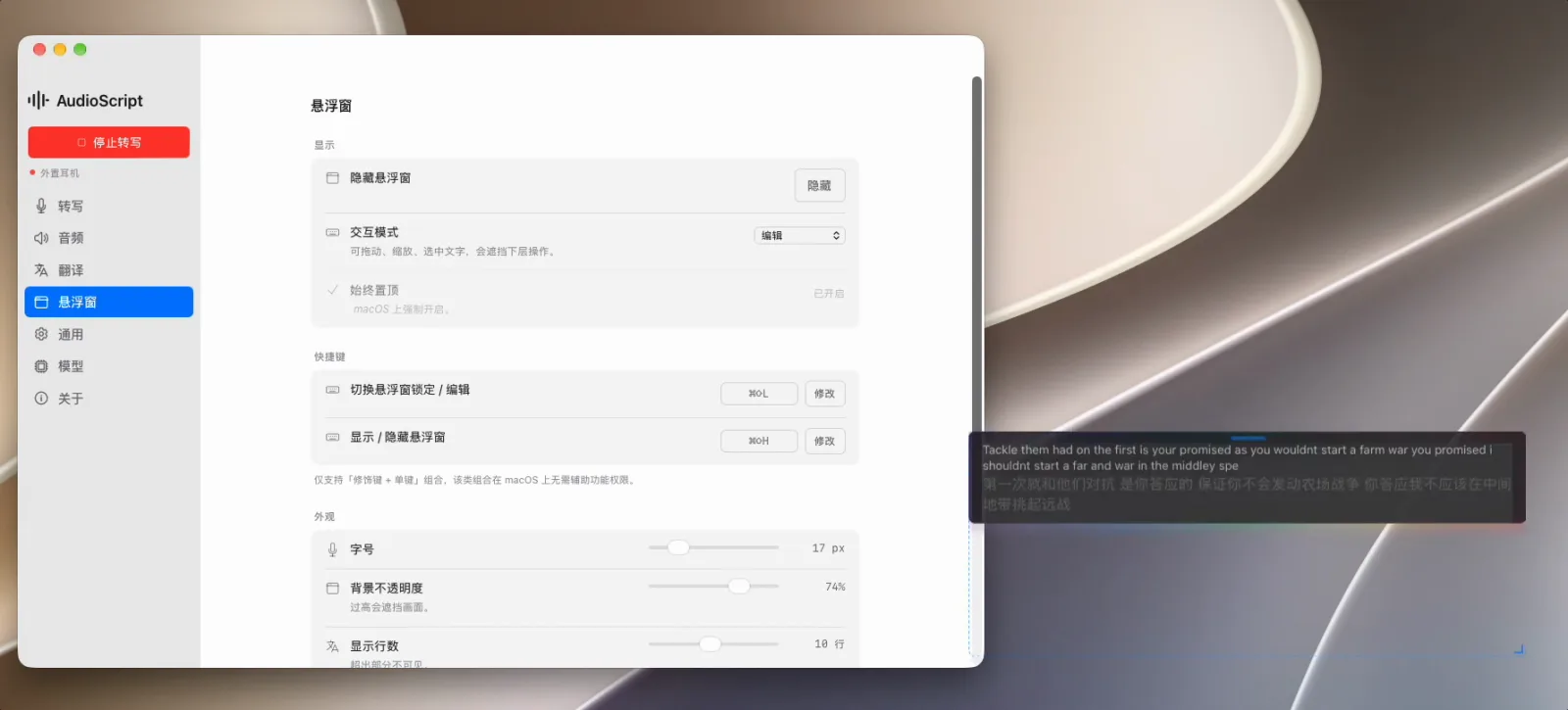
Watching an English video with no subtitles or joining a call without built-in captions leaves you two options: upload the audio to a cloud transcription service, or just cope. AudioScript is an MIT-licensed desktop app by niyongsheng, written in Rust with Tauri 2, that takes a third path: it listens to the computer’s system audio or microphone, transcribes with on-device models, translates, and overlays the result as bilingual subtitles — English source line above, Chinese translation below — in a floating window. Nothing leaves the machine. The repository was created on October 14, 2026, had 172 stars ten days later, and GitHubDaily picked it up. The latest release was v0.2.10 as of October 23, 2026.
Core features
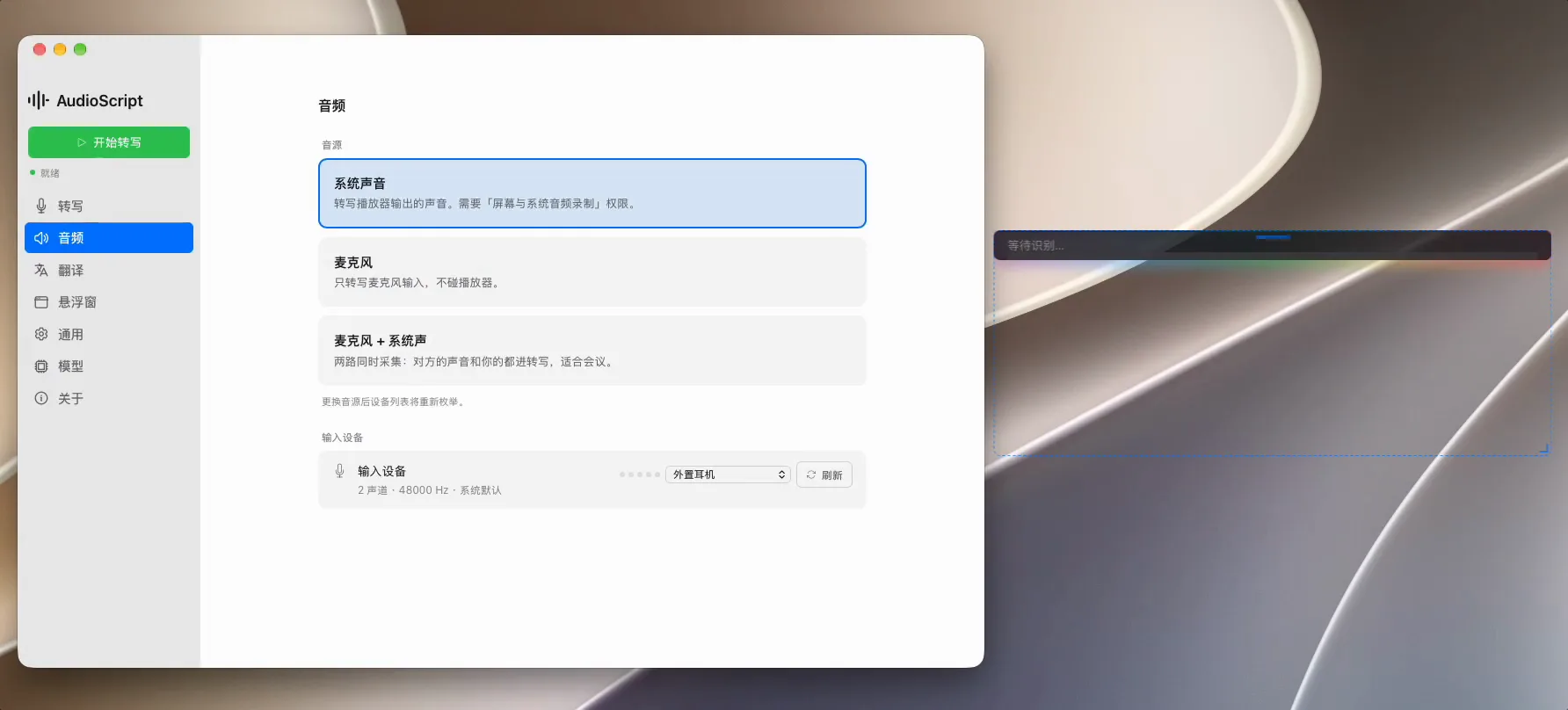
- Three capture sources: System audio, microphone, or both mixed. Mixed mode suits meetings, where the other side’s voice and your own both go into the transcript. The site documents macOS Core Audio Process Tap and Windows WASAPI loopback, so no BlackHole or other virtual audio device is needed.
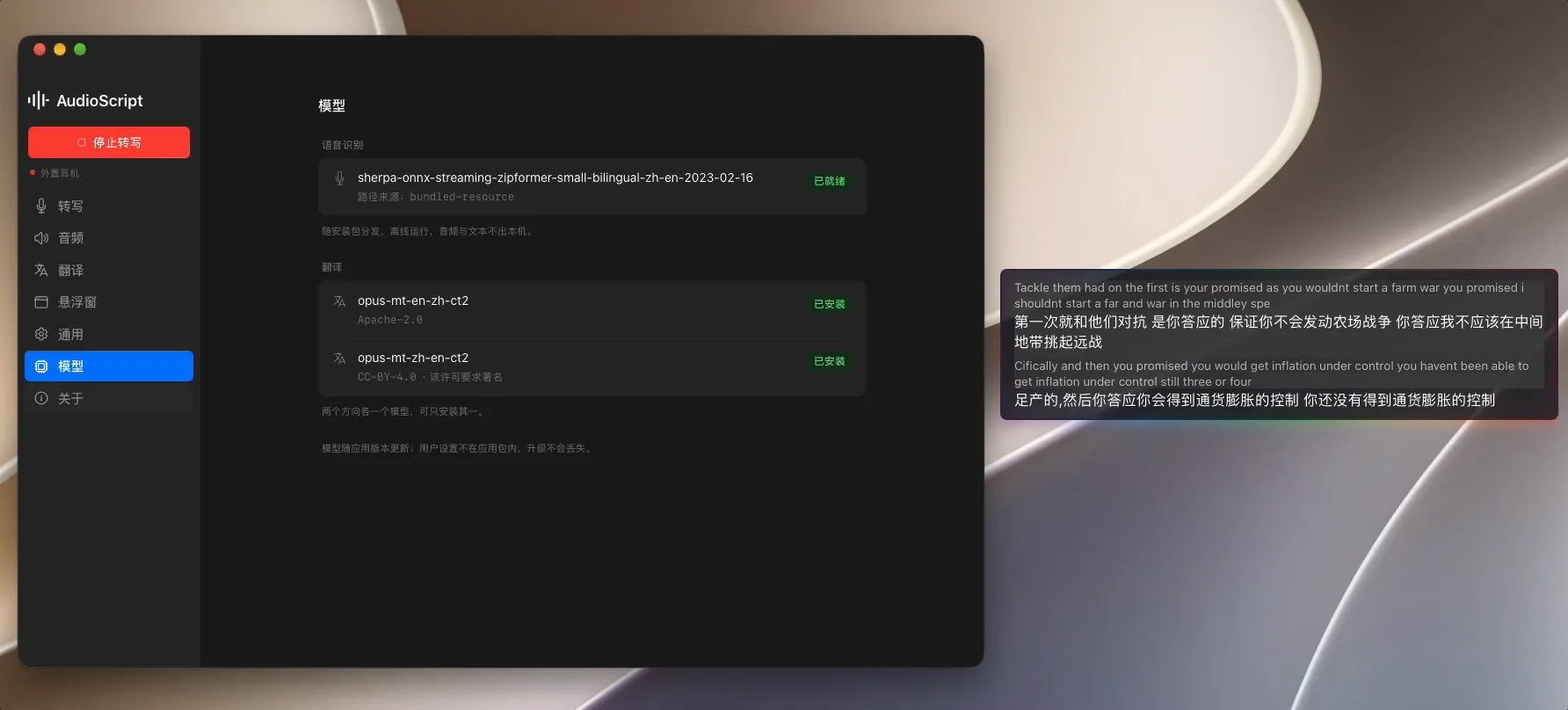
- Recognition and translation on-device: Streaming ASR runs on sherpa-onnx (the bundled model is a small bilingual zh-en zipformer), translation on opus-mt through CTranslate2, with the site quoting 70–77 ms per sentence on M-series chips. The runtime needs no network.
- English-Chinese, one pair, manual direction: The language pair is fixed at en ↔ zh; you pick the direction in the app, and there is no automatic language detection. Each direction is a separate model, and you install the one you need.
- Adjustable floating window: Font size, background opacity and line count are all tunable; when locked the window passes clicks through, so it never blocks the video underneath. The app lives in the tray, stays up when the window closes, and can start at login.
- Exportable transcript: Transcriptions save as timestamped Markdown, so after a call or a podcast episode the text is yours to keep and search.
Typical use cases
- Raw, unsubtitled video: English videos and streams without embedded subtitles get live bilingual captions over the picture, source and translation side by side, without pausing to look words up.
- Online meetings: Pick mixed capture and both sides of the conversation are transcribed and translated, even when the meeting app offers no captions of its own.
- English podcasts: Leave the subtitle window up while you work and glance back at anything you missed; anything worth quoting is in the exported Markdown afterwards.
Quick start
No build needed: installers are on the GitHub Releases page — a macOS 14.2+ Apple Silicon .dmg (the site notes there is no Intel Mac build at the moment), Windows 10+ .exe and .msi, and Ubuntu 24 .deb and AppImage for Linux. On macOS, grant Screen and System Audio Recording permission, pick a capture source, and hit start; the floating window appears. To build from source, the README’s flow is:
pnpm install          # deps + ASR model (~58 MB)
pnpm fetch:mt         # pull translation models
pnpm tauri dev        # dev mode
pnpm tauri build      # package
Summary
AudioScript suits anyone who wants live English-Chinese subtitles without handing audio to a cloud service: raw video, international calls and podcasts are all in scope. It does not suit multilingual needs — the pair is fixed to English and Chinese, with Japanese or European languages outside its range and no auto language detection.
Set expectations against what it is: an alternative to iFlytek-style cloud simultaneous interpretation that trades accuracy for free and private. The garbled line in its own demo window, “Tackle them had on the first…”, is the honest evidence — with a small zipformer model, proper nouns, casual speech and fast talkers produce wrong transcriptions, and the translation inherits the error. The bundled model is the only one available today. Linux is second-tier support, with no always-on-top overlay on GNOME Wayland, and one direction of the opus-mt models carries a CC-BY-4.0 attribution requirement noted on the models page. The repository was created on October 14, 2026, is not archived, and last saw a push on October 23, 2026. It is moving fast and only days old.
For turning transcribed audio into structured notes with local models, see AudioNotes; for a fuller local interpretation pipeline on Apple Silicon, we previously covered VoxWeft. We checked the README, the project site, the Releases metadata and the repository history; we did not install and run it.