desigma: a Rust design tool that opens .fig files locally
desigma is an Apache-2.0 local design tool written entirely in Rust, with auto layout, components, prototyping and real Figma .fig import.
Project facts
GitHub Ecosystem- License
- Apache-2.0
- Language
- Rust
- Stars
- 453
- Data checked
- 2026-10-23
Snapshot figures reflect the check date and may change over time.
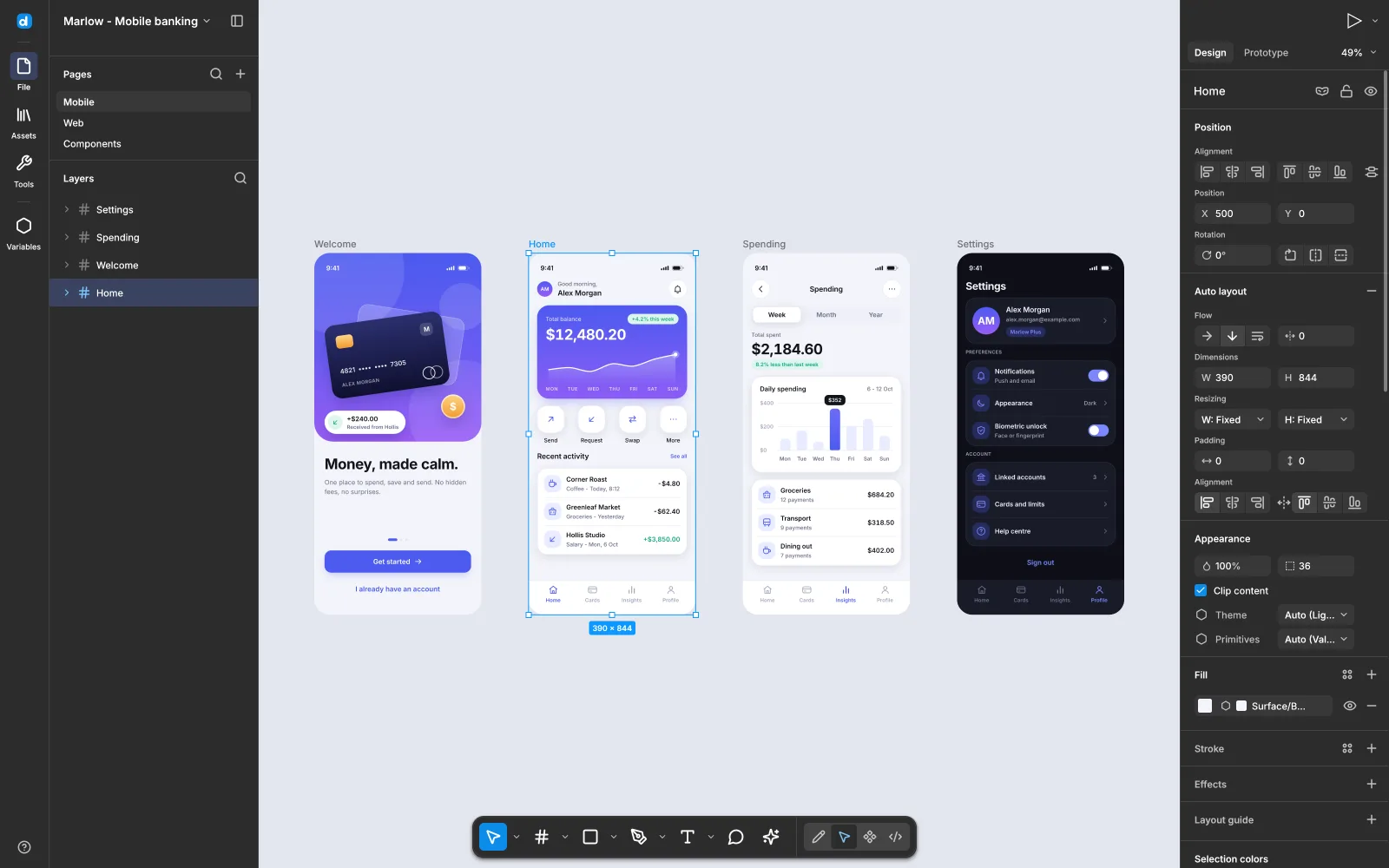
Most design tools live in the cloud, with files and collaboration tied to a subscription. desigma takes another route: a native desktop app written entirely in Rust that runs offline and reads Figma’s .fig files directly. It is dual-licensed MIT or Apache-2.0, was created on October 11, 2026, and the README labels it early alpha.
Core features
- Native rendering, no Electron: The README says frames go through a deterministic CPU renderer on tiny-skia, with a spatial index and a parallel 256-pixel tile cache. It claims panning and dragging on a 5,000-layer page stay well under a frame, with no web view involved.
- Figma files in: It imports from the Figma REST API JSON, or straight from
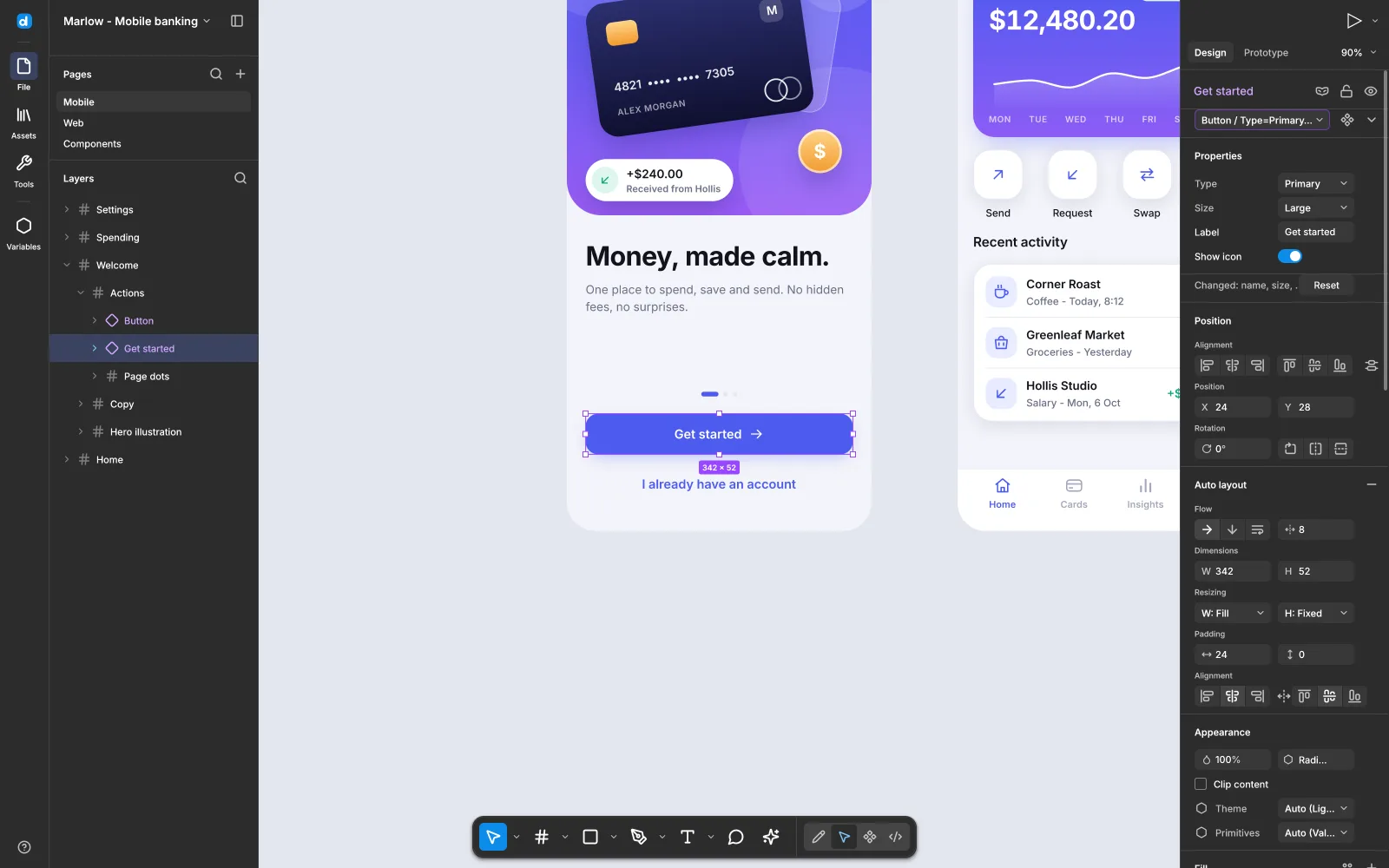
.figfiles (the kiwi container, deflate or zstd), keeping components, instance overrides, styles and prototype links. - Familiar controls: Frames, auto layout, components and variants, vector editing and prototype wiring are all there, with designer-familiar shortcuts such as
Ffor a frame andShift+Afor auto layout. - Variables and dark mode: Variable collections drive theme switching, and one screen of the showcase file shows the same components in dark mode.
- Open fonts built in: Inter ships inside the binary. Other open-licensed fonts a file uses are fetched from Fontsource and cached, while proprietary fonts map to metric-compatible open alternatives.
- Decks:
File → New deckcreates 16:9 slides with thumbnails, ordering, speaker notes and full-screen presentation, and exports the deck or one slide to PDF.
Typical use cases
- Designers who want to work offline: No network needed, and files stay local.
- People leaving Figma: If you have
.figfiles, this is a local tool that opens them. - Teams that care about performance and control: Native rendering, no web layer, and source you can change.
- Hand-off work: The README describes a Dev mode with annotations, measurements and generated SwiftUI for the selected layer.
If you want AI-generated interfaces rather than an editable design tool, see OpenUI; desigma is the vector editor in that pair.
Quick start
The README points at the repository’s Releases page, but the project has not published a release (releases/latest returns 404). For now, use the build instructions in the README and start from source; check that the Rust toolchain is available first.
Once it is running, the built-in showcase file is a good tour: four 390×844 phone screens built with auto layout and components, one of them in the dark mode of a variable collection.
Summary
desigma suits people who want to leave the cloud, already have Figma files, and can live with early software. It does not suit a design team that needs a stable production tool today: the README says early alpha, and the repository has no published release.
A few things to know first. It officially supports Windows and Linux only; the README’s badge reads Windows · Linux and there is no macOS build. The app is early alpha, so features and file handling can change. Proprietary fonts map to open alternatives, which shifts typography from the original design, so check before hand-off. The Chinese post that led here said a 5,000-layer page drags without dropping frames, while the README says rendering stays well under a frame per operation; those describe render cost, not perceived smoothness.
The repository was created on October 11, 2026, and its last push was on October 20, 2026. It is not archived, had 453 stars as of October 23, 2026, and is dual-licensed MIT or Apache-2.0. We checked the README, the license and the repository metadata, and we did not build or run it.