hackingtool: 215 Security Tools in One Terminal Console
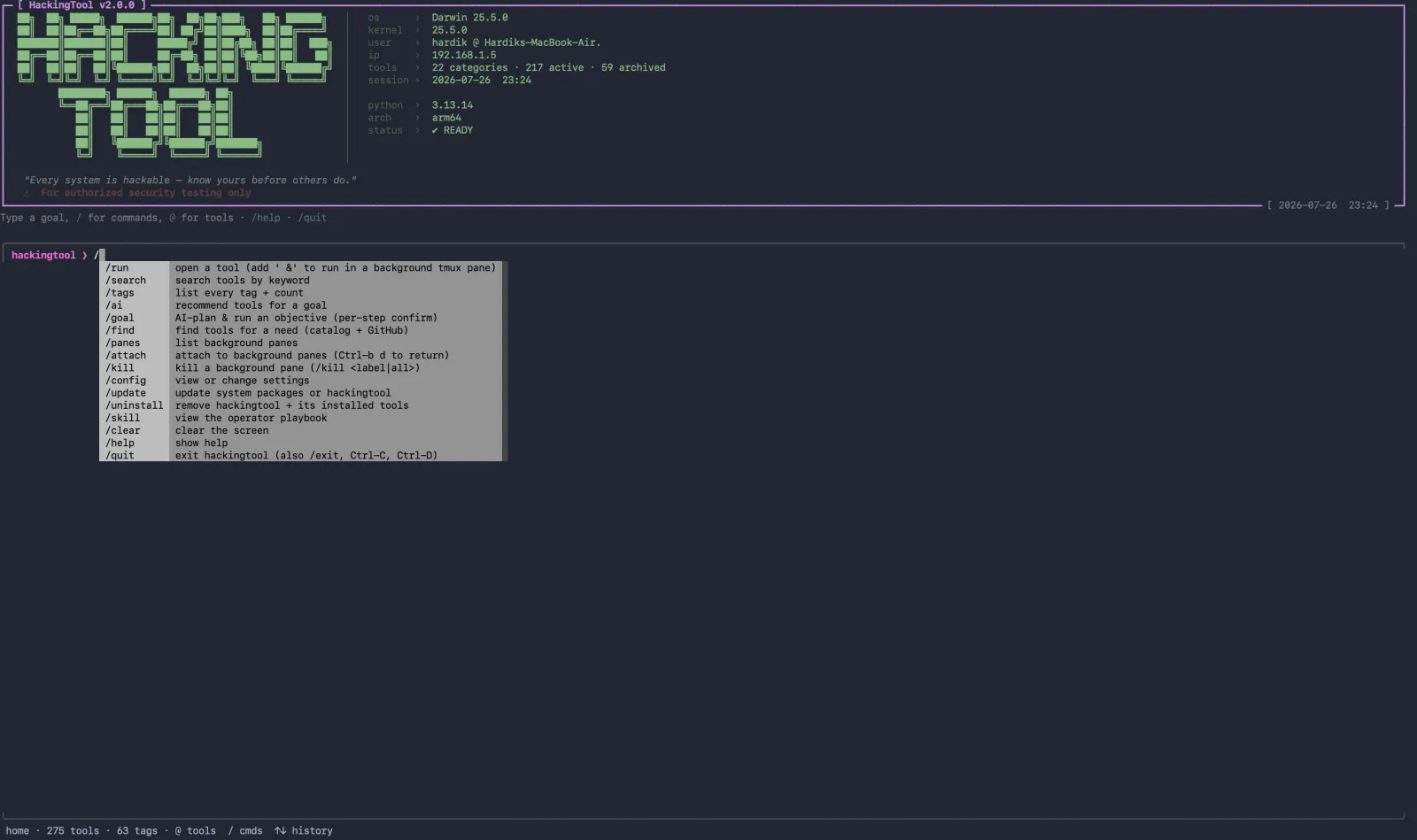
hackingtool packs 215 security tools across 21 categories into one terminal console and turns a plain-English goal into the right tool and command. MIT.
Project facts
GitHub Ecosystem- License
- MIT
- Language
- Python
- Stars
- 80,026
- Data checked
- 2026-10-02
Snapshot figures reflect the check date and may change over time.
On an authorized pentest, the slow part is rarely the testing itself — it’s finding the tools. Recon has one install routine, web validation another set of flags, wireless and forensics have their own entry points, and memorizing parameters can eat an evening. hackingtool puts 215 tools across 21 categories into a single terminal console, with an AI layer on top: say “scan example.com for subdomains” and it hands you the matching tool and the exact command. The WeChat account 开源软件社 recommended it on October 2; as of October 2, 2026 the repo has 80,026 stars, is written in Python and licensed MIT.
Core features
- Plain English to command: bare text or
/aimaps intent to fixed tags, and the catalog resolves tags into tools. The model may only return tags, never invent a tool, so a mismatch returns nothing; with no model configured it falls back to a stdlib keyword matcher — weaker, but it won’t fabricate an answer. /findfor tools you don’t have: searches the 215-tool catalog first, then the GitHub search API, ranks results explainably and says why each one placed. Suggest-only — it never clones, installs or runs. Entries saved to~/.hackingtool/found.yamlhold a title, tags, description and link, and no command, so a discovered entry can never execute anything./goalplans step by step: splits an objective into a short plan of real commands, each with a reason and an install hint, asks you to confirm you’re authorized, then walks through with[y]run,[s]skip,[e]edit,[q]abort. The model is called once, for planning, and tool output is never fed back to it.- Safe by default: standard installs, no
curl | bash, downloads pinned and SHA-256 verified, list-form subprocess arguments, no forcedsudo, and signed releases with an SBOM. - Background work that doesn’t block: with tmux installed, a trailing
&opens the tool in a background pane;/paneslists them,/attachwatches one,/killstops them, and the status line shows how many are running. - Headless engagements:
hackingtool --engagement acme --targets example.com --pipeline reconnormalizes tool output intofindings.json;--reportwrites a deterministic Markdown report and--ai-summaryoptionally triages the real findings.
Typical use cases
- Red teamers, blue team/SOC and IR analysts: when one job jumps between recon, web and wireless, the console saves the minutes otherwise spent re-finding tools and their flags.
- OSINT researchers and bug-bounty hunters: needs outside the catalog go to
/find, which searches locally first, then GitHub, with ranked reasons. - Security students:
@tag:osintopens a group of tools directly; 63 functional tags mean you don’t have to memorize tool names first.
Quick start
Three prerequisites: Linux or macOS, Python 3.10+, and a normal user account. Windows is explicitly unsupported — the app says so and exits. The official install path is pipx:
git clone https://github.com/Z4nzu/hackingtool.git
cd hackingtool
pipx install .
hackingtool
You land on a banner, a live system readout and a prompt: /help prints the command card, /tags lists the 63 tags with their tool counts, and /config test probes the AI connection for real. If you’d rather not touch your PATH, uv tool install . works, and there’s a container image: docker run -it --rm hardikzinzu/hackingtool:latest.
Summary
It solves scattered tools, not unfamiliarity. People who work across categories feel the difference the same day; teams with a single task and scripts that already fit are better off without the extra layer; Windows users are locked out entirely. Two more expectations to correct: it gives you tools and commands, not tutorials — reading the output is still on you — and some tools need Go 1.21+, Ruby or Docker runtimes that you install yourself. The project scopes itself to systems you own or are authorized to test: jamming, DoS, mass-targeting and malware asks are refused before any network call. Beyond the 21 categories, 59 unmaintained tools are archived and hidden by default. The repo’s last push was August 23, 2026, under MIT. If your work leans toward AI-agent skill routing instead, see our earlier entry on reverse-skill.