Highball: run Windows games on Apple Silicon
Highball is a free, GPL-3.0 Mac app that runs Steam and Epic Windows games on Apple Silicon; its open CC0 database says if your game runs before you download.
Project facts
GitHub Ecosystem- License
- GPL-3.0
- Language
- Swift
- Stars
- 1,140
- Data checked
- 2026-10-02
Snapshot figures reflect the check date and may change over time.
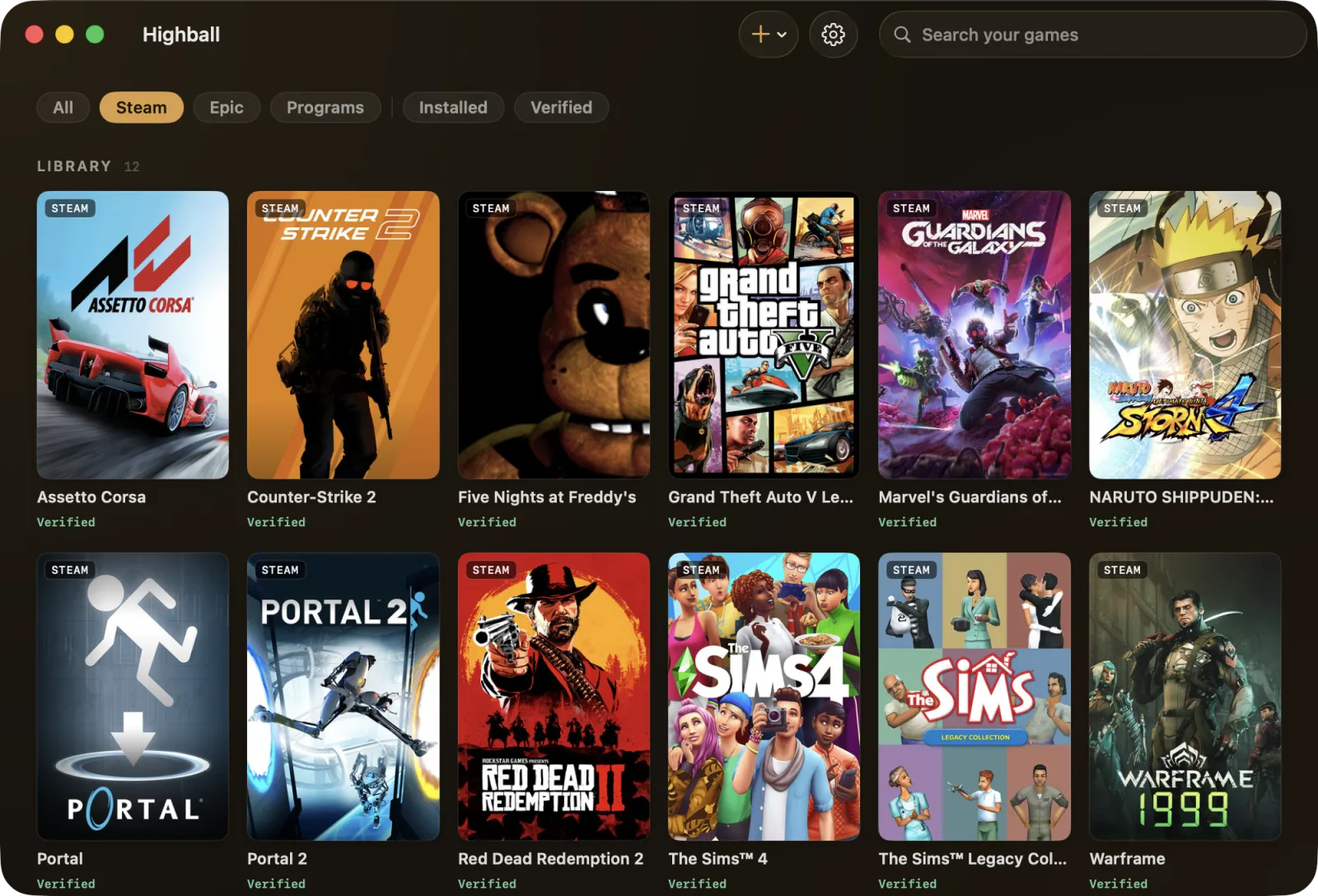
Free ways to play Windows games on a Mac took a hit in 2025 when Whisky — the Wine wrapper with 15,106 GitHub stars — was archived. Highball is the open-source successor: a native macOS app, written in Swift and created in August 2026, that takes over the whole setup of Wine, DXMT, D3DMetal and DXVK, so you sign into Steam or Epic and play. Its sharpest difference is honesty by design: whether a game runs, and which renderer it needs, comes from an open CC0 compatibility database with provenance on every claim. The repo had 1,140 stars as of October 2, 2026, and v0.10.2 shipped on October 1.
Core features
- One-button setup: the first run installs Rosetta if needed, downloads the engine, prepares a Windows environment, then asks where your games live — Steam, Epic, or a Windows program you already have. The app updates itself. D3DMetal sits behind explicit acceptance of Apple’s Game Porting Toolkit license and is never redistributed.
- The open database: verdicts are labelled verified, community-reported or machine-predicted, each with provenance, and kernel-anti-cheat titles are flagged impossible before you download tens of gigabytes. Browse it at gethighball.com/database.
- Engine-agnostic builds: engines are assembled from pinned upstream builds verified by SHA-256; a fix nobody ships yet (the MoltenVK change Red Dead Redemption 2 needed) lives in the
spike/folder with public build scripts and goes upstream, and an engine update is a JSON pull request. This is the deliberate answer to how tools like Whisky die. - Per-game renderer switching: WineD3D, DXMT, D3DMetal and DXVK are directory overlays chosen at each launch, and the database’s per-game verdict picks the default.
- Launcher coverage: Steam and Epic (through Legendary) work on the default engine; Rockstar and the EA app need the Wine 11 engine built from the CrossOver 26.3 tree before their sign-in windows appear; GOG’s DRM-free offline installers run directly, while the GOG Galaxy client still comes up black.
- Full CLI, feedback loop: the
highballCLI does everything the app does, andhighball reportfiles your result back to the open database — community reports already cover M4, M5 and macOS 15.
Benchmarks
Two verified records the README cites from its own database (checked October 2026):
| Game | Hardware | Configuration | Result |
|---|---|---|---|
| Cyberpunk 2077 | M5 | D3DMetal + FSR 2.1 | 60–82 fps |
| Red Dead Redemption 2 | M1 Pro | MoltenVK fix (now upstream) | Playable |
These come from the project’s own database; frame rates move with resolution and settings, so read them as orders of magnitude.
Typical use cases
- You moved from a Windows PC to an M-series Mac with a full Steam library: check the database first and download only what runs.
- You trusted Whisky and watched it get archived: this one is GPL-3.0 with CC0 data, so nobody can lock it away.
- You like feeding the commons: one
highball reportcommand adds your real-world frame rate to the community layer.
Quick start
Needs Apple Silicon and macOS 14+. With Homebrew:
brew install --cask highball
Or grab the notarized dmg from Releases. Press Get started: Rosetta if needed, a few hundred megabytes of engine, a Windows environment, then a Steam login. The first run is slow — Steam unpacks its own 235 MB client, and under Rosetta the whole thing can take 15–25 minutes — with a progress strip at the bottom showing the step and the usual range. If it stalls, relaunch and it resumes. Everything lives in ~/Library/Application Support/Highball/; deleting that folder is a complete uninstall.
Summary
Highball fits Apple Silicon Mac owners on macOS 14+ who want their Windows library back without paying for CrossOver, and it does not fit anyone whose must-play list is gated by kernel anti-cheat (check the database first) or who wants commercial support — the README itself says buy CrossOver, which funds most of Wine’s Mac work. Take the beta label seriously: it works end to end, but the GOG Galaxy client still comes up black. The app is GPL-3.0, the database is CC0, a paid tier is off the table by design, and the repo was still taking commits on October 1, 2026.