Automation#MCP#Coding agent#Device control
LCU: Codex computer use for any agent
LCU decouples the computer-use runtime built into the ChatGPT desktop app and exposes it to Claude Code, Codex CLI and Pi as MCP tools — no Codex sign-in.
Project facts
GitHub Ecosystem- License
- MIT
- Language
- Python
- Stars
- 453
- Data checked
- 2026-10-06
Snapshot figures reflect the check date and may change over time.
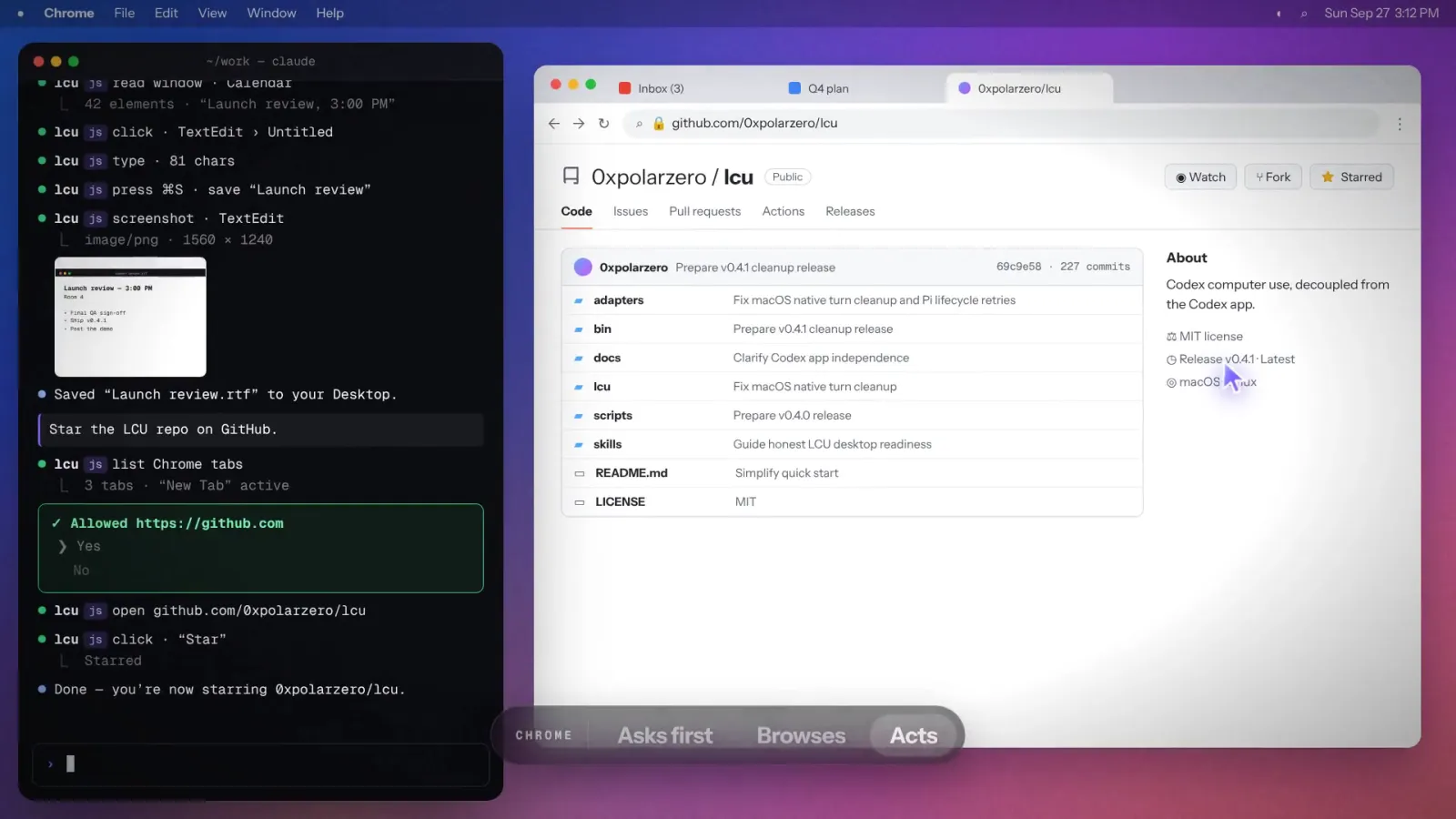
Coding agents live in the terminal, and that is exactly where they get stuck: they can edit files and run commands, but they can’t read your calendar, jot a note into TextEdit, or touch a site you’re logged into. OpenAI ships a complete computer-use runtime — screen reading, clicks, typing — inside the ChatGPT desktop app, and keeps it locked to that app. The open-source LCU picks that lock: the app stays installed on your machine and supplies the original runtime and instructions unchanged, while LCU handles setup, harness adapters and registration, exposing the capability as MCP tools to Claude Code, Codex CLI, Pi and other harnesses with no Codex sign-in. When the Chinese dev blogger dotey recommended it on October 5, he pinned down the key point: LCU looks like a Codex reimplementation, but what it actually runs is OpenAI’s own runtime.
Core features
Everything in LCU serves one goal: hand the original computer-use runtime to your agent, safely.
- It runs the official runtime: LCU writes none of the screenshot, accessibility or input plumbing itself — it executes the runtime that ships inside your installed ChatGPT desktop app, keeps the instructions byte-for-byte identical and preserves the original approval prompts. The site’s own summary: “Nothing reimplemented.”
- It plugs into the harness you already use: Claude Code through an MCP relay, Codex CLI through MCP plus
mcp_toollifecycle hooks (update an older CLI first), Pi as a native extension. Oh My Pi and Hermes are experimental, and anything else can integrate through the shared JavaScript client. - You approve every app: the first time the agent touches an app, an approval request pops up.
lcu setup --agent claude-codealso installs a small mod,lcu-approve, that renders the prompt as a native Computer use approval pane in the Claude app — allow this conversation, always allow, or deny. The model can’t see or press that pane. - Touch ID guards the allowlist:
lcu apps allow Zedandlcu apps revoke Zedrequire Touch ID or your password on macOS, so an agent running the command for you stops at the prompt. Browsers and password managers carry a high-risk warning; Terminal and iTerm2 are declined outright. - Optional Chrome and audio: the official extension adds tab control, with each site approved separately;
--audioturns on the runtime’s computer-audio recording API.
Typical use cases
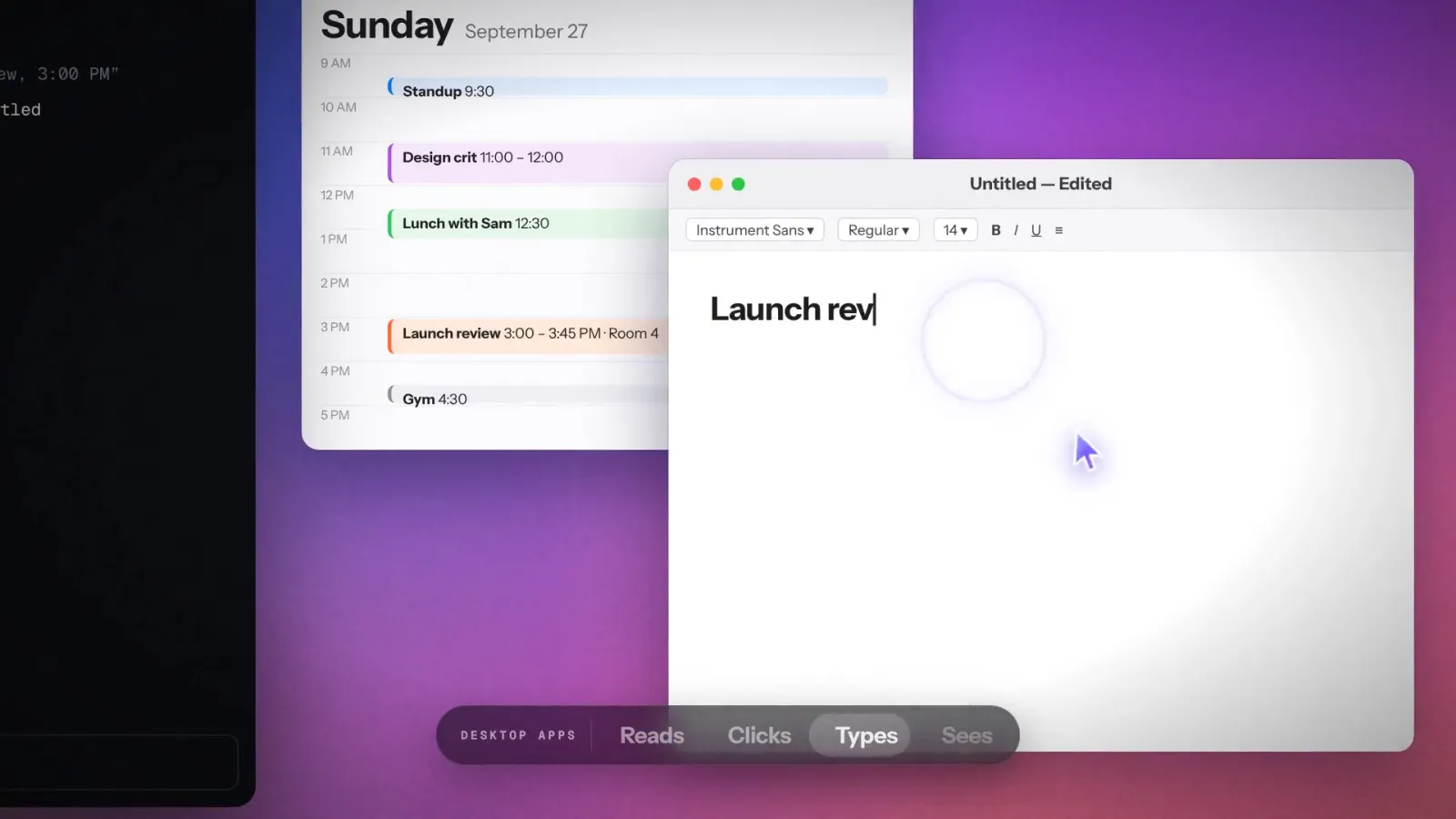
- Pre-meeting prep: have the agent read this afternoon’s Calendar window, type launch-review notes into TextEdit and save them to the Desktop — the official 30-second demo runs exactly this chain.
- Logged-in web work: internal admin panels and other sites that only exist behind your browser login, worked through the Chrome extension with per-site approval — much cleaner than handing over cookies.
- Self-verification after coding: let the agent open the deployed preview, screenshot it and paste the image back into the conversation.
Quick start
LCU needs the official ChatGPT desktop app installed (the runtime and instructions come from it), Python 3.12+, and a signed-in harness. On an Apple Silicon Mac with Claude Code, two commands:
claude plugin marketplace add amontlabs/lcu
claude plugin install lcu@lcu
For other harnesses or a manual setup, download the release archive (darwin-arm64, linux-arm64, linux-x64, each with a sha256 file). Your first check: ask the agent to screenshot a harmless window with LCU and approve the request — if the screenshot shows up, you’re done. On Linux the installer doesn’t touch your PATH; run /opt/lcu/current/bin/lcu directly.
Summary
LCU is for developers on Apple Silicon Macs or X11 Linux who use Claude Code, Codex CLI or Pi and want their agent to operate desktop apps — provided you’re willing to keep the official ChatGPT desktop app installed, since that’s where the runtime comes from. Windows 11 is a candidate platform only; Intel Macs, native Wayland and musl Linux are unsupported. The honest catches: the project was created on September 22, 2026 and sits at v0.9.5 (released October 5), so interfaces may still move; Chrome control in Claude Code is experimental, with some interruptions skipping tab cleanup; and LCU is an independent project with no OpenAI affiliation — the runtime’s terms ride along with your local ChatGPT app. MIT licensed, written in Python, 453 stars as of October 6, 2026. If the machine you want controlled is a phone rather than a desktop, see phone-harness, which drives a real iPhone or Android without jailbreaking.