stack-diagram: describe your stack in a sentence, get an architecture diagram with official logos
An MIT agent skill: one sentence in, an architecture diagram with official logos out. svgl and devicon sourcing, light and dark themes, single-file HTML.
Project facts
GitHub Ecosystem- License
- MIT
- Language
- TypeScript
- Stars
- 1,926
- Data checked
- 2026-11-06
Snapshot figures reflect the check date and may change over time.
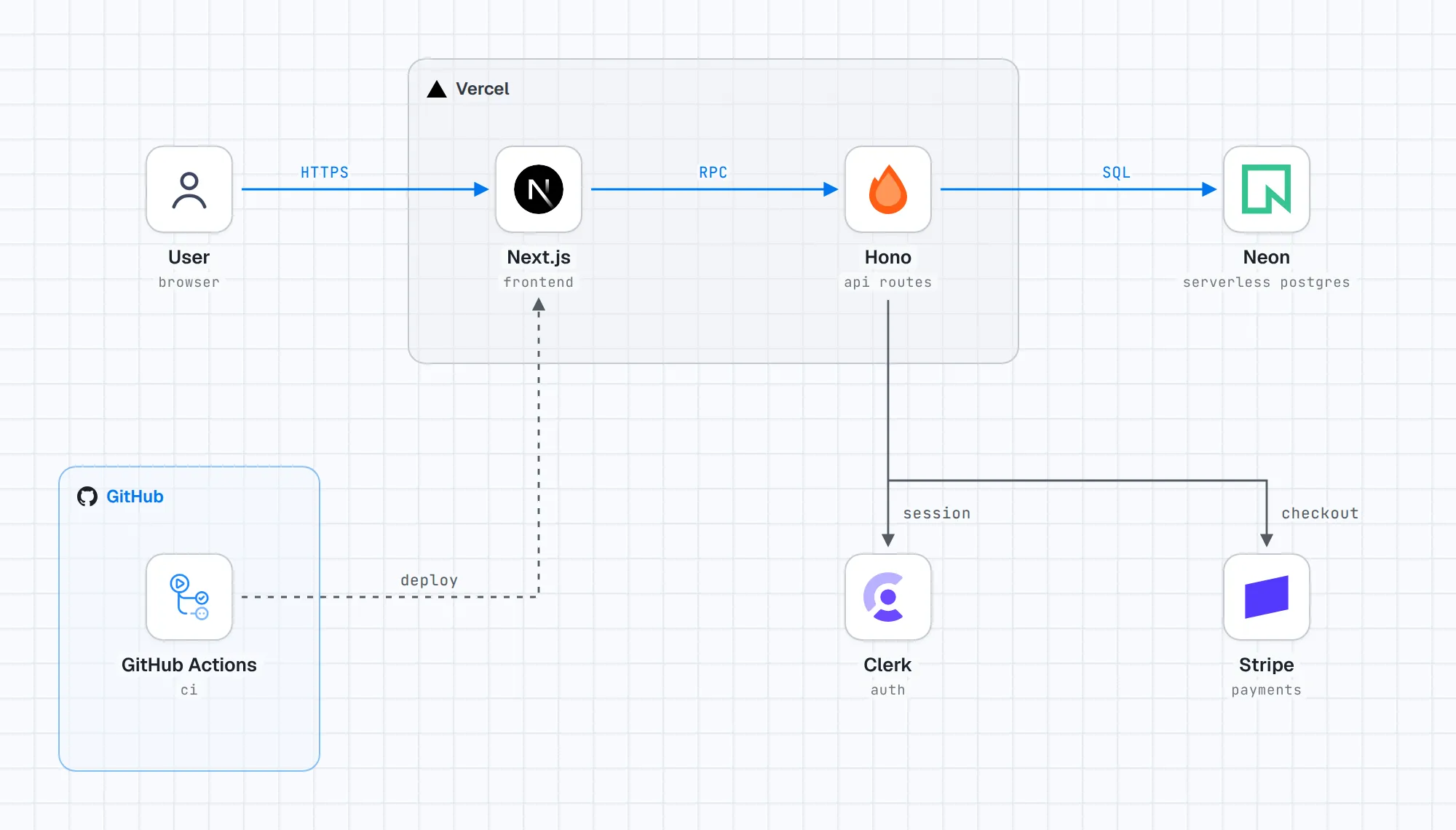
The tedious part of writing project docs is not the diagram — it is hunting logos on every vendor’s site, aligning connectors, matching dark themes, and still ending up with arrows crossing text. stack-diagram, recommended by GitHub Daily on November 6 (MIT, by caru-ini, created November 1, 2026, 1,926 stars as of the same day), is an agent skill that removes all of it: install into Claude Code, Codex or Cursor, describe your stack in one sentence — “Next.js on Vercel, database on Neon, payments via Stripe” — and the agent produces an architecture diagram with official logos.
Core features
- Official logos, fetched for you: a three-tier lookup through svgl, then devicon, then gilbarbara/logos; AWS, Google Cloud and Azure icons come from each vendor’s own package. Logos are never recolored or redrawn.
- Lines routed around text: wiring avoids labels, and the agent renders and self-checks the diagram before handing it over — “arrows through text” is a fixed bug, not a setting.
- Light and dark themes: every diagram renders in both; tiles stay white so logos keep their own colors while group labels switch to the brand’s dark-theme logo.
- Single-file artifact: the result is one HTML file with fonts and logos inlined, rendering anywhere offline; PNG and a dependency-free React component export from the same file.
- Optional gallery: after drawing, the agent offers once to post the diagram to the public gallery at stacks.caru.moe — what becomes public is spelled out, confirmation is required twice, and your prompt is never sent.
- Lean dependencies: Python 3.9+ and network access for logo fetching; browsers only enter the picture for PNG export via Playwright and Chromium.
Typical use cases
- Project docs and READMEs: regenerate the architecture diagram whenever the stack changes.
- Onboarding and handover: one diagram for the full dependency and data-flow picture.
- Proposals and reviews: a deployment diagram with proper brand logos, without an afternoon in a drawing tool.
Quick start
npx skills add caru-ini/stack-diagram
Then describe your stack in one sentence. Python 3.9+ and network access are needed for logo fetching; PNG export uses Playwright with Chromium. Examples and the public gallery are in the repo README.
Summary
stack-diagram fits developers, tech writers and pre-sales teams who draw architecture diagrams often; UML sequence diagrams and finely customized layouts are out of scope — it makes exactly one artifact, the stack diagram. Facts and limits: MIT, TypeScript, logos are fetched at build time rather than bundled, so offline environments cannot use it, and third-party logos remain trademarks of their owners. Like terminal-mac on this site, it belongs to the “agent output is the document” line of tools — the tedious layout work goes to the agent, and the human only describes.