Developer tools#Lead generation#CRM
Twenty: the open-source Salesforce alternative you can self-host
Twenty: open-source CRM where objects, fields and workflows are code. Self-host it, use built-in AI agents; cloud starts at $9 per user per month.
Project facts
GitHub Ecosystem- Language
- TypeScript
- Stars
- 58,193
- Data checked
- 2026-10-11
Snapshot figures reflect the check date and may change over time.
Teams shopping for a CRM usually hit the same fork in the road: pay Salesforce per seat and again for every add-on, or settle for open-source suites whose interfaces stopped evolving a decade ago. Twenty (from twentyhq, TypeScript, created December 2022, 58,193 stars on GitHub as of 2026-10-11) takes the third path — it bills itself openly as the open alternative to Salesforce, and it runs either on your own infrastructure via Docker Compose or on its cloud, where a workspace takes about a minute to spin up. The mechanism that sets it apart: objects, fields, views and workflows are all definable as TypeScript through an SDK, so your CRM configuration lives in Git and ships through review like the rest of your stack.
Core features
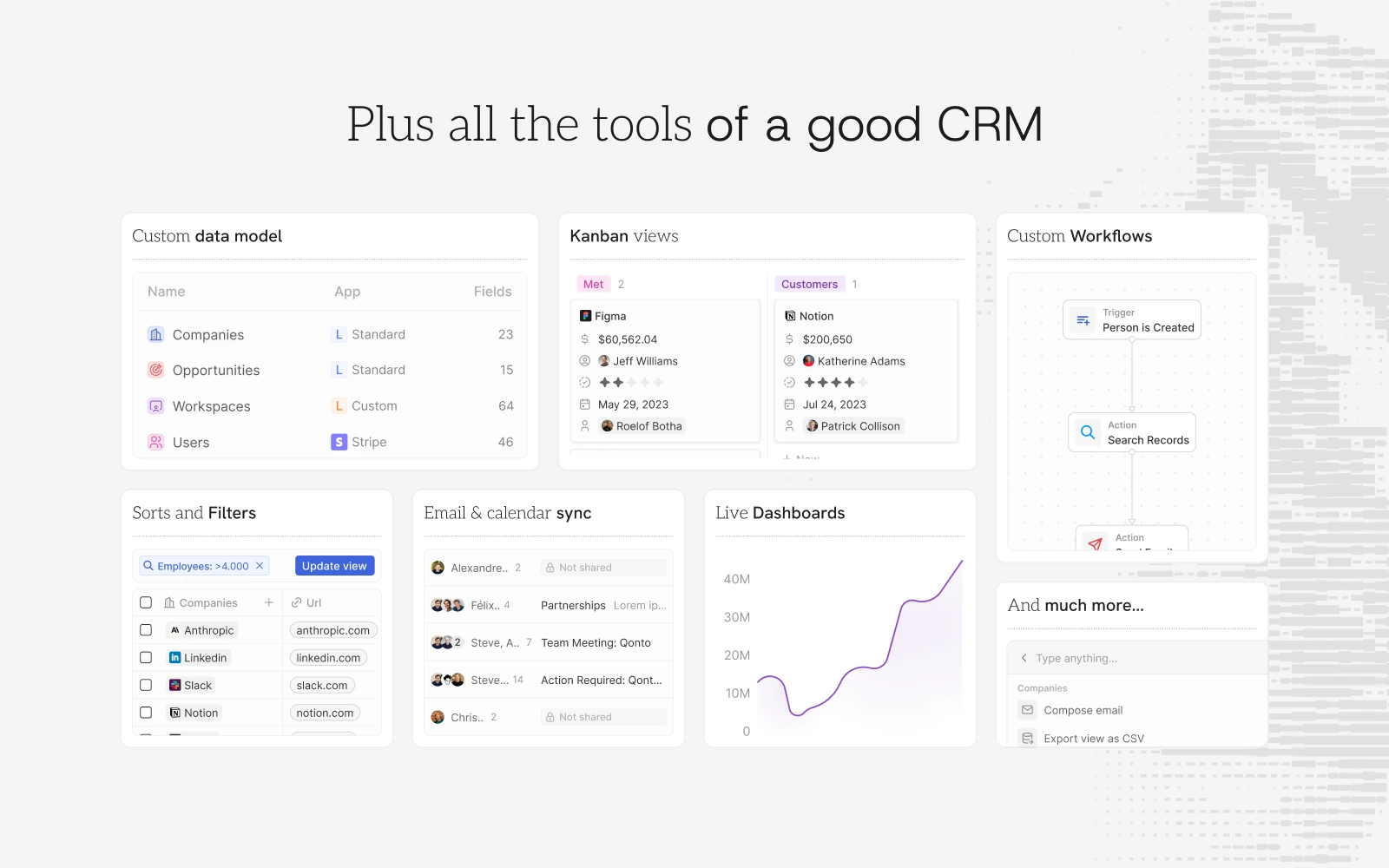
- The CRM fundamentals are all there: contacts, companies, opportunities and tasks, with kanban pipelines, sorts and filters, email and calendar sync, and live dashboards — the official feature grid covers the lot. The data model is editable: custom objects sit alongside standard ones in the same interface.
- Objects as code: scaffold an app with
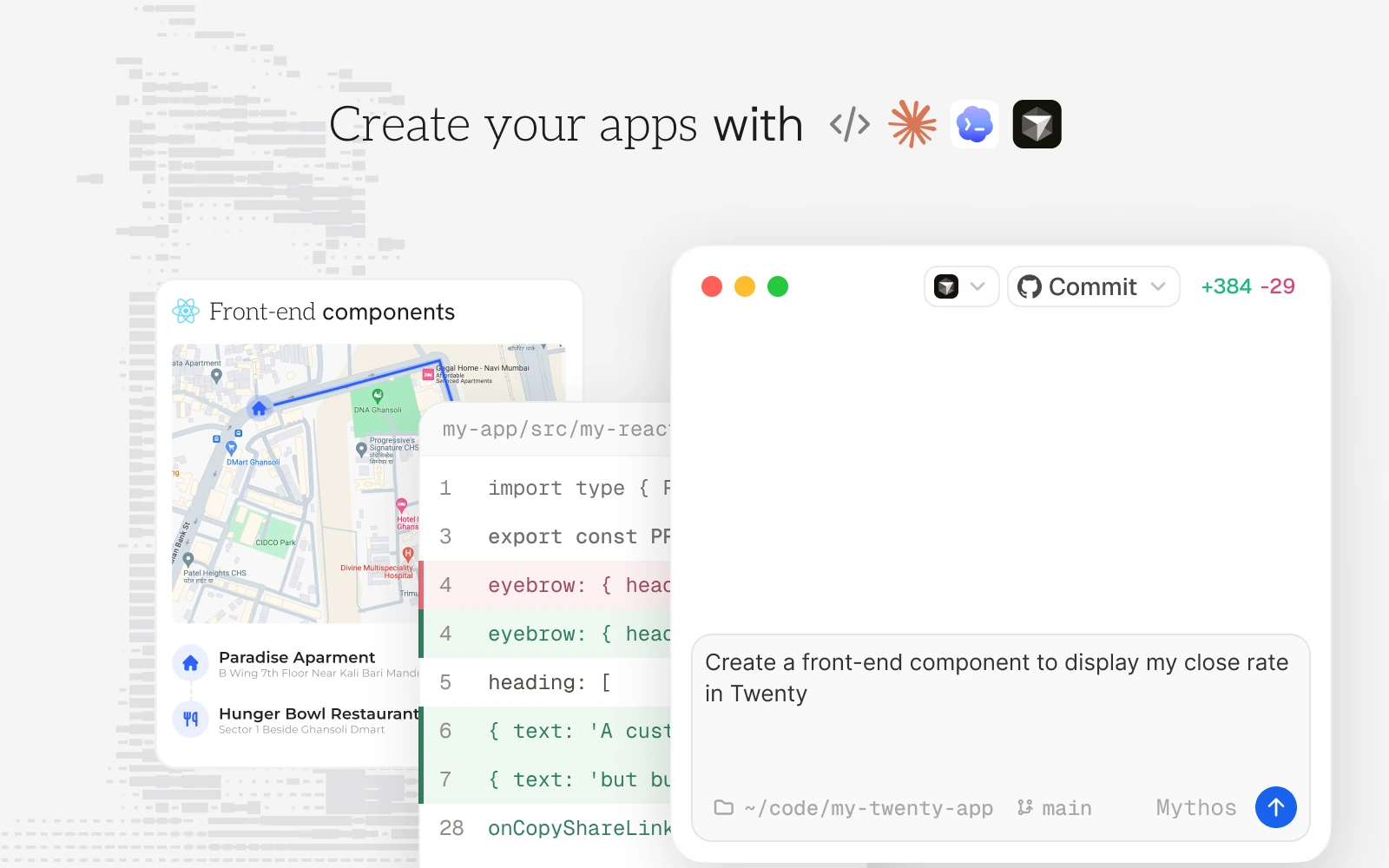
npx create-twenty-app, declare objects and fields in TypeScript withdefineObject, then publish withnpx twenty app:publish— add--privateto keep it in-house. - AI in the product, not on a roadmap: built-in Ask AI answers “what deals do I have in the pipeline?” with a live summary; workflow nodes can run AI agents (auto-drafting follow-up emails, for example) against Anthropic, OpenAI, Google and other providers. The team also ships app skills for coding agents — Claude Code, Codex and Cursor can build Twenty apps for you.
- Self-hosted or cloud, take your pick: Docker Compose brings your own PostgreSQL and Redis, with zero software cost; the cloud version trades that for zero ops, with a 30-day trial that needs no credit card.
- A workflow engine: triggers plus actions (“person created → search records → notify”), and Pro includes 50 workflow credits a year per the pricing page.
Typical use cases
- Startups outgrowing spreadsheets: a five-person sales team with customer details scattered across Excel and chat threads can move to cloud Pro at $9 per user per month (billed yearly) and get the full customization, without hiring an ops person.
- Teams that want CRM config in version control: objects, fields and apps travel through review and rollback like code, so a CRM change is a pull request instead of “someone clicked something last week”.
- Industries where data stays in-house: law firms, healthcare vendors and government contractors can run Twenty on their own network behind their own domain.
- Agencies shipping custom CRMs: developers building for clients can scaffold fresh objects and apps per client with the SDK instead of hand-rolling a backend each time.
Quick start
Three ways in, depending on how much ops you want. Fastest is the cloud: sign up at twenty.com and a workspace opens in about a minute. To self-host, Docker Compose is the documented route under the self-hosting section of docs.twenty.com. To build with code, start from the scaffold:
npx create-twenty-app my-app
Define your objects and fields, push them with npx twenty app:publish, and the new object and its views show up in your workspace on refresh.
Summary
Teams who want sales reps self-serving without an ops burden should take the cloud; teams with data-residency requirements or an existing platform-engineering habit get the most from self-hosting plus the SDK. If you depend on Salesforce’s deep ecosystem — Apex, Report Builder, the AppExchange marketplace — this does not replace it. Written in TypeScript, licensed mostly under AGPLv3: files marked /* @license Enterprise */ in the repo are under a commercial license, so read the boundary before commercial self-hosting. Three honest notes:
- There is no permanent free cloud tier: after the 30-day trial it’s Pro at $9 per user per month, Organization at $19 (both billed yearly), Enterprise from $50k a year, and the Pro API limit is 50 calls per minute (pricing page, checked 2026-10-11). “Free” means self-hosting.
- Know the AGPL boundary: internal business use is fine; if you modify the source and offer it as a service, AGPLv3 requires releasing your changes — teams building a SaaS on top should run it past legal.
- It is not the only open-source CRM: Odoo, EspoCRM and SuiteCRM are the established alternatives, each with different coverage and maturity — worth a side-by-side before you pick.
For a different take on the same idea, DeskcommCRM is also an open-source CRM — it bets everything on AI agents closing sales over WhatsApp, a complement to Twenty’s platform play.