Productivity#MCP#Social media automation#Lead generation
LinkedNav
LinkedNav is a LinkedIn AI outreach tool: signal agents surface leads, AI drafts the notes and replies you approve in one inbox. 7-day trial, custom pricing.
Product facts
Commercial Suite- Pricing
- 7-day trial + custom plans
- Data checked
- 2026-09-30
Capabilities
- Signal agents find warm leads
- AI drafts notes and replies
- Approve replies in one inbox
- Build campaigns from Claude via MCP
Snapshot figures reflect the check date and may change over time.
LinkedIn prospecting is still a pile of small chores: scrolling for signals, sending connection requests one by one, writing outreach notes, then hunting replies across your inbox. LinkedNav (linkednav.com) hands the whole loop to AI — signal agents surface high-intent leads first, then the tool works the like-connect-reply cadence on its own, leaving you to approve messages from a single inbox.
Core Purpose
The difference from conventional LinkedIn blast tools is that LinkedNav automates the lead-finding step too (per the site, checked September 30): signal agents watch three triggers — prospects who changed jobs, people engaging with competitor content, and posts containing buying keywords — then feed a five-step cadence: auto-like, connect with a note, welcome message, AI reply, meeting booked.
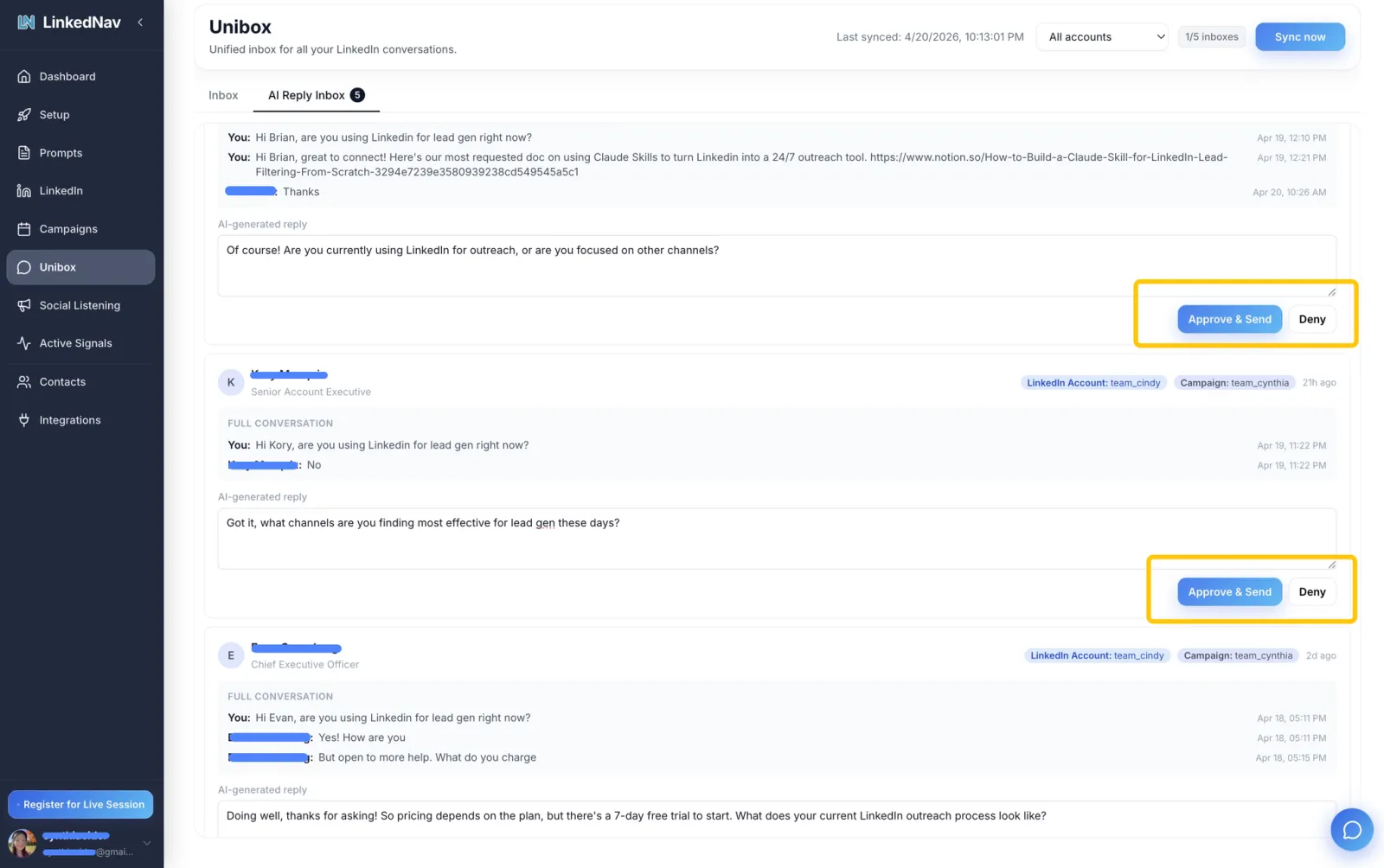
Replies aren’t a firehose. The AI drafts each response in the context of the thread, and you approve or deny it one by one; on the Pro plan you can hand it over to full autopilot. Sender accounts get per-account daily caps and health checks, and the tool pauses itself on anomalies.
It’s a fork of the same playbook as Revor: Revor runs a wider seven-day sequence across email, LinkedIn and WhatsApp, while LinkedNav goes deep on LinkedIn only — stronger signal monitoring and conversation handling, plus a Claude MCP integration (145 tools, per the vendor) that builds campaigns from a chat prompt. There are also n8n, Zapier, HubSpot and Instantly integrations, and a Chrome extension that bulk-exports LinkedIn leads.
Key Scenarios
- Solo sellers and small teams: connect one or two LinkedIn accounts to spread the volume, let agents watch signals and run first touches, and spend your time on the conversations that matter.
- B2B sellers tracking competitors: anyone engaging under a competitor’s post or hiring for a buying role becomes a lead automatically.
- Claude users automating sales: filter leads and launch campaigns from a chat prompt instead of clicking through a dashboard.
Trying it and its limits
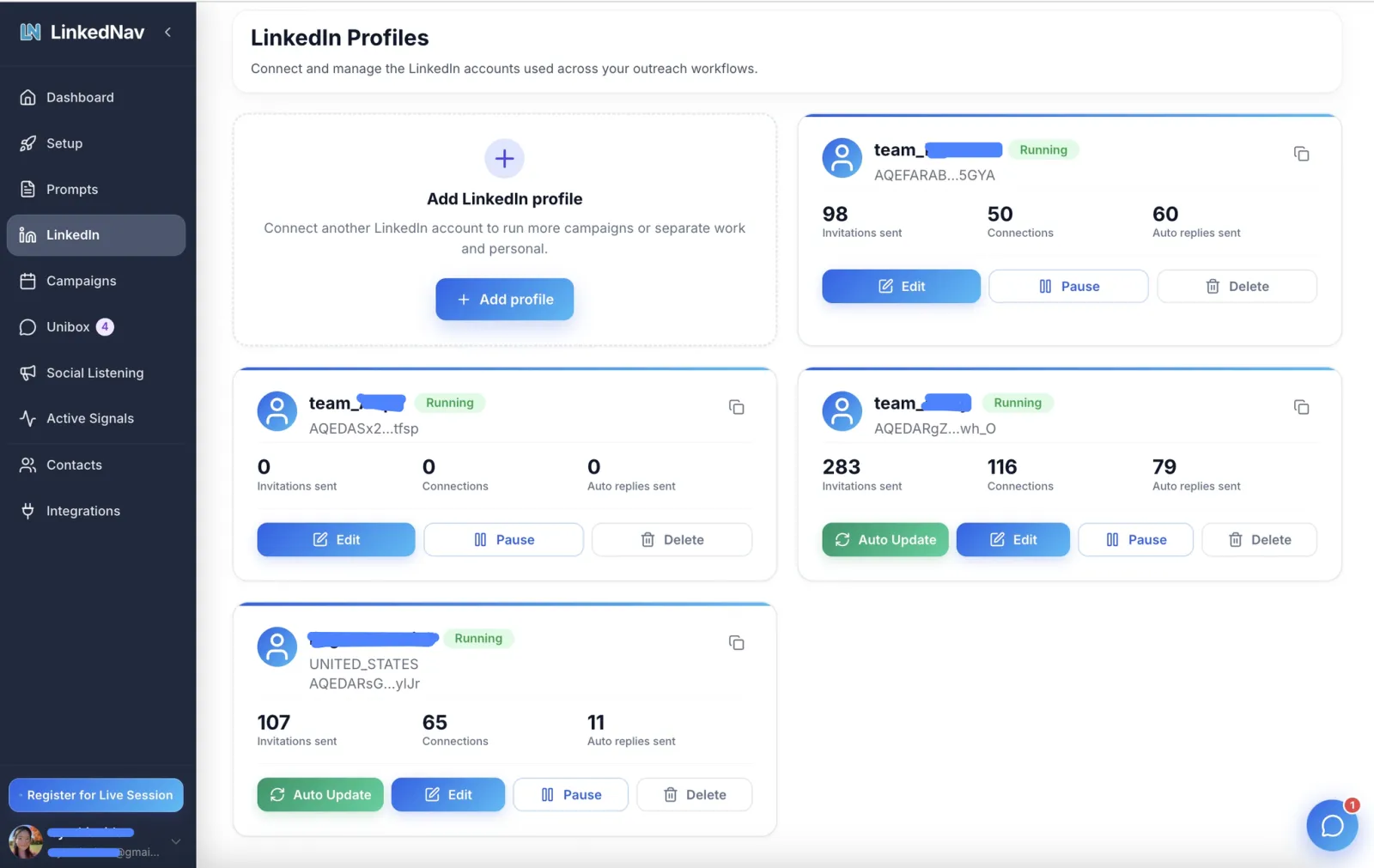
Getting started is quick: sign up at linkednav.com for the 7-day free trial (1 campaign, 1 sender, 1 Unibox inbox, plus the Chrome extension for lead exports), then connect your own LinkedIn account on the LinkedIn Profiles page.
The honest catches: neither paid tier publishes a price — Standard and Pro are both “book a call”, with the vendor’s only commitment being flat pricing rather than per-seat; the trial auto-renews and charges your card on day 8, so cancel in settings if you don’t want it; the advertised 40–60% connection acceptance and 25–55% reply rates are the vendor’s own figures with no control group; and since the tool operates your personal LinkedIn account, account risk from automation is yours to weigh — starting at low volume is the steadier bet.