narrator-ai-cli: one sentence to a film narration video
NarratorAI's official skill: your agent runs narrator-ai-cli from movie search to voice, script and render, asking at each step. Needs an API key and credits.
Skill details
npx skills add NarratorAI-Studio/narrator-ai-cli-skill --skill narrator-ai-cli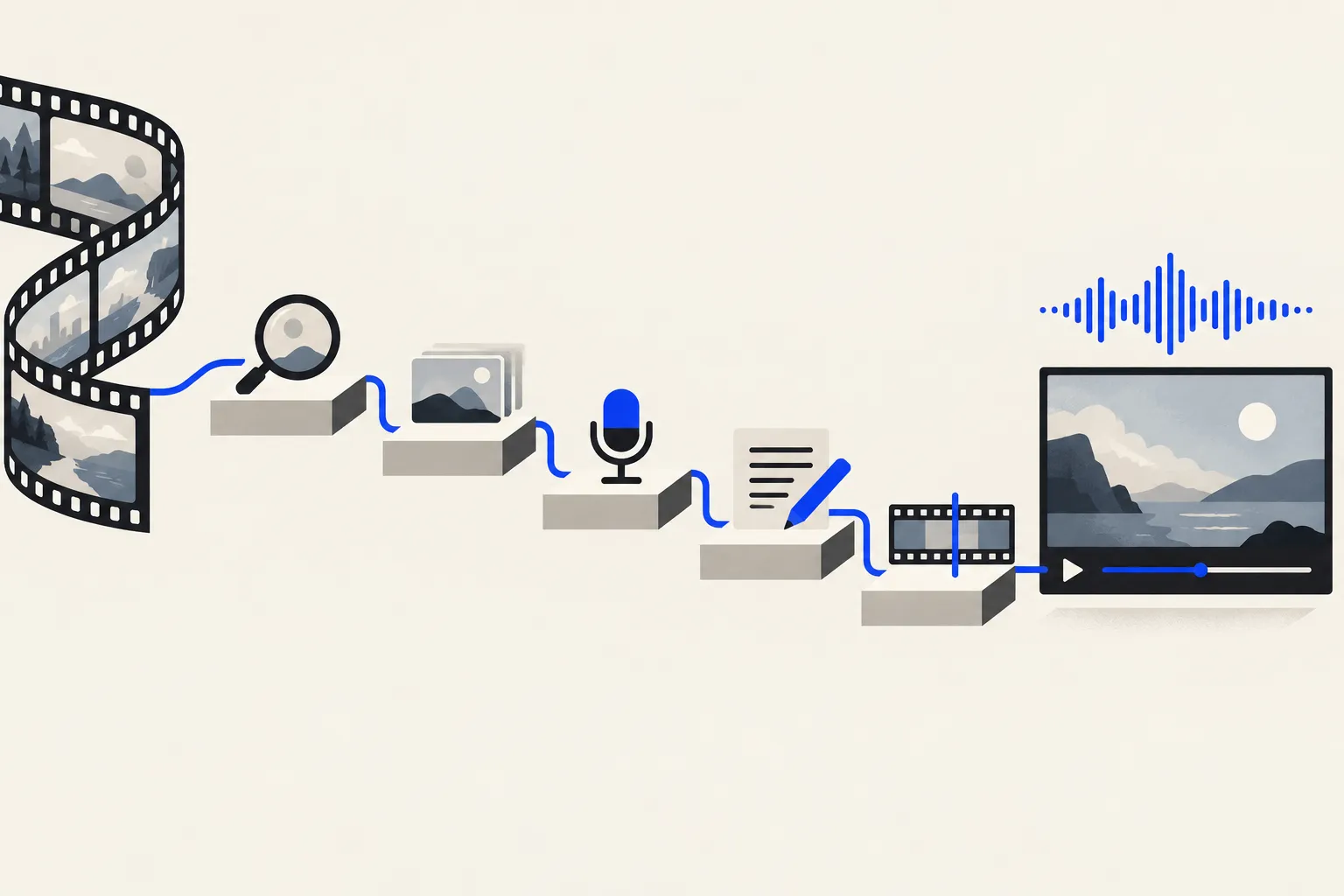
Making a narration video for a film or short drama means finding the source video and subtitles, picking background music and a voice, writing the commentary, and cutting it to the picture. narrator-ai-cli is the official skill from NarratorAI-Studio, MIT-licensed and starred about 3.0k times as of 2026-10-08. It teaches an agent to drive the team’s command-line tool, narrator-ai-cli. Say “make a narration for this movie” and the agent walks the chain of search, BGM, voice, script and render, stopping to ask before every resource and every submission.
The order it works in
The SKILL.md fixes the opening first, then two production paths.
At the start the agent must tell you the built-in library holds roughly 100 movies with video and subtitles already loaded, so most sessions need no upload. It then offers three entry points: name a title, browse what’s available, or upload your own video and subtitles. Only after the source is confirmed does it ask which path to take, one question at a time.
| Path | Pipeline | Trade-off |
|---|---|---|
| Fast (original script) | material → fast-writing → fast-clip-data → video-composing | Quicker and cheaper; the default |
| Standard (adapted script) | material → popular-learning → generate-writing → clip-data → video-composing | Higher-quality narration, can learn a reference style |
BGM, voice and narration template are confirmed in turn, and magic-video, a visual template pass, is optional at the end. The table comes from the repo’s SKILL.md. The resource counts (about 100 movies, 146 BGM tracks, 63 voices, 90+ templates) are the README’s own claim, and I did not check them item by item.
What it constrains
- Confirm first: source, BGM, voice and template each need your explicit yes, and the agent may not pick for you.
- No invented data:
confirmed_movie_jsonmust come from the material list ortask search-movieoutput; if neither has it, the agent asks. - One language chain: the voice’s language sets the script language and every magic-video text parameter, and all three must match.
- No unilateral recovery: when a step fails, the agent asks whether to retry, switch paths or abort, and may not switch on its own.
- Show the request body: magic-video must display the full request and every parameter for confirmation. The SKILL.md puts its cost at 30 points per minute and calls it irreversible.
The SKILL.md also records a list of API traps, such as downstream tasks needing task_order_num rather than the 32-character task_id, and the two paths keying video-composing off different upstream tasks. Those notes are where it saves effort over letting an agent read the API docs cold.
Who it’s for
It suits creators who make film commentary or short-drama recuts in volume and don’t want to assemble commands and parameters by hand. Unlike Pixelle-Video, which generates visuals from a topic, this skill creates no footage. It writes, voices and composes over existing film material, and a hosted service produces the result.
The limits are plain. It depends on that hosted service: every request goes to openapi.jieshuo.cn, so you install narrator-ai-cli with pip (Python 3.10+) and set NARRATOR_APP_KEY, and per the README the key comes from contacting the maintainers by email or WeChat. Billing is in points. Per the SKILL.md, a narration-only script costs 5 points per 1,000 characters on the flash model and 15 on pro, while an original-footage mix script costs 12 and 40, and task budget estimates the total before you commit. The source material is films, and the SKILL.md does not discuss licensing, so whether you can publish the result is your call. Finally, the README’s tested-platform list leans toward OpenClaw, WorkBuddy and QClaw, and its Claude Code instructions are a git clone into a .skills folder rather than a skills.sh install. I did not run the full flow in Claude Code.