Agent frameworks#Multi-agent#Agent memory
DS Bot: a team of long-lived bots for DeepSeek Harness
DS Bot is a community plugin that turns DeepSeek Harness into a team of bots with memory and group chats. Apache-2.0. Group chats cost clearly more.
Project facts
GitHub Ecosystem- License
- Apache-2.0
- Language
- JavaScript
- Stars
- 2,719
- Data checked
- 2026-10-21
Snapshot figures reflect the check date and may change over time.
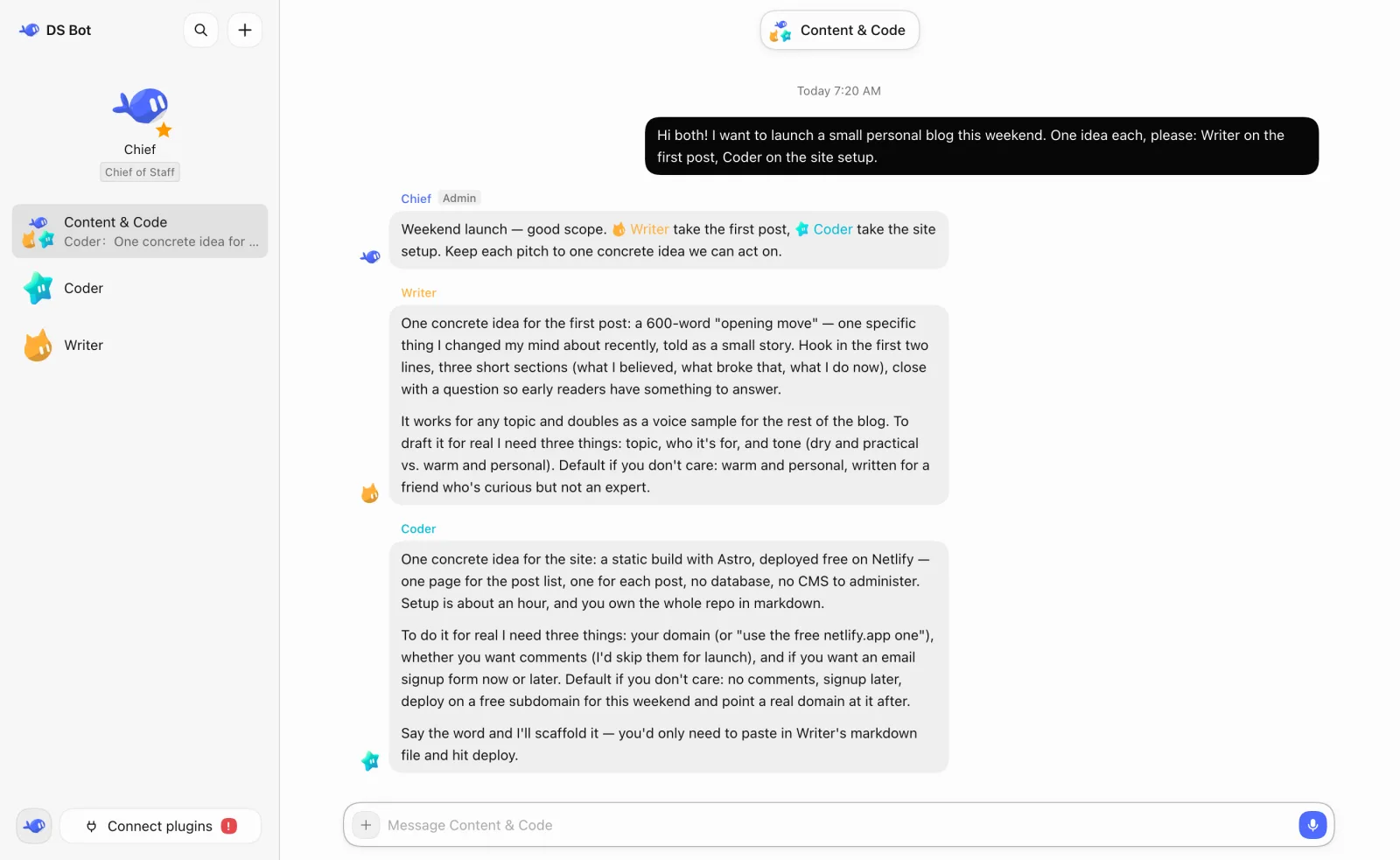
DS Bot, short for DeepSeek Bot, is a community plugin for DeepSeek Harness (DSH), the open-source agent harness DeepSeek AI develops. It turns DSH into long-lived bots that keep their own memory, message one another and work in group chats. Writing, code and research in one thread are hard to keep apart. Each bot gets its own name, role, model and memory, and an admin in each group coordinates the bots. The README says DS Bot is an independent community project, not an official DeepSeek product, with no affiliation, endorsement or sponsorship from DeepSeek.
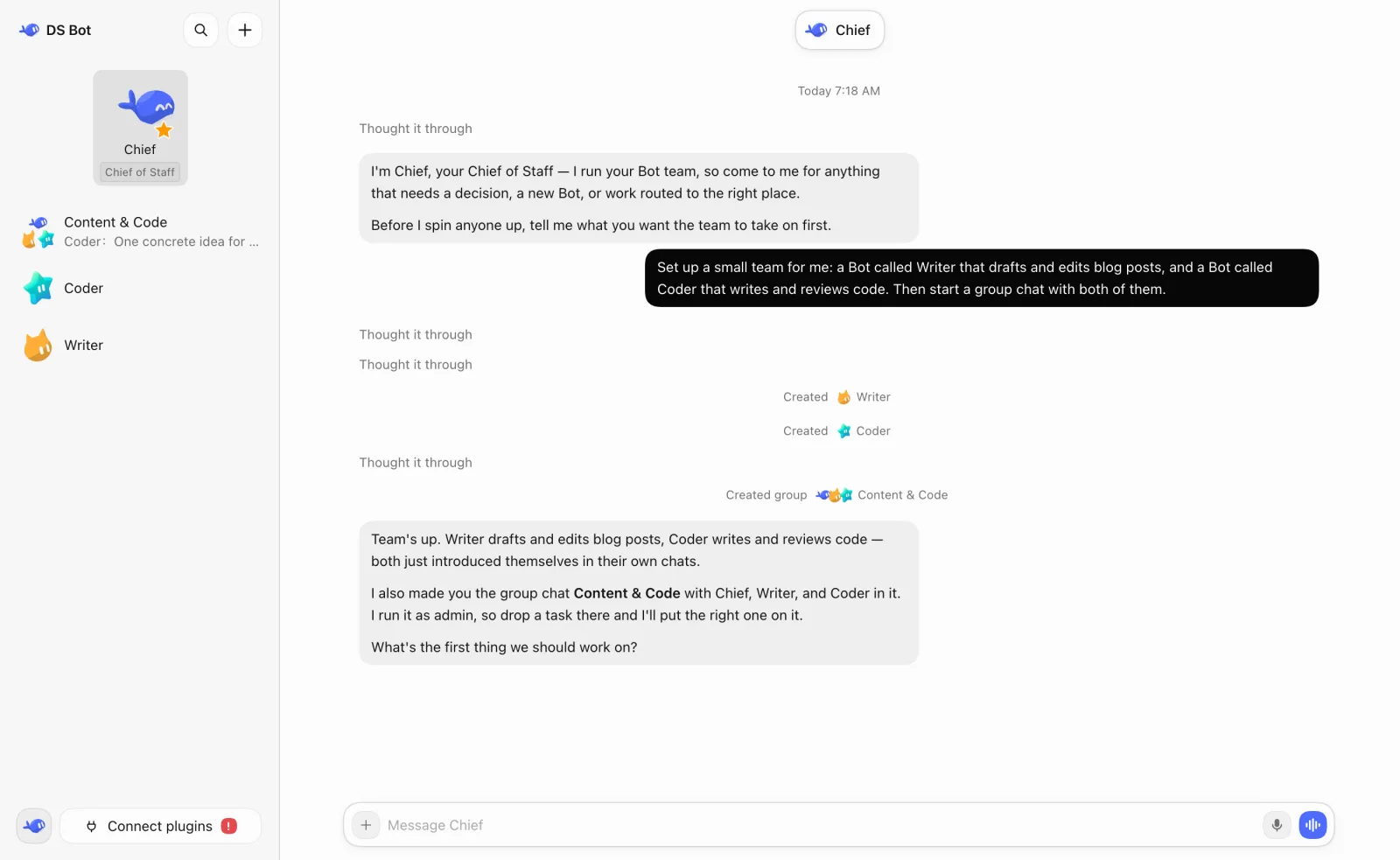
That is the README’s first screenshot. One request to Chief creates the Writer and Coder bots and their group chat.
Core features
- Chief runs the team: A main bot named Chief appears the first time the team opens. It has the highest rights, manages the other bots and every group chat, and walks you through setup.
- Each bot keeps its own memory and model: Bots record your preferences, decisions and corrections as Markdown entries of up to 300 characters, viewable on each bot’s details page. Team memory is shared, and each bot runs one model.
- Group chats have an admin: The admin answers by default and calls in other bots when needed. Members speak one at a time and read the newest messages first. The round-based design follows OpenMausBot, which the README credits.
- Bots hand work over with @: A mentioned bot works on its own while the group carries on, posts progress, then posts the result for the bot that asked. Open the group’s details to stop it.
- You set the permissions: Each bot has one preset, Read only, Workspace or Full access, and only you can change it. A local MCP command that a bot adds needs your approval first.
- Capabilities and usage: Settings → Capabilities holds MCP servers, skills and packs for the team. Settings → Usage shows token use by time, bot and model.
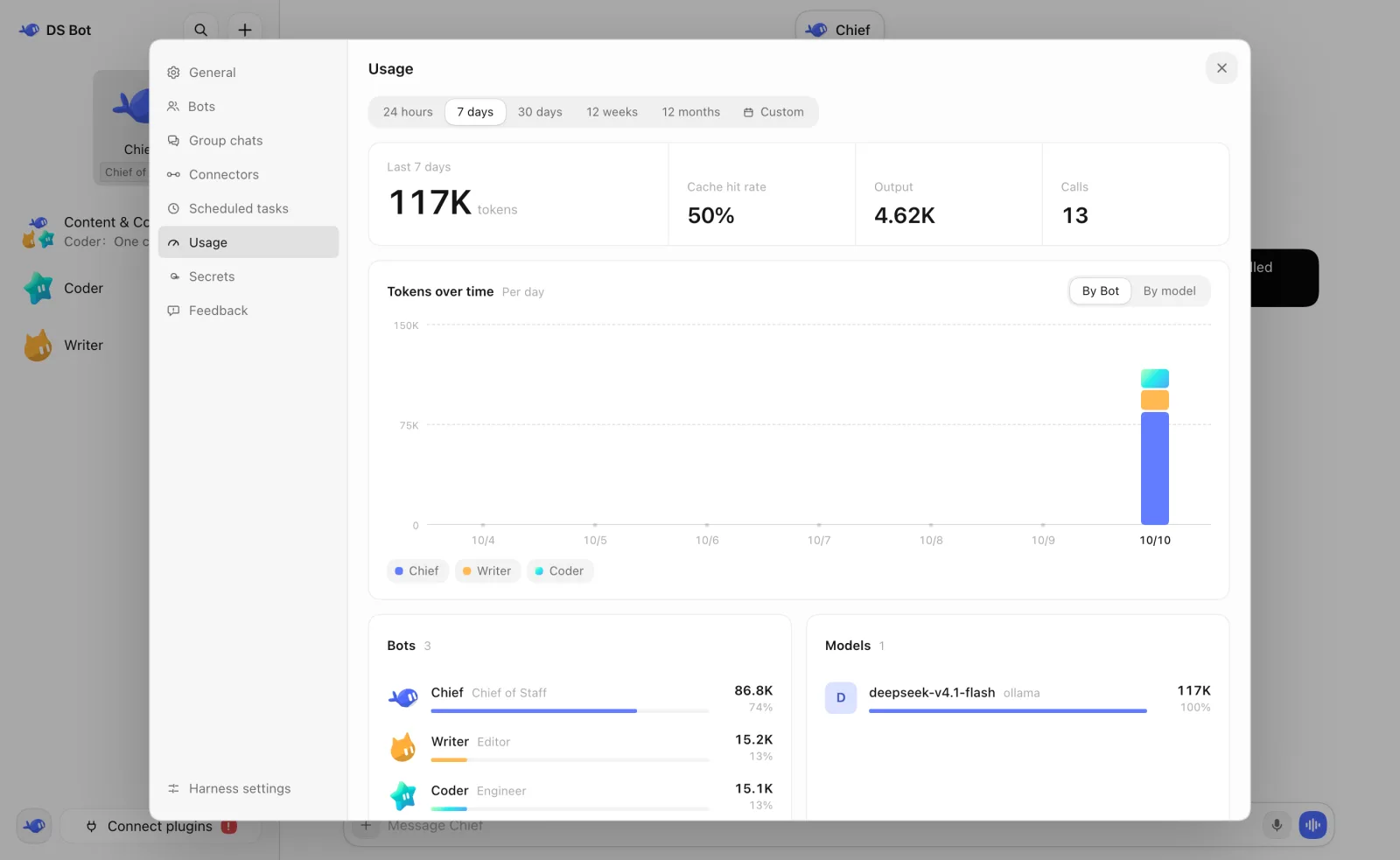
The usage page counts tokens and shows no currency. The README says group chats “clearly cost more” but gives no figure.
Typical use cases
- Someone who writes and codes: One bot drafts posts, another handles the site, and they hand work over in a group chat while you read the results.
- Someone who wants their data on their own machine: Team data, memory and chats stay in the DSH home folder,
~/.dshby default, and uninstalling the plugin leaves them in place. - Someone running a NAS or a Linux server: The
docker/directory builds one image with DSH Web and DS Bot. Inside that container, bot commands run without asking, so mount only the folders bots may change.
Quick start
Install DSH first and set up at least one model in it, since DS Bot uses the models DSH serves. For a browser setup, DSH Web is the shortest route. It needs Node.js 22.19 or later, and pnpm:
npx @deepseek-ai/dsh@0.2.0-rc.2 plugin --profile web add ds-bot
npx @deepseek-ai/dsh@0.2.0-rc.2 web
The second command starts DSH Web, and Chief walks you through setup on first open. On Windows and macOS you can also add ds-bot from the Plugins page in DSH Desktop. The README tests against DSH 0.2.0-rc.2.
Summary
DS Bot suits people who already use DSH and want several long-lived bots, each with a clear job. It does not suit anyone who would rather skip installing DSH, or anyone watching token costs who plans many group chats.
Secrets live in <DSH_HOME>/bot/secrets.json with file mode 600, and bots never see the value. The README lists the limits: masking catches only exact copies, so a bot that encodes, splits or reverses a secret can still print it, and the file mode does nothing on Windows. Do not give important secrets to a bot you do not trust. On a plain-HTTP LAN page, typed secrets cross the network in clear text.
The project is young. DS Bot is a v0.1 preview, its latest release v0.1.7 came out on October 16, 2026, and its README warns that features and the saved data format may change. DSH is in developer preview too, with warnings of breaking changes. The license is Apache-2.0, provided as is. As of October 21, 2026, the repository had 2,719 stars, and GitHub counted 82 open issues and pull requests combined.