GenOffice: the open-source AI office suite that round-trips real Office files
Genspark open-sourced GenOffice: native .docx/.xlsx/.pptx editing, reviewable AI changes, bring-your-own keys and local endpoints.
Project facts
GitHub Ecosystem- License
- Apache-2.0
- Language
- TypeScript
- Stars
- 9,242
- Data checked
- 2026-10-11
Snapshot figures reflect the check date and may change over time.
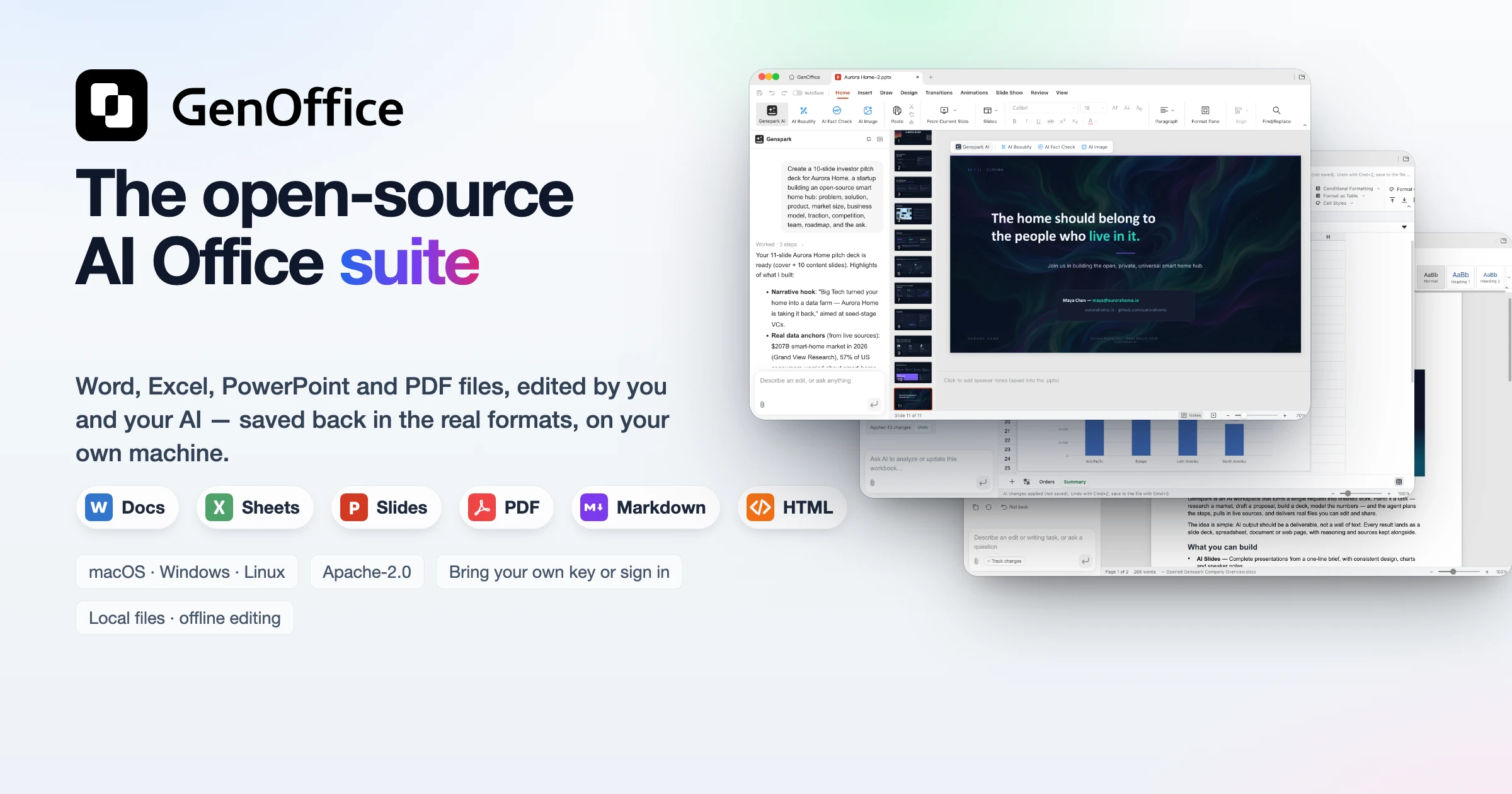
The usual worry about leaving Microsoft Office for an open-source suite is fidelity: complex .docx files drift in third-party editors, and web suites want your documents uploaded. GenOffice, open-sourced on GitHub by the Genspark team on 2026-07-31 (Apache-2.0, mostly TypeScript, 9,242 stars and 1,177 forks as of 2026-10-11), takes a different route: six native editors read and write real .docx, .xlsx and .pptx files, plus PDF, Markdown and HTML, and each editor ships with an AI agent that reads the file, makes the change, and shows exactly what it touched. The current release, v0.11.505, shipped on 2026-10-09 with signed installers for macOS, Windows and Linux.
Core features
- Byte-preserving round trips. Opening a file archives the original by hash; saving rewrites only the blocks you touched, so everything else survives byte-for-byte and keeps working in Word, Excel and PowerPoint. Spreadsheets run on an in-house Rust engine with live formulas, pivot tables, slicers and conditional formatting.
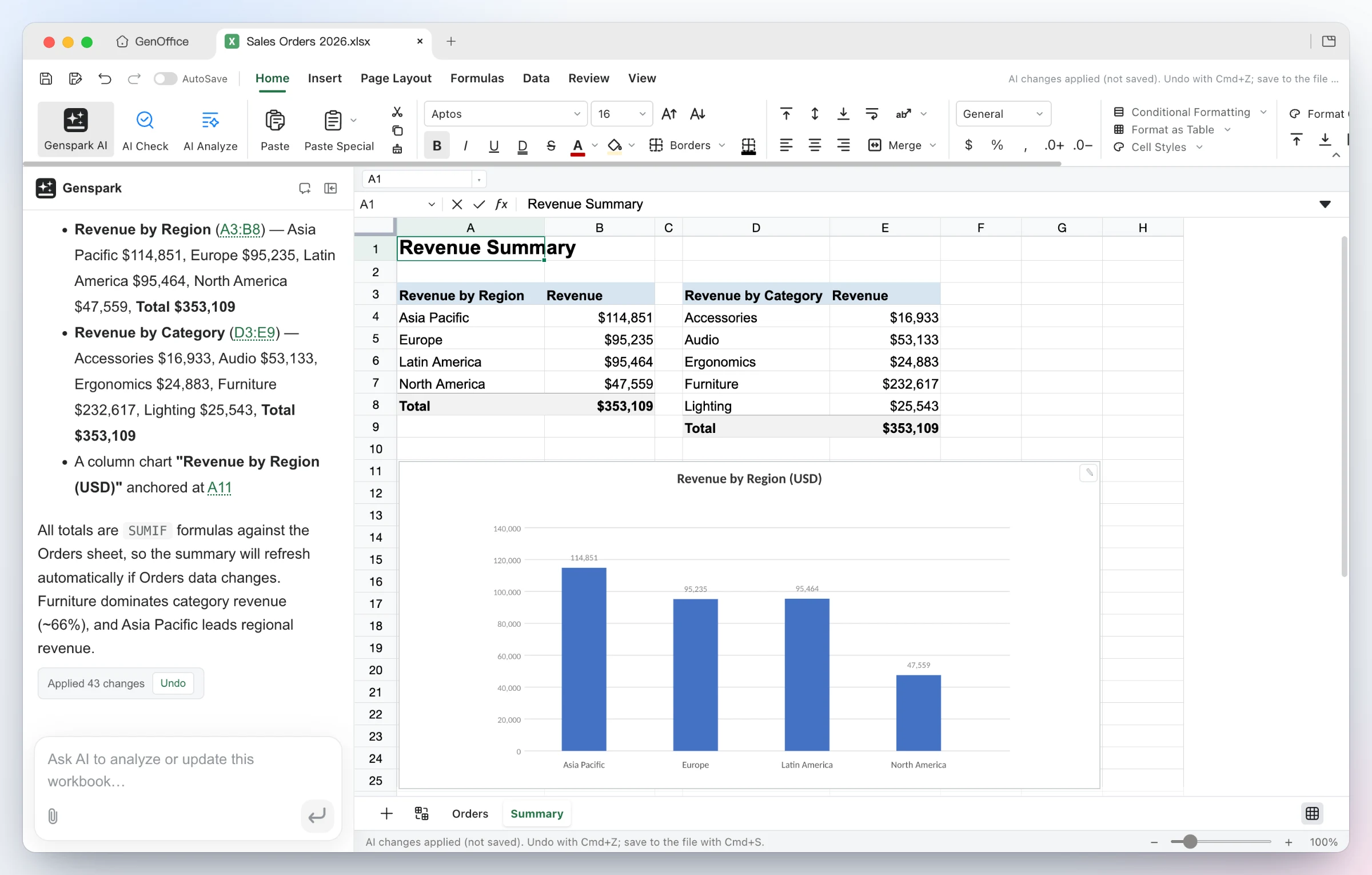
- AI edits you can review. In Docs, AI changes land as Word-style tracked changes; in Sheets the agent writes real formulas and charts instead of pasted numbers; in Slides it drafts each page onto the canvas. Every AI turn is a snapshot with one-click rollback.
- A local-first pipeline. Opening, editing, saving and conversion (PDF to Word/Excel/PowerPoint, Markdown to Word, HTML to Word, with system OCR for scans) all run on-device. Only AI calls leave the machine, to whatever provider you choose.
- Your model, your key. Sign in with Genspark and skip configuration, or bring keys for Claude, OpenAI, Gemini, DeepSeek, Kimi, GLM, Qwen and more. Any OpenAI-compatible endpoint works, local model servers included.
- Local full-text search. File names and extracted text across your work folder land in a SQLite index with CJK-aware tokenizing; an optional TypeSafe Jev reranking pass reorders the top 20 hits so the file that answers the question comes first.
- A CLI and MCP server for agents. The bundled
genofficecommand line lets Claude Code, Codex, Cursor, Gemini CLI and other coding agents create, convert, read and edit Office files headlessly, and an MCP server exposes 29 tools to any MCP client.
Typical use cases
- A subscription-free local office stack. Write, calculate and edit PDFs without a Microsoft 365 plan while files stay on your disk; pair it with a local media converter such as convt to normalize image assets before they go into a document.
- Handing repetitive document work to an agent. Generate a formula-backed summary sheet from one sentence, revise contract clauses in bulk, or ask questions across a hundred-page report and get answers with page citations.
- PDF rework. Retype text in place (the content stream is rewritten with the original fonts, not covered by an annotation) or convert a PDF report into editable Word, Excel or PowerPoint files on-device.
- A document engine for coding agents. Through the CLI skill or the MCP server, an agent like Claude Code produces real .docx/.xlsx/.pptx deliverables and can render each page to a PNG to check its own work.
Quick start
Grab the installer for your platform from GitHub Releases: macOS 11+ (Apple Silicon and Intel dmg), Windows 10/11 (x64 and ARM64 exe), or Linux (deb, rpm, AppImage; glibc 2.34+). On first launch, pick a model route under Settings → AI: sign in with Genspark for zero configuration, paste your own keys, or point the custom OpenAI-compatible slot at a local server.
The command line and the agent skill:
genoffice --version
genoffice info report.docx --json        # inspect document structure
genoffice convert report.md --to pdf     # md/html/docx/xlsx/pptx and pdf interconvert
genoffice create --type docx --from notes.md --out notes.docx
genoffice render report.docx --out shots/  # one PNG per page for self-review
To teach a coding agent the workflow, run npx skills add genspark-ai/genoffice, or open Settings → Integrations in the app and write the skill into Claude Code, Codex, Cursor or the other agents it finds on your machine.
Summary
GenOffice fits two groups: individuals who want subscription-free editing with faithful Office-format round trips, and developers who want their coding agents to emit real Office deliverables. Keep the caveats in view: the repository dates from 2026-07-31 and is iterating quickly through its 0.11.x releases, so capabilities are still moving; the ee/ directory sits under a separate enterprise license and the GenOffice name and marks belong to Mainfunc, Inc., so read LICENSE and the trademark note before redistributing; and AI features depend on external models, so budget for Genspark credits or your own API keys.