LearnHarness: An AI learning assistant that adapts to you
LearnHarness is a desktop AI learning assistant that checks what you know, plans lessons around dependencies, and keeps a knowledge graph on your machine.
Project facts
GitHub Ecosystem- License
- AGPL-3.0
- Language
- TypeScript
- Stars
- 4,546
- Data checked
- 2026-11-01
Snapshot figures reflect the check date and may change over time.
If every explanation starts at the beginning, it is hard to tell where your understanding actually breaks down. LearnHarness is a desktop AI learning assistant that first probes what you know, then plans a path from your current understanding to a goal. It uses prediction, explanation, and practice to check each step, and keeps a knowledge graph for later sessions. The GitHub repository had 4,546 stars on November 1, 2026, and uses AGPL-3.0.
Core features
LearnHarness is designed to work out what a learner understands before deciding what to teach next. It is not a fixed sequence of lessons: the learner’s answers, confidence, and reasoning can shape later explanations and practice.
- Find knowledge gaps: Before teaching, the agent checks the concepts a goal depends on. It asks how you reason and where you feel confident, then uses that information to choose a starting point.
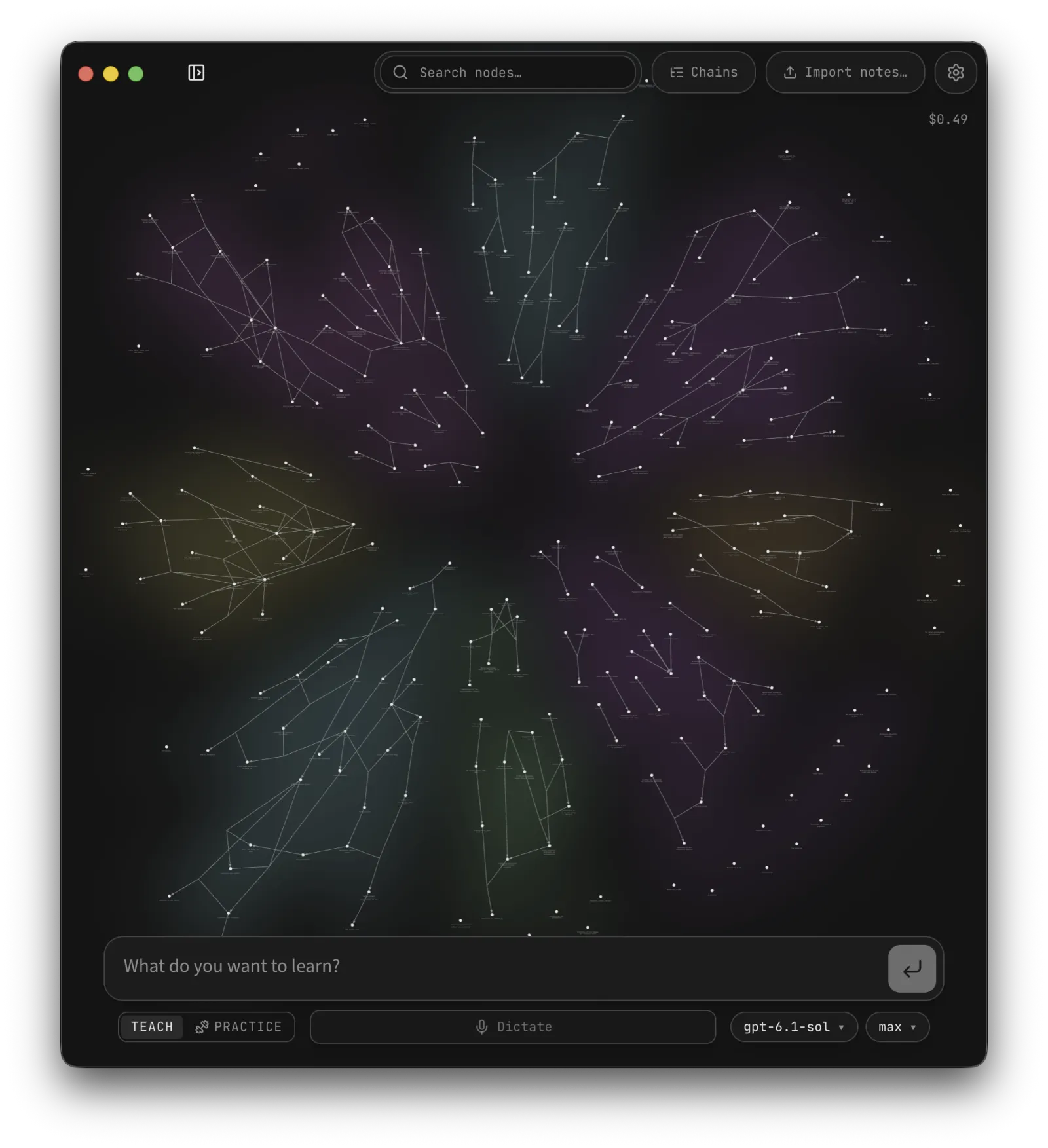
- Show a learning path: The app maps dependencies between your current understanding and the goal. The plan can adapt when your answers show a different level of understanding than expected.
- Teach, then practice: Teaching sessions ask you to predict, read an explanation, and check your understanding. Separate practice sessions pose varied problems, with hints that adapt to your reasoning.
- Carry knowledge across sessions: What you learn becomes propositions and reasoning links, with a link back to the source session. Future lessons can read the graph, and you can import notes.
- Choose a model source: Configure provider API keys, supported subscription connections in the desktop app, the Claude Code CLI, or a custom OpenAI-compatible endpoint, including a local model server. The live cost meter estimates known API usage; it does not include subscription, CLI, or custom-endpoint costs.
Typical use cases
- Learn a technical subject: Set a goal, such as understanding a programming concept. LearnHarness probes prerequisite knowledge, then teaches and checks one step at a time.
- Connect lessons to practice: Start a separate practice session after a lesson. It uses different problems to check whether you can recall the ideas without simply repeating the explanation you just read.
- Keep progress between sessions: The local knowledge graph suits topics that take multiple study sessions. Records are plain files you can inspect, and existing notes can be imported.
For a fixed syllabus or a focused course, Every Joule is an interactive physics book for the GCSE energy unit. LearnHarness starts from a topic chosen by the learner and works across a wider range of subjects.
Quick start
Download the desktop app from learnharness.ai. The README lists Apple Silicon macOS, Windows x64, and Linux x64. The macOS app is signed and notarized; the Windows installer is currently unsigned and may trigger a SmartScreen warning. Linux users can use the AppImage or Debian/Ubuntu .deb package.
Choose a model source on first launch, then start a session with a topic you want to understand. The README also lists custom OpenAI-compatible endpoints, including local model servers. Dictation and web research use separate service keys; account for those external connections before enabling them.
Summary
LearnHarness fits developers and self-directed learners who want a tutor to work from their knowledge gaps and keep a record across study sessions. It links four stages—checking current understanding, planning lessons, practicing, and accumulating a knowledge graph—in one desktop workflow. GitHub metadata was checked on November 1, 2026; the project is written in TypeScript and licensed under AGPL-3.0.
Local storage does not mean fully offline processing. Model requests send the context needed for the task to the provider you configure; web research and dictation also contact external services. Model and subscription costs depend on your provider, CLI, or local setup. LearnHarness has no software subscription fee, but its meter does not estimate every billing arrangement. The Windows installer is unsigned and may show a system warning, so verify the release according to your own trust requirements.