Agent frameworks#Browser automation#Runtime#Device control
OpenMuse: Open source personal agent with browser and terminal
OpenMuse is a self-hosted personal agent with persistent Chromium, sandboxed execution, and human takeover, offering an open source alternative to Meta Muse.
Project facts
GitHub Ecosystem- License
- MIT
- Language
- TypeScript
- Stars
- 4,457
- Data checked
- 2026-10-10
Snapshot figures reflect the check date and may change over time.
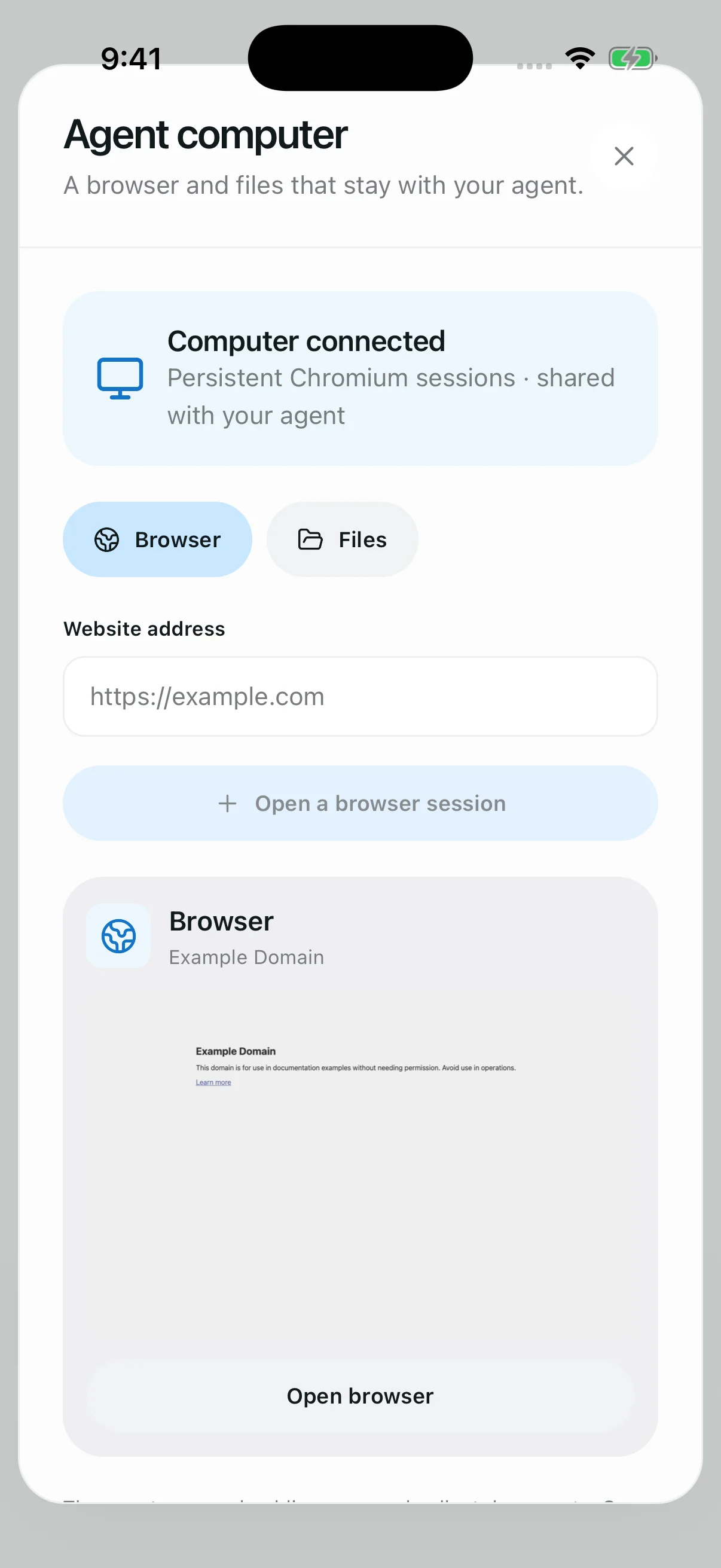
As Meta Muse sparked widespread interest in round-the-clock autonomous personal agents, delegating long-running workflows to AI has quickly become an active engineering frontier. However, closed-source cloud platforms require users to store private data, session cookies, and API credentials on vendor infrastructure, creating persistent compliance and security hurdles. OpenMuse, an open source project created by the CopilotKit team (MIT licensed, written in TypeScript, with 4,457 GitHub stars as of October 10, 2026), delivers a self-hosted personal agent architecture. Built with React Native to target web browsers, iOS, and Android from a single codebase, OpenMuse equips the model with a dedicated agent computer combining a persistent Chromium instance with an optional sandboxed Linux container.
Core features
- Persistent Chromium browser with live human takeover: OpenMuse runs a dedicated background browser worker powered by Playwright that preserves session cookies and authentication states across queries. When the agent encounters interactive challenges such as CAPTCHAs, two-factor authentication prompts, or ambiguous user interfaces, the workflow pauses automatically. Users can tap Take control to intervene directly in the exact same browser session and return control to the agent once resolved without restarting the task.
- Resilient execution via Postgres CAS leases and checkpoints: The background orchestrator writes progress states, step plans, and intermediate artifacts into database checkpoints at every phase of execution. By relying on PostgreSQL compare-and-swap optimistic locking and periodic heartbeat leases, the engine ensures that sudden process crashes, machine reboots, or network interruptions release the lease cleanly, allowing replacement workers to resume from the last valid checkpoint without repeating previously completed work.
- Isolated container workspace: The system includes a lightweight Docker sandbox configured for shell command execution, script parsing, and local file transformations. Network traffic inside the container remains isolated by default, forcing external web retrieval through controlled browser proxy channels, while commands enforce a strict 30-second execution deadline to guard against resource exhaustion.
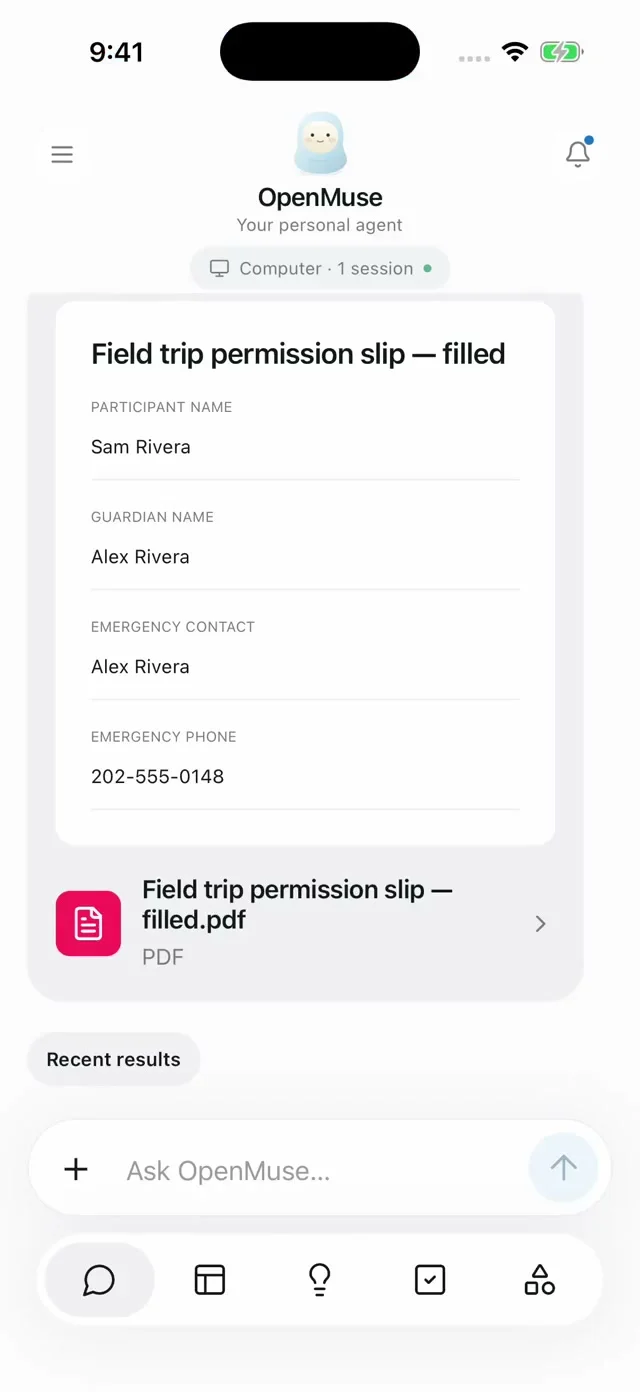
- End-to-end document pipelines and approval gates: Native support handles AcroForms PDF filling, web price tracking, and financial transaction classification out of the box. Integrations with email and calendar APIs maintain clear security boundaries where read actions execute autonomously, but write actions such as dispatching emails or updating calendar appointments mandate explicit user confirmation.
- Offline demo mode: Developers can explore the entire interaction model without provisioning paid model API keys, Google credentials, or container daemon setups. The repository ships with realistic mock datasets to validate PDF form completion, price monitoring alerts, and task state transitions locally.
Typical use cases
- Automated competitor intelligence and price tracking: Scheduled monitors scrape target web pages, extract pricing tables, and summarize historical differences, while engineers step in with live takeover whenever anti-scraping checks appear.
- Multi-device personal operations: Self-hosted instances run continuously on a private server, letting users monitor multi-step research progress from mobile devices and grant real-time approvals for external actions.
- Agent architecture research and human-in-the-loop experimentation: Developers examining agent browser control patterns and OpenDots runtimes can study how OpenMuse manages long-running task checkpoints, browser process isolation, and clean interactive handover boundaries.
Quick start
Ensure Node.js 24 LTS and pnpm 11 are available on your development machine. Clone the repository and launch the offline demonstration environment:
# Clone the repository and install dependencies
git clone https://github.com/CopilotKit/openmuse.git
cd openmuse
pnpm install --frozen-lockfile

# Copy environment template
cp .env.example .env

# Start the primary API service and web frontend
pnpm dev
# Open http://localhost:8081 in your browser to explore the demo
To connect live models and the persistent browser engine, provide a DeepSeek or OpenAI-compatible endpoint inside .env and start the dedicated browser worker:
# Install Chromium and start the browser service
pnpm --dir apps/worker exec playwright install chromium
pnpm dev:browser
Summary
OpenMuse is well suited for engineering teams and researchers seeking full ownership over agent data and execution infrastructure without delegating browser credentials to proprietary cloud providers. By pairing long-running task persistence with seamless human takeover, it addresses practical failure modes that stall conventional agent frameworks. Teams evaluating OpenMuse should note that the project remains in an early alpha phase: setting up the full stack requires configuring multiple background dependencies including CopilotKit Intelligence, PostgreSQL, and Docker, and its architecture is currently single-tenant, requiring additional authentication layers before serving multi-user environments.