Commentary#Browser automation#Coding agent#Device control
How AI agents take control of a browser: five routes and their costs
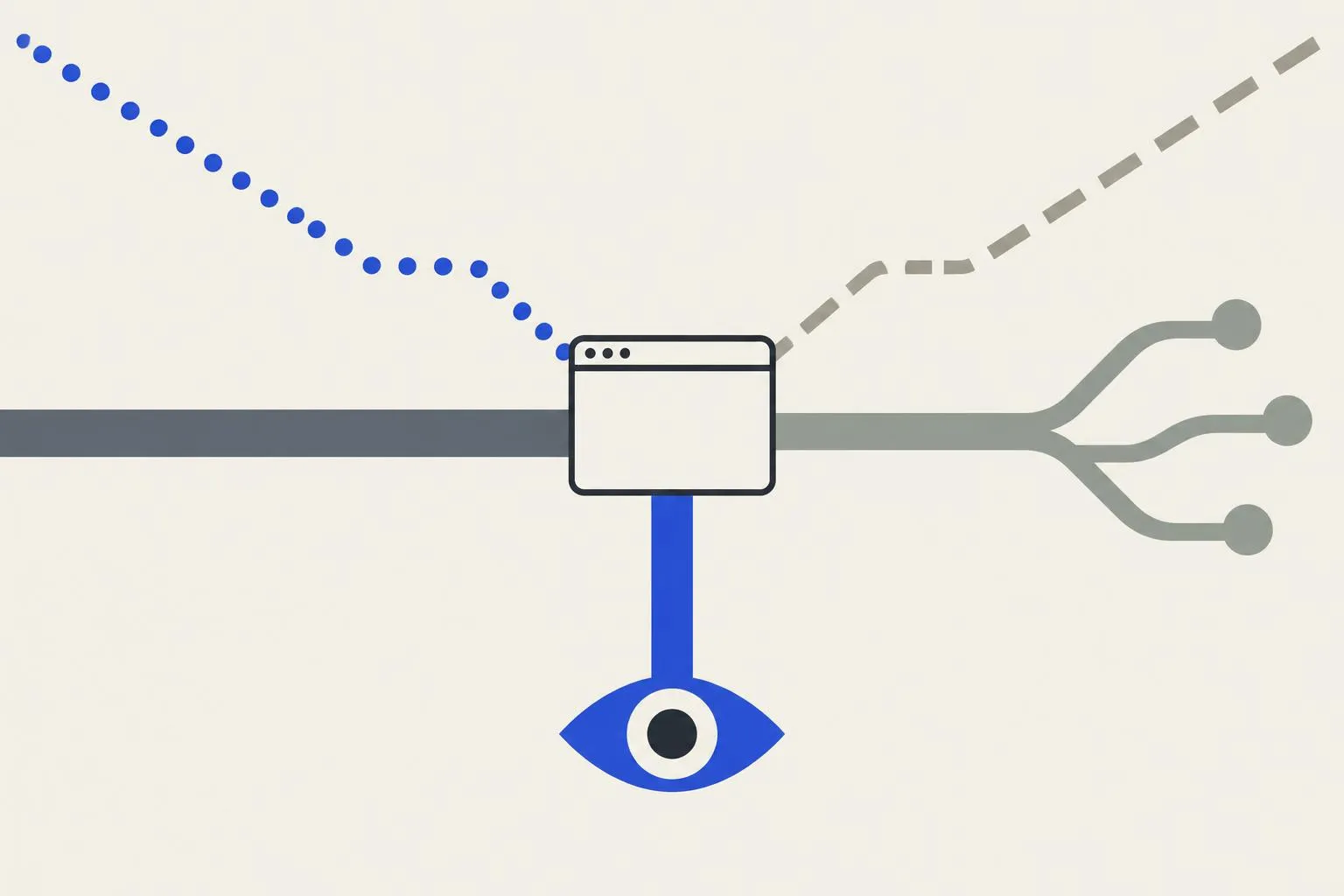
Five routes for AI agents to control a browser, from Selenium to BrowserSkill. The first fork: a clean instance, or your signed-in profile.
If you want an AI agent to research, fill forms, or watch background tasks, sooner or later it has to drive a browser. The field is crowded in 2026: Playwright MCP, browser-use, Stagehand, Tencent’s BrowserSkill, OpenCLI, Claude’s computer use. They get compared side by side all the time, and most comparisons stop at feature lists. A feature list tells you which actions a tool supports. It does not tell you what those actions look like on your own computer.
Two questions decide most of it. First, whose browser does the tool drive: a clean automation instance, or the profile you use every day? Second, how does it see the page: by reading the DOM, by reading the accessibility tree, or by looking at screenshots? The first question decides whether the agent can do real work. The second decides how much each step costs, and whether a redesign breaks the tool overnight. This article uses those two questions to sort the field into five routes, and covers how each one works, which projects represent it, and what it costs.
Key points
- Agent browser control falls into five routes: raw protocols, AI frameworks, MCP servers, local bridge extensions, and vision models with hosted clouds.
- The first fork is login state. A clean instance (Playwright-launched or cloud-hosted) starts signed out. Reusing your real profile (BrowserSkill, browser-control, Playwright MCP’s extension mode) hands your account’s powers to the model.
- The vision route (Claude computer use and similar tools) needs no DOM and can click anything. It costs roughly 1,000–1,800 tokens per screenshot, and Anthropic recommends running it inside a sandboxed virtual machine.
Control channels and perception
Browser automation splits into two layers: a control channel and a perception method. The control channel is how instructions reach the browser. W3C’s WebDriver protocol is what Selenium uses. The Chrome DevTools Protocol (CDP) is the interface Puppeteer and Playwright talk to directly. A third option is an extension installed in the browser that carries out instructions on the agent’s behalf. In that case the agent operates the browser you are already using.
The perception method determines what the model gets to see, and the three common approaches differ a lot:
- DOM is the page’s full structure. It holds the most information and the most noise. A complex page’s DOM can be very long, and pasting all of it into a prompt uses up context and lets unrelated nodes pull the model’s attention away.
- The accessibility tree is a trimmed structure that browsers build for screen readers. It keeps only elements that have a role and a name: what a button is called, what label an input carries, where a link points. It is plain text, far smaller than a screenshot, and Playwright MCP runs on it.
- Screenshots show everything, including charts drawn on a canvas, text inside images, and desktop windows that are not web pages at all. The cost is image tokens on every step, and the model can only click by pixel coordinates, so accuracy depends on screen resolution.
Most of the five routes are different combinations of these two layers.
Login state is the first fork
Real work usually gets stuck at sign-in. The clean-instance route means Playwright launches its own Chromium, or you use a hosted cloud such as Browserbase or Steel. It is well isolated, can run dozens of sessions in parallel, and can be thrown away when it breaks. It starts with no cookies, though. Intranet systems and login walls stop it, and every run means finding a way to carry a session in.
The reuse-your-browser route works the other way round. Logins, installed extensions, and saved payment methods are all already there. But every step the agent takes, it takes as you.
Consider a common task. Every morning you open the company’s support back office, find tickets nobody has touched for more than seven days, and add a note to each one. What follows is a thought experiment that compares the two routes. It is not a measured result.
In a clean instance, the agent meets the login page first. Account, password, and two-factor verification all have to be solved before any work starts, and the run may need repeating each time. The upside is that if something goes wrong, closing the window ends it, and no other site you use is affected.
In a reused profile, the back office is already signed in, so the agent can read the ticket list straight away. The same browser, though, may also hold your email, your expense system, and your online banking. If it clicks the wrong button, or a line of text on a page steers it off course, the consequences land on your real accounts, and they are hard to reverse.
Most of the 2026 wave sits on the second route. Tencent open-sourced BrowserSkill in June (MIT, about 8,500 stars as of October 10, 2026). anomaly’s browser-control followed in July (MIT, about 440 stars). OpenCLI started in March (Apache-2.0, about 30,000 stars). They share one motive: let the agent use sites you have already signed into. This route also has the least clear security boundary. BrowserSkill’s documentation says plainly that the Agent Window is not a security sandbox, and that the agent holds every permission of the signed-in sites in the chosen profile. browser-control’s read-only sessions are designed to prevent mistakes, not malicious code. Taking this route means treating trust in the agent as a precondition.
How the five routes work
Raw protocols
This is the oldest route. Selenium (repository created in 2013, about 35,000 stars) speaks the W3C WebDriver protocol, with one driver per browser. Puppeteer (about 96,000 stars) and Playwright speak CDP directly. They are fast and deterministic, and most testing and scraping still runs on them.
The determinism is real. The same script run a thousand times behaves almost identically, and it calls no model at runtime, so there is no inference bill. The weakness is equally clear: selectors are hard-coded, so a page redesign breaks the script. Most of the routes below exist to fix this. Letting the model find an element again when a selector fails, or skipping selectors entirely, both address the same problem.
AI frameworks
This layer puts the model in the loop. browser-use (MIT, about 117,000 stars) condenses the page DOM into a numbered list of elements for the model, and the agent repeats a cycle of looking at the page, deciding, and acting. Browserbase’s Stagehand (MIT, about 26,000 stars) adds act, extract, and observe primitives on top of Playwright, so you describe what to click or extract in plain language. ByteDance’s web-infra team built Midscene (about 15,000 stars), which uses visual planning for natural-language end-to-end tests. Skyvern (AGPL, about 23,000 stars) mixes vision and DOM and is aimed at repetitive workflows.
The shared pattern is that code only supplies the hands, and the model supplies the judgment. That makes these tools flexible, and they can carry on when a page changes a little. The cost is uncertainty. The same task can take different paths on two runs, and every step carries a model inference bill.
MCP servers
This layer asks a different question: the model needs a good set of tools first, and the browser is just one place they get used. Microsoft’s Playwright MCP (Apache-2.0, about 38,000 stars) gives the model the page’s accessibility tree, so a text-only model can click and type by element reference without spending screenshot tokens. Chrome DevTools MCP (about 53,000 stars) adds the debugging view, including performance traces and network analysis, which suits a coding agent investigating a page problem.
Playwright MCP also has an --extension mode worth knowing about. With the extension installed, it attaches to the Chrome or Edge you are already running, so this layer has a door into the bridge route as well. Before you enable it, confirm which browser and which profile it will attach to.
Local bridges
This layer exists to solve one problem: using your own browser. A daemon or relay runs locally, a browser extension carries out the work, and the agent sends instructions through a CLI or MCP. The projects differ mainly in where they draw the boundary.
BrowserSkill opens a separate Agent Window for each task. Touching a tab you already have open requires confirmation first, and CAPTCHAs and logins go back to you. browser-control lets the agent write Playwright snippets directly, with sessions, tab adoption, and a read-only mode as its boundaries. When it exports captured network traffic, it also strips secrets. OpenCLI turns common sites into CLI commands, so the agent calls a command and never touches the underlying protocol. eyalzh’s browser-control-mcp (about 330 stars) is the most conservative: it handles tab management and page reading only, and every domain needs your approval in the browser first.
A narrower boundary means the agent can do less, and the damage from a mistake is smaller. That is a trade-off, and none of these options is free.
Vision and hosted clouds
This layer has two ends. One is computer use. Anthropic’s toolset (generally available on the Claude API and Google Cloud in the August 2026 version) lets the model read screenshots and report pixel coordinates. Seventeen member tools cover clicks, typing, and scrolling, and your application carries out the actions. It doesn’t care about the website or the software, so it works on desktop apps too. The costs are 1,000–1,800 tokens per screenshot, click accuracy that depends on resolution, and Anthropic’s own advice to run it in a sandboxed VM.
A different approach puts the agent inside the browser itself. Comet (Perplexity, since 2025), Dia (The Browser Company), and Atlas (OpenAI, October 2025) all take this route. Ordinary users can run them without any setup.
The other end is hosted clouds. Browserbase and Steel turn the browser into an API. They run hundreds of sessions in parallel and handle proxies and CAPTCHAs for you. Large-scale scraping and load testing live here.
The comparison
| Route | Representative projects | Control channel | Page perception | Login state | Isolation |
|---|---|---|---|---|---|
| Raw protocols | Playwright, Puppeteer, Selenium | WebDriver / CDP | Selectors, DOM | None, bring your own | Separate instance |
| AI frameworks | browser-use, Stagehand, Skyvern, Midscene | Playwright core | Labeled DOM, vision | Real profile possible | Usually separate instance |
| MCP servers | Playwright MCP, Chrome DevTools MCP | MCP tool calls | Accessibility tree, traces | Extension mode reuses yours | Persistent or isolated profile |
| Local bridges | BrowserSkill, browser-control, OpenCLI | CLI / MCP plus extension | CDP snapshots, refs | Your own | Agent Window, sessions, adoption |
| Vision and cloud | Claude computer use, Comet, Atlas, Browserbase | Model toolset, product, cloud API | Screenshot coordinates | Varies by vendor | Sandboxed VM, cloud session |
Read the last two columns first. Login state decides whether the agent can do real work. Isolation decides who pays when it makes a mistake. My read is that these two columns tell you more about whether a setup is worth using than the number of supported actions does. The only route that currently invests in both is the local bridge layer, which keeps real logins behind real boundaries: a separate window with confirmation, or an auditable session. The combination to watch out for is a reused profile with no fence at all. That is the usage this whole wave of tools should be judged against.
The table leaves out a few costs that a feature list does not show:
| Cost | What it looks like | Mainly hits |
|---|---|---|
| Selector upkeep | A redesign breaks hard-coded selectors, and someone fixes scripts | Raw protocols |
| Inference cost | The model decides every step, so tokens accrue per step | AI frameworks, vision models |
| Image cost | About 1,000–1,800 tokens per screenshot, which adds up fast | Vision models, screenshot-based |
| Login migration | Sessions expire, so you log in again or copy cookies across | Clean instances |
| Blast radius | Which account or system a wrong action lands in | Local bridges reusing a profile |
Each of these can be reduced with engineering work, but the reduction costs money. Selector upkeep can be handed to the model as a fallback, and the fallback adds inference cost. Login migration can be solved with a profile, and a profile brings permission risks. No route avoids all of these costs.
Staying safe at the boundary
Agents that control a browser carry three kinds of risk. They differ in nature, so they need different defenses.
The first is mistakes. The agent might click “Submit” where you meant “Save draft”, or send an email you had not finished writing. Payments, sends, and deletions are hard to undo once they happen, so a person should confirm them before they run.
The second is prompt injection. A line of text on a web page can be read by the model as an instruction. Anthropic’s computer use documentation warns that page content can override the model’s instructions. This is not a flaw in one product. Any agent that reads untrusted content faces it.
The third is credential exposure. When you reuse a profile, your logins sit within the agent’s reach. If the tool has a defect, or a malicious script on the page takes advantage, the session can be borrowed. BrowserSkill’s documentation states that the Agent Window is not a security sandbox. Take that statement at face value.
The defenses also come in three layers. First, use read-only paths: browser-control’s read-only mode and eyalzh’s per-domain consent follow this idea. Grant write access only after the read-only path has proven safe. Second, turn on auditing. BrowserSkill’s operation audit and browser-control’s journal already exist. Third, give the agent a profile of its own, and keep it away from payment pages and your main mailbox.
If I had to order the three, auditing comes first. Read-only modes and isolation can be set up in advance, but when something goes wrong and you need to work out what happened, the audit log is the only record you can check.
How to choose
- Research, intranet systems, and background web tasks: the local bridge layer is the most convenient. BrowserSkill’s separate window with human handoff suits someone who keeps using the computer while the agent works. If you prefer orchestrating in code, choose browser-control.
- Giving a coding agent browser skills: start with Playwright MCP, which runs on the accessibility tree and doesn’t need screenshot tokens. Add Chrome DevTools MCP when you need to investigate performance. To reuse a signed-in session, turn on extension mode, but first check which browser it attaches to.
- End-to-end testing: put Midscene or Stagehand on top of Playwright. Write test steps in natural language and let the model fall back when a selector fails. That fallback means the same test can take different paths across runs, so write the assertions more strictly.
- Large-scale scraping and parallel jobs: a hosted cloud, paired with an equivalent anti-detection browser. Tools such as Camoufox only make sense for sites you are authorized to access.
- The target is not in a browser at all (desktop software, system operations): computer use. Accept its token cost, and run it in a sandbox.
FAQ
Does extension mode hand over my login?
Extension mode runs the agent inside the browser you are already using, so the agent can reach the same logins you have. What it can read and do depends on the interfaces the tool actually exposes and on its permission settings. Check its documentation for those limits before you enable it, rather than assuming.
Why put computer use in a VM?
A screenshot-based agent can click anything, including places it should not click. Page content can also steer the model’s judgment. Running it in a VM you can reset at any time limits the worst case to that one machine. Anthropic’s documentation recommends this setup.
Research only, which route?
Start with raw protocols or Playwright MCP. The accessibility tree is plain text, so it costs fewer tokens than screenshots, and you never have to touch your own profile. For internal material that needs a login, consider the read-only mode of a local bridge.
Scripts or a model, which is cheaper?
For a fixed workflow, scripts are cheaper. They call no model at runtime, so there is no per-step inference bill, but a page change means someone has to fix them by hand. A model-driven agent pays for inference on every step. It is worth that cost when pages change often and the workflow is not fixed, because it saves maintenance time.
What to watch
Two lines are converging. One is MCP standardizing how models attach to tools. The browser is only the first domain it covers, and connecting a browser will increasingly feel like installing a driver. The other is browser vendors building agents into their products. Comet, Atlas, Gemini in Chrome, and Claude for Chrome all follow this path, and the distance between the agent and the browser is shrinking.
Between the two sits the local bridge layer. Its lasting value lies in two things vendor products are unlikely to do well: using the browser and logins you already have, and keeping every step on your own machine where it can be audited. When vendor products manage both, this layer becomes redundant. Until then, BrowserSkill and similar projects are taking the idea of agents on a real browser most seriously.