SQLBot: open-source ChatBI from the DataEase team
SQLBot is an open-source ChatBI system by the DataEase team: natural language to SQL with charts, one-container deployment, embeddable via web, popup or MCP.
Project facts
GitHub Ecosystem- Language
- JavaScript
- Stars
- 6,982
- Data checked
- 2026-10-27
Snapshot figures reflect the check date and may change over time.
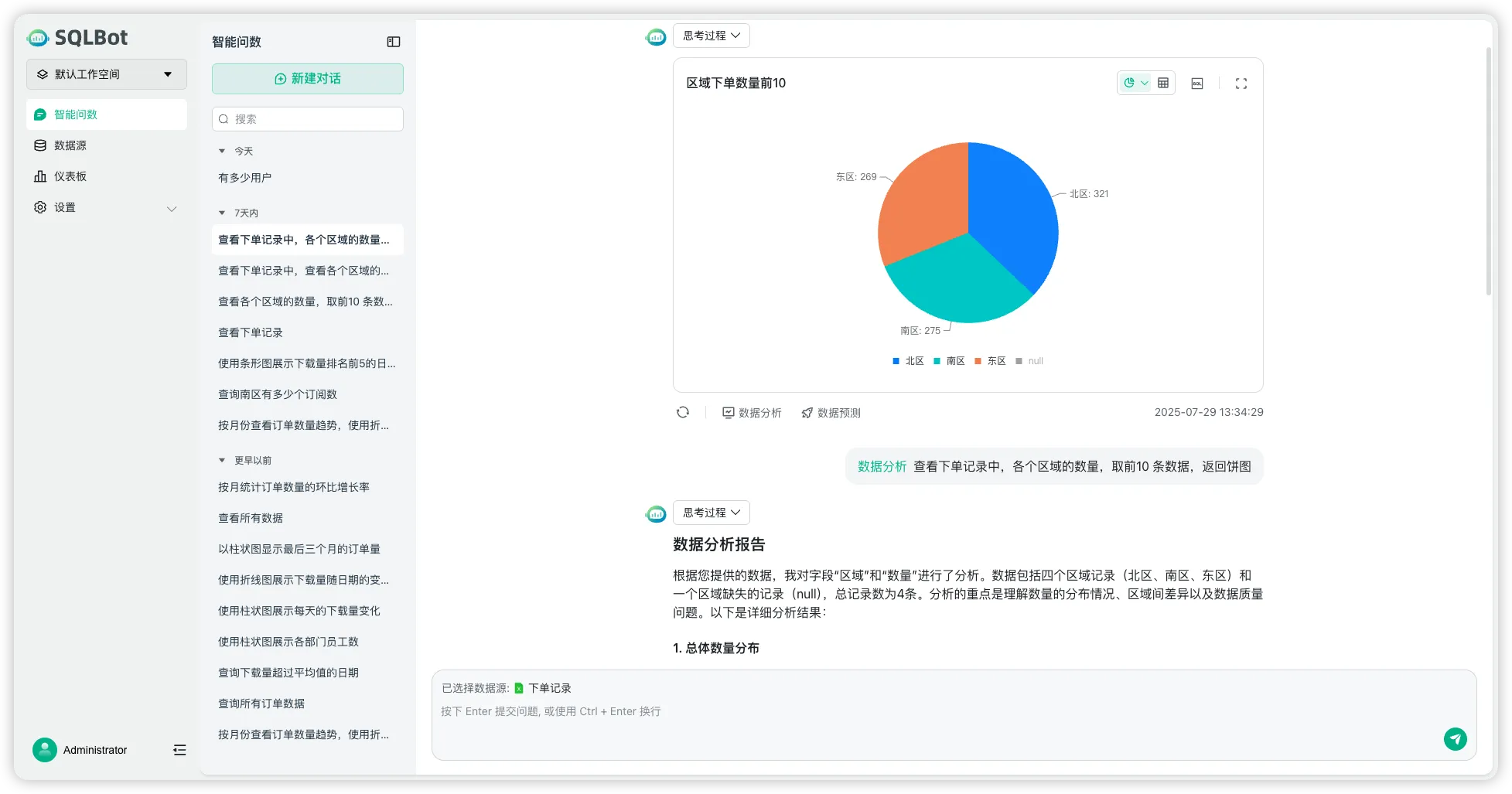
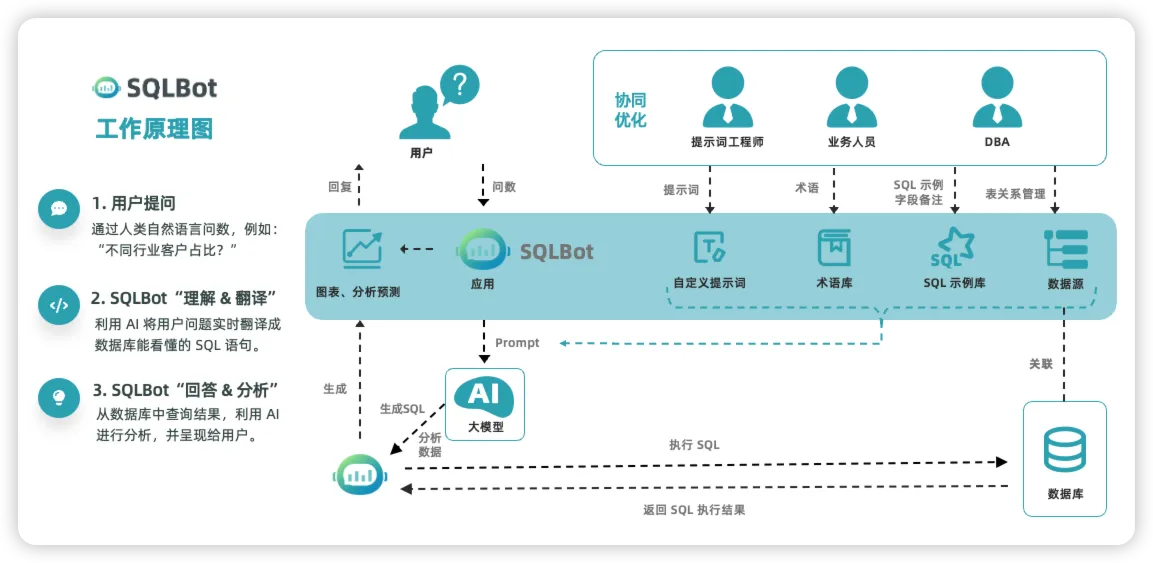
A business colleague wants a number, the data team has a backlog, and a full BI suite is overkill — that gap is what ChatBI products chase. SQLBot, from the DataEase open-source team at FIT2CLOUD, is a text-to-SQL analytics system built on LLMs and RAG: connect MySQL, PostgreSQL, Oracle, Elasticsearch or ClickHouse, ask in plain language, and it runs a pipeline of prompt engineering, SQL generation, SQL review, execution, chart rendering and follow-up analysis. As of October 27, 2026 the repository holds about 7,000 stars with commits the same day; the latest release, v1.10.2, shipped September 23, 2026. Compared with gluing your own Text-to-SQL script, it ships the production pieces — permission scoping, SQL review, terminology calibration — as product features.
Core features
- Natural-language querying: LLM-plus-RAG text-to-SQL that returns query results with visualizations, and supports follow-up questions in the same session.
- Multiple data sources: MySQL, PostgreSQL, Oracle, Elasticsearch, ClickHouse and more (per the README), with workspace-level isolation and fine-grained data permissions.
- A SQL review stage: generated SQL is checked before execution, lowering the risk of a stray DELETE or DROP reaching your database.
- Getting more accurate with use: custom prompts, a terminology library and calibration from SQL examples, so house metrics like “our GMV definition” translate correctly.
- Easy integration: web embed, popup embed and MCP invocation; the README lists n8n, Dify, MaxKB and DataEase as integration targets.
Typical use cases
- Internal ChatBI: operations and marketing colleagues self-serve queries within their permission scope instead of filing data requests.
- Embedding into existing systems: add ask-your-data to an admin panel via popup or iframe, or let an agent query databases through MCP.
- Intranet deployment: FIT2CLOUD publishes offline install packages, so queries stay inside the network.
Quick start
One Linux server with Docker:
docker run -d \
  --name sqlbot \
  --restart unless-stopped \
  -p 8000:8000 \
  -p 8001:8001 \
  -v ./data/sqlbot/excel:/opt/sqlbot/data/excel \
  -v ./data/sqlbot/file:/opt/sqlbot/data/file \
  -v ./data/sqlbot/images:/opt/sqlbot/images \
  -v ./data/sqlbot/logs:/opt/sqlbot/app/logs \
  -v ./data/postgresql:/var/lib/postgresql/data \
  --privileged=true \
  dataease/sqlbot
Open http://<server-ip>:8000/, log in as admin (password in the README), configure an LLM API and a data source in settings, and ask your first question. 1Panel users can install it from the app store instead.
Summary
SQLBot fits teams that want self-serve analytics without assembling a Text-to-SQL pipeline from scratch: source adapters, permission scoping, SQL review and metric calibration all ship as configuration. Three honest caveats: the license is FIT2CLOUD’s modified GPLv3 (keep the logo and copyright notices; read LICENSE terms before commercial use); answer quality depends on your LLM choice and terminology upkeep, and cold-start wrong SQL is common; and the --privileged container flag deserves scrutiny in security-sensitive environments. JavaScript front end, Docker image dataease/sqlbot. If Postgres is among your sources, pair it with Databasus for self-hosted physical backups and point-in-time recovery.