Audio#Video editing#Coding agent
video-use: edit videos with Claude Code
video-use from browser-use hands video editing to a coding agent: drop footage in a folder, chat your edits, get final.mp4 with filler cut and subtitles.
Project facts
GitHub Ecosystem- License
- MIT
- Language
- Python
- Stars
- 28,423
- Data checked
- 2026-10-08
Snapshot figures reflect the check date and may change over time.
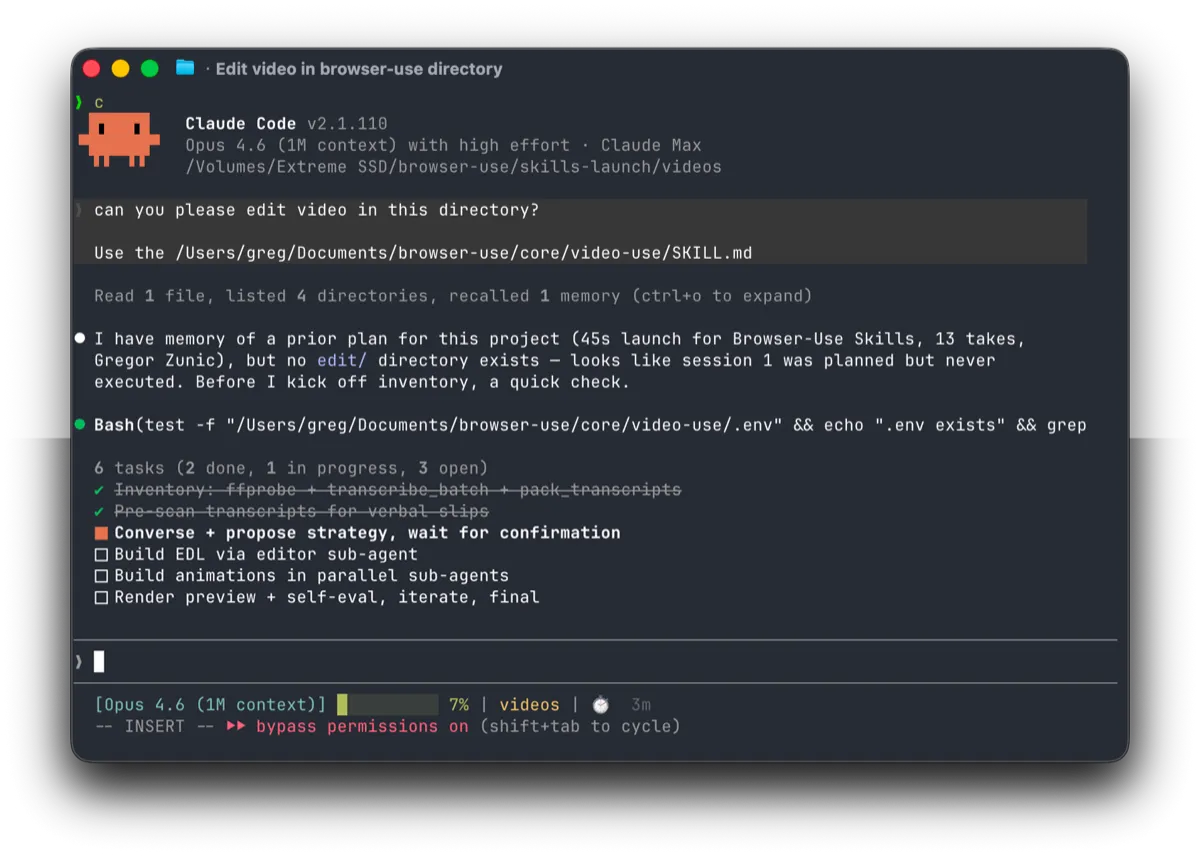
If you already live in Claude Code, you probably also have videos waiting to be edited: product demos, interviews, tutorial talking heads. Opening an editor is a separate skill — hunting filler words one by one, applying color grades per segment, aligning subtitles line by line. video-use from the browser-use team takes a different route (the repo had 28,423 stars as of October 8, 2026): edit videos with Claude Code by dropping raw footage into a folder and saying what you want in the agent session. It cuts the umms and false starts, color grades every segment, adds 30 ms audio fades at each cut, burns in subtitles, and hands you back a final.mp4.
Core features
- Editing by conversation: instructions in plain language — “cut the umms and false starts”, “burn subtitles as two-word uppercase chunks” — executed through the ffmpeg scripts in helpers/, with no presets or menus.
- Self-checking cuts: the rendered output is evaluated at every cut boundary before you see it, catching broken frames early.
- Grading and clean audio: every segment gets an automatic color grade (warm cinematic, neutral punch, or any custom ffmpeg chain), and each cut carries a 30 ms audio fade so nothing pops.
- Animation overlays: generated via HyperFrames, Remotion, Manim or PIL, with one parallel sub-agent per animation.
- Session memory: project.md keeps this session’s editing decisions so next week picks up the same style.
- Agent-agnostic: the setup prompt in the README works with any shell-capable coding agent — Codex, Hermes, Openclaw included — and Browser Use Box hosts it for always-on editing from a VPS or Telegram.
Typical use cases
- Cleaning an interview recording: filler words and dead air gone, one clean cut out.
- Color-grading and subtitling tutorial screen recordings without touching a timeline.
- Assembling travel footage by theme, then changing your mind with one more sentence.
Quick start
Paste the setup prompt from the README into your agent — it reads install.md, wires up ffmpeg, registers the skill, and asks for an ElevenLabs API key once. Then:
cd /path/to/your/videos
claude    # or codex, hermes, etc.
Drop your footage in the folder and give it the first editing instruction in plain language; the agent comes back with final.mp4.
Summary
For developers already working inside an agent loop, video-use makes “if you can describe it, you can edit it” real. If you want frame-exact control, conversational editing will feel slow: there is no timeline, and every revision is another instruction. MIT-licensed, written in Python. Be honest about costs: transcription and dubbing go through ElevenLabs’ paid API, and the self-evaluation passes burn tokens; long footage takes a while per run. For fully automatic topic-to-video pipelines, see MoneyPrinterTurbo and Pixelle-Video; for plain lossless trims, LosslessCut stays the direct answer.