Firefox Smart Window adds cross-tab AI form filling and /watch page monitoring, US and Canada beta first
Mozilla added cross-tab AI form filling and /watch page monitoring to Firefox Smart Window on October 27, rolling out in the US and Canada desktop beta.
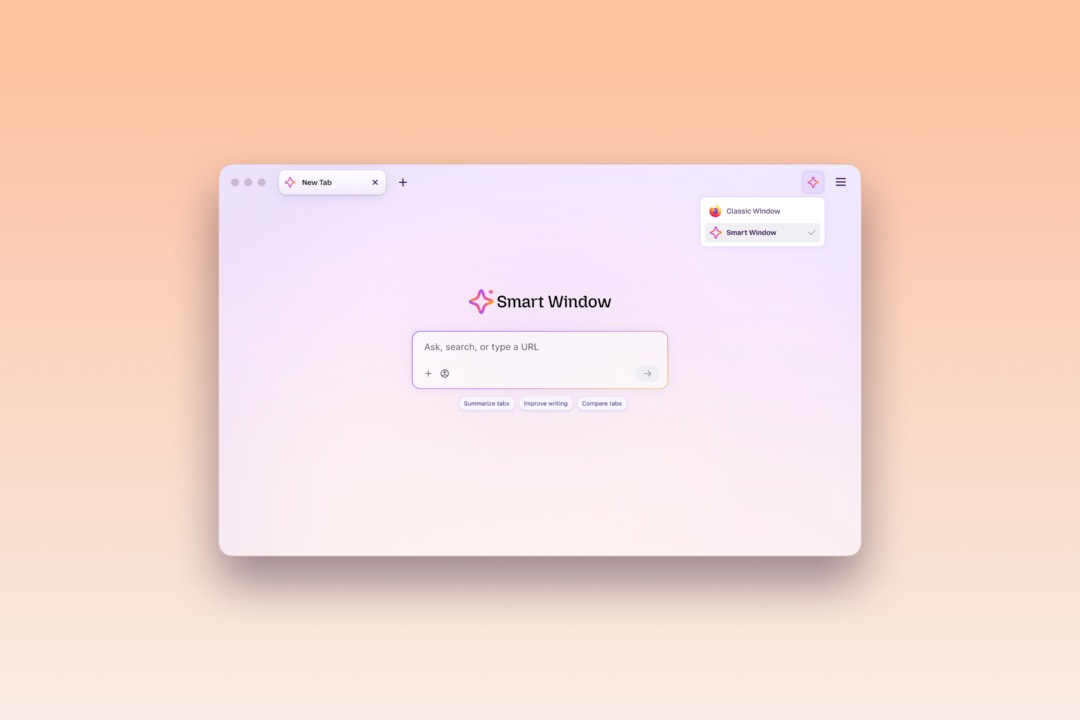
Smart Window is Mozilla’s opt-in AI browsing experience for Firefox: switch your window into Smart Window mode and it can answer questions, summarize and compare content based on tabs you pick. On October 27, Mozilla announced two features that push it from answering toward doing — AI form filling that draws on your open tabs, and a /watch command that monitors pages for changes. The trigger for form filling is precise: click into a form with at least four text fields Smart Window can help fill, and a “Fill from sources” option appears, drafting entries from the tabs you choose.
Key points
- On October 27, Mozilla announced two Smart Window additions: filling forms from open tabs, and /watch page monitoring. Both land first in the desktop beta for English-speaking users in the US and Canada, with more markets “in the coming months.”
- Form filling sends your selected source pages to Google’s Gemini 3.1 Flash Lite, which detects fields and extracts the relevant information; /watch change detection runs on the Qwen AI model — neither follows your chat-model choice.
- A watch task covers up to 5 pages, with a cap of 15 active tasks, checked daily or weekly and only while the browser is open; tasks auto-pause after 60 days without a matching change and stop checking entirely after 90.
Background
Smart Window has been accumulating capabilities for about a year, and these two are the latest layer. Per Unite.AI’s recap: Mozilla floated the “AI Window” concept in November 2025, added web retrieval through an Exa partnership on August 18, 2026, and launched a French beta on September 16 — its first step beyond North America. The whole experience is opt-in, and people who want none of it can switch it off entirely in Firefox’s AI Controls.
The update also lands at a moment when browser AI is splitting into two camps, and both made moves the same day. On October 27, Opera proposed WebAI, a standard letting websites call on-device local models — we covered it here. Mozilla went the other way, sending your selected content to cloud-hosted Gemini 3.1 Flash Lite, with the official rationale that it “currently provides the best performance and reliability for this task.” One camp keeps data on the device; the other trades that for a stronger cloud model. Firefox has been busy beyond AI, too — version 158 made JPEG XL a default earlier this month. Meanwhile Arc, the design-driven browser, shuts down on December 22, and every remaining vendor is competing for that vacated ground with AI features.
The two features
Here is how Smart Window’s form filling and page watching work — mechanism, caps and cadence, per the official blog on October 27:
| Form filling from tabs | /watch page monitoring | |
|---|---|---|
| Entry point | “Fill from sources” appears when you click into a form; pencil icon opens Edit sources | Type /watch in the chat, describe what to watch, add pages |
| Model | Gemini 3.1 Flash Lite (field detection, information extraction) | Qwen AI (change detection) |
| Limits | Form needs at least 4 fillable text fields; text fields only | Up to 5 pages per task, 15 active tasks max |
| Cadence | On demand | Daily or weekly checks, only while the browser runs |
| Retention | Generated fill data is not saved | Auto-pause after 60 days without a match; stops after 90 |
Mozilla’s example for form filling is the job hunt: use an open portfolio or LinkedIn page as the source to fill in work history, or draft answers to open-ended prompts like “tell me about a time when…”. Dropdowns and PDF forms are still being explored. One boundary is stated plainly: Smart Window won’t submit the form for you — you review and edit the suggestions, then submit yourself.
On the monitoring side, matches surface through the Tasks toolbar button (with a green dot), and if desktop notifications are enabled, clicking one opens the watched page; on macOS those notifications default to off, so you turn them on in System Settings. Tasks can be edited, paused, resumed or deleted via the Tasks button or about:smartwindowtasks.
Two documentation conflicts are worth flagging, both surfaced by Unite.AI comparing Mozilla’s own materials: the field count — the blog and setup docs say “at least four” text fields while the support FAQ says five; and the 90-day rule — the blog says tasks pause after 60 days without a change and stop after 90, while the support docs say all tasks are paused 90 days after creation so users can review whether to keep them. The support site renders through JavaScript and wouldn’t load for us, so those two contradictions currently rest on one outlet’s reading; verify in your own browser before relying on either.
Privacy boundaries
The privacy picture has one clear line: which data reaches a cloud model, and what stays on the device. What goes out is the content of your selected source pages — to Gemini 3.1 Flash Lite for form filling, to Qwen AI for watch-task change detection. The Verge puts it bluntly: your page data ends up with Google’s model. What stays local is the routine autofill: names, addresses, passwords and payment details are inserted by Firefox’s regular autofill without any AI, saved autofill values remain on-device, and generated form-fill data isn’t saved at all.
The question the official blog leaves open is whether the page content sent to Gemini ends up training Google’s models. The announcement doesn’t say; that answer lives in the service terms, not this post. Mozilla’s own materials flag the other soft spot: suggestions can be wrong, and the support docs caution that Smart Window may not recognize every form or field type — which is also why “won’t submit the form for you” doubles as a liability boundary.
Our take
Who this matters to depends on what you’re building. If you make form-automation or page-monitoring tools, this update puts a mature product’s boundary conditions on the table: triggers only when you click into a qualifying form, text fields only, 5 pages per task, 15 tasks total, and a 60/90-day decay built in. Independent tools in this space now have to articulate what they offer over the built-in route — tighter polling, richer field types, higher caps, or simply the certainty that data never leaves your machine.
For everyone else, Smart Window here works as a drafting assistant and a watchman, with you still holding the actions: it drafts form entries and you submit them; it flags changes and you decide what to do. Set against “your selected pages go to a cloud model,” that trade is a personal one — you get the model Mozilla calls the best-performing for the job, and you give up device-local processing plus clarity on training use. With Mozilla’s own docs still disagreeing on the field count and the 90-day rule, this is clearly a feature in polish mode; treating it as a beta is the right call.