Playbooks#Coding agent#Runtime#Prompts
Claude Code's official best practices: one constraint explains all the advice
Inside the official Claude Code guide: context as the one hard constraint, the four-phase workflow, verification loops, CLAUDE.md pruning and failure modes.
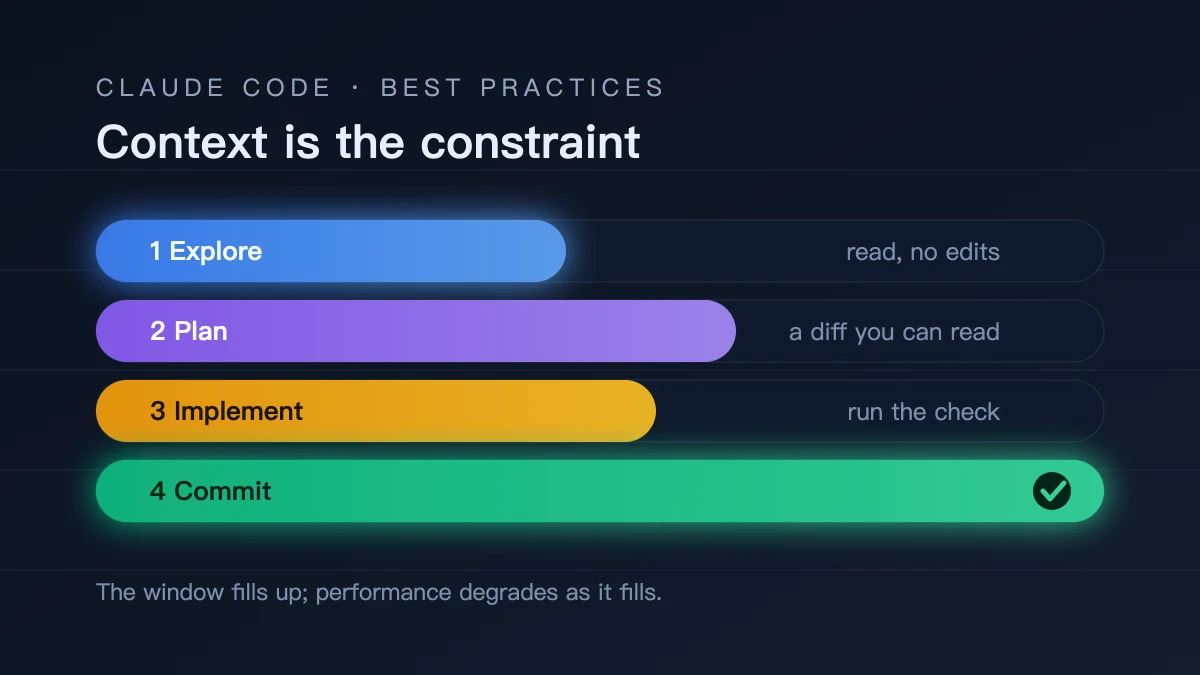
Anthropic keeps a page called “Best practices for Claude Code” in its docs. The page is short, and its opening states the load-bearing claim: the context window fills up fast, and model performance degrades as it fills. The guide says most best practices rest on that single constraint. Everything after it — plan mode, subagents, /clear, CLAUDE.md pruning — follows from that one fact rather than standing as an independent tip. It also explains why copying someone else’s prompt rarely transfers: the constraint is the same, but your tasks fill the window at a different rate.
Context is the only hard constraint
The guide is blunt about what sits in the window: your entire conversation, every message, every file Claude reads, every command output. A single debugging session or codebase exploration can consume tens of thousands of tokens. The fuller the window, the more likely Claude “forgets” earlier instructions or starts making mistakes. That is why context is called the most important resource to manage, not one of several.
This framing explains a set of practices that otherwise look unrelated. Why /clear between tasks? Leftovers from the previous task keep occupying the window. Why use subagents for research? They read files in their own context and return a summary, keeping the bulk out of yours. Why prune CLAUDE.md? It loads every session, so padding crowds out actual instructions. Understanding the main axis is worth more than memorizing twenty tips.
The four-phase workflow
The recommended flow is explore, plan, implement, commit, and its point is to separate research from execution. Letting Claude start writing immediately most often produces code that solves the wrong problem.
In practice: enter plan mode (press Shift+Tab until the status bar shows plan mode, or start with --permission-mode plan) and have Claude read files and answer questions without making changes. Then ask for a detailed plan, and use Ctrl+G to open it in your editor for direct edits. Approve it, switch out of plan mode, and let Claude implement and run tests. Finally have it commit and open a PR.
The guide also states when to skip this. Plan mode adds overhead. If the scope is clear and you could describe the diff in one sentence — fixing a typo, adding a log line, renaming a variable — just ask for the change. Planning pays off when the approach is uncertain, when the change spans multiple files, or when you don’t know the code being modified.
Give Claude a check it can run
The guide puts verification near the top for a loop-closing reason: Claude stops when the work looks done. Without a check it can run, “looks done” is the only available signal, and you become the verification loop — every mistake waits for you to notice it. Give it something that produces a pass or fail and the loop closes on its own.
A check can be almost anything readable in the conversation: a test suite, a build exit code, a linter, a script diffing output against a fixture, a browser screenshot compared to a design. The guide offers three strengths: ask for the check and iterate inside one prompt; set it as a /goal condition that a separate evaluator re-checks every turn; or wire a Stop hook as a deterministic gate that blocks the turn from ending until it passes.
This is the difference that separates a session you watch from one you walk away from. Same model, different outcome: the error got caught.
CLAUDE.md should shrink, not grow
The official position is more aggressive than most people assume: for every line in CLAUDE.md, ask whether removing it would cause Claude to make mistakes. If not, cut it. The guide states plainly that bloated files cause Claude to ignore your actual instructions.
It includes an include/exclude table. Include Bash commands Claude can’t guess, code style rules that differ from defaults, testing instructions and preferred runners, branch and PR conventions, project-specific architectural decisions, required environment variables, and non-obvious gotchas. Exclude anything derivable from reading the code, standard language conventions, detailed API docs (link instead), frequently changing information, file-by-file descriptions, and self-evident advice like “write clean code.”
Two diagnostic rules are worth memorizing. If Claude keeps doing something you told it not to, the file is probably too long and the rule is getting lost. If Claude asks questions that CLAUDE.md already answers, the phrasing is ambiguous. Treat the file like code: review it when things go wrong, prune it regularly, and check whether behaviour actually changes after an edit. To emphasize one line, put IMPORTANT on that line alone — emphasize many and none stands out.
Sessions are reversible
The guide keeps returning to the idea that conversations are persistent and reversible, which changes the economics of trial and error. Esc stops Claude mid-action with context preserved. Double-tap Esc or run /rewind to restore conversation, code, or both, or to summarize from a chosen message. /clear resets between unrelated tasks. /compact <instructions> compresses with direction, such as /compact Focus on the API changes.
One hard rule deserves its own line: if you have corrected Claude more than twice on the same issue, run /clear. By then the context is cluttered with failed approaches, and a clean session with a better prompt almost always beats a long session full of accumulated corrections.
Checkpoints have a stated boundary. They only track changes made through Claude’s file editing tools; anything a Bash command or external process changed is not captured. This is not a replacement for git.
Five failure patterns
The guide closes with five common mistakes, each with a one-line fix. The list works as a checklist.
The kitchen sink session: one task, then an unrelated question, then back to the first. Context fills with irrelevance. Fix: /clear between unrelated tasks.
Correcting over and over: the context gets polluted with failed approaches. Fix: after two failed corrections, clear and write a better initial prompt.
The over-specified CLAUDE.md: too long, so important rules get lost. Fix: prune ruthlessly. If Claude already does something correctly, delete the line or turn it into a hook.
The trust-then-verify gap: a plausible implementation that misses edge cases. Fix: always provide verification. If you can’t verify it, don’t ship it.
The infinite exploration: an unscoped “investigate this” reads hundreds of files and eats the window. Fix: narrow the scope or use subagents.
Lines worth quoting
Some of the guide’s phrasing carries more weight than paraphrase. On verification: it is the difference between a session you watch and one you walk away from. On review: a subagent in a fresh context sees only the diff and your criteria, not the reasoning that produced the change, so it judges the result on its own terms. But the same page warns that a reviewer asked to find gaps will usually find some — chasing every finding leads to over-engineering, with extra abstraction layers, defensive code and tests for impossible cases. Tell it to flag only gaps that affect correctness or stated requirements.
On parallelism, the guide lists options by how much coordination you want to own: worktrees for isolated CLI sessions, cross-session messaging, the desktop app, cloud sessions, claude agents (research preview) and agent teams (experimental, off by default). It also names a Writer/Reviewer pattern — one session implements, another reviews in a fresh context precisely because it isn’t biased toward code it just wrote.
On automation, claude -p runs non-interactively and --output-format json or stream-json makes the output parseable by scripts. For large migrations, /batch splits the work across 5 to 30 subagents, or you loop claude -p yourself with --allowedTools. For unattended runs, --permission-mode auto has a classifier model review commands before execution, blocking scope escalation, unknown infrastructure and hostile-content-driven actions.
Don’t turn the guide into dogma
The final section is called “Develop your intuition,” and it spends its time undercutting the rest: the patterns aren’t set in stone. Sometimes you should let context accumulate because you’re deep in one complex problem and the history is valuable. Sometimes skip planning because the task is exploratory. Sometimes a vague prompt is exactly right because you want to see how Claude interprets the problem before constraining it.
The method it offers is observation. When output is good, notice what you did — prompt structure, context provided, which mode you were in. When Claude struggles, ask why: was the context noisy, the prompt vague, the task too big for one pass? That intuition doesn’t fit in a doc.
How to use this
If Claude Code feels awkward, work through this order instead of memorizing tips.
Start with context: if sessions get mushy as they lengthen, that’s the signal to /clear or move research to subagents. Then verification: if you have to confirm everything by hand, you’re missing a runnable check. Then CLAUDE.md: if rules are ignored, suspect length before wording. Finally task size: if it keeps solving the wrong problem, you skipped planning.
The page makes no claims about model capability and quotes no performance numbers. It is about arranging the window, the checks and the session on top of the same model — probably the least glamorous and most durable part of the official docs. For the adjacent piece, our breakdown of the Opus 5.5 prompting guide covers effort levels and deleting instructions, which complements this one on context management; CLAUDE.md versus AGENTS.md covers the configuration layer.