Playbooks#Coding agent#Prompts
Getting more out of GPT: spend your Codex quota where it counts
ChatGPT desktop's Chat mode doesn't touch your Codex quota: plan and review there, hand chores to Luna, and a 5 a.m. task turns two daily resets into three.
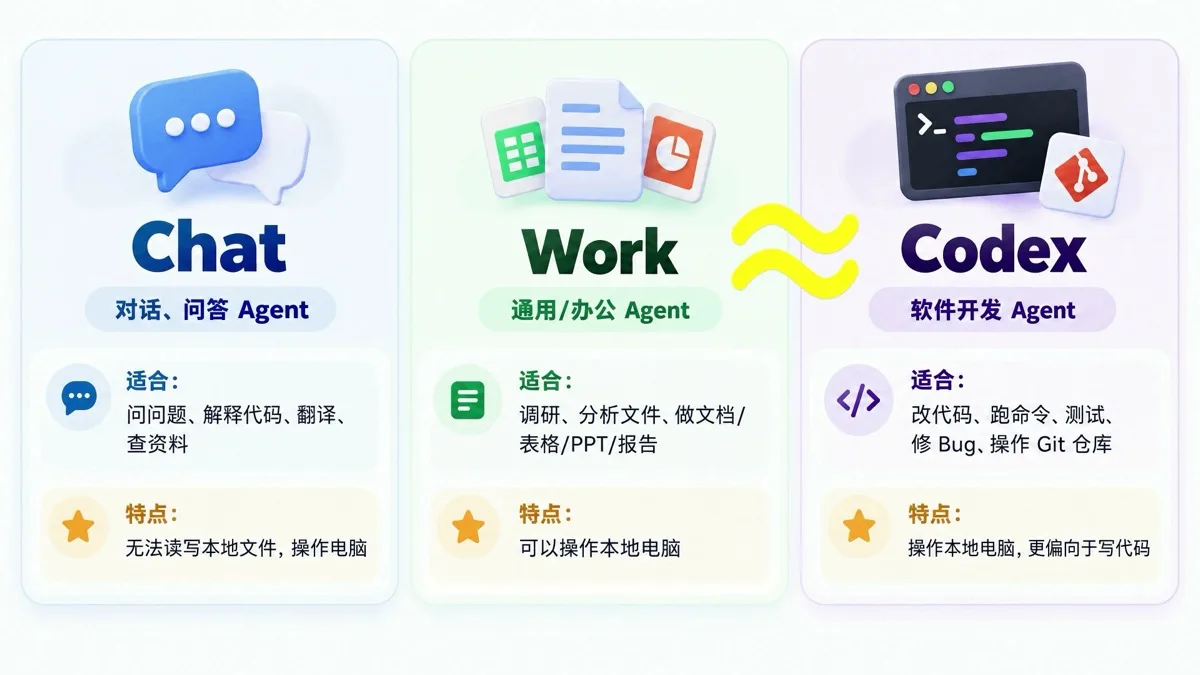
Running out of Codex quota by mid-afternoon is the most common Plus-subscription complaint. On September 30, the Chinese creator TechShrimp published a six-month Codex retrospective that reframes the problem as a billing one: the new ChatGPT desktop app merges ChatGPT and Codex into one application with three modes, and they are not billed the same — Chat mode never touches your subscription quota, while Work and Codex modes do. This playbook follows his approach: four quota-saving techniques plus a few features worth switching on, with screenshots taken from his demo video and every hands-on claim credited to him.
Who pays for what
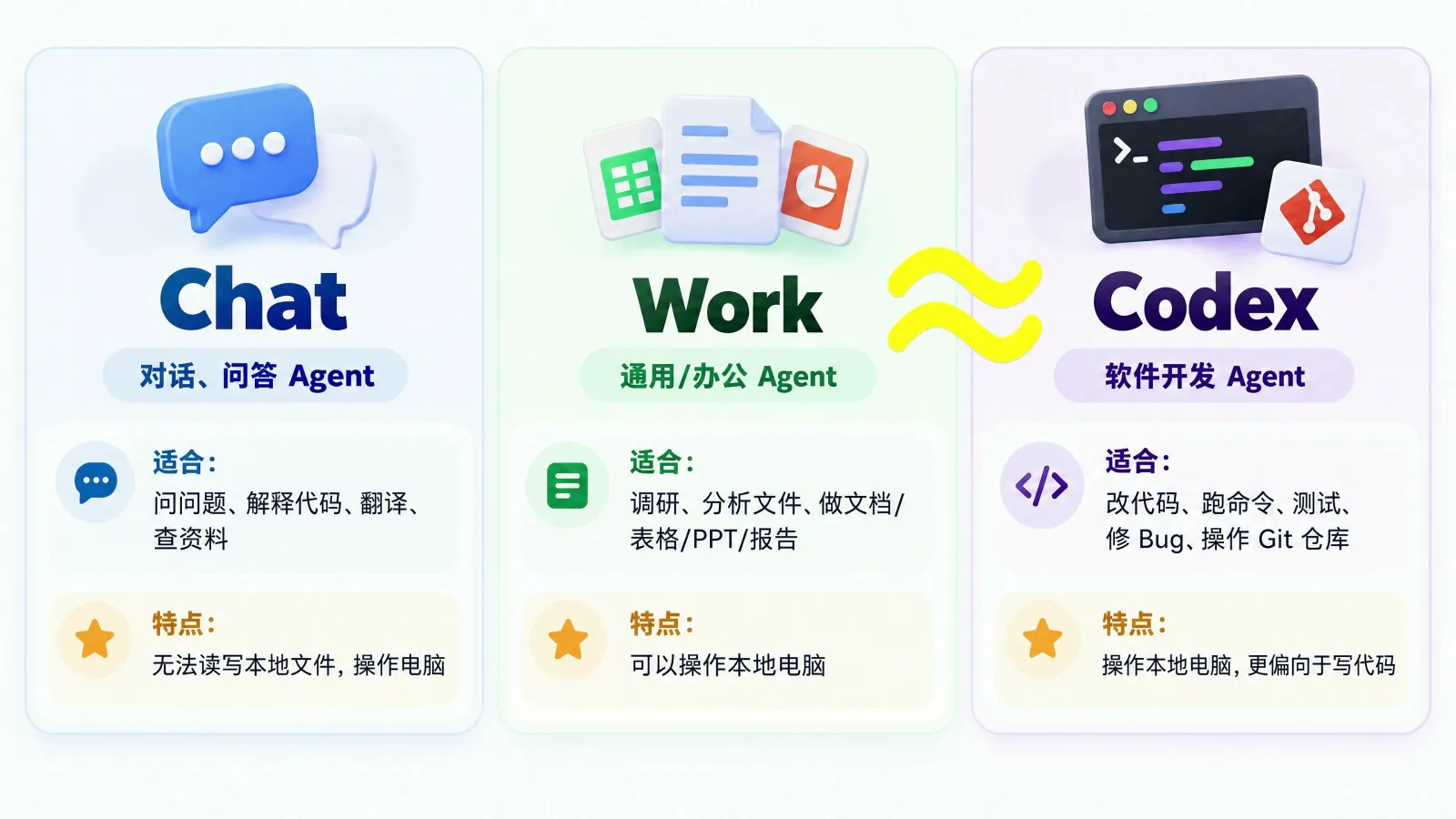
The mode switcher sits at the top of the app, and the billing rules are the first thing to sort out. Chat is a conversational Q&A agent — questions, code explanations, research — and by default it cannot touch local files. Work is a general office agent that drafts documents, spreadsheets and decks and can operate your computer. Codex targets software development and adds Git branch management, a built-in terminal and a file tree. Work and Codex are close in practice; the differences are UI details. Only Chat is free: TechShrimp had the model research a design and output a tens-of-thousands-character plan in Chat mode, and the usage meter stayed at 100%.
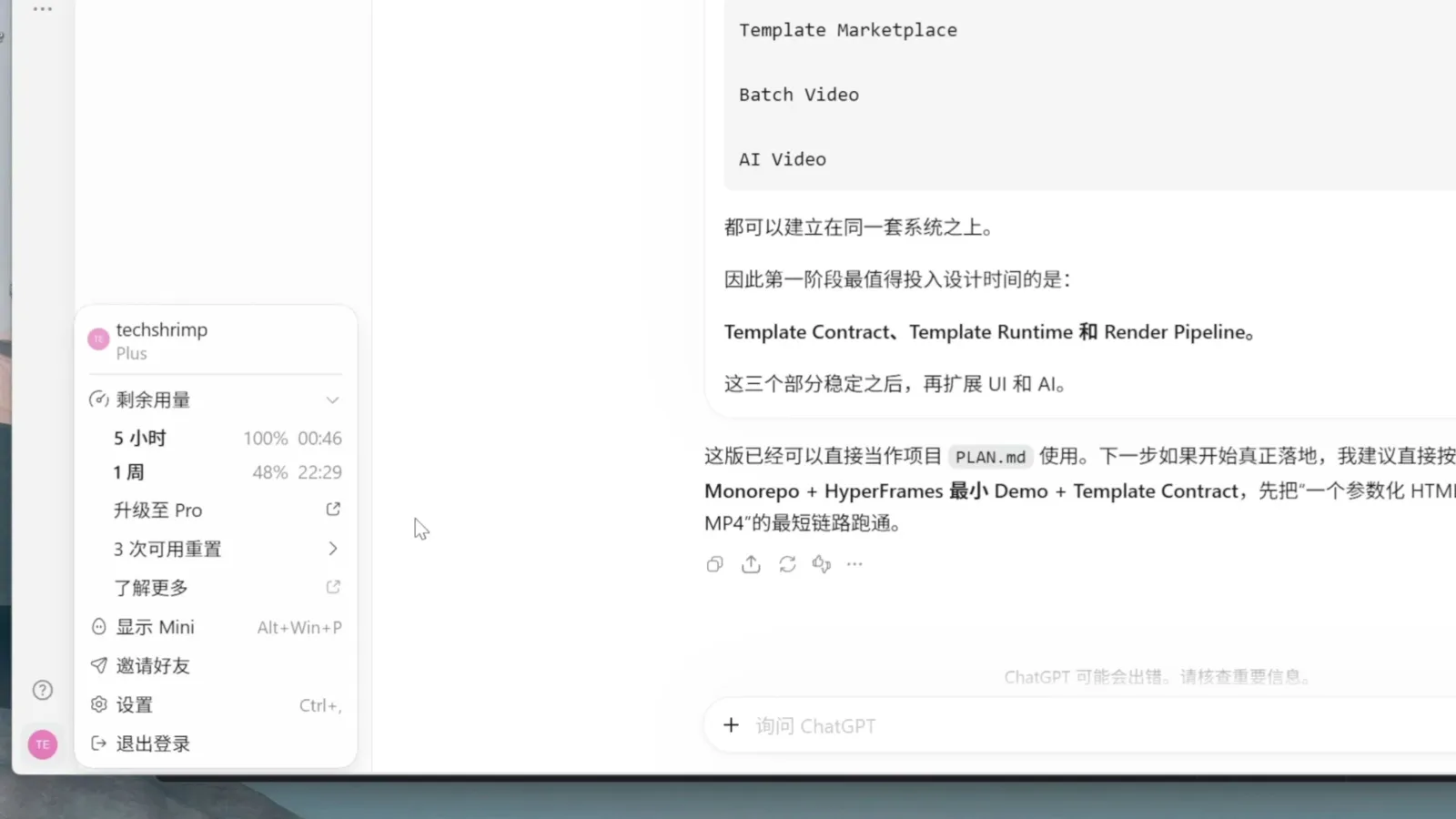
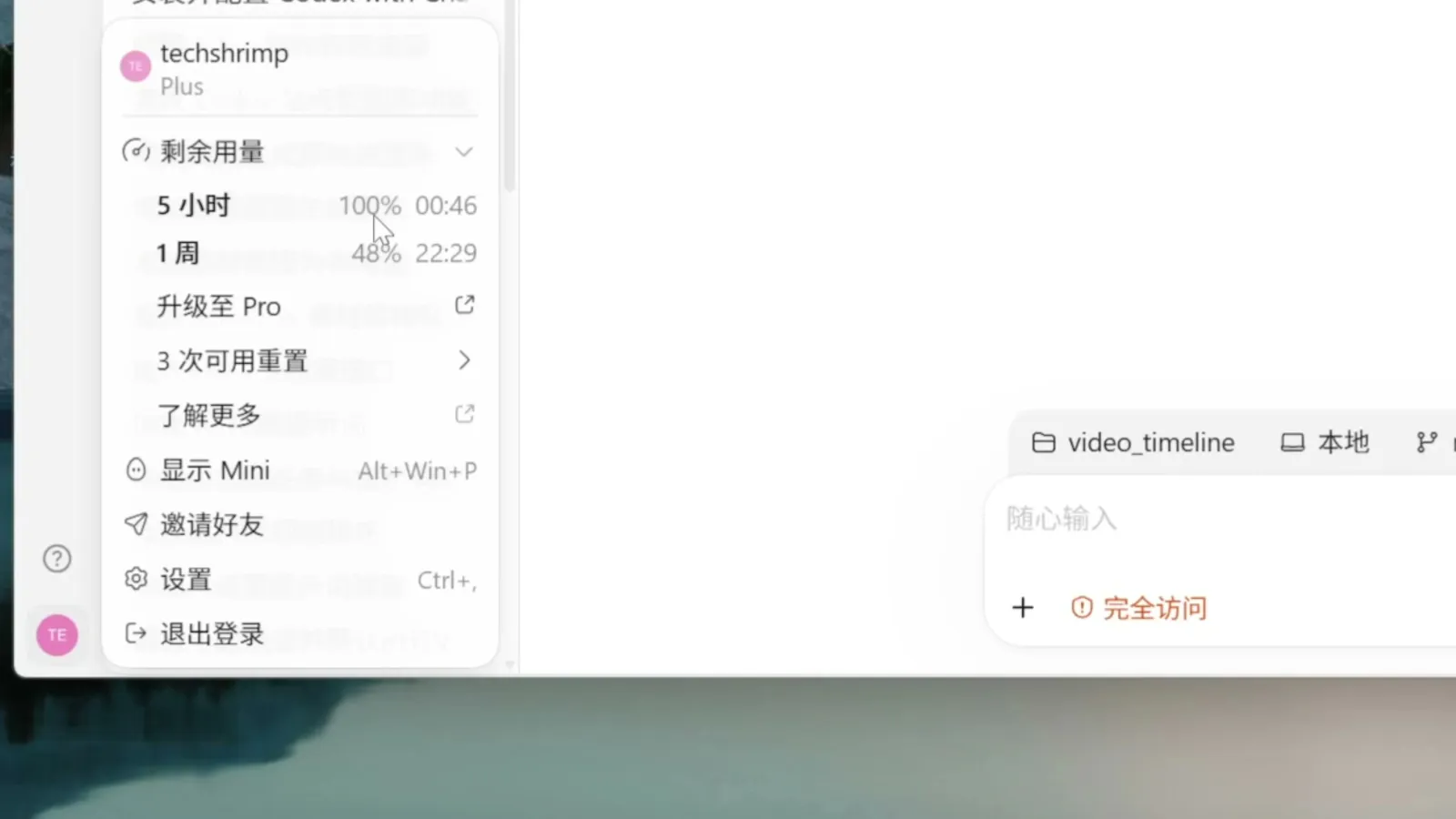
There are two limits: one rolling 5 hours and one week. Either hitting zero blocks further use until it resets; click your avatar in the bottom-left corner to see both counters. The plans themselves are moving too — OpenAI reworked its Pro tiers in late September (see our ChatGPT Pro revamp coverage): the 5x/20x usage labels are gone, and a $500 Pro Max tier has appeared in the code.
Plan in Chat mode first
Before a new project starts, work the requirements through in Chat mode: have the model research current approaches, push back on your ideas, and land the result as a PLAN.md. None of this costs quota, so crank the thinking level up. Then switch to Codex mode, create the project (one project can hold several folders, so frontend and backend can live apart), type @ to pull in the chat you just had — it works across projects — and say “implement this plan”. Planning costs nothing, and the quota goes entirely to execution; in TechShrimp’s testing, this one habit saves about half his quota.
Chat can read local files
Chat mode can’t see your machine by default, but a plugin lifts that. In the ChatGPT web app, open Settings → plugins, browse for Remote Desktop Commander, and install it. After signing in you get a one-line command to run in your own terminal:
npx @wonderwhy-er/desktop-commander@latest remote
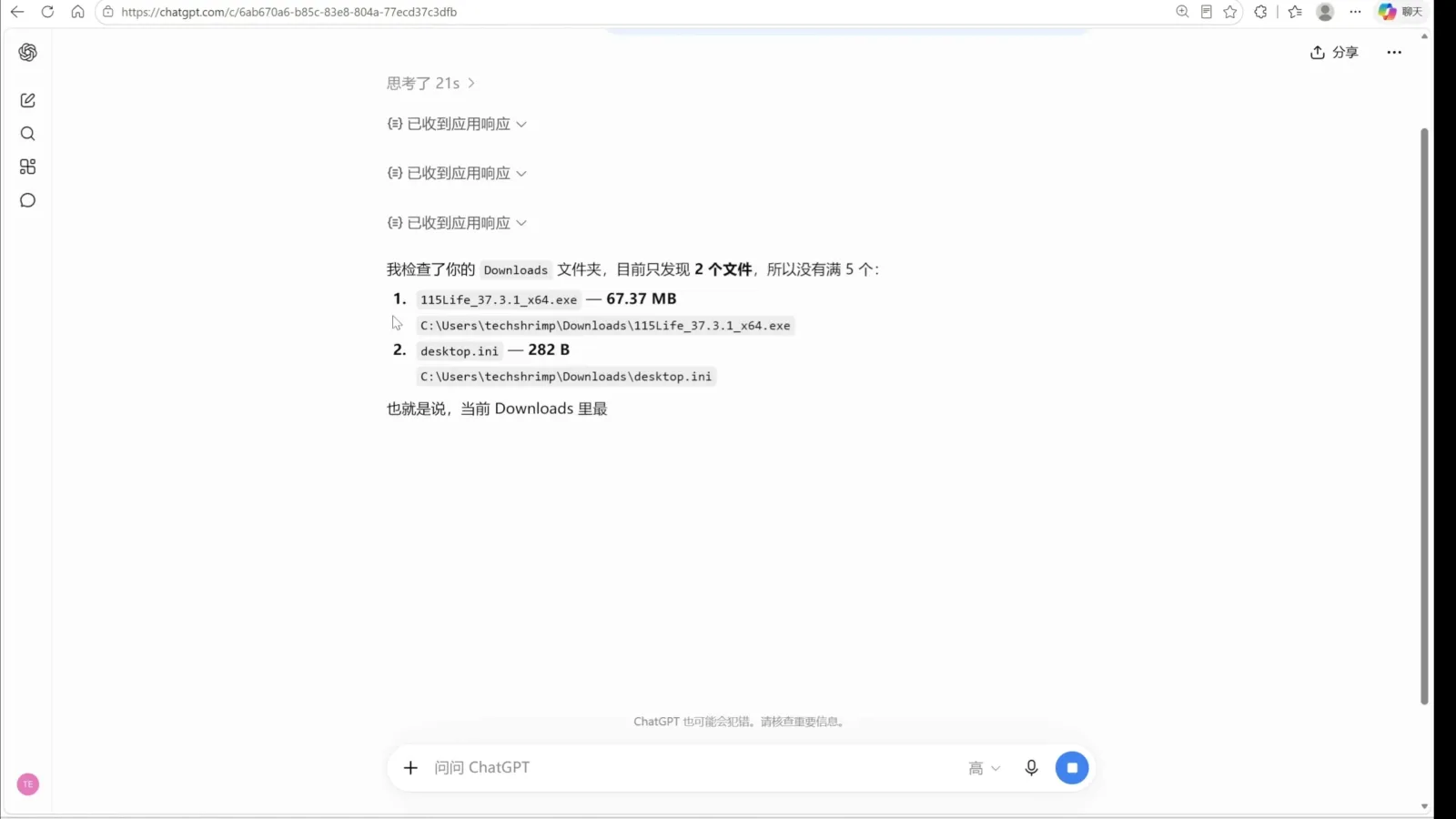
A pairing page opens in your browser; click verify. From then on, Chat on the web can read and write local files — TechShrimp used it to list his Downloads folder and to review uncommitted changes in a local repository, all free. After a reboot, rerun the command to pair again; in the desktop app, @ the plugin from a chat and it works there too.
One thing to weigh first: this hands the model a direct command channel to your machine with full access. Turn it on only where you trust the setup.
Chores go to Luna
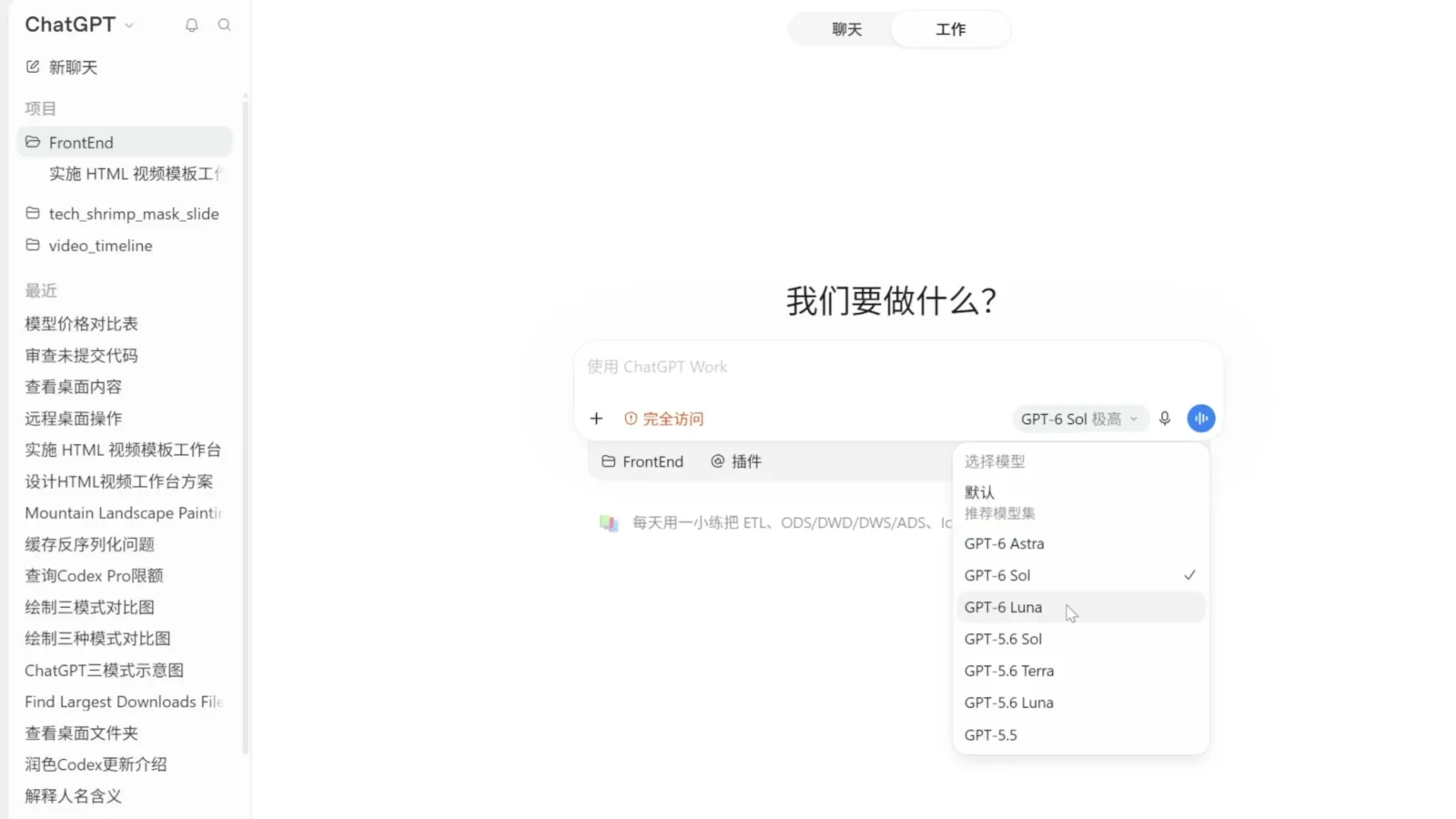
Model choice is the second saving. GPT-6 Luna’s input price was halved this generation: $0.10 per million input tokens, $0.50 per million output, and $0.01 for cache hits. The table below is TechShrimp’s September 30 compilation (on which he notes Luna now undercuts DeepSeek V4.1 Flash’s off-peak rate); we have not re-checked every row against the official pricing pages:
| Model | Period | Input / 1M | Output / 1M | Cached input / 1M |
|---|---|---|---|---|
| GPT-6 Luna | fixed | $0.10 | $0.50 | $0.01 |
| GPT-5.6 Luna | fixed | $0.20 | $1.20 | $0.02 |
| GPT-6 Sol | fixed | $2.00 | $10.00 | $0.20 |
| DeepSeek V4.1 Flash | off-peak | $0.15 | $0.60 | $0.003 |
| DeepSeek V4.1 Flash | peak | $0.30 | $1.20 | $0.006 |
| DeepSeek V4 Pro | off-peak | $0.66 | $1.98 | $0.022 |
| DeepSeek V4 Pro | peak | $1.32 | $3.96 | $0.044 |
In Codex’s model picker, route routine work to Luna: scheduled tasks, skills that run over and over, browser automation — repeated chores at a price that feels unlimited. If the quality disappoints, tune the prompt before switching tiers. Save Sol and Astra for real coding and demanding creative work; OpenAI’s GPT-6.1 Sol release in late September cut the Sol tier to roughly a fifth of the price at near-Astra performance, which heavy users should notice.
Align on the plan first
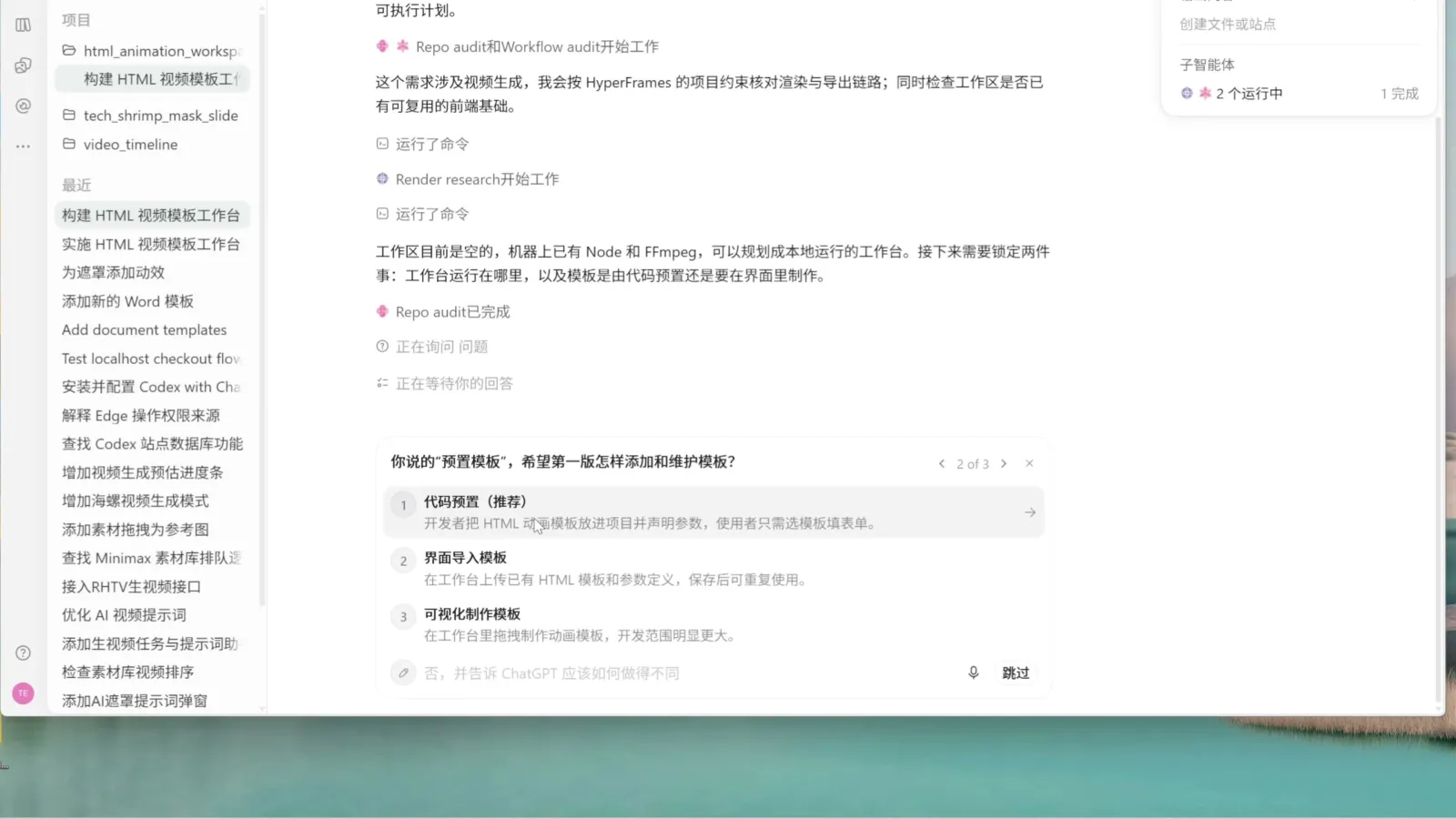
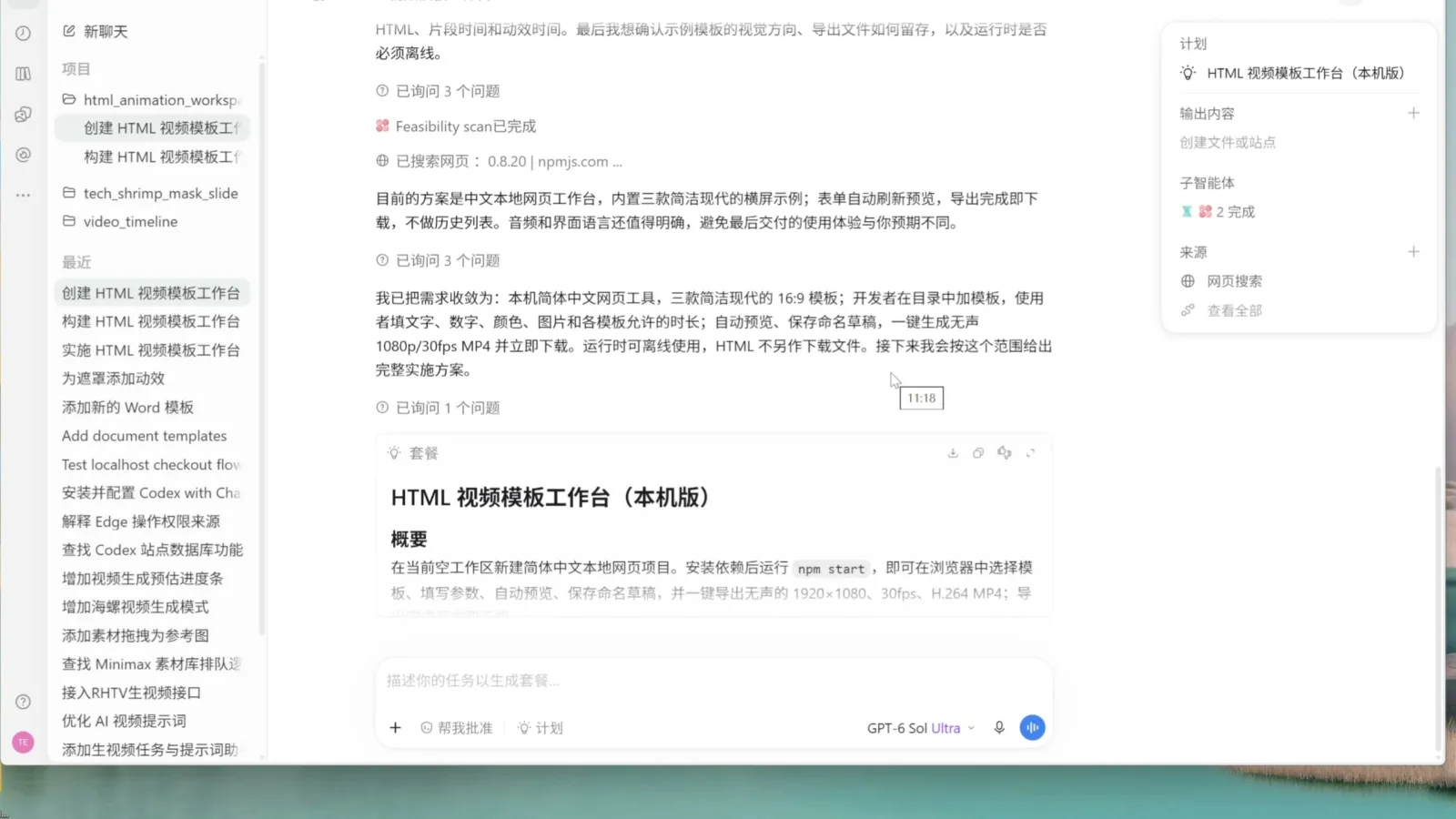
If he could keep one feature, TechShrimp picks plan mode: click the plus next to the input, choose plan mode, pick a strong model and max the thinking level before any code — every extra minute spent thinking there saves a rework later. In plan mode Codex likes to align through question cards, usually three key questions before it writes the plan.
To squeeze harder, install the grilling skill (formerly grill me) from Matt Pocock’s skills repository. Copy the skills/productivity/grilling folder into ~/.codex/skills/ (on Windows: C:\Users\<you>\.codex\skills), restart Codex, and invoke it with /. Paired with plan mode, his example drew 22 questions before a single line of the plan was written. When it’s time to build, drop the thinking level from max to high or medium: the plan is set, and re-arguing a settled design just burns tokens.
Time the quota reset
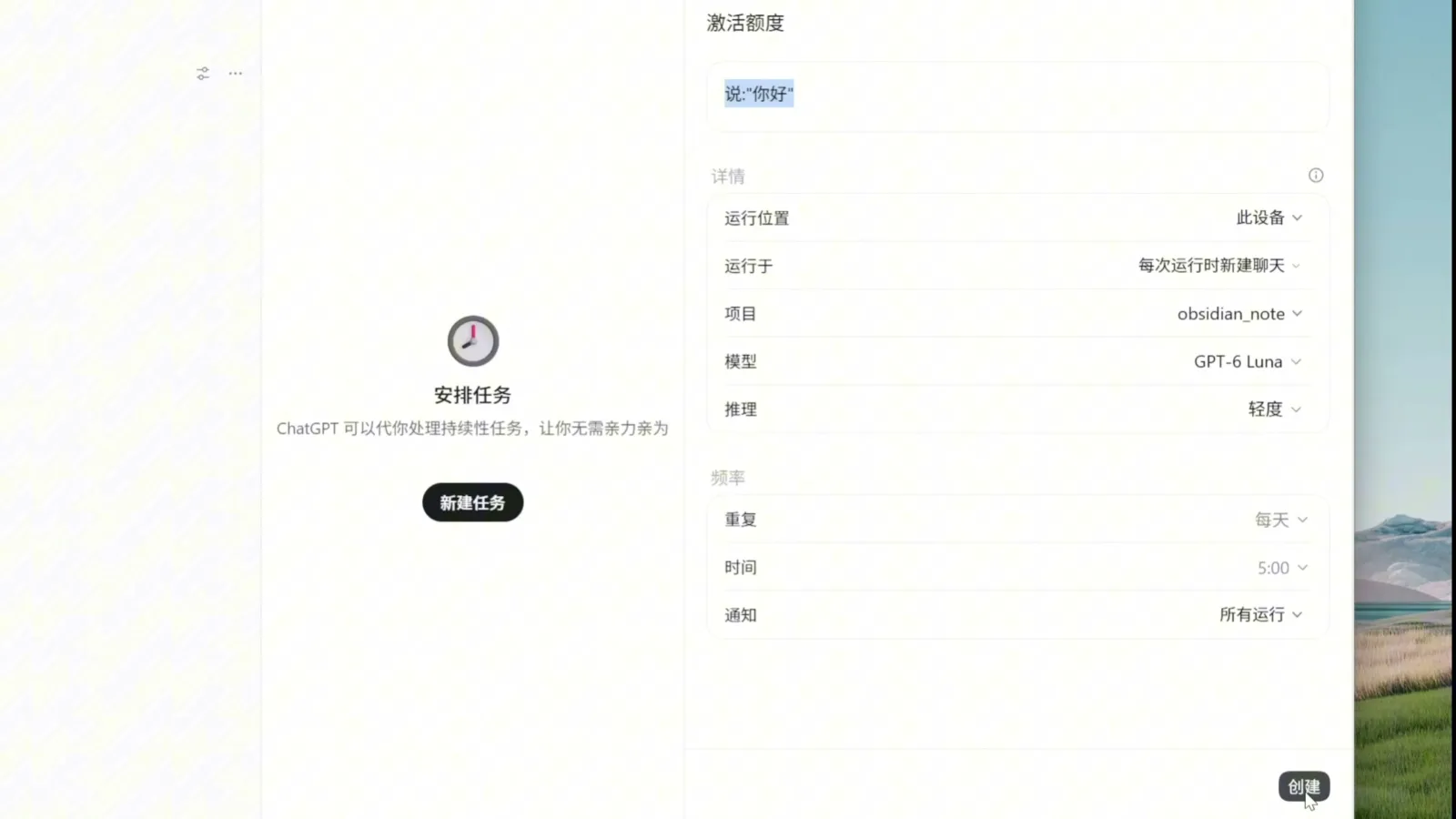
The 5-hour window starts ticking at your first use of the day. First open at 9 a.m. and your resets land at 2 p.m. and 7 p.m. — two tanks per workday. First open at 5 a.m. and they move to 10 a.m. and 3 p.m., three tanks a day. No need to actually get up early: create a scheduled task in the sidebar, set the run location to this device (cloud runs don’t consume quota, so they don’t start the clock), a fresh chat per run, the GPT-6 Luna model at light reasoning, 5:00 a.m. daily, and a task that just says hello.
Your subscription as an API
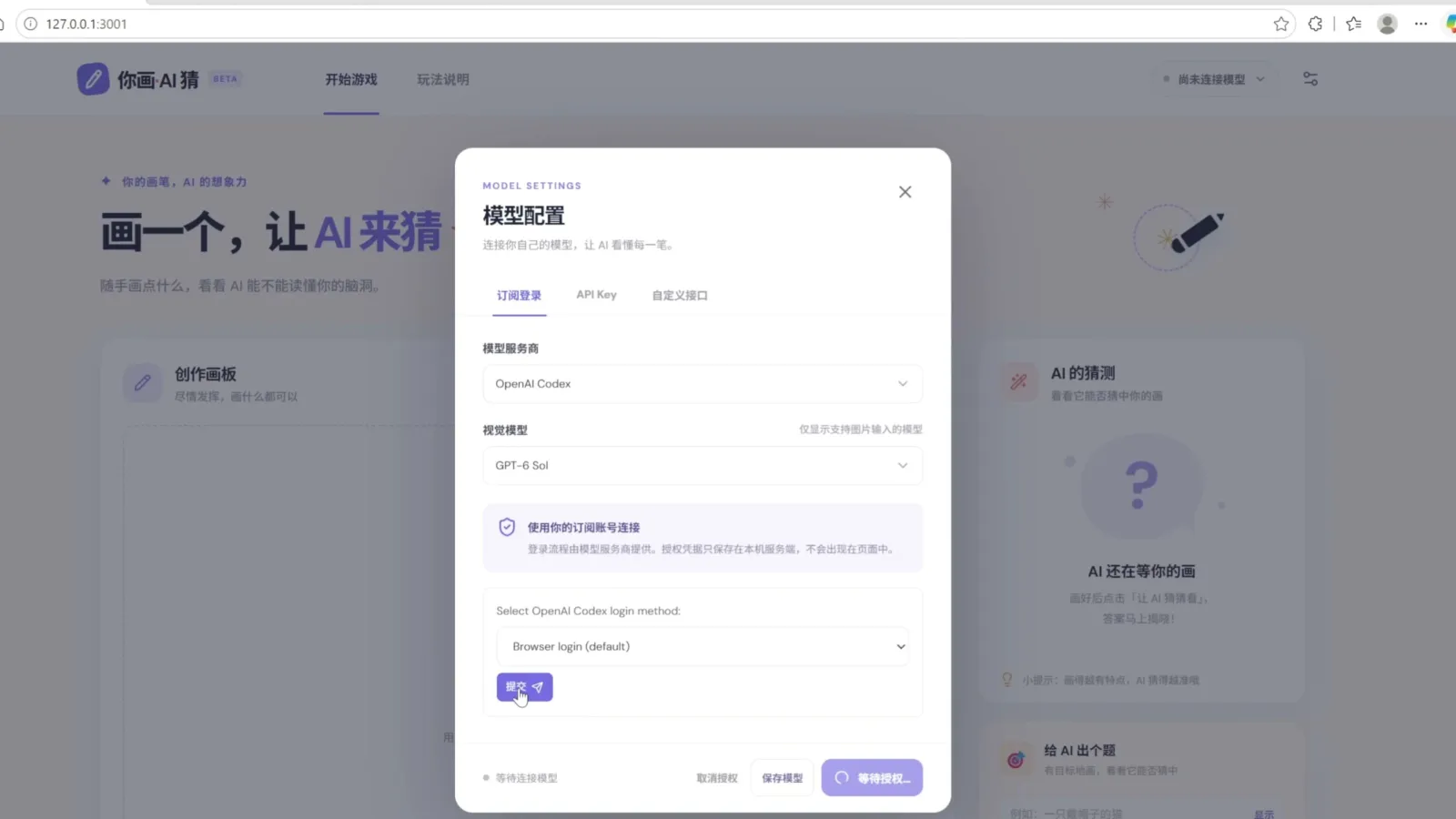
With a Codex subscription you can stop buying API credits for small tools. Pi unifies dozens of model providers behind one calling convention, and the README of its packages/ai folder is the integration guide. Have Codex follow it to add a “connect your subscription” option to any web tool you build: in TechShrimp’s demo, a pictionary-style game connects to the OpenAI Codex subscription with GPT-6 Sol as the vision model, one browser login, and every guess afterwards runs on subscription quota.
Switch to DeepSeek when dry
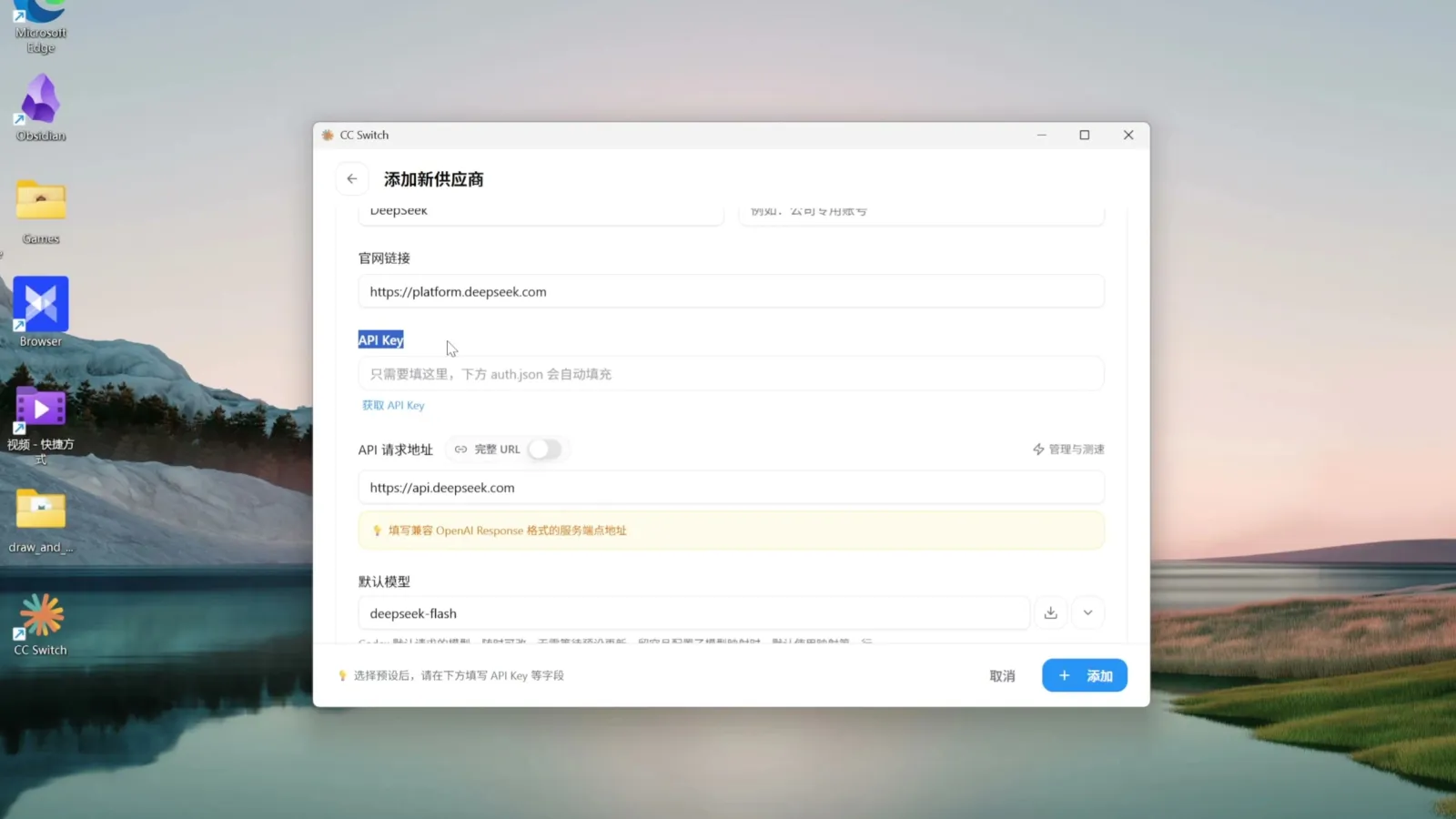
No subscription, or genuinely out of quota? CC Switch repoints Codex at open models: add a provider, pick DeepSeek, paste an API key, enable and restart Codex, and two DeepSeek models appear in the picker. In TechShrimp’s testing DeepSeek performs well inside Codex because it specifically optimizes for OpenAI’s Response API. Switching back is the same two clicks on the official subscription plus a restart.
Worth switching on
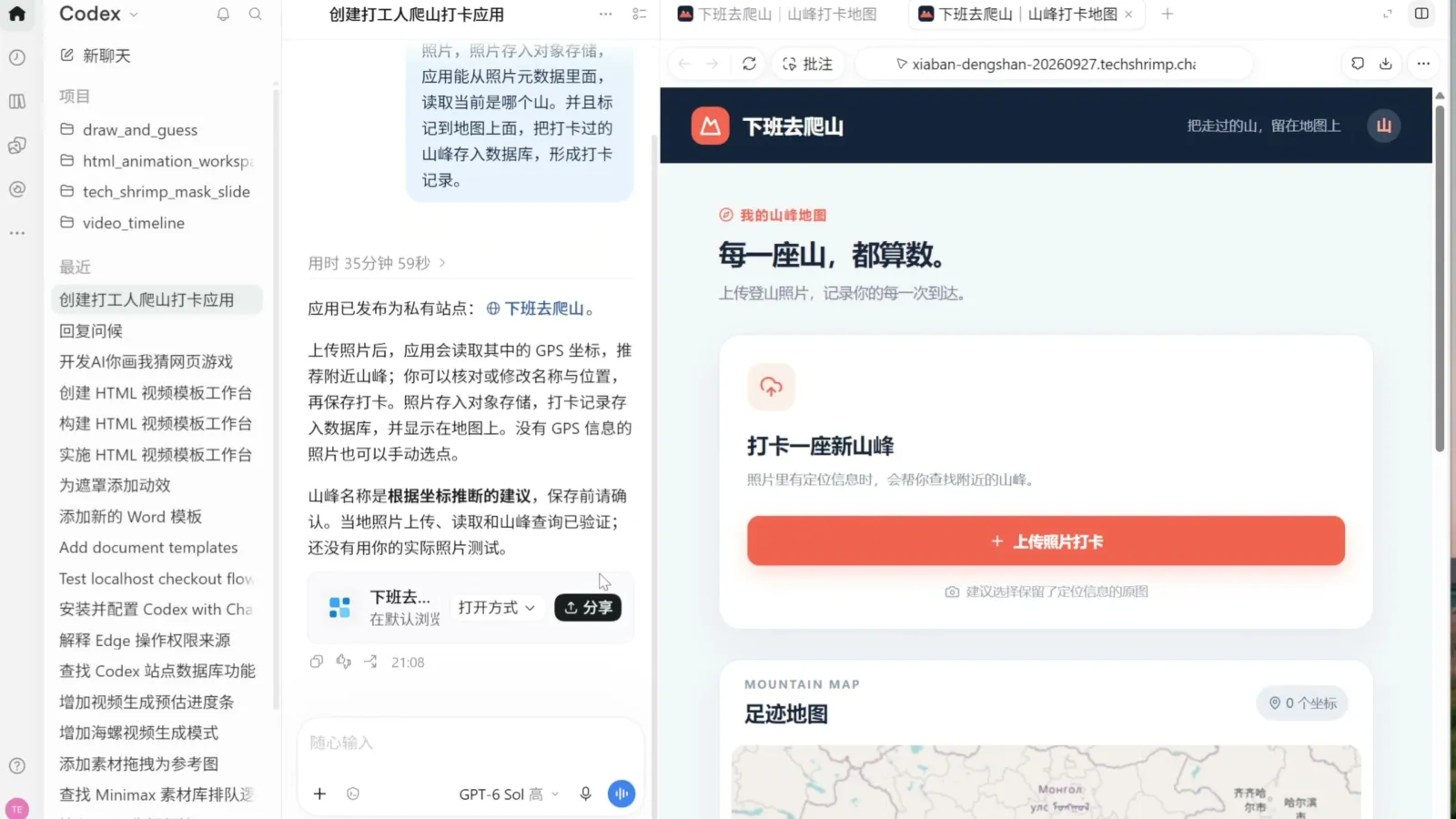
Sites: type @ sites in a chat and describe an app — Codex ships it with a backend, database and object storage to a public URL, supports a custom domain (one CNAME and two TXT records at Cloudflare), and can be shared by email or opened to everyone. TechShrimp delivered a hiking check-in app from a single prompt.
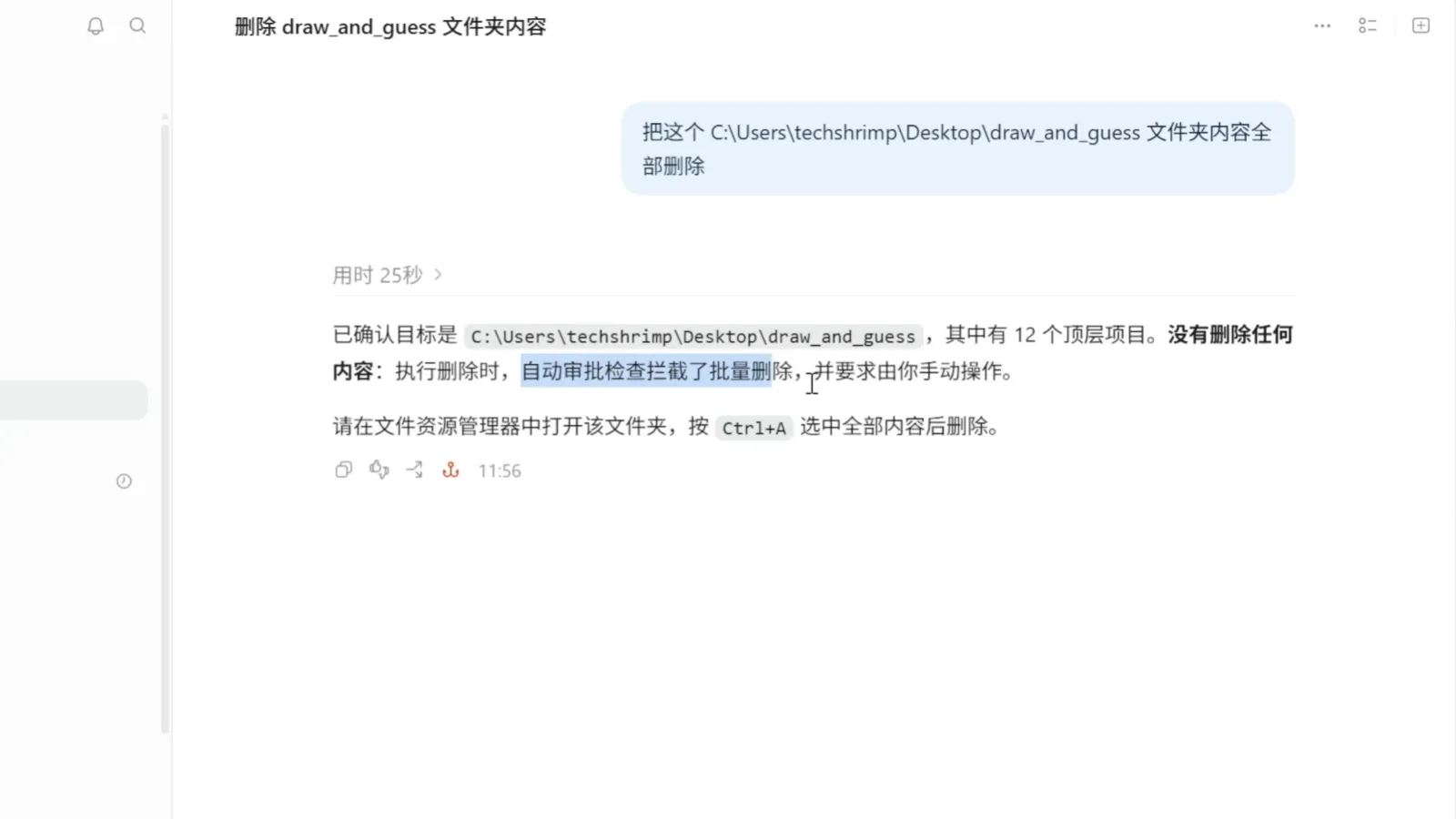
Hooks: scripts that fire around agent events, before or after tool calls. TechShrimp built one that bans bulk deletes — Codex’s batch delete gets intercepted and told to delete one path at a time or leave it to the user. Hooks must be trusted in Settings → hooks before they run.
The office suite plugins deserve a try too: documents, spreadsheet, presentations and PDF, each invokable with @, can mass-produce files from templates, and create template turns your own file into a reusable one. The PPT templates are stiff; if looks matter, pair Codex with PPT Master. Double-tapping Alt sends an app snapshot — the current window plus its full control tree as text — which is great for “where is this button” questions; project sections and driving the desktop Codex from your phone are cheap daily wins too.
A few features in his roundup rate poorly and can be skipped: Computer Use burned 10% of a 5-hour quota on one small task — prefer MCP or CLI routes when they exist; the recorder is Mac-only and just as expensive; Goal mode, the map and the desktop pet are nice-to-nothing.
Two caveats before you adopt all of this: the 5 a.m. trick exploits the reset rules and dies the day OpenAI changes them, and the prices are TechShrimp’s September 30 compilation, good until the next price cut. The step you can take tonight: plan your next task in Chat mode until it’s airtight, then let Codex execute the plan.