Design#Video generation#Video editing
openstoryline-use: let an agent run the editing service and revise in one session
openstoryline-use, from FireRedTeam, has Claude Code or OpenClaw start the local OpenStoryline service, edit video by chat and revise it across turns.
Skill details
npx skills add FireRedTeam/FireRed-OpenStoryline --skill openstoryline-use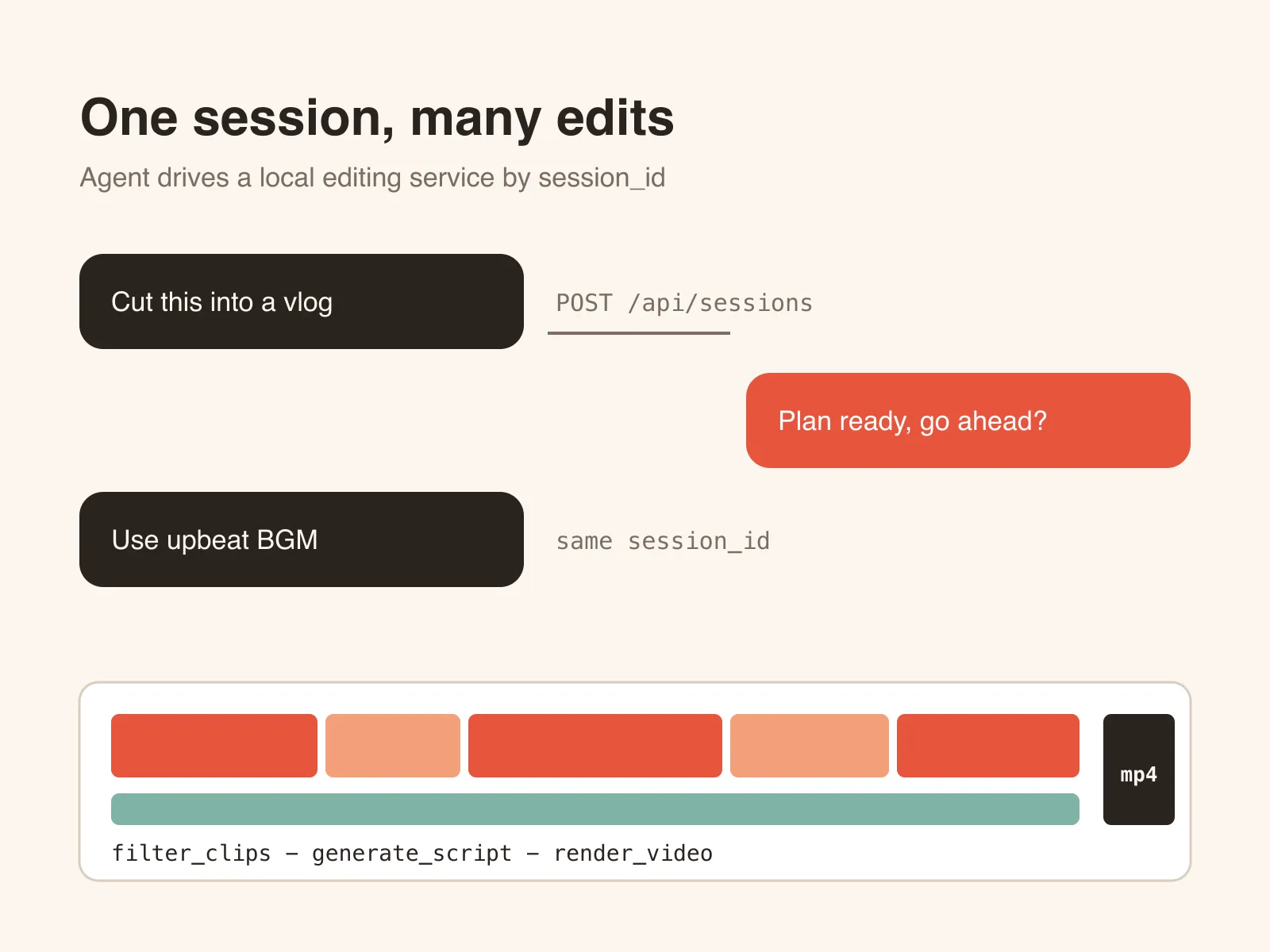
FireRed-OpenStoryline is an open-source agent app that edits video from natural language, but you have to start its MCP and web services, fill in model keys, upload footage and wait for renders, and one wrong step stalls the whole chain. openstoryline-use is the runbook-style skill that ships in its repo: once the app is installed, the agent follows it to start the services, create an editing session, submit your brief and check the output_*.mp4 that comes out.
The repo is Apache-2.0 licensed and had 3,464 stars on 2026-10-08, with its latest push on July 31, 2026. The skill isn’t docs alone; it ships scripts such as bridge_openstoryline.py.
The order it works in
openstoryline-use assumes the app is already installed; a sibling skill, openstoryline-install, covers that. Its steps: ask you for three settings each for the LLM and the VLM (model name, base_url, api_key) and write them into config.toml with the repo’s scripts/update_config.py; start the MCP server and uvicorn agent_fastapi:app as long-running processes (the MCP server can take minutes to come up, and the agent must not kill it); then POST /api/sessions to get a session_id, upload footage, and send your brief through the bridge script.
While it waits, it watches node progress in the web log, such as filter_clips, group_clips, generate_script, generate_voiceover and render_video, and treats a moving log as work in progress, not failure. When the video is done it reports the session_id and the full .mp4 path. If you want changes, it reuses the same session_id; the service reruns the relevant nodes and writes a new output_*.mp4 under a fresh render_video_* folder.
What it constrains
- Local only: services bind to
127.0.0.1; it switches to0.0.0.0only when you ask for phone or LAN access, and warns to use trusted networks. - No process killing: start commands may not be wrapped in
head,grep,timeout,pkillor anything else that truncates logs or exits early. - Sessions persist: the
session_idmust be saved, and if the server says the last message isn’t finished, the agent waits instead of opening a new session. - Ask before acting: footage paths, models and keys come from you, not from guesses.
- Port conflicts: it picks another port rather than taking over a busy one.
Who it’s for
It suits people who already have OpenStoryline running and want an agent to start services and iterate on edits. A separate script targets OpenClaw with Feishu and sends the finished video straight into a chat. To have the agent install from scratch, use the sibling openstoryline-install, which checks for Python 3.11 or newer, ffmpeg, wget and unzip, then runs download.sh to fetch models and the resource bundle.
Some limits first. The skill’s job is to drive an app that needs your own model keys: six LLM and VLM fields are mandatory, media search wants a Pexels key, and voiceover wants a MiniMax, ByteDance or 302 account. AI transitions depend on third-party video-generation services, and the README itself warns that they cost more and give unpredictable results. The fonts and music bundled with the open-source build only reach basic quality, and the project recommends building your own asset library for better output.
The five Style Skills under .storyline/skills, for example rough cut and subtitle imitation, belong to the app’s internal editing agent. They don’t install into your coding agent, so don’t confuse them with the skill here. Among similar tools, jianying-headless generates JianYing drafts for manual polish, while OpenStoryline runs from media search to render in one conversation.