Clearcam: Add object detection and event search to existing cameras
Clearcam is an open-source NVR for RTSP cameras, with detection, alerts, and search on Mac or Linux; remote features use its Premium service.
Project facts
GitHub Ecosystem- License
- GPL-3.0
- Language
- Python
- Stars
- 2,215
- Data checked
- 2026-11-01
Snapshot figures reflect the check date and may change over time.
If your IP cameras already expose RTSP streams, searching footage for a person or vehicle can still mean replacing hardware or buying a vendor cloud plan. Clearcam combines an NVR and object-detection software in a Python project. Connect a camera and you can review events in a browser and route notifications to a service you choose. Its GitHub README also lists an iOS client and a new Qwen3 VL notification-summary feature. The repository had 2,215 stars on November 1, 2026, and uses GPL-3.0.
Core features
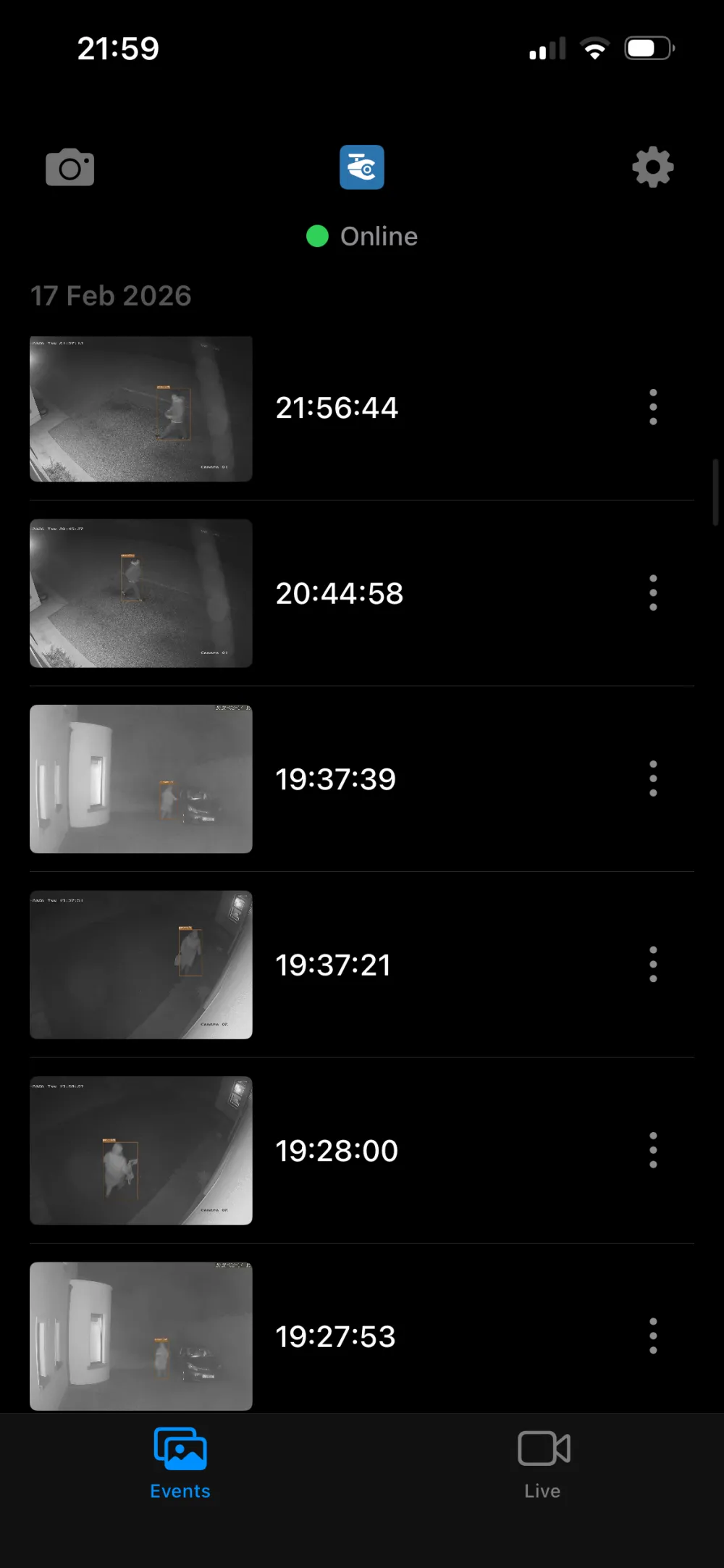
Clearcam connects video input, event detection, and notifications in one NVR workflow. The README shows a server web UI and an iOS event list. Whether a camera works depends on the stream it provides and the machine running Clearcam.
- Use existing cameras: The project is aimed at network-camera video streams, so start by testing your own RTSP URL. The README also links to a public HLS tunnel-camera feed as a way to try the project without a camera.
- Detect and review events: The repository describes object detection, tracking, event clips, and search. Its screenshots show detection zones, an event list, and browser playback, so the workflow is organized around events instead of scrubbing through long recordings.
- Choose a notification destination: You can change the notification URL in settings. The README names Home Assistant, Pushover, and n8n, and includes a sample notification server. You choose the receiving service.
- Open events on a phone: The project includes iOS app source and lists iOS 15 as the minimum requirement. The README also links to App Store and Google Play listings.
- Summarize alerts with AI: The README announces Qwen3 VL notification summaries. It does not specify hardware requirements, accuracy, or a supported-object list, so verify the feature against your own feed.
Typical use cases
Clearcam is a fit for a home-lab user who already owns network cameras and is willing to maintain a Mac or Linux host. It can collect detections from camera zones in a web or mobile view, or send an event into a Home Assistant setup or another automation endpoint.
If all you need is a live camera view, the vendor’s app may take less work. If you need a documented multi-camera deployment, compare Clearcam with a mature NVR first. The README does not state a camera-count limit, retention policy, or deployment benchmark, so it is not enough to size a host.
Unlike Deep Live Cam, which works with individual images or videos, Clearcam is built around keeping camera streams connected and reviewing events over time. Before choosing it, confirm that your camera exposes a usable stream, then decide where detection, recording, and notifications should run.
Quick start
The README’s shortest server setup requires Python 3.11 or later and FFmpeg:
pip install -r requirements.txt
python3 clearcam.py
Open http://localhost:8080 in a browser on the same machine. If the GPU is not selected automatically, the README suggests setting DEV=AMD or DEV=NV. Enabling BEAM=2 adds a wait on first use. The project lists Mac and Linux support; Windows is marked as needing an FFmpeg fix, so these steps should not be treated as a Windows install guide.
Summary
Clearcam is worth a trial on one machine if you already have an RTSP camera and want to test self-managed event detection. It brings a browser NVR, object detection, notification destinations, and an iOS client into one repository, with a short command-line setup. It is GPL-3.0 and primarily written in Python; GitHub metadata was checked on November 1, 2026.
Pay attention to the remote-feature boundary. The README says remote streams and notifications require a Premium user ID entered in the web settings, and describes end-to-end encryption as a Premium feature. Self-hosting the source does not establish that every remote data path stays on your machine. Camera footage is sensitive; review the data flow, network exposure, and service terms before using real feeds. The README also gives no hardware benchmark or multi-camera stability data, so measure resource use and alert quality with a non-sensitive stream first.