Ely Office: an offline desktop office suite with six apps
Ely Office is an offline desktop office suite in Rust and GPUI for Word, Excel, PowerPoint and PDF files. Its own code is MIT, and only macOS is tested.
Project facts
GitHub Ecosystem- License
- MIT
- Language
- Rust
- Stars
- 644
- Data checked
- 2026-10-21
Snapshot figures reflect the check date and may change over time.
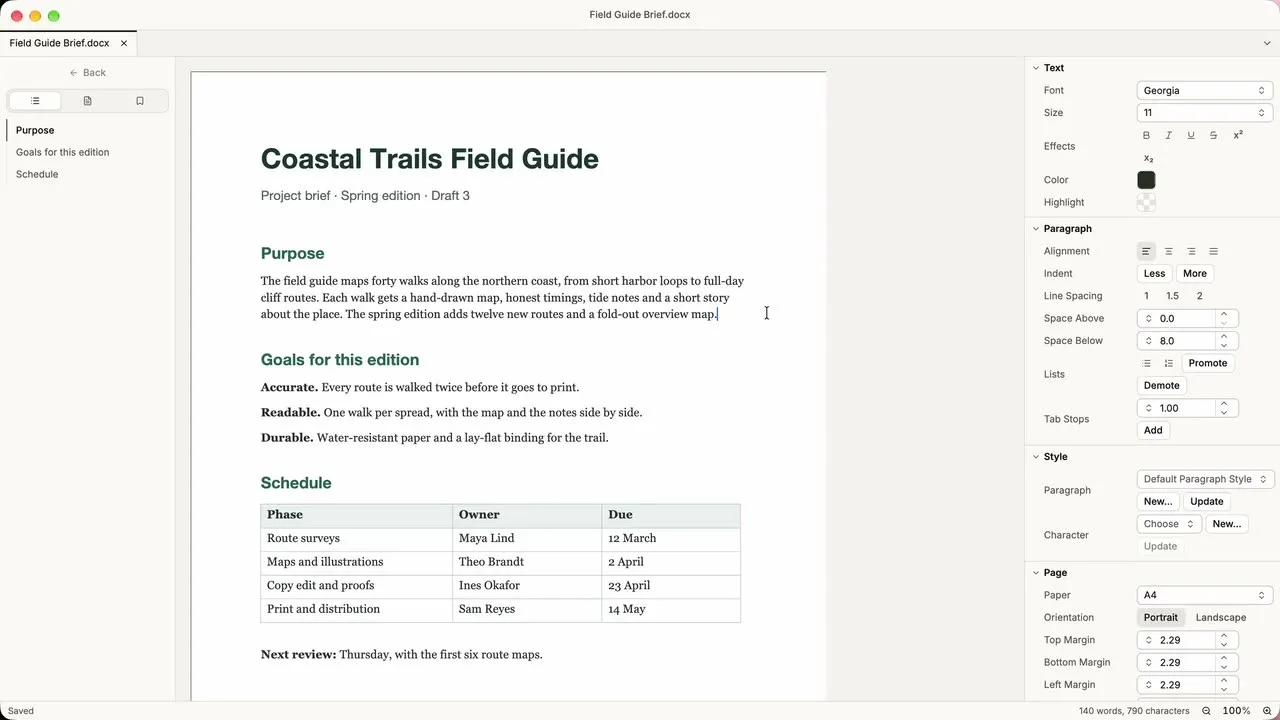
If you want to edit Word, Excel and PowerPoint files on your own machine without signing in to a web office service, Ely Office is worth a look. It is an open-source desktop suite from the ELY-Open-Source organization, written in Rust and GPUI, and its first release, version 0.1.9, ships six apps: ElyDoc, ElyTable, ElyShow, ElyPDF, ElyTree and ElyMark. The README puts the idea simply: files stay in your folders, with no account and no cloud service. The GitHub repository was created on October 19, 2026 (UTC), and a WeChat account, github淘金, recommended it on October 20.
Core features
Five points matter most for a first look at Ely Office. The format list comes from the compatibility document in the repository.
- Word, spreadsheet and slide files run on the LibreOffice engine: ElyDoc edits and saves DOCX and ODT, ElyTable handles XLSX and ODS, and ElyShow handles PPTX and ODP, with LibreOfficeKit underneath. The compatibility document records round-trip tests on three sample files: comments and tracked changes in DOCX, formulas and a
#DIV/0!error value in XLSX, and a hidden slide in PPTX. Each sample was opened, edited, saved, reopened, edited again and saved, then read back by a reader that does not use LibreOffice. - PDF editing and signing: ElyPDF builds on MuPDF. It can add and remove pages, edit text and form fields, add an OCR text layer and apply digital signatures. XFA forms are not supported, and a signed PDF can only be saved as an unsigned copy.
- Offline by default: The six apps need no network, no account and no online service, and they stay offline when they start or sit idle. ElyTree connects only when you fetch, pull, push or clone. Update checks run only when you start one, the download is verified, and nothing installs silently.
- Markdown with formulas and export: ElyMark renders
$…$,$$…$$and other formula forms with RaTeX, and exports HTML, PDF and plain text. Files over 2 MiB open as source only, and UTF-16 or non-UTF-8 files are refused. - Git in the same window: ElyTree bundles Git 2.56.0 and covers staging, branch switching, history and submodule status. It has no interactive rebase and no hard reset.
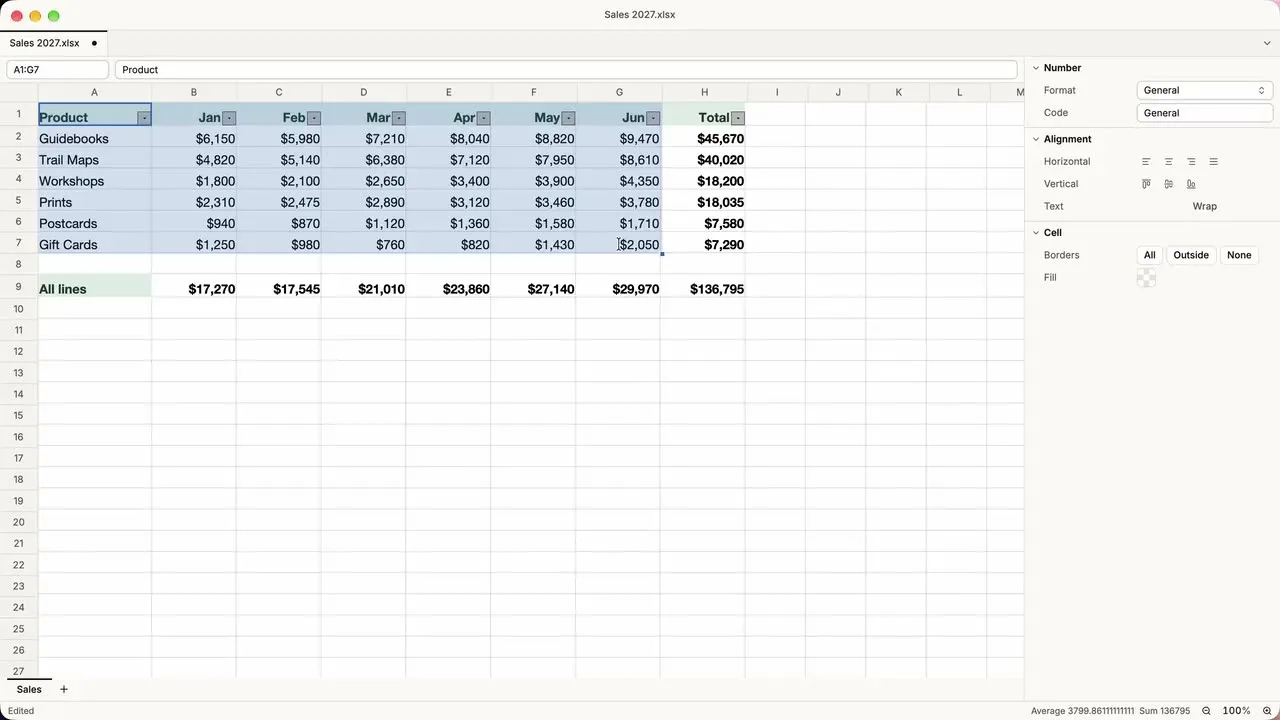
The image shows ElyTable with Sales 2027.xlsx open. Formula and format behavior is documented in the compatibility list, not the README.
Typical use cases
Ely Office’s uses below all depend on the files staying on your machine.
- A macOS user editing a DOCX contract with tracked changes: ElyDoc keeps comments and revision marks when it saves. The compatibility document also says Microsoft Office cross-checks have not been done yet, so open an important file in Word before you send it to anyone.
- Anyone who needs to fill in or sign a PDF without uploading it: ElyPDF handles form fields and digital signatures. It does not check certificate revocation status, and certificate trust is not yet built for Windows or Linux.
- People who write Markdown notes and manage Git repositories: ElyMark does not connect to the network, leaves remote images unloaded and does not run HTML. ElyTree manages repositories on the same machine, so staging, committing and pushing all happen in one window.
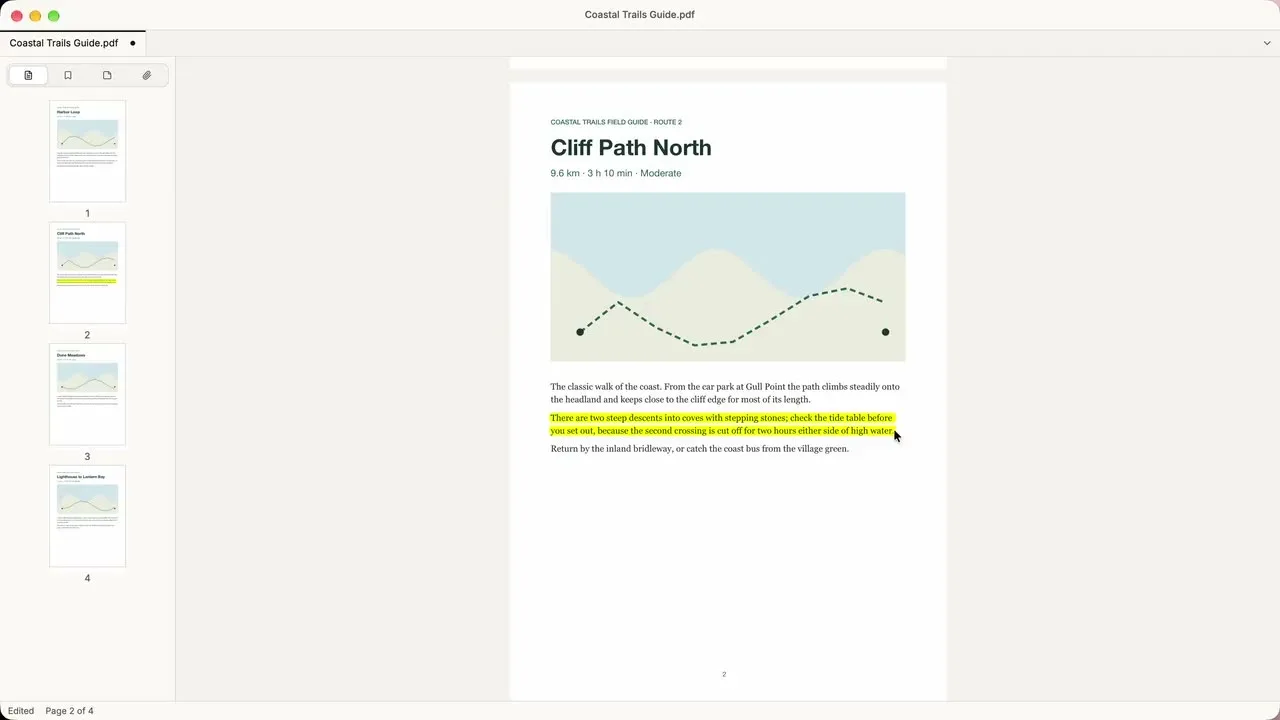
The image shows ElyPDF open on a four-page field guide.
Quick start
Ely Office’s README gives source build steps only and has no download link for a prebuilt package. The commands below are copied from the README. The LibreOffice build step takes about an hour.
scripts/doctor.sh                 # toolchain versions
scripts/fetch-references.sh       # upstream sources at pinned commits
scripts/build-libreoffice.sh      # patched LibreOffice (about an hour)
scripts/build-mupdf.sh            # patched MuPDF 1.28.5
scripts/build-git.sh && scripts/fetch-git-lfs.sh
scripts/fetch-tessdata.sh
cargo build -p ely-lok --bins -p ely-pdf-engine --bins
cargo run -p ely-doc              # or ely-table, ely-show, ely-pdf, ely-tree, ely-mark
cargo run -p ely-doc opens ElyDoc. Swap in ely-table, ely-show and the other package names to open the other apps. The README’s build and packaging steps are written for macOS. The Linux and Windows scripts are in the repository, but the README says they have not been run on those systems.
Summary
Ely Office suits a macOS user who wants office files to stay on the machine and is ready to build from source. It is a weaker fit for anyone who needs Windows or Linux builds today, or layout that matches Microsoft Office page for page, since the project has not yet checked its output against Office. Compared with GenOffice, which pairs each editor with an AI agent that makes changes, Ely Office’s first release lists no AI rewriting in its feature table.
Read the license by component. The project’s own code is MIT, changed from AGPL-3.0 in commit 271468d0e on October 19. ElyPDF links MuPDF, which is AGPL-3.0, and docs/licenses.md says the ElyPDF release package must be distributed under AGPL as a whole. LibreOffice is licensed under MPL-2.0 and similar terms, and Git is under GPL-2.0. The same file says it is a release checklist and does not replace a legal review of the final package.
For maintenance, the commit history starts on October 9, while GitHub shows the repository as created on October 19. The repository had 644 stars on October 21, 2026. We read the README, the docs folder and the commit history, and we did not install or run the apps.