PhotoCraft: an open-source Photoshop rebuilt in pure Rust
PhotoCraft is a free, open-source Photoshop clone written in pure Rust, with layers, masks and real PSD files. Early alpha, not yet ready for daily pro work.
Project facts
GitHub Ecosystem- License
- MIT OR Apache-2.0
- Language
- Rust
- Stars
- 16,823
- Data checked
- 2026-10-08
Snapshot figures reflect the check date and may change over time.
If you want a free image editor that behaves like Photoshop and opens the PSDs your colleagues send, the usual answers (GIMP, Krita) ask you to learn a different workflow first. PhotoCraft is an open-source image editor from the ArtCraft team (GitHub account storytold), published on September 30, 2026 as a “clean-room” reimplementation of Adobe Photoshop: built from public specifications and observed behavior, with no Adobe code, in pure Rust. As of October 8, 2026 the repository has 16,823 stars and its latest release is v0.3.0 (October 7). It is one of seven Adobe look-alikes ArtCraft released in the same week. The headline caveat comes from the project itself: it is early alpha and “not yet a Photoshop replacement for daily professional work.”
Core features
- Real PSD files: PSD parsing lives in a standalone
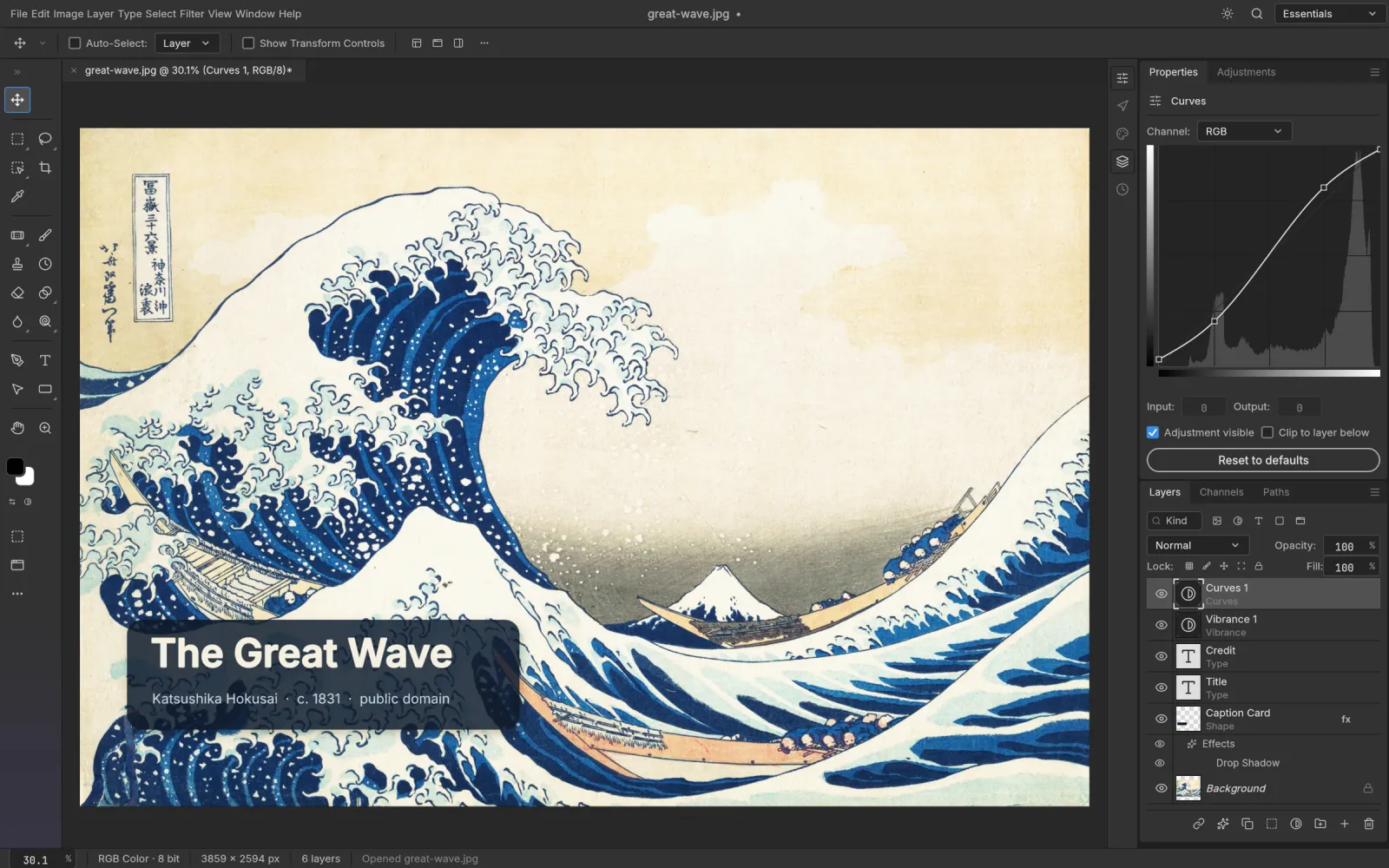
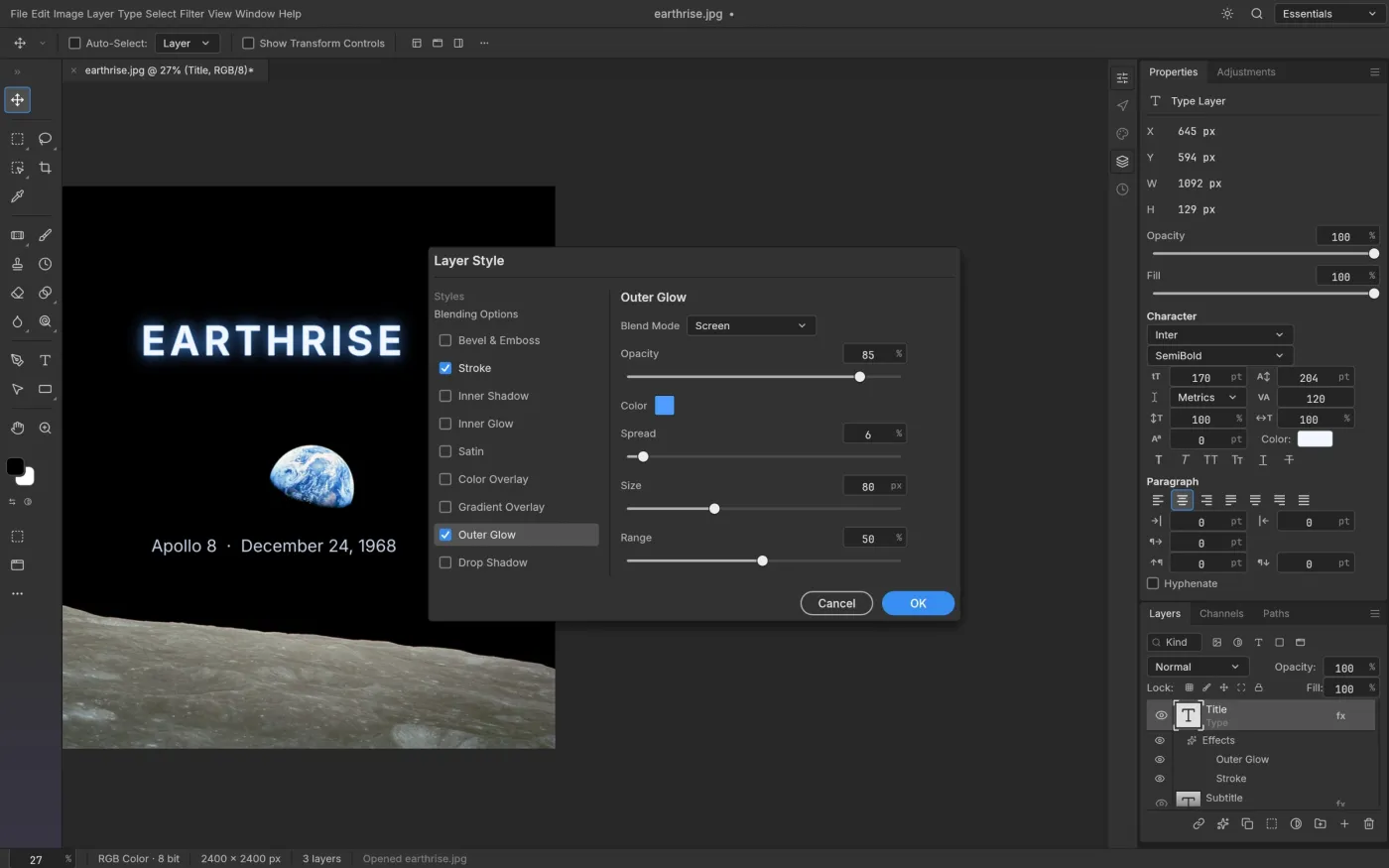
photocraft-psdcrate written from Adobe’s public specification. In the README’s own tests, re-saved files render the same for 307 of the 309 files in the psd-tools test set, and blocks it doesn’t model yet are carried over instead of dropped. A re-saved file is not byte-identical to its source. - Layers and non-destructive edits: 16 adjustment layer types (Curves, Levels, Gradient Map, Selective Color and more), 27 blend modes, layer styles (drop shadow, stroke, outer glow, bevel and emboss), live type layers, masks, clipping masks and smart objects.
- Selections and painting: marquee, lasso, magic wand, Quick Selection and Object Selection, plus brush, clone stamp and healing tools, 70-plus filters and action recording. Select Subject and similar AI selections are classical heuristics today, not trained models.
- GPU compositor, many platforms: the canvas runs on a wgpu compositor (Metal, Vulkan, DX12, WebGPU) with no Electron, and the same engine compiles to WebAssembly for the browser.
- Drivable by agents: more than 500 commands share one registry, and the UI, CLI, JSON control channel and MCP server all call it, so a script or an AI agent can do anything a click can.
- Interface languages: since v0.3.0 the UI ships in Simplified and Traditional Chinese, Japanese, Spanish, Russian and Czech, with CJK fonts and IME input in the Type tool.
Typical use cases
- Light editing of PSD handoffs: a developer or marketer gets a design file, needs to swap one line of text and export a PNG, and doesn’t want a Creative Cloud subscription for it.
- Batch image jobs: run one set of adjustments over a whole folder with
photocraft-cli batch, or connect the MCP server so an agent such as Claude Code retouches images directly. - Studying a large Rust desktop codebase: 24 crates with enforced layering, 1,700-plus tests and CPU and GPU compositors checked against each other make it a readable reference.
- Photoshop-style UI on Linux or FreeBSD: releases include AppImage, deb, rpm, Flatpak and a FreeBSD tarball.
Quick start
The easiest route is a download from the Releases page: a dmg for macOS, msi or portable zip for Windows, and AppImage, deb, rpm or Flatpak for Linux. To build from source, per the README:
git clone https://github.com/storytold/photocraft
cd photocraft
cargo run --release -p photocraft -- image.psd
A headless run, adapted from the README’s example:
photocraft-cli run wave.psd \
  --cmd filter.sharpen.smartSharpen --params '{"amount":80}' \
  --out wave-final.png
Open one of your own PSDs next to Photoshop’s render before deciding whether it belongs in your workflow.
Maturity numbers
These figures come from the project’s own v0.3.0 notes and docs/roadmap.md (assessed October 5, updated October 7, 2026). All are self-assessed:
| Dimension | Project’s own estimate |
|---|---|
| Photoshop menu items wired to a command | 626 of 626 (measures wiring, not behavior) |
| Features a typical user touches that exist in some form | about 60–70% |
| A professional could switch for daily work | about 25–35% |
| True parity with Photoshop | “well below 50%” |
| Performance scenarios within budget | 3 of 46 (baseline of October 5, 2026) |
The 100% menu figure is the easiest number to misquote as “100% complete”; the roadmap says plainly it only counts wiring.
Summary
PhotoCraft suits developers who like trying early software, light users who need to read and write PSDs without a subscription, and anyone who wants to automate image edits over MCP. If you deliver paid design work, keep it out of your main pipeline for now. Real catches: Hacker News commenters reported failing to paste an image from the clipboard, a clone stamp with no live preview, and some PSDs that render differently after a re-save, and others doubt that largely AI-generated code will be maintained. The roadmap itself lists missing AI and generative features, about twenty tools, typography depth and plug-in compatibility, and admits most fixes since 0.2.0 haven’t been validated by users yet. The license is MIT or Apache-2.0 at your option, and the language is Rust. For how it compares with its six sibling projects (VectorCraft, FilmCraft, LightCraft, PrintCraft, EffectCraft and DesignCraft), see our article Seven open-source Adobe alternatives, tested against reality.