Seven open-source Adobe alternatives from ArtCraft, tested against reality
ArtCraft open-sourced PhotoCraft and six more Adobe look-alikes in a week. We weigh their claims, Hacker News feedback and mature open-source rivals.
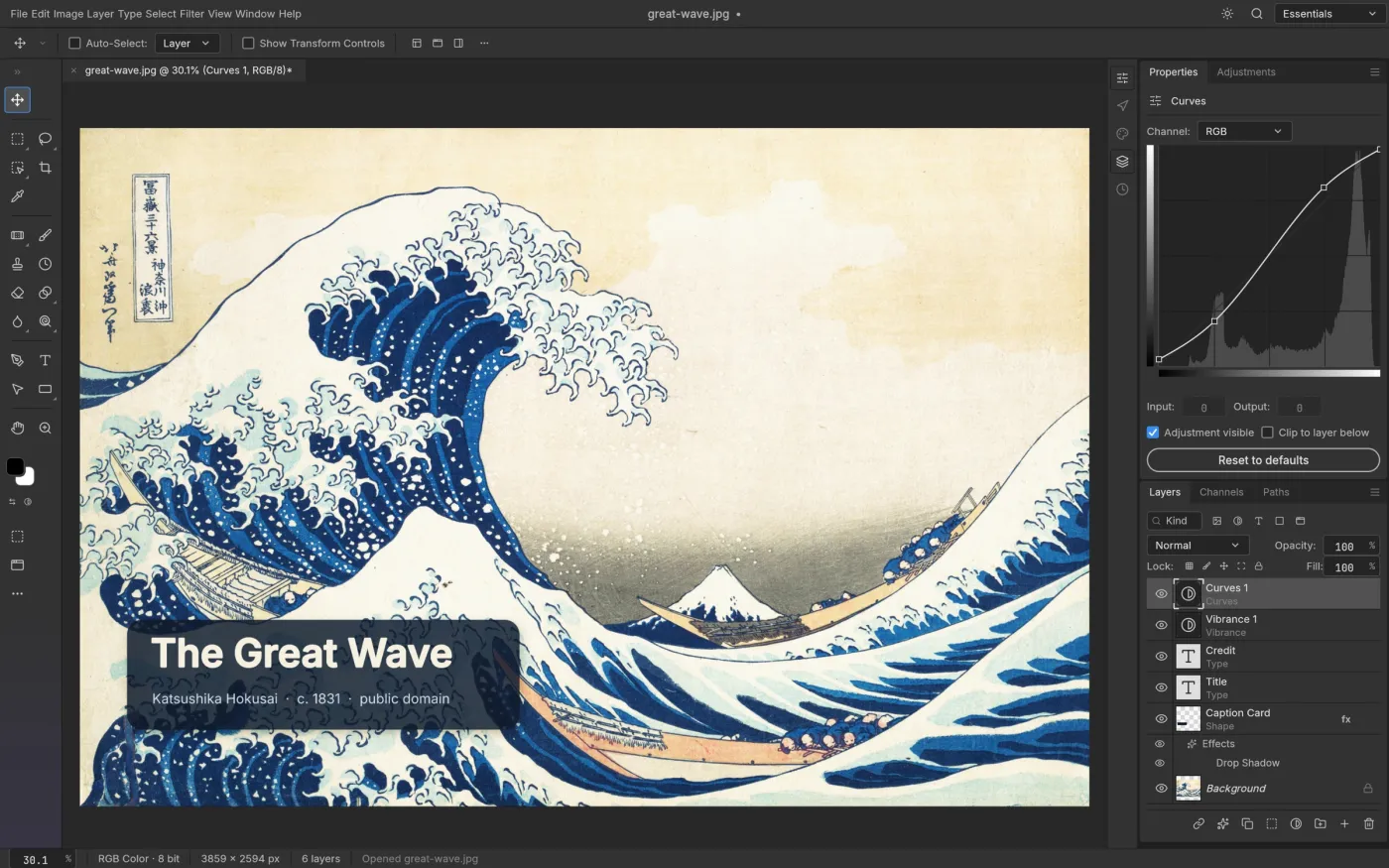
Adobe subscriptions are expensive and the habits they build are hard to break, so a post on the Chinese WeChat account AGI Hunt on October 7, 2026 spread fast: someone had used AI to rewrite seven Adobe apps in Rust and open-sourced all of them. The seven projects come from ArtCraft (GitHub account storytold): PhotoCraft for Photoshop, VectorCraft for Illustrator, FilmCraft for Premiere Pro, LightCraft for Lightroom, PrintCraft for Acrobat Pro, EffectCraft for After Effects and DesignCraft for InDesign. The post said PhotoCraft was “about 90% done.” The project’s own roadmap says a professional could switch for daily work at roughly 25–35%. This article sets each of the seven against its self-reported status, community feedback and the mature open-source tool you could use instead, to answer a practical question: should you switch today?
Key points
- All seven are real, free and early: as of October 8, 2026 every repository is licensed Apache-2.0 / MIT, was created between September 30 and October 1, ships macOS, Windows and Linux builds, and is labeled anything from “early alpha” to “young and moving fast.” None claims to replace Adobe across the board.
- The “90%” is a retelling error: PhotoCraft wires all 626 Photoshop menu items to commands, but the roadmap says that measures wiring only, and real parity is “well below 50%.” FilmCraft and LightCraft score highest, at roughly 50–70% usable for real work by their own estimates.
- For deadline work, stay with mature tools: Krita, GIMP, Inkscape, Kdenlive and darktable have known gaps but years of real-user testing. ArtCraft’s value today is PSD compatibility, familiar layouts and MCP automation, which makes it good for trials, not delivery.
The seven at a glance
Stars and versions below were read from the GitHub API on October 8, 2026. The progress figures are each project’s own README or roadmap claims, not third-party tests.
| Adobe app | ArtCraft alternative | Stars | Latest release | Project’s own estimate |
|---|---|---|---|---|
| Photoshop | PhotoCraft | 16,823 | v0.3.0 | Pro daily-switch about 25–35% |
| Illustrator | VectorCraft | 2,190 | v0.4.0 | Features exist about 69–75%; “a power user can’t tell” about 40–55% |
| Premiere Pro | FilmCraft | 3,253 | v0.2.1 | Feature checklist about 87%; ready for real work about 50–60% |
| Lightroom | LightCraft | 2,985 | v0.2.1 | Feature count about 79%; day-to-day replacement about 60–70% |
| Acrobat Pro | PrintCraft (repo: pdfcraft) | 2,305 | v0.2.1 | About half of offline features, “roughly a third of the work” |
| After Effects | EffectCraft | 1,642 | v0.4.0 | No checkable figure in the README |
| InDesign | DesignCraft | 959 | v0.2.1 | No checkable figure in the README |
PhotoCraft’s 16,823 stars dwarf the other six, which suggests most of the attention rides on the word “Photoshop.”
How they were built
According to PetaPixel and others, ArtCraft founder Brandon Thomas says he used Anthropic’s Opus 5.5 to rebuild the seven apps in Rust. The analysis site OrcaRouter, after reading the repositories, notes that PhotoCraft’s roadmap estimates remaining work in “Opus 5.5 agent-hours” and quotes a line about landing roughly 70 menu items in a few wall-clock hours using eight parallel agents. For background on the model, see our coverage of the Claude Opus 5.5 release.
This was not “one prompt, one Photoshop.” Several agents worked on fairly independent subsystems (PSD parsing, the GPU compositor, text layout, filters) while a human handled integration, tests and releases. The WeChat post guessed that the method was to decompile the original and feed a spec to Claude Code, and Eric S. Raymond made a similar guess on X. The project’s own claim is “clean-room”: built from public specifications and observed behavior, with no Adobe code, shaders or assets. Commenters on Hacker News pointed out there is no evidence of decompilation, while others questioned whether an AI-assisted build deserves the clean-room label at all. That dispute is unresolved, and worth knowing about before you adopt any of these.
Side by side
Here is each ArtCraft project next to its mature open-source rival. The weaknesses are the ones 2026 third-party reviews mention most often.
| Adobe app | Mature open-source option | Commonly cited weakness |
|---|---|---|
| Photoshop | Krita, GIMP | Smart objects and some adjustment layers don’t convert cleanly from PSD; CMYK is limited |
| Illustrator | Inkscape | No CMYK color mode, basic typography, no built-in AI |
| Premiere Pro | Kdenlive, Shotcut | Occasional crashes on big, effects-heavy projects; uneven stability on Windows |
| Lightroom | darktable, RawTherapee | darktable’s steep learning curve; weaker AI masking |
| Acrobat Pro | Stirling-PDF | Weaker editing and annotation; e-signatures and PDF/A trail Acrobat |
| After Effects | Blender compositor, Natron | No shape layers, text animators or expressions of the After Effects kind |
| InDesign | Scribus | Can’t open InDesign files; no GREP styles or data merge |
Images: Photoshop
PhotoCraft’s pitch is familiarity: menus, shortcuts and panels sit where Photoshop users expect them, and it reads and writes real PSD files. In the project’s tests, 307 of 309 files in the psd-tools set render the same after a re-save. Several reviews call Krita the strongest free tool for non-destructive editing, with filter layers that work like adjustment layers. GIMP 3.2 improved PSD handling, but reviewers still say smart objects and similar features don’t convert cleanly. If you handle complex PSDs every day, PhotoCraft today is closer in feel than Krita or GIMP, but not more dependable.
Vectors: Illustrator
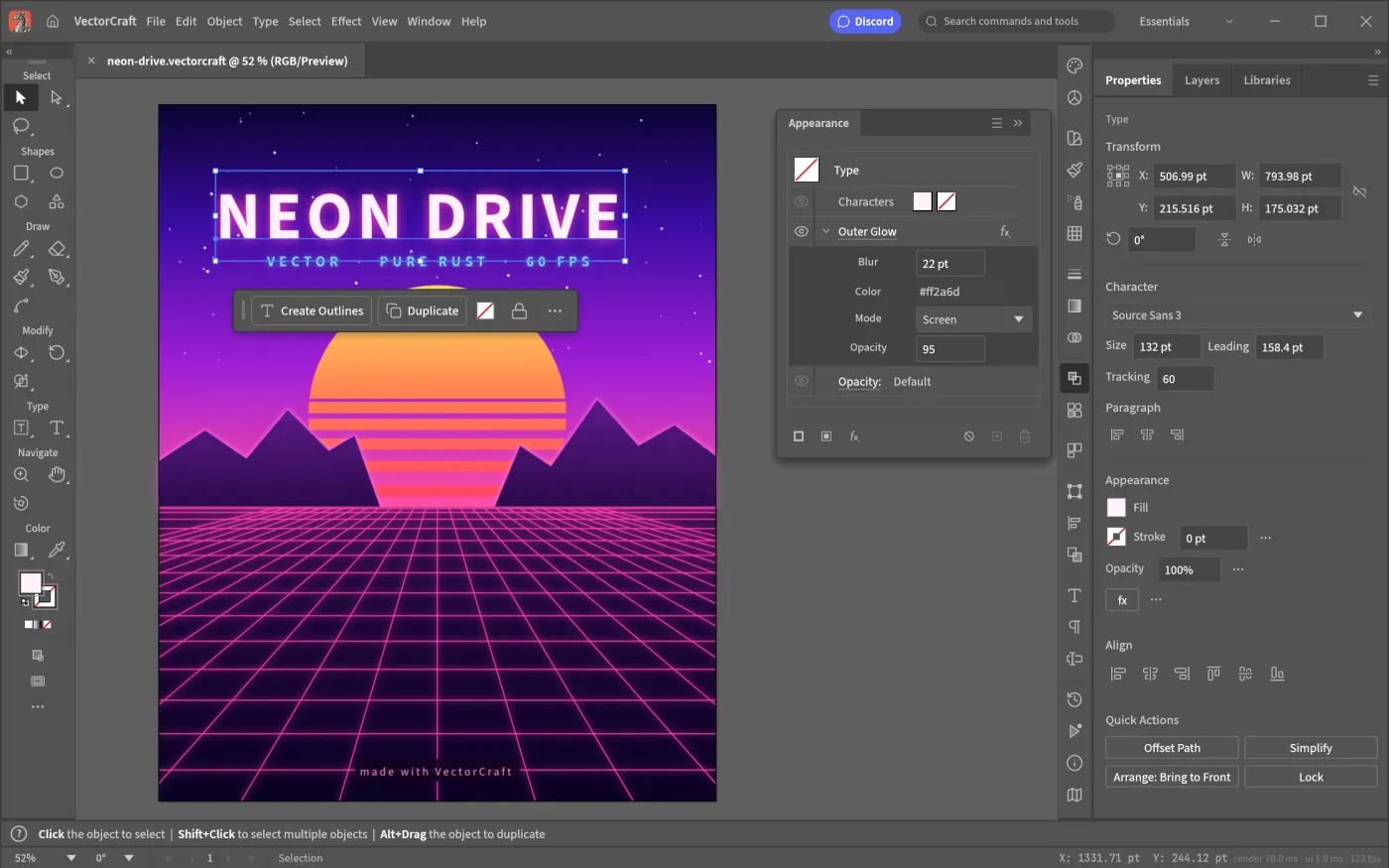
VectorCraft lists a pen tool, Pathfinder, gradient mesh, envelope distort, a perspective grid and image tracing, and says 20,000 shapes render in about 27 ms at retina resolution (the project’s own measurement). Inkscape’s node editing draws steady praise, but on Capterra it scores 4.4 from 518 reviews against Illustrator’s 4.8 from 8,656, and the missing CMYK mode hurts print work. VectorCraft says it handles PDF/X and PDF-compatible .ai files, which is worth testing with a real file.
Video: Premiere Pro
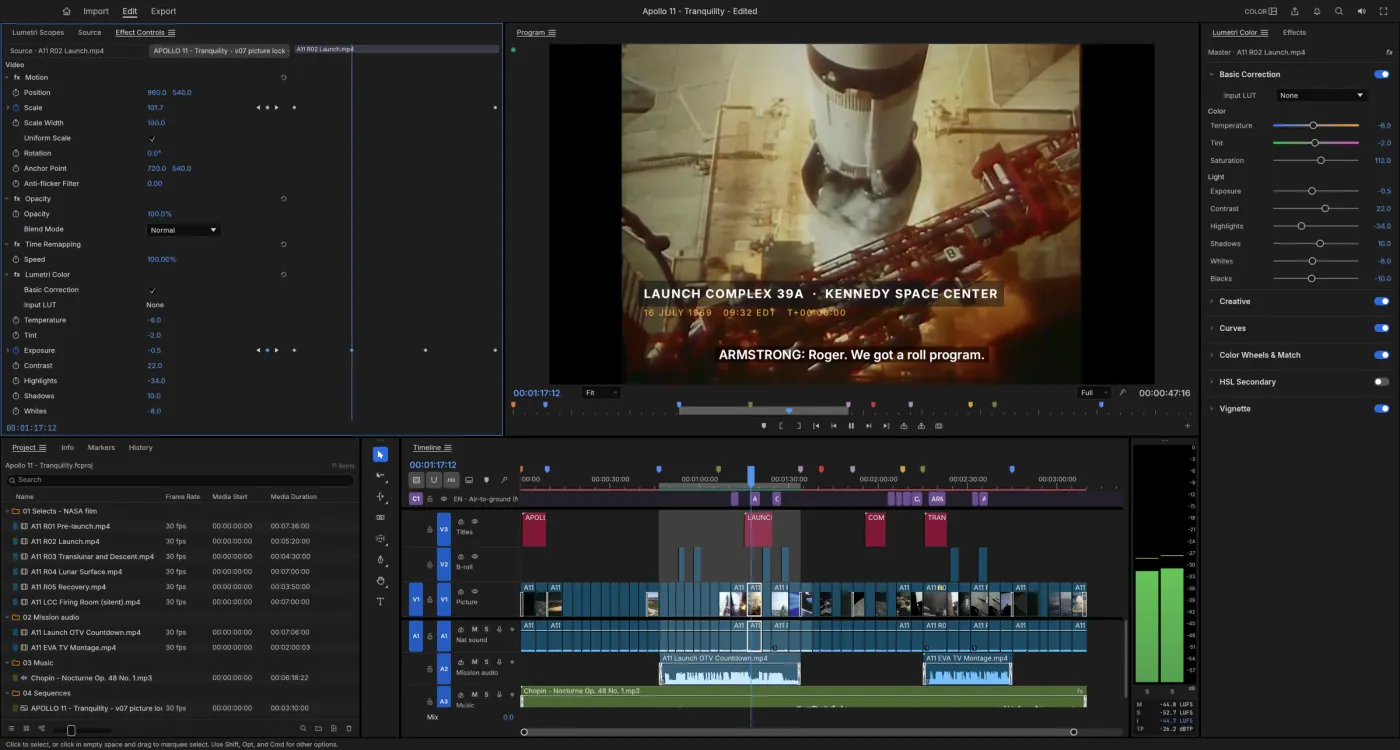
FilmCraft’s H.264, HEVC, ProRes and AAC codecs are written in Rust from public specifications, and its timeline counts integer ticks so 23.976 and 29.97 fps never drift. Its listed gaps are specific: H.264 is the only delivery export, with no HEVC or AV1 export, no VST3 or OpenFX plugin hosting, and far less testing on Windows and Linux than on macOS. Hacker News commenters praised how fast it launches and, in the same thread, noted it can’t encode H.265 or AV1. Kdenlive’s reputation for crashing largely dates from older versions, one 2026 review says, though large projects can still stumble.
Photos: Lightroom
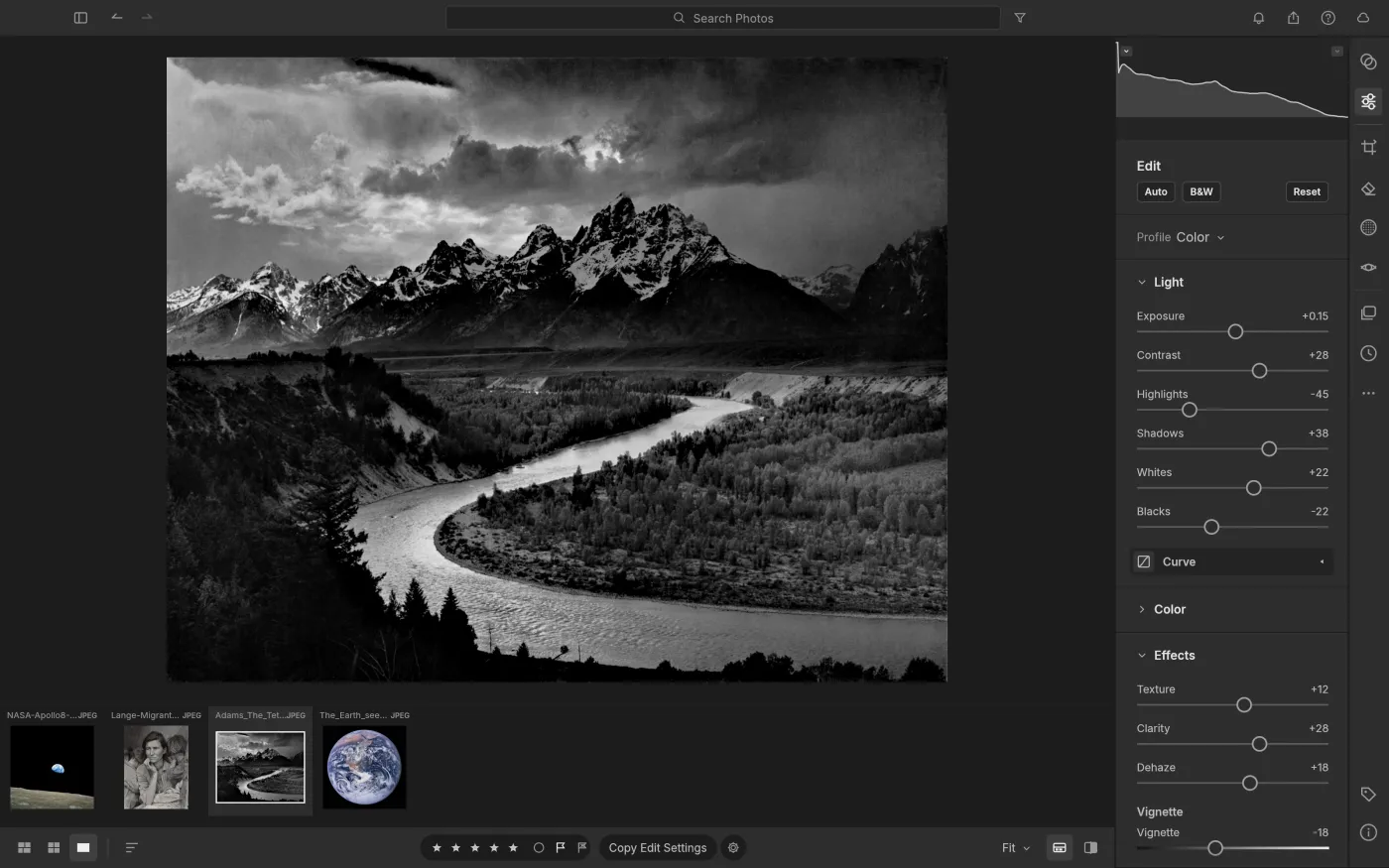
LightCraft is blunt about colour: DNG files use their own matrices, other raw formats fall back to a neutral matrix so colour looks muted, and CR3 plus some compressed raw files show only embedded previews. A photographer on Hacker News who loaded the same raw file into Lightroom and LightCraft side by side said the results looked completely different. darktable’s raw handling is mature; the price is time, with one review estimating two to four weeks of deliberate practice.
The other three
PrintCraft says about half of Acrobat Pro’s offline features exist. Thin or missing areas include reliable editing of existing text (especially CJK), OCR beyond Latin script, Office conversion and PDF/A preflight, and it admits fuzzing still finds crashes and hangs and that it hasn’t been compared with Acrobat side by side. Stirling-PDF is the more practical free option today; one review says it covers most everyday needs, though editing lags Acrobat. EffectCraft and DesignCraft are the youngest and publish no checkable progress figure, so Blender, Natron and Scribus remain safer starting points. Reviewers also warn that no open-source tool fully reproduces After Effects’ shape layers and expressions.
What the community says
Feedback clusters in three Hacker News threads, and it splits sharply.
- Supporters welcome a permissively licensed alternative with no telemetry (the project’s author, posting as echelon, says all of it is MIT or Apache-licensed with no telemetry), and some argue the front-end software was never Adobe’s moat, the cloud services and collaboration are.
- Skeptics report that a Flatpak build lacked the files the README referenced at the time (the v0.3.0 release now includes a flatpak), that PhotoCraft couldn’t paste an image from the clipboard, and that the clone stamp has no live preview. Others worry nobody will maintain it in a year; the counter-argument is that a permissive license lets anyone fork it.
- An Adobe employee commented that Adobe has LLMs and tokens too, and other commenters listed the incumbent’s baggage: legacy code, twenty-year-old format compatibility and users who resist workflow changes.
- On older open-source tools, echelon said he is unhappy with GIMP, Krita and Inkscape, which drew many replies defending them as serious projects maintained by people for years.
These are individual comments, not systematic tests. We found no third-party testing with a meaningful sample.
The money
On October 7, OrcaRouter read Adobe’s plans page and reported US list prices: Creative Cloud Pro at $69.99 a month; Photoshop, Illustrator, Premiere Pro, After Effects or InDesign at $22.99 each; Acrobat Pro at $19.99; Lightroom at $11.99. Buying all seven à la carte comes to about $146.93 a month. The ArtCraft apps are free downloads. Two facts belong beside that number: they don’t include cloud sync, asset libraries, a plugin ecosystem or Adobe’s generative models (PrintCraft’s roadmap itself says Adobe’s cloud and AI assistant have “no clean-room equivalent”), and if a delivery goes wrong nobody stands behind the software.
Which to pick
- Designers, editors and photographers shipping work every day: keep your current tools or move to mature open-source ones (Krita, Inkscape, Kdenlive or Shotcut, darktable or RawTherapee, Scribus, Stirling-PDF). As of October 8, 2026 the latest Shotcut is v26.9.27, darktable 5.6.2 and Stirling-PDF v3.1.0.
- Occasional PSD openers and light editors: try PhotoCraft and compare its render of your own files with Photoshop’s.
- Developers: every ArtCraft app has a command line, a JSON control channel and an MCP server; for batch retouching or letting an agent drive the app, that matters more than the GUI. VectorCraft’s README even gives the
claude mcp addcommand. - Anyone curious how far AI-written software can go: read the seven roadmaps. They show the gap between “100% of menu items wired” and “roughly 30% usable” better than any tweet.
FAQ
Are they free?
Yes. The site describes them as free, open-source native apps, and the repositories use permissive open-source licenses. ArtCraft’s site also sells a separate AI creative studio, which is a different product.
Were they decompiled?
There is no evidence of that. Decompilation is only a guess by the WeChat post and a few commenters. The project says it is a clean-room implementation built from public specifications and observed behavior, and a Hacker News commenter stated it was not decompiled from the real Photoshop. What can be said is that AI agents did a large share of the work; details are in the repository docs.
Can they replace Adobe?
By the project’s own numbers, not yet. PhotoCraft’s daily-switch figure is about 25–35%, FilmCraft’s about 50–60% and LightCraft’s about 60–70%. They are suited to trials, automation experiments and bug reports, not to work with delivery pressure.