Developer tools#Virtualization
Virtual Mac: jailbroken iPads run full macOS, Xcode and Final Cut Pro included
Open-source Virtual Mac runs full macOS on jailbroken M1/M2 iPads via Apple's own stack — Xcode and Final Cut Pro included, Metal acceleration throughout.
Project facts
GitHub Ecosystem- License
- MIT
- Language
- Objective-C
- Stars
- 1,978
- Data checked
- 2026-10-29
Snapshot figures reflect the check date and may change over time.
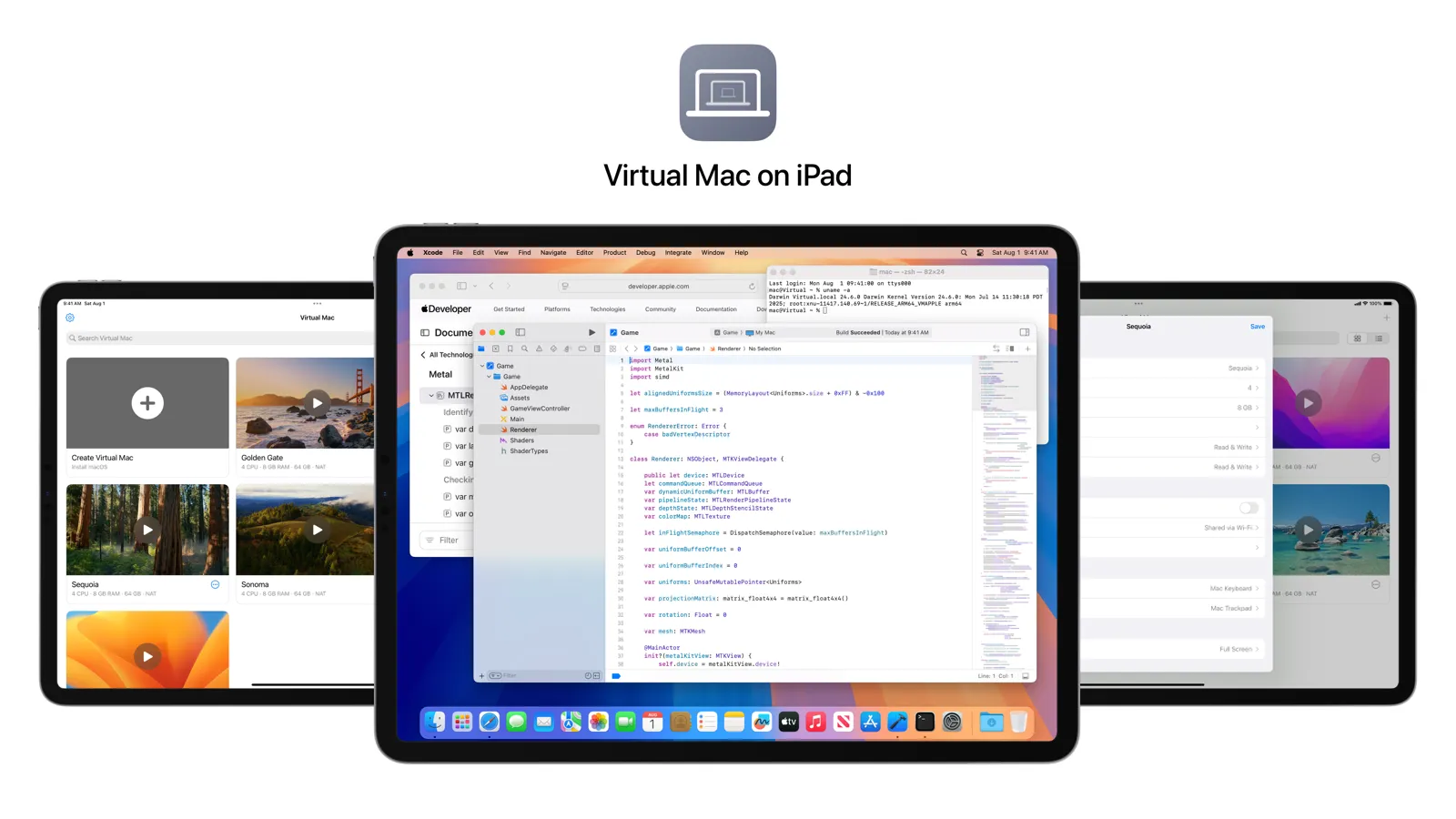
Running macOS on an iPad has been the community’s decade-long obsession, and the closest prior attempts (UTM) emulated rather than virtualized. Virtual Mac, an open-source (MIT) project by nfzerox, took the other road: it extracts and modifies Apple’s own macOS virtualization stack and uses the iPad’s hardware CPU virtualization to run the full desktop — Xcode, Terminal, Final Cut Pro, Logic Pro and Pixelmator Pro all run natively, and the repo’s own screenshot shows Xcode open on an iPad desktop. Requirements: iPad Pro (M1/M2) or iPad Air (M1) on iPadOS 14 through 16.3.1, jailbroken with Dopamine or Taurine; macOS 12 Monterey up to 26 Tahoe is supported with macOS 15 Sequoia recommended. Performance lands in the same class as VirtualBuddy or UTM virtualizing macOS on an M1/M2 Mac, and it is the first to bring Final Cut Pro plus OpenGL/OpenCL acceleration into virtualized environments. Created August 2026, it went viral on release (Snazzy Labs demo, international press), with version 1.2.3 out August 27 and 1,978 stars.
Core features
- Hardware-virtualized full macOS: not an emulator, not a remote stream — a modified extraction of Apple’s virtualization stack, with native-class CPU and Metal performance.
- Desktop apps actually run: Xcode (compiles), Final Cut Pro and Logic Pro trials, Pixelmator Pro; FCP and OpenGL/OpenCL acceleration need macOS 14+.
- Usable without a keyboard: tap to click, two-finger scroll, floating virtual keyboard, movable/hideable HUD; the Magic Keyboard is optional.
- iPhones too: iPhone 14 Pro / Pro Max on iOS 16 through 16.3.1 are supported.
Typical use cases
- A pocket dev machine: travel with just the iPad — SSH, Xcode builds and Terminal all present; the 1TB/2TB models with 16GB RAM give the best experience.
- A second life for old iPads: M1 iPads stuck on 16.3.1 get a new purpose, a direct win for the jailbreak ecosystem.
- Demos and teaching: showing a real macOS desktop and apps on a tablet draws eyes and is genuinely usable; it is also the jailbreak community’s first mainstream-scale win in years.
Quick start
The hard prerequisite is jailbreaking: follow ios.cfw.guide for Dopamine (iPadOS 15–16.3.1) or Taurine (14–14.8.1), add the author’s Cydia repo in Sileo, and install Virtual Mac; on first launch complete the macOS setup (iCloud sign-in is unsupported — choose Set Up Later) and download the Xcode/FCP/Logic trials from the official page. The repo README and the Snazzy Labs walkthrough cover the rest.
Summary
Virtual Mac fits tinkerer-developers holding a jailbreakable M1/M2 iPad: the first open-source project to run full macOS on an iPad via hardware virtualization, with native-class rather than emulated performance. Two implementation details are worth reading the source for: it reuses Apple’s own Virtualization.framework, extracted and patched around platform limits, rather than reimplementing virtualization from scratch — a lineage traceable through prior work like MacWSBootingGuide; and the graphics stack uses paravirtualized GPU acceleration, with FCP’s OpenGL/OpenCL support coming from a modified GLDRendererMetal, a community first.
It mirrors mac-apk, which runs Android APKs directly on macOS without an emulator: that project moves mobile apps onto the desktop, this one moves a desktop OS onto a mobile device, and both probe how far Apple’s platform boundaries stretch. Three honest caveats: jailbreaking is a hard gate, and Hypervisor support was removed from the iPadOS kernel in 16.4, so newer iPads and newer iPadOS are almost certainly out of reach; iCloud/Apple Account sign-in is unsupported, leaving cloud-synced workflows incomplete; and the project hasn’t shipped a release since late August — it’s a community, unofficial project that Apple could block at the system layer at any time. Unlike Mac-side Windows virtualization, its bet is a window: that Apple’s own virtualization framework could be reused on the iOS side.