Audio#MCP#Text to speech#Voice cloning
VoiceStudio: an ElevenLabs-style voice studio, local and open source
VoiceStudio is an open-source ElevenLabs alternative: cloning, dubbing and transcription run locally across 17 TTS and 9 ASR engines, plus MCP for agents.
Project facts
GitHub Ecosystem- License
- AGPL-3.0
- Language
- Python
- Stars
- 53,811
- Data checked
- 2026-10-06
Snapshot figures reflect the check date and may change over time.
Cloud voice tools are convenient until the invoice arrives: per-character billing, audio uploaded to someone else’s servers, API quotas to babysit. VoiceStudio moves that entire workbench onto your machine — voice cloning, voice design, video dubbing, system-wide dictation, batch transcription and audiobook production in one Electron app, with the core processing running locally and your audio plus voice profiles staying on your disk. At its core sits an engine matrix: 17 speech-generation and 9 transcription engines you install and switch at will, with k2-fsa/OmniVoice as the default and 646 language variants covered across all engines. The Chinese newsletter AI开源求索 recommended it on October 6: open-sourced this April, with 53,811 stars and 3,827 commits as of October 6, 2026, latest release v0.5.6.

Core features
VoiceStudio splits its capabilities into workspaces, each mapped to a real production line.
- Zero-shot cloning: a clean 3–10 second single-speaker clip is the supported range per the engine guide, and sources past 20 seconds are rejected with
clone_ref_too_long. Cloned voices land in a local library and export as.ovsvoicepackages for moving between machines. - Text-described voices: describe gender, age, accent, pace and mood in plain language to generate a voice that never existed — batch character work without hunting for human samples.
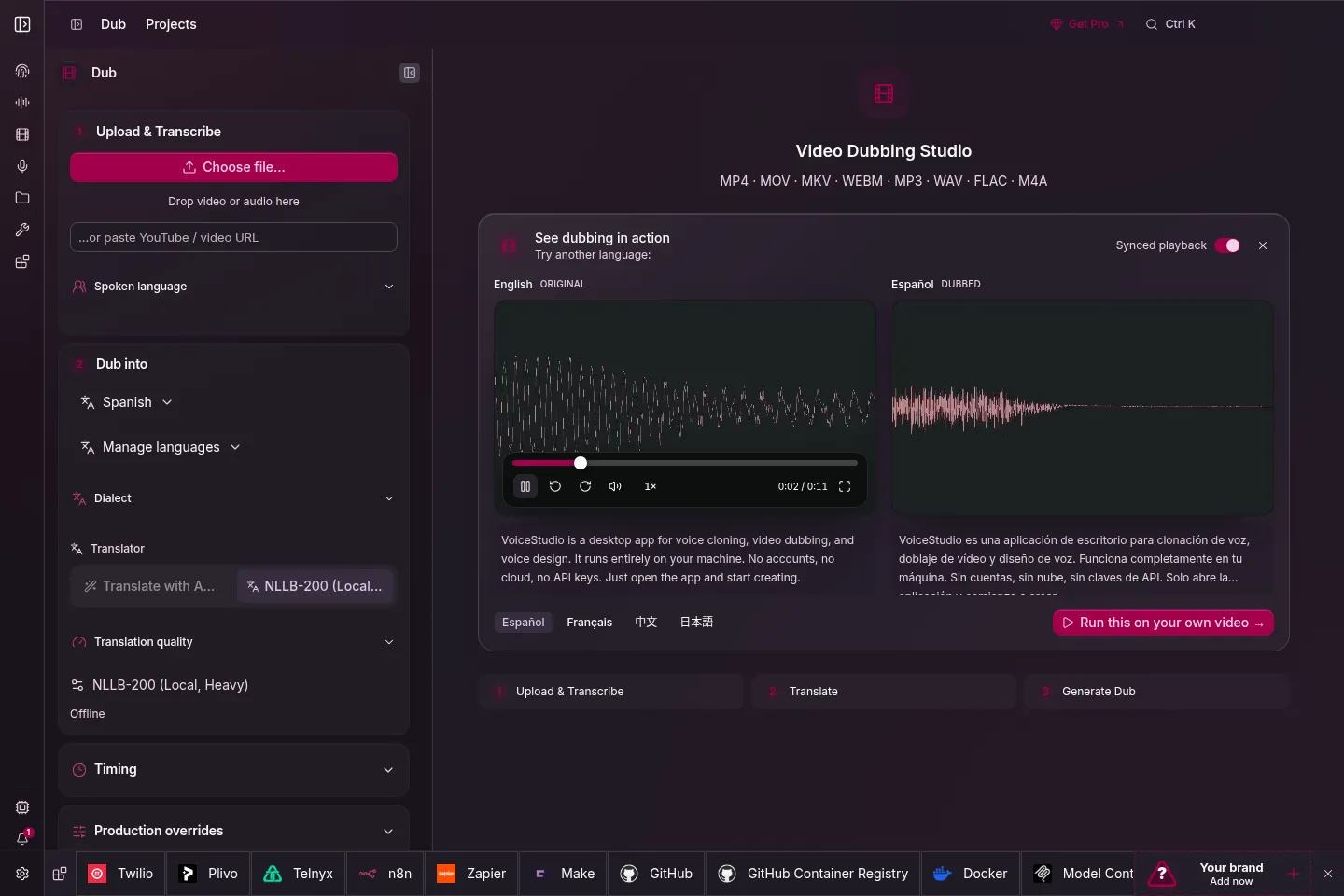
- Video dubbing pipeline: drop in a video or a link and it runs transcription, speaker diarization, translation, per-character voice assignment and synthesis end to end, keeping the original background audio and replacing only the voices, with batch queues for course-size jobs.
- Dictation and transcription: a system-level floating widget turns speech into text at your cursor via a global shortcut; batch-transcribe audio and video files into timestamped drafts, with vocal isolation and speaker diarization on board.
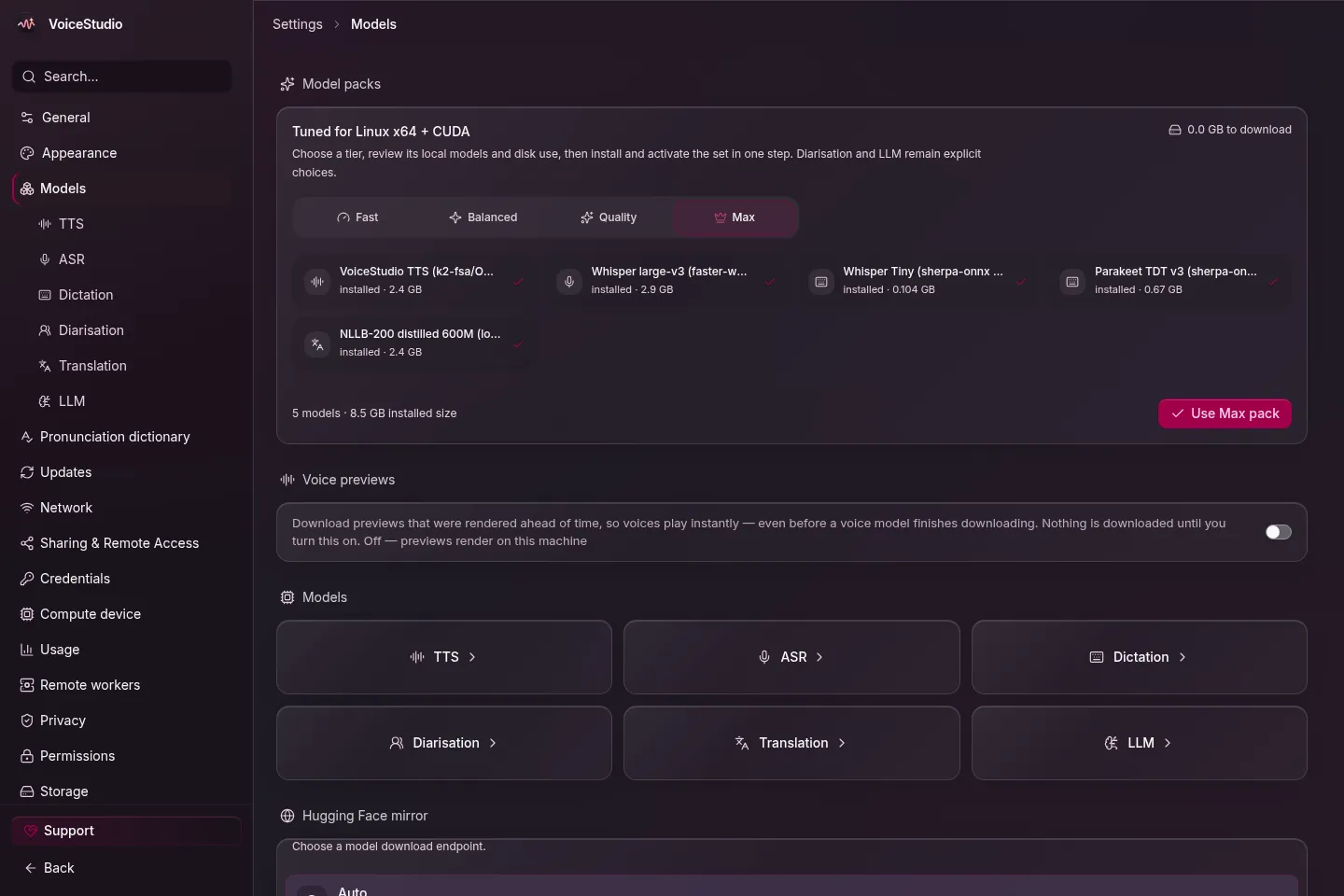
- The engine matrix: install and remove engines from a visual model panel; NVIDIA CUDA and Apple Silicon MPS acceleration, with CPU-only machines still working (the slim CPU PyTorch build needs about 5 GB of disk).
- An interface for agents: a local service on port 3900 exposes an OpenAI-compatible transcription endpoint, WebSocket streaming and MCP over both HTTP and stdio, so Claude Code, Codex and Pi can call your machine’s voice tools directly.
Typical use cases
- Course and video dubbing at scale: queue a whole season of narration in one run, or re-voice an existing video into another language.
- Audiobooks and stories: import EPUB or PDF long-form text with automatic chapter splitting, assign per-line voices in script mode and export an m4b with chapter markers. If you only need book-to-audio conversion, the leaner ebook2audiobook does exactly that.
- Audio that can’t leave the building: interview tapes and client recordings get transcribed and cloned without uploading anywhere.
Quick start
One command on macOS and Linux:
curl -fsSL https://voicestudio.sh/install | sh
On Windows, run irm https://voicestudio.sh/install | iex in PowerShell, or grab the .dmg, .exe, .AppImage or .deb from Releases. Open the Voice cloning workspace, pick the bundled demo voice or upload a 3–10 second reference clip, type your text and hit Synthesize audio for your first render. You can also hand installation to your agent — paste the official install guide link into Claude Code or Cursor, or run npx skills add debpalash/VoiceStudio. Intel Macs run the UI only and connect to a remote backend; legacy Tauri users should follow the migration doc to install the Electron build.
Summary
VoiceStudio fits creators and agent developers with heavy voice workloads, privacy constraints or cloud fatigue; if you want a browser tab that turns text into audio and your disk is nearly full, it’s the wrong weight. Read the license in two layers: the app is AGPL-3.0 — modify it and serve it over a network and you must share your changes — while the default OmniVoice weights are CC-BY-NC with no commercial use, so check each engine’s model license before you sell anything. One hard line on top: clone voices only with the person’s consent. The repo was created on April 9, 2026, sits at v0.5.6 (released September 23) with 3,827 commits and a push the day before this check, so iteration is active. For a lighter take on the same local-first idea, see yovoice.