unslop: turn AI-looking UI into a design with character
unslop is an open skill for Claude Code and Codex: it audits the purple gradients that give a screen away, then fixes spacing, color and copy in nine passes.
Skill details
npx skills add heydamir/unslop --skill unslop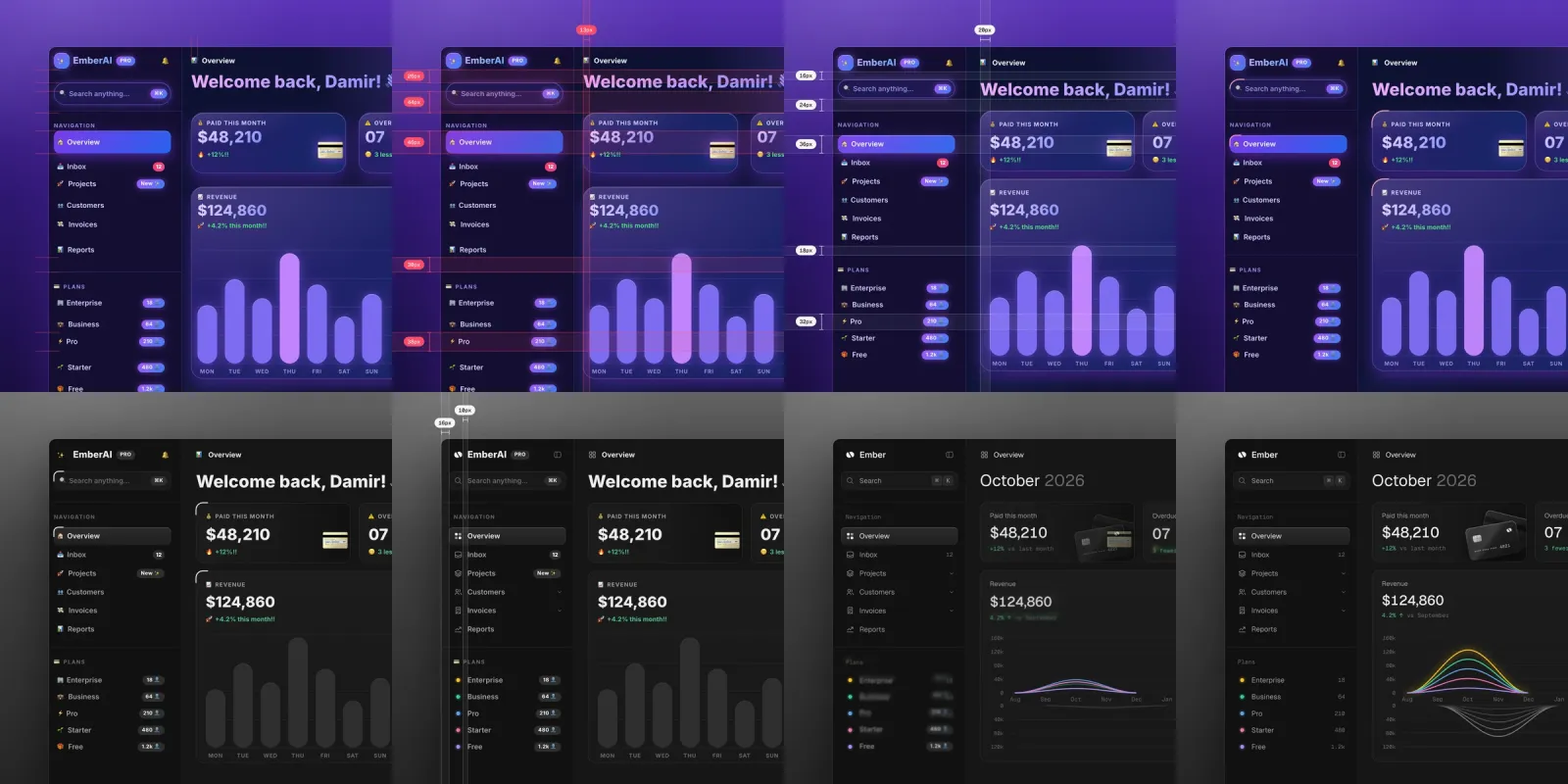
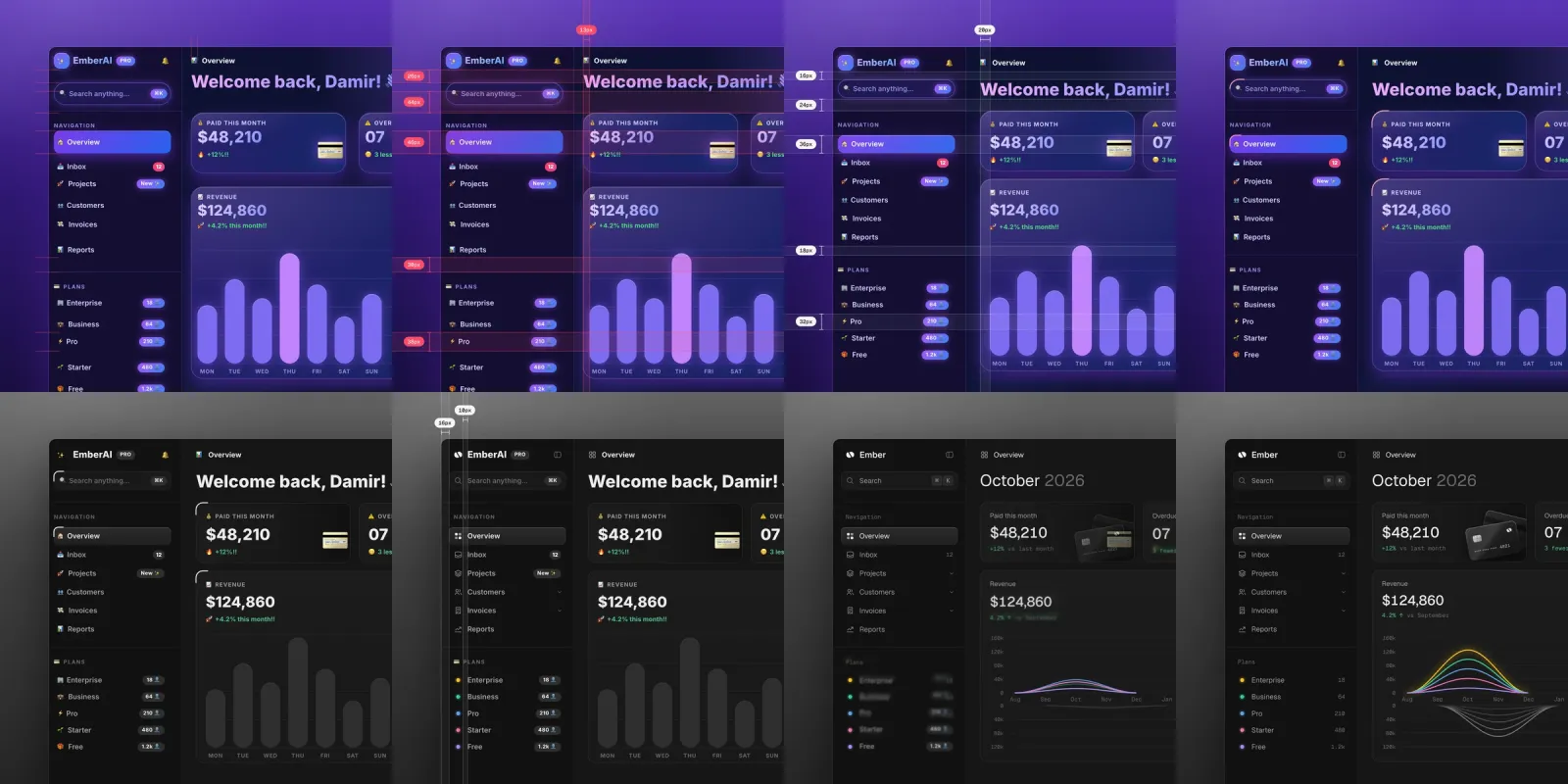
Ask Claude Code or Codex for a screen and you often get the same furniture: purple gradients, glowing buttons, emoji stapled to card titles — change the product name and nothing else moves. unslop is an open-source skill by Damir Sokolovsky (@heydamir) for Claude Code and Codex that works like a designer doing a redline pass: it finds every tell first, sets a direction from your product, then fixes the screen pass by pass. The repo went up on October 29, 2026 and had passed 7,000 stars by November 4.
Nine passes in a fixed order
The SKILL.md orders the work: spacing, color, icons, copy, type, layout, details, visuals, motion. Spacing comes first because everything else reads differently once the rhythm is right; copy comes before type and layout because headline length decides its size and position. Before touching anything, the skill writes a five-line direction — who the product serves, two or three character words, the world it belongs to, the one or two moments that carry color, and a signature detail only this product would have — then stops and waits for your OK before editing.
The limits it sets for itself
- Features and content stay. Section order and information structure are kept; what changes is every size, color and word, not the product.
- Audit before edit. It lists every sign of slop with its location; a mostly-designed screen gets polish mode, fixing only what the audit found within the existing brand.
- Good screens are left alone. If the audit finds no slop, it says so and offers two or three small refinements with exact values instead of redesigning.
- Paid images ask first. Hero scenes go through image services like fal, Replicate or OpenAI images; the prompt is shown and confirmed before every paid generation.
- Dashboards rarely get generated art. Their moments come from charts and data; only landing heroes and empty states are candidates.
Who it’s for
Front-end developers and indie hackers who build interfaces with coding agents and are tired of the AI look. Install is a copy of skills/unslop into ~/.claude/skills/ (Codex: ~/.agents/skills/), then /unslop this dashboard. Two costs to know: snapshotting a live site and rendering the story video need Playwright with Chromium, and the video also needs ffmpeg; the CC BY 4.0 license requires keeping the author credit. It is not alone — Anthropic’s frontend-design sets a direction before code, impeccable splits polish into 24 directives, and ux-ui-agent-skills gates output with 52 checks; unslop’s difference is treating “remove the slop” and “build a direction of your own” as one job. The repo’s examples/ folder ships two vibecoded screens to practice on.