System utilities#Device control#Virtualization
App Sandbox: GPU-Accelerated VMs on Windows 11 Home, No Hyper-V
Open-source VMs on Windows 11 Home without Hyper-V; GPU-PV acceleration, networkless SSH, and a headless API for driving AI agents. MIT.
Project facts
GitHub Ecosystem- License
- MIT
- Language
- C
- Stars
- 901
- Data checked
- 2026-11-02
Snapshot figures reflect the check date and may change over time.
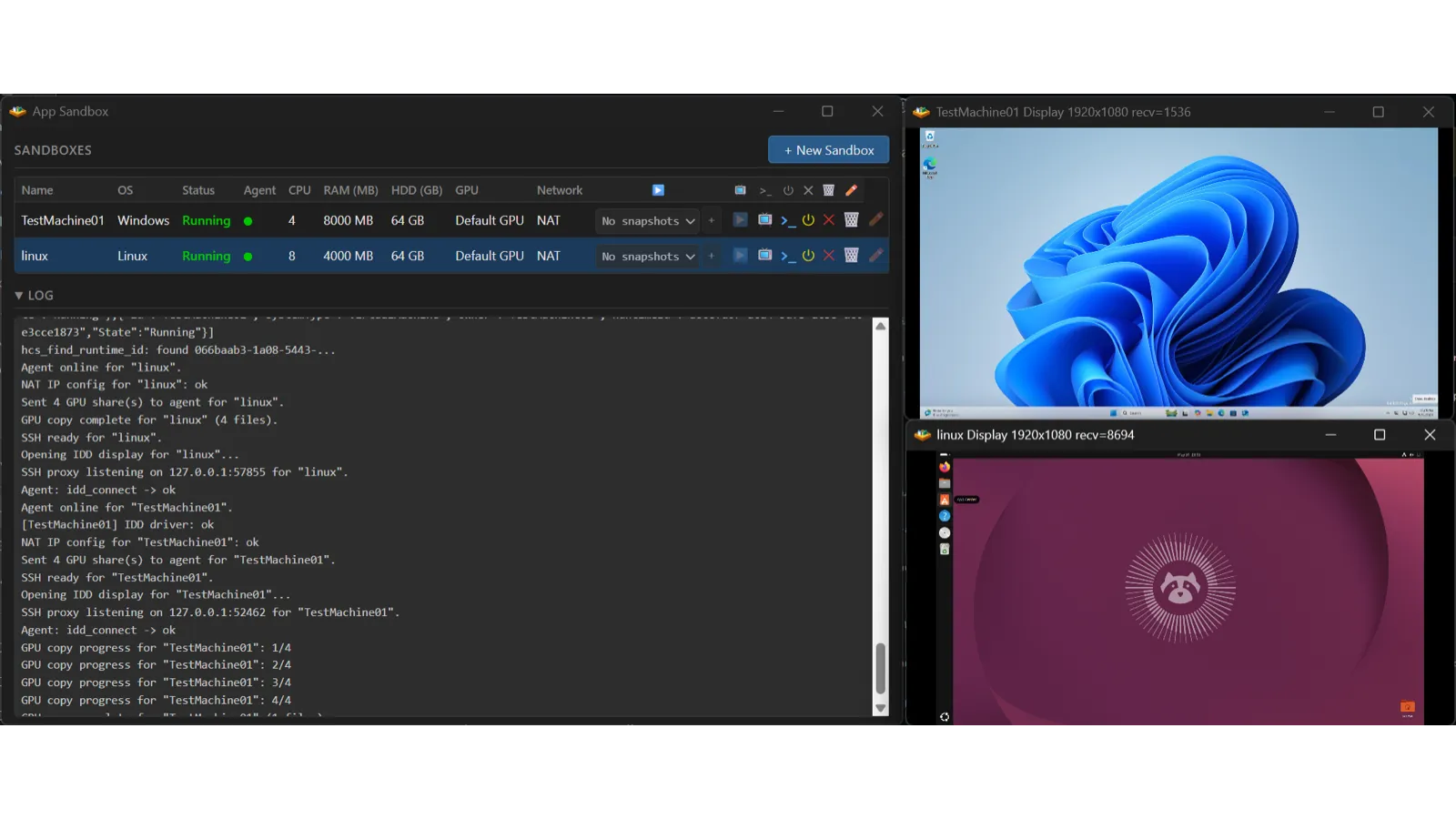
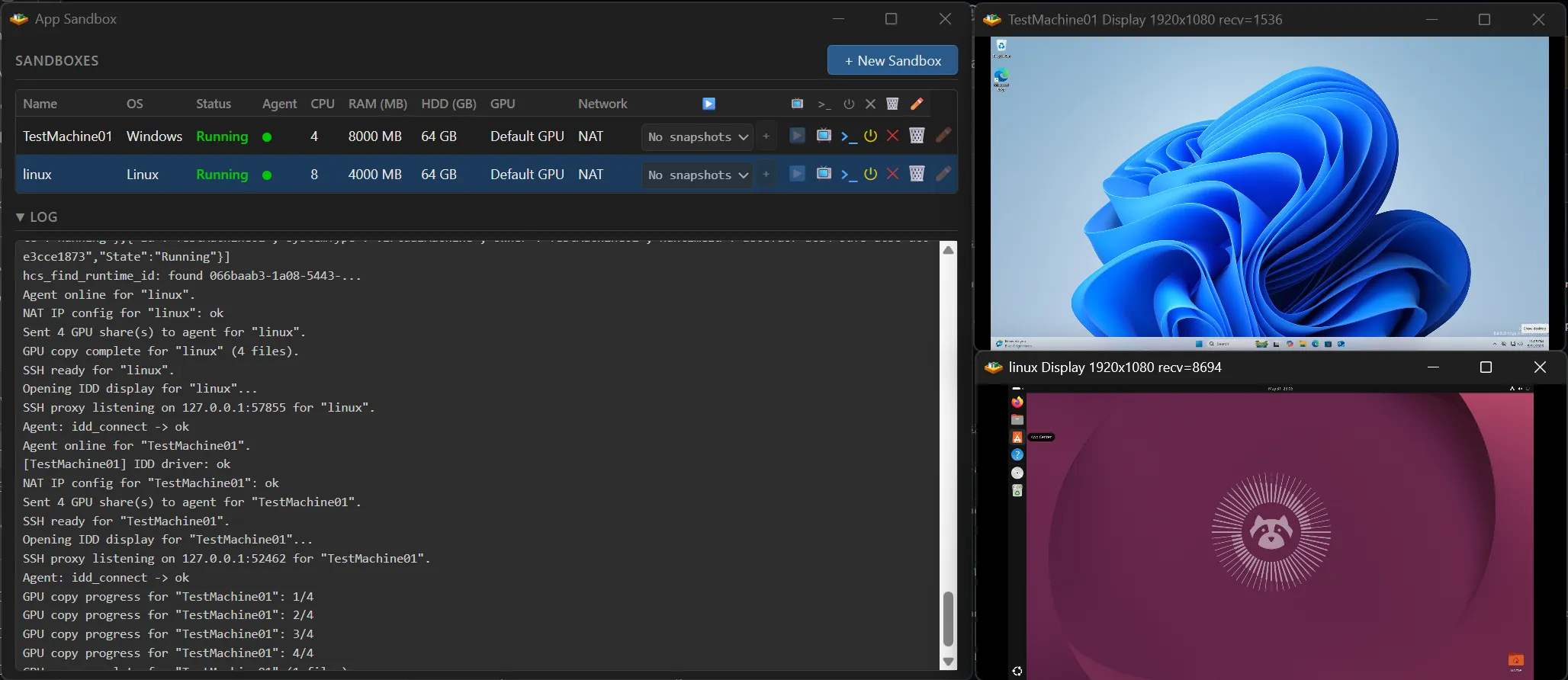
Giving a computer-use AI agent a clean Windows desktop usually means Hyper-V or metered cloud VMs — the first locked to Windows Pro, the second billed by the hour. App Sandbox (jamesstringer90, ★901, MIT, C) sidesteps both: it creates full desktop VMs on Windows 11 Home by talking to the Windows Host Compute System (HCS) APIs, needing only the same Virtual Machine Platform feature WSL2 uses. On Apple Silicon Macs it runs macOS or Windows 11 ARM guests. GPUs pass through via paravirtualization (GPU-PV) with DirectX 12, OpenGL, Vulkan and CUDA support, and nested virtualization lets Claude Cowork and Docker run inside a guest.
Core features
- No Hyper-V required: the Windows side bypasses Hyper-V Manager entirely and provisions VMs through HCS/HCN, so Windows 11 Home works without a Pro license.
- GPU-PV acceleration: guests get DirectX 12/OpenGL/Vulkan/CUDA/OpenCL plus hardware video encode/decode; macOS guests accelerate over Metal (Windows guests on Mac have no GPU acceleration yet).
- Networkless SSH: shell access rides a Hyper-V socket proxy on Windows and virtio-vsock on macOS — no network to configure.
- Headless mode:
--headlessstarts a local HTTP/JSON API daemon (the same Docker-style surface on both platforms) with a dependency-free Python SDK (asb.py) to create, snapshot, branch and SSH into GPU-accelerated VMs from code. - Zero-touch install: point at an ISO and App Sandbox runs an unattended install and boots the guest; macOS guests fetch their restore image automatically (Windows-on-Mac keeps three unskippable onboarding steps).
- Signed binaries: EV-signed on Windows, Apple Developer-signed on macOS, straight from Releases.
Typical use cases
- Agent developers: run several computer-use agents at once on one laptop, each in its own GPU-accelerated clean Windows VM that you delete when it misbehaves.
- Windows driver developers: a built-in Test Mode enables test-signing inside the guest while the host’s Secure Boot stays untouched.
- Windows Home owners needing disposable environments: install sketchy software or try upgrades, roll back from a snapshot.
For perspective on the isolation spectrum: App Sandbox sits at the heavyweight end — each VM is a complete OS with GPU acceleration and a programmable API, closer to “several computers” than a browser sandbox. It complements container-style options like Podroid, which runs Linux containers on Android, where App Sandbox runs full Windows on the desktop.
Quick start
Install from the Releases page (Windows 11 x64 or macOS Tahoe on an Apple Silicon Mac). GUI route: pick an OS, point at an ISO, create. Code route:
appsandbox.exe --headless   # macOS: sudo /Applications/AppSandbox.app/Contents/MacOS/AppSandbox --headless
python asb.py create --os windows --gpu-mode gpu-pv   # see README for exact flags
The daemon is single-host — it drives VMs on its own machine and never provisions cloud VMs; for CI, install it on a self-hosted runner.
Summary
For Windows 11 Home owners who want isolated desktops for AI agents or driver testing, this is among the lowest-friction paths available — no Pro upgrade, no Hyper-V, and the GPU still works. Three honest caveats: hosting Windows guests on a Mac gets no GPU acceleration; the last release is v0.1.9 (September 22, 2026) though main was pushed as recently as November 1; and concurrent VM count is bounded only by your host’s CPU, RAM and GPU memory. MIT, C, ★901 as of November 2, 2026.