System utilities#Display streaming
SideScreen: use your Android tablet as a Mac second display
SideScreen turns an Android tablet into a real extended display for your Mac: under 30 ms over USB-C, wireless over Wi-Fi, H.265 hardware encoding. MIT.
Project facts
GitHub Ecosystem- License
- MIT
- Language
- Swift
- Stars
- 1,164
- Data checked
- 2026-10-20
Snapshot figures reflect the check date and may change over time.
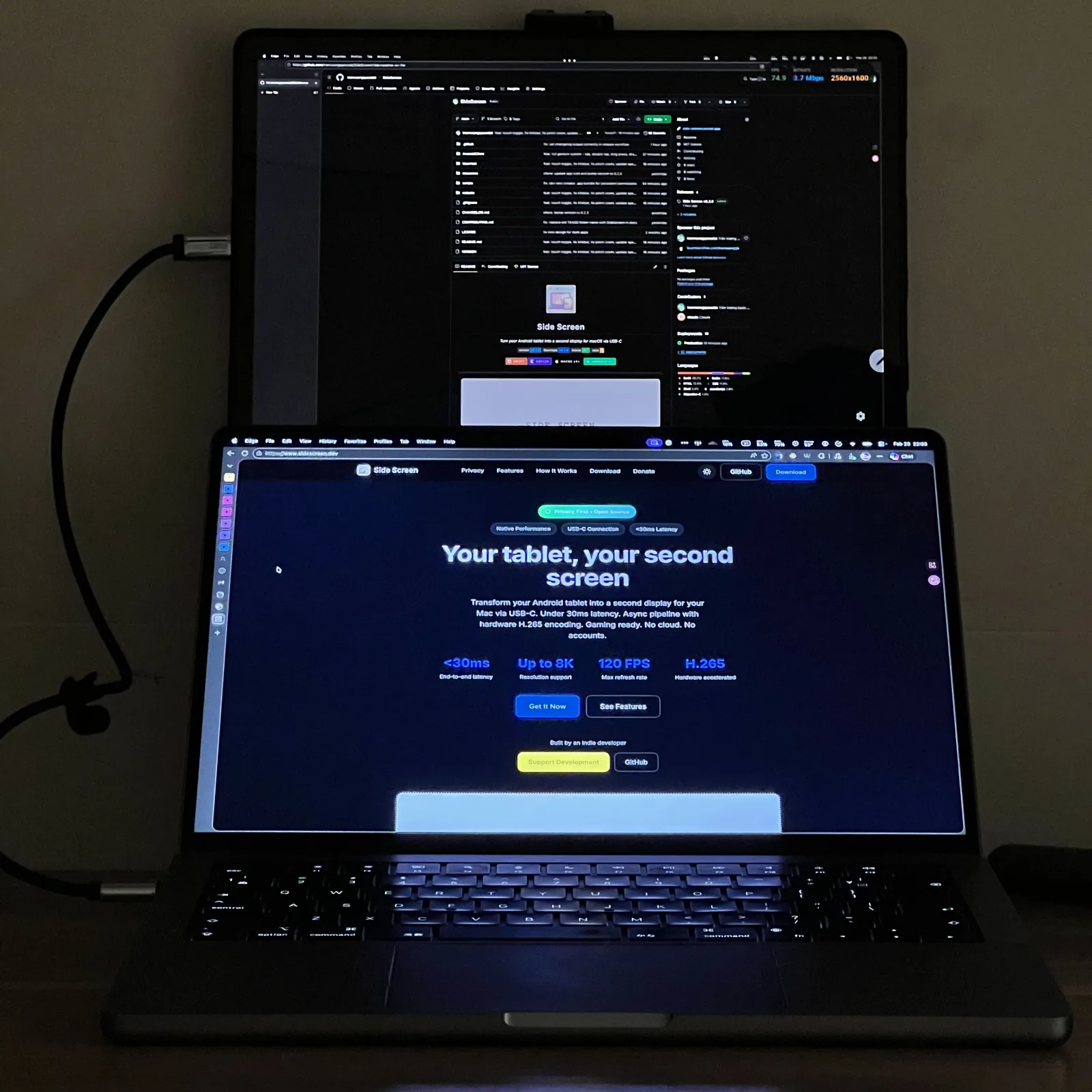
Apple’s Sidecar only works with iPads, which leaves most Android tablets sitting unused. SideScreen makes an Android tablet a real second display for your Mac: plug it in over USB-C for the lowest latency, or pair it over the same Wi-Fi with a QR code. It extends the desktop rather than mirroring it, so you can drag windows onto the tablet. The Mac app is Swift, the tablet app is Kotlin, and the universal binary covers both Apple Silicon and Intel, with macOS 13+ and Android 8+ required. The repository is MIT-licensed, had 1,164 stars on October 20, 2026, and its latest release is 0.11.3.
Core features
- Two ways to connect: USB-C plugs in and works immediately, setting up adb reverse port forwarding on its own, with the lowest latency. Wireless pairs by scanning a QR code on the Mac once, then the tablet reconnects on every launch, with 5 GHz Wi-Fi recommended. The auth token is generated locally and stays on your Mac, and you can reset it at any time to revoke access.
- A real virtual display: SideScreen creates a virtual display on the Mac, so windows can be dragged across, arranged and resized on the tablet. It is not a mirrored copy of your screen.
- Latency and picture quality: H.265 hardware encoding, advertised end-to-end latency under 30 ms over USB, and an asynchronous pipeline that starts encoding and transfer before the frame is complete. The tablet side renders natively, so Retina / HiDPI works, and the project advertises 8K and a 120 FPS Gaming Mode.
- Touch and gaming mode: The tablet’s touchscreen drives macOS directly, with touch prediction compensating for network latency. Gaming Boost switches to 1 Gbps bitrate, ultra-low-latency encoding and 120 FPS.
- Headless mode (new in 0.11.0): Run a Mac with no display of its own — a Mac Studio or Mac Mini on the road, or a laptop in clamshell mode — using the tablet as its only screen. With Launch at Login and Auto-start streaming enabled, the Mac boots straight into serving the tablet, with nothing to press on the Mac.
Typical use cases
- Putting an idle Android tablet to work: Use it as a second screen for references, chat or a terminal next to your Mac, without buying a portable monitor.
- Travelling with a Mac Studio or Mac Mini: A headless machine plus a tablet is less to carry, and it works as soon as it is plugged in.
- A laptop in clamshell mode: One display on the desk, one fewer thing in the bag.
- A quick big screen when you need one: Plug in and open it, no extra casting box or subscription.
Quick start
Both the Mac and the tablet need the app. The Mac side comes from GitHub Releases as a universal binary; the tablet side is on Google Play or as an APK from Releases. Then:
# The Mac side needs adb for USB mode; wireless only needs the same Wi-Fi
brew install android-platform-tools
On the tablet, enable USB debugging in Developer options, connect over USB-C, and the app completes the pairing on its own. For wireless, choose QR pairing on the Mac and scan it with the tablet. Full instructions are on sidescreen.dev.
Summary
It suits Mac users who already own an Android tablet and would rather not buy a portable monitor, especially anyone carrying a headless Mac. It does not suit people who want low-latency gaming: despite Gaming Mode and the advertised 120 FPS, the extra latency on a streaming path is still not for competitive shooters. It also does nothing for you if you have no Android device, since it is built for exactly this pair.
A few things to know. macOS 13+ and Android 8+ are required, and the app has to be installed on both machines. Wireless mode recommends 5 GHz Wi-Fi, since 2.4 GHz makes the latency noticeably worse, and the documentation notes that some wireless cases are less stable than USB. Those are the conditions stated in the official README and website. The latency figures (under 30 ms, 8K, 120 FPS) are the project’s own claims and I have not measured them. The repository was last pushed on October 12, 2026, and the project is still actively developed by a single developer in India. Swift, Kotlin, MIT.
The same “put idle hardware to work” idea applies to floorplan-3d, covered earlier here, which turns the browser into a design tool.