System utilities#Open-source alternatives#File management
TwinDesk: One app that turns your Mac, PC, Linux box and phone into one desk
TwinDesk shares your mouse, keyboard, clipboard, files, calls and texts across four platforms with no account and no cloud. GPL-3.0.
Project facts
GitHub Ecosystem- License
- GPL-3.0
- Language
- JavaScript
- Stars
- 2,812
- Data checked
- 2026-11-02
Snapshot figures reflect the check date and may change over time.
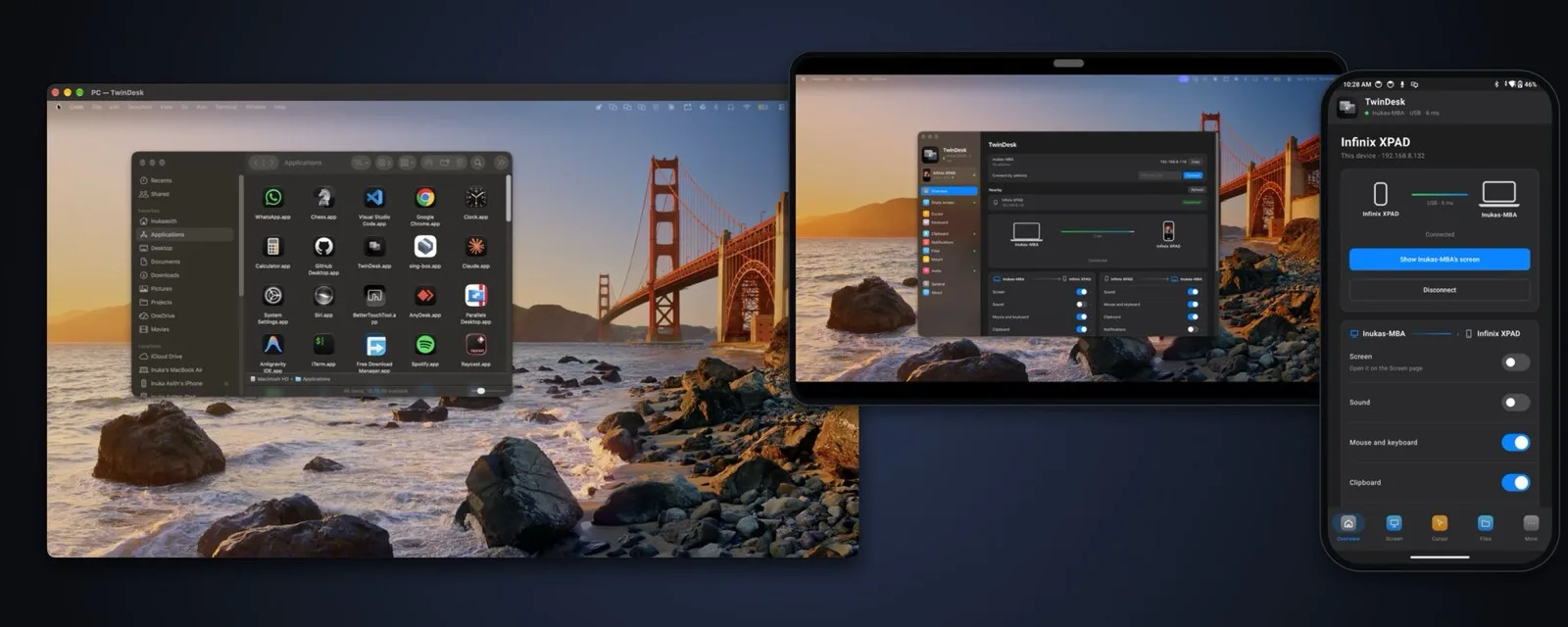
Two computers on one desk still means two keyboards, files sent through chat apps, and phone calls that pull you away from your screen. TwinDesk (by InukaAsith, ★2,812 on GitHub) folds all of that into a single app: screens, app windows, files, clipboard, cameras, calls, texts, and one mouse and keyboard, shared across Mac, Windows, Linux and Android. Devices talk to each other over an encrypted link — no account, no cloud. The repo was created on October 14 and is already at v2.5.0-beta.1, less than a month later.
Its position is “software KVM plus phone bridge”: Synergy and Barrier cover keyboard sharing, KDE Connect covers phone-to-desktop, and TwinDesk claims both jobs in one codebase — the repo’s topics literally include synergy-alternative and kde-connect-alternative. Every feature starts off and loads only when enabled, and 2.3 cut tray memory roughly in half.
Core features
- One mouse and keyboard for every computer: push the cursor against a screen edge to switch machines, and Scroll Lock pins the pointer to one computer. This is the software-KVM baseline.
- Any device as a second screen: an old laptop or an Android tablet becomes an extended display for your Mac or PC — no extra monitor needed.
- Run the other computer’s apps: Windows programs open in their own windows on a Mac, and the other way around, without installing everything twice.
- The phone feeds the computer: answer calls and texts from the desktop, use the phone’s camera as a webcam for Zoom or Meet, and drive the computer with the phone as touchpad, remote or gamepad (new in 2.3).
- Clipboard carries images too: copy a screenshot on the PC, paste it on the Mac or the phone (new in 2.3).
- Three ways to connect: same Wi-Fi, a USB cable, or Bluetooth plus an on-demand Wi-Fi Direct link — no shared network required.
Typical use cases
- Anyone running a Mac and a Windows PC side by side: one keyboard, clipboard and files crossing over, Windows-only clients reachable without swapping machines.
- Anyone who wants a second monitor: the Android tablet already on the desk becomes an extension display instead of a paperweight.
- Anyone tired of checking their phone at the desk: texts and calls land on the computer, and the camera stays busy in video calls.
For running a full macOS on an iPad, see our earlier report on VirtualMacOniPad; for desktop Linux on an Android device, see Podroid. TwinDesk does one thing — make the devices you already own behave as one desk.
Quick start
Grab an installer from Releases (macOS 13+, Windows 10/11, Linux on X11 or Wayland, Android 10+), install on both devices, pair once with a code, then switch on each feature you want. Keyboard and mouse sharing works over the same network; use the USB cable or Bluetooth pairing when there is no shared Wi-Fi. The website and docs live at twin-desk.vercel.app.
Summary
Use it if your desk holds more than one computer and paying for Synergy or juggling KDE Connect annoys you; single-machine setups don’t need it. Two honest caveats: the project is under a month old and the current release line is a v2.5.0 beta — stay on the stable v2.4.0 for daily work — and everything is off by default, so first-time setup means enabling each feature manually. GPL-3.0, JavaScript (Electron), ★2,812 as of November 2, 2026, still releasing actively.