Models#Benchmark#Image generation
Canva releases Craft, its first in-house image model, which plans the layout before it renders
Canva released Craft on October 22: its first in-house image model plans a layout before rendering, tops out at 2K, and ships in Dream Lab and the API at once.
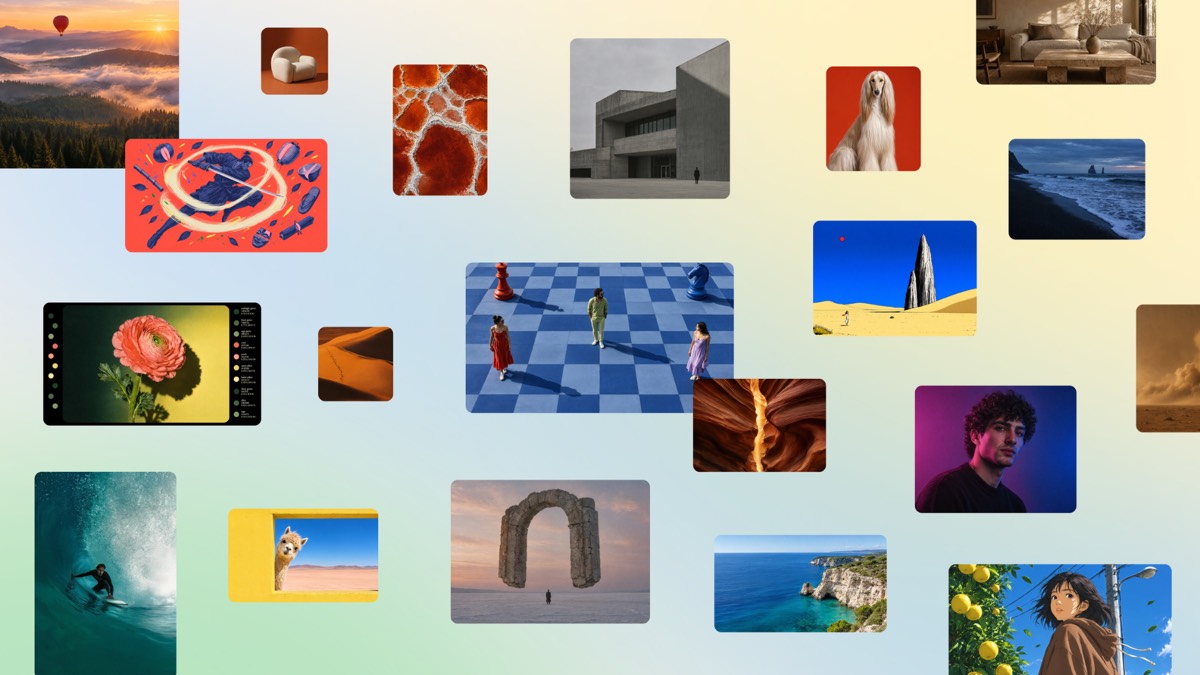
Canva released Canva Craft on October 22, 2026, the first foundation image model Canva Research has trained from scratch. Its two-stage architecture turns a prompt into a composition plan first — which elements appear, where they sit relative to each other, their scale, the visual hierarchy, where text lands — and hands that plan to a rendering model that produces an image at up to 2K. Craft arrived in Canva’s Dream Lab and in the Public API the same day: developers pin model to craft_v1_2k on POST /v1/image-generations in the Connect API. Canva’s newsroom wording is “available starting today to all Canva users globally.”
Key points
- The aspect-ratio claim has two layers. Canva advertises more than 30 ratios plus custom sizes, but the Connect API reference lists exactly six
aspect_ratiovalues —square(1:1),landscape(16:9),portrait(9:16),landscape_3_2,portrait_2_3,portrait_4_5— and has no separate resolution parameter; pixel dimensions come from the model and the job result reports actual width and height. - The engineering cost is in the developer post. Canva’s October 22 post on its developer community says Craft “plans before it renders, so a job takes longer than the other models,” roughly 50 to 60 seconds end to end with backoff polling; starting a job spends the user’s AI credits; the download URL lives for 24 hours.
- The leaderboard is Canva’s own claim. Canva says Craft debuted fourth overall on DesignArena and that this makes Canva Research “the world’s second most advanced lab for image generation.” Sub-scores: first for People & Portraits (87 models) and Landscapes & Nature (85), second for Abstract & Patterns, fourth for Products.
Background
Canva makes design tools and had been using third-party image models for generation; TechCrunch’s report says the platform had gone through a stack of them. The turn came with the 2024 acquisition of Leonardo.ai, whose researchers TechCrunch says contributed to this model. Canva’s newsroom frames Craft as the first foundation model the company trained from scratch, and makes the training data the pitch: millions of human-made templates from Canva’s own content library — posters, social posts, presentations, infographics, menus and typography-heavy layouts — with the training placing “a much greater emphasis on design” than on photographs. Canva puts the payoff as a contrast: “Unlike flat images, these templates teach the model exactly how layout, hierarchy, and typography fit together,” giving it “a deeper understanding of the principles behind effective design, rather than simply learning what finished images look like.”
That path differs from the models we’ve covered recently. Nano Banana 2.1 sells Chinese text rendering and 4K output; FLUX 3 uses coordinate grids and reference images to place elements; Ming-Image splits a finished composite into transparent layers. Craft’s bet is that fixing the layout structure before a pixel exists buys placement accuracy that photo-trained models don’t have.
Canva’s scale is where the data comes from. The newsroom says more than a quarter of a billion people use the platform, producing over 400 designs every second. The business side comes from TechCrunch: Canva was on track for about $4 billion in revenue last year, then cut its 2026 growth forecast, with its valuation reportedly falling from $42 billion to $35 billion according to outside analysts. Those three figures appear in that one TechCrunch piece and nowhere in Canva’s own material.
The facts
What can be checked publicly about Craft falls into three buckets: architecture, training method and the API contract.
| Item | Value / note |
|---|---|
| Model identifier | craft_v1_2k, labelled CRAFT-1 2K in the API docs |
| Other models on the endpoint | lucid_origin, z_image_turbo; Canva recommends omitting model so it picks and can fall back |
| Resolution | Up to 2K; no separate resolution parameter, width and height come back in the job result |
| Ratios | 30+ and custom sizes in the product; six enum values in the API |
| Text in image | 55 languages; prompts in any language |
| End-to-end latency | Roughly 50–60 seconds, poll with backoff |
| Rate limit | 20 requests per minute for each user of your app |
| Download URL | Valid 24 hours; asset_upload.type: upload saves it to the user’s Canva account |
| Training | Millions of human-made templates; SFT plus RL with feedback from Canva designers |
| Internal evaluation | More than 25,000 image pairs in head-to-head comparison; designer judgment won ties against automated scoring |
| Speed work | Distillation cut inference steps; a custom planning-stage inference engine made Craft an order of magnitude faster than Canva’s first internal version |
| Safety | Canva Shield: input and output moderation, privacy controls, reporting tools |
Canva draws the capability boundary itself: infographics, posters, slides, people and portraits, landscapes, abstract art and patterns, products and marketing material. It also concedes the gaps — fine print and technical drawings need work, advanced editing and reference images are future releases — and puts Craft-fast and Craft-ultrafast, two cheaper variants, on the roadmap, with the Canva MCP server at “coming soon.”
One difference beyond the spec sheet is easy to miss: Craft output carries JSON boundary boxing, and with Canva’s Magic Layers that turns a generated image into separately editable design elements. That’s a structural advantage a pure model vendor doesn’t have — the image lands inside an editor instead of being exported into another tool.
What others say
Three conflicts run through the public claims about Craft, and each one changes how you’d use it.
The first is the ratio count. Canva’s newsroom says “more than 30 aspect ratios, or enter your own,” The Verge says “more than 30,” and TechCrunch says “a possible 30” — while the Connect API reference has exactly six values and notes that every ratio is supported by every model. The developer post is looser still: “Craft supports every aspect ratio the endpoint offers: square, landscape, portrait, more aspect ratios coming soon” — three names, fewer than the six the reference lists. The reasonable reading is that 30+ describes the dropdown in Dream Lab while the API opens ratios one at a time; if you wire up the API today, you get six.
The second is the leaderboard. Canva says Craft debuted fourth overall and that this makes Canva Research “the world’s second most advanced lab for image generation” — fourth model, second lab, in the same breath. The three ahead, per The Verge and Thurrott, are all OpenAI: GPT-Image-2.5 Sunburst, GPT-Image-2.5 Flare and GPT Image 2. The Verge calls DesignArena “a crowdsourced benchmark for AI designs” rather than a controlled third-party evaluation, and its report attributes the capability claims to Canva’s announcement with no hands-on result of its own. We could not verify the board independently either: designarena.ai’s leaderboard returns only page scaffolding, with model names and scores rendered client-side, so the fetch came back empty. Every ranking in this piece is therefore attributed to Canva, not measured by us.
The third is the paywall. Thurrott writes that Craft in the Canva app means “you will need a paid subscription”; Canva’s newsroom says it is available to “all Canva users globally” and TechCrunch says “to all users.” The newsroom never mentions a subscription, a paid tier or a price; its one cost statement covers the future Craft-fast and Craft-ultrafast variants, which it says will deliver high-quality generation “at a fraction of the cost of leading frontier models.” The credit limit lives on the API side, in the developer docs and community post: starting a job spends the user’s AI credits. Whether Thurrott had different sourcing or “all users” covers every account tier with quotas on top, today’s material can’t settle.
How to try it
The fastest look at Craft is inside Canva: open the app, find Dream Lab in the bottom-left panel, or go straight to canva.com/dream-lab.
Through the API, three things matter. First, the endpoint is POST https://api.canva.com/rest/v1/image-generations, it needs a user token with the asset:write scope, and both prompt and idempotency_key are required. Second, pinning the model removes the fallback: Canva recommends omitting model so it picks the best available option, and only pins when you specifically want Craft’s output — in which case an unavailable model fails outright with model_not_available instead of silently swapping in another. Third, the endpoint is still a preview.
{
  "prompt": "A clean infographic poster titled 'Ocean Plastics 2026' with three stat callouts and a wave illustration",
  "model": "craft_v1_2k",
  "aspect_ratio": "portrait_2_3",
  "idempotency_key": "9c1f2d3e-5b6a-4c7d-8e9f-0a1b2c3d4e5f"
}
Poll GET /v1/image-generations/{jobId} until status is success, with backoff sized for 50–60 seconds rather than a tight loop. The returned result.image.url is good for 24 hours; set asset_upload.type to upload to save the image into the user’s Canva account. Documented error codes include unsafe_input, timeout, model_retired and internal_error; running out of allowance returns 429 with credit_quota_exceeded.
“Available in the API the same day” needs a qualifier. The image-generation endpoint itself went into preview on October 1, 2026, per Canva’s developer changelog; what landed on October 22 was the Craft model value on it. Writing this up as “Connect API launches today” would be wrong. Canva’s docs also state that public apps using preview APIs won’t pass review and can’t be made available to all Canva users.
Our take
The interesting part of Craft is the training-data choice. Mainstream image models eat photographs and learn light and texture; Craft eats templates and learns where elements go, how hierarchy stacks, where text sits. That difference shows up on infographics, posters and slides, where layout matters more than rendering — and it’s why Canva is comfortable putting two subcategory firsts in the announcement.
At today’s engineering parameters, though, Craft belongs in an async pipeline, not a live preview. Fifty to sixty seconds per image means a user waits a minute per click, and with credit-based billing and a 20-request-per-minute-per-user limit on top, anyone generating at volume has to build their own cost model. Canva has published no per-image price, no allowance numbers, no SLA, no parameter count and no training compute. Missing any one of those leaves a hole in a procurement decision.
The real gate is the preview status. An endpoint that can’t pass app review works for an internal tool and not for a product you sell. If your case is batch marketing assets, e-commerce hero images or print layout, the most valuable move right now is a side-by-side test: run the same prompt through Craft and through the platform’s default model, then check whether text lands where you asked and whether the hierarchy still reads at thumbnail size. Waiting for Craft-fast and a GA endpoint before wiring it into production is the steadier order.
Just curious? One poster in Dream Lab is the quickest check. Building a design tool? Craft’s JSON boundary boxing plus Magic Layers points the same way as Ming-Image and its editable layers: generation is only finished when the output can still be changed.