OpenSRE: open-source framework for AI SRE agents
OpenSRE is an open-source framework for AI SRE agents, connecting the observability, cloud and incident tools you already run. Apache-2.0, public alpha.
Project facts
GitHub Ecosystem- License
- Apache-2.0
- Language
- Python
- Stars
- 12,306
- Data checked
- 2026-10-21
Snapshot figures reflect the check date and may change over time.
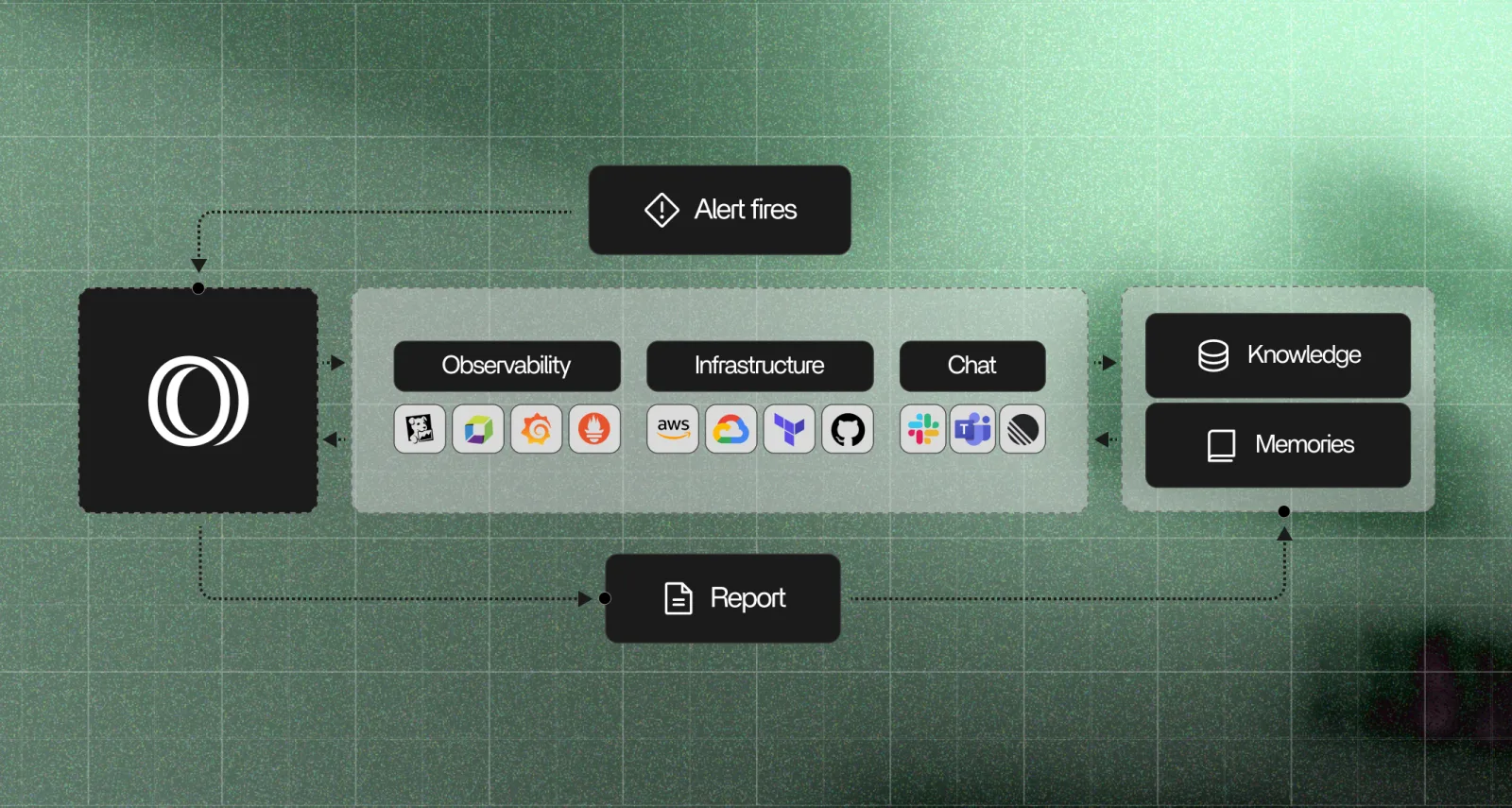
A page fires at two in the morning, and the evidence is spread across logs, metrics, recent deploys and a Slack thread. OpenSRE is an open-source framework for building AI SRE agents, which gather that evidence and answer production questions on your own infrastructure. The repository, Tracer-Cloud/opensre, says it connects to more than 60 tools you already run. The README labels the project public alpha. As of 2026-10-21 the repository had 12,306 stars and an Apache-2.0 license.
Core features
- Evidence first, then a conclusion: The agent collects related context, including correlated logs, metrics, traces and recent deploys, then tests hypotheses in a tool-calling loop. The README calls the result “evidence-backed root cause”: every conclusion links to the data behind it.
- Integrations across the stack: The README’s table covers observability (Grafana, Datadog, Sentry, CloudWatch and others), infrastructure (Kubernetes, AWS, Azure, ArgoCD), databases, data platforms (Airflow, Kafka, Temporal), incident tools (PagerDuty, Jira, ServiceNow) and chat (Slack, Discord, Telegram). Linear, Notion, Teams and Confluence sit on the roadmap.
- Your runbooks, applied: According to the README, the agent reads the runbooks you write and applies them automatically, so troubleshooting steps your team has already written down do not need to be explained again each time.
- Masking before external calls: Pod names, cluster names and account IDs can be redacted before a call goes to an external model, then restored in the output. The README lists this step as optional, so confirm it is switched on before sending production identifiers out.
- Three ways in: An interactive shell for back-and-forth work,
opensre ask "..."for one non-interactive turn in a terminal, script or CI job, andstart_embedded_sessionin Python for embedding in your own services. The README says the Python path needs a source checkout. - Cost and history:
/costshows token use for the current session, and/sessionsand/resumepick up earlier work.
Typical use cases
- An on-call SRE whose alert just fired and who wants to know whether checkout-api’s logs, metrics and latest deploy agree before touching anything. The README’s own example question is “why is checkout-api slow?”
- A platform team that has written its troubleshooting steps into runbooks and wants the agent to check the same things in the same order every time.
- A backend team running one-off questions from scripts or CI with
opensre ask. Those calls run into the approval rules covered in the summary.
Quick start
On macOS or Linux, the README’s install and first-run commands are:
curl -fsSL https://install.opensre.com | bash -s -- -gh
opensre
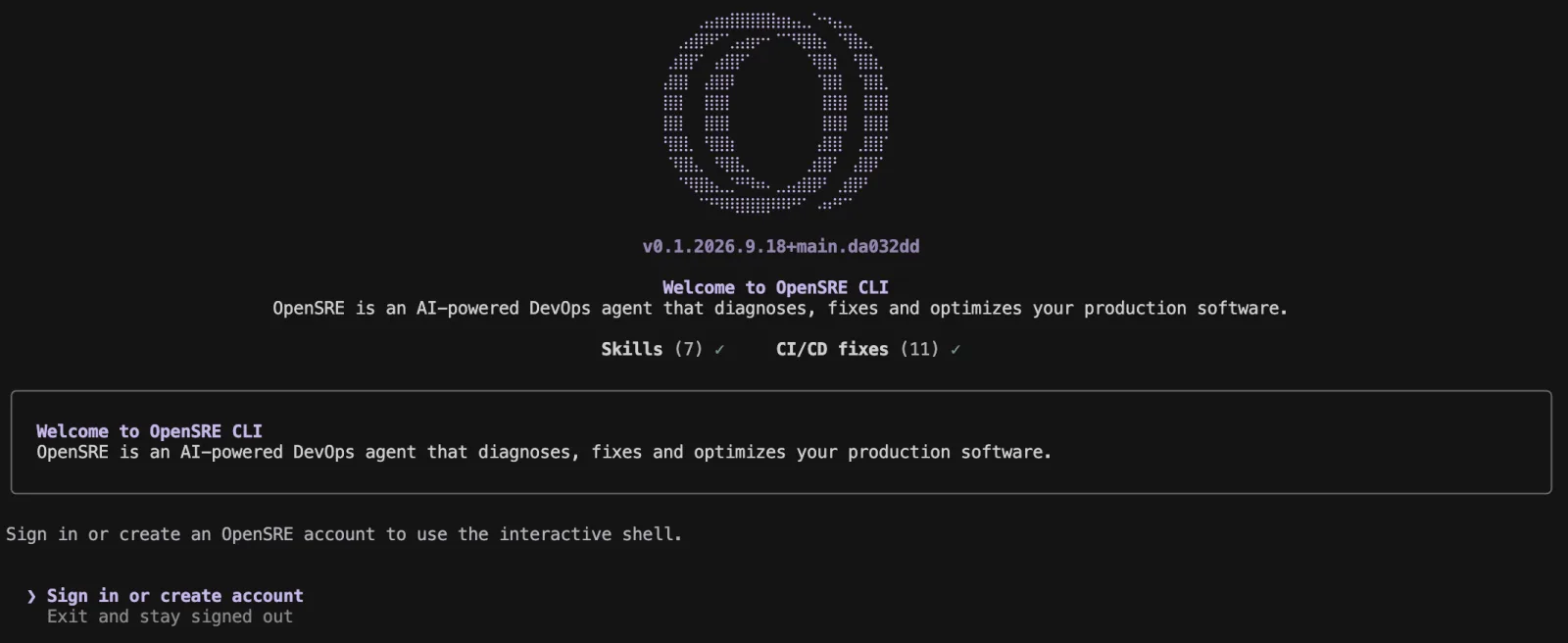
The first launch asks you to sign in or create an account, and the README says that first launch activates the hosted model. The screenshot below shows the sign-in prompt that gates the interactive shell. The README does not explain the -gh flag, and we did not read the install script. The installer fetches the latest build from main without a pinned version, so two installs on different days can get different builds. Connect your tools with opensre integrations setup.
Summary
A good fit: SRE and platform teams that already run tools such as Grafana, Datadog, Kubernetes or PagerDuty, want an agent to gather evidence first, and can pay for model calls or bring their own model. A poor fit: anyone who wants a finished product with a vendor to call, or who cannot accept a public alpha that may change. If your team has no monitoring yet, look at Netdata first, since it collects its own metrics, while OpenSRE connects to tools you already run.
Five caveats apply. The project calls itself public alpha, and the README says APIs and integrations may change. The interactive shell needs an active account, and the README does not say what data the hosted model receives, so confirm that before you connect production data. Tool approval is the control to read closely. The headless guide says tools that change state, contact an external service or do not declare their side effects need approval and are denied by default. You can authorize specific tools with --allowed-tool. The --dangerously-bypass-approvals flag approves every gated tool, and the guide says to use it only in a trusted environment. Neither option overrides operating-system permissions or sandboxing. The guide does not describe the permissions each integration needs, so check those in every tool before you connect it to production. Telemetry is on by default: product analytics and Sentry error reports are opt-out, and export OPENSRE_NO_TELEMETRY=1 turns them off. Last, the README’s badge says the project is sponsored by Greptile.
We read only the README, the headless guide, the LICENSE and the repository metadata. We did not install or run the tool, and we did not test any integration.